

I keep seeing the same problem in Shopify stores: everyone agrees the blog matters, but the process depends on one person finding a spare afternoon. When that fails, the content goes stale, the SEO work slows down, and the AI draft that finally gets published sounds like it was written for a different store.
The version that works for me is simpler. Automate the repeatable parts of the blog workflow and keep a human review step for the parts that affect trust. Supra Blog Automation is useful because it handles the planning, drafting, visuals, and scheduling, while still letting you choose whether a post publishes immediately or sits as a draft.
If you want the short version, I would automate:
- topic selection
- SEO structure
- internal links
- visuals
- scheduling and publishing
I would still review:
- product accuracy
- brand voice
- promotional claims
- any pricing, seasonal, or policy-sensitive language
What I automate vs what I review
The split matters because generic AI content is cheap to produce but expensive to trust. I do not want a tool to invent a personality for the brand. I want it to handle the boring parts of the workflow so I can spend my time checking whether the post is actually useful.
This is where product-aware content makes a difference. If the draft knows what the store sells, who it is for, and what problem it solves, the post is usually better before I touch it.
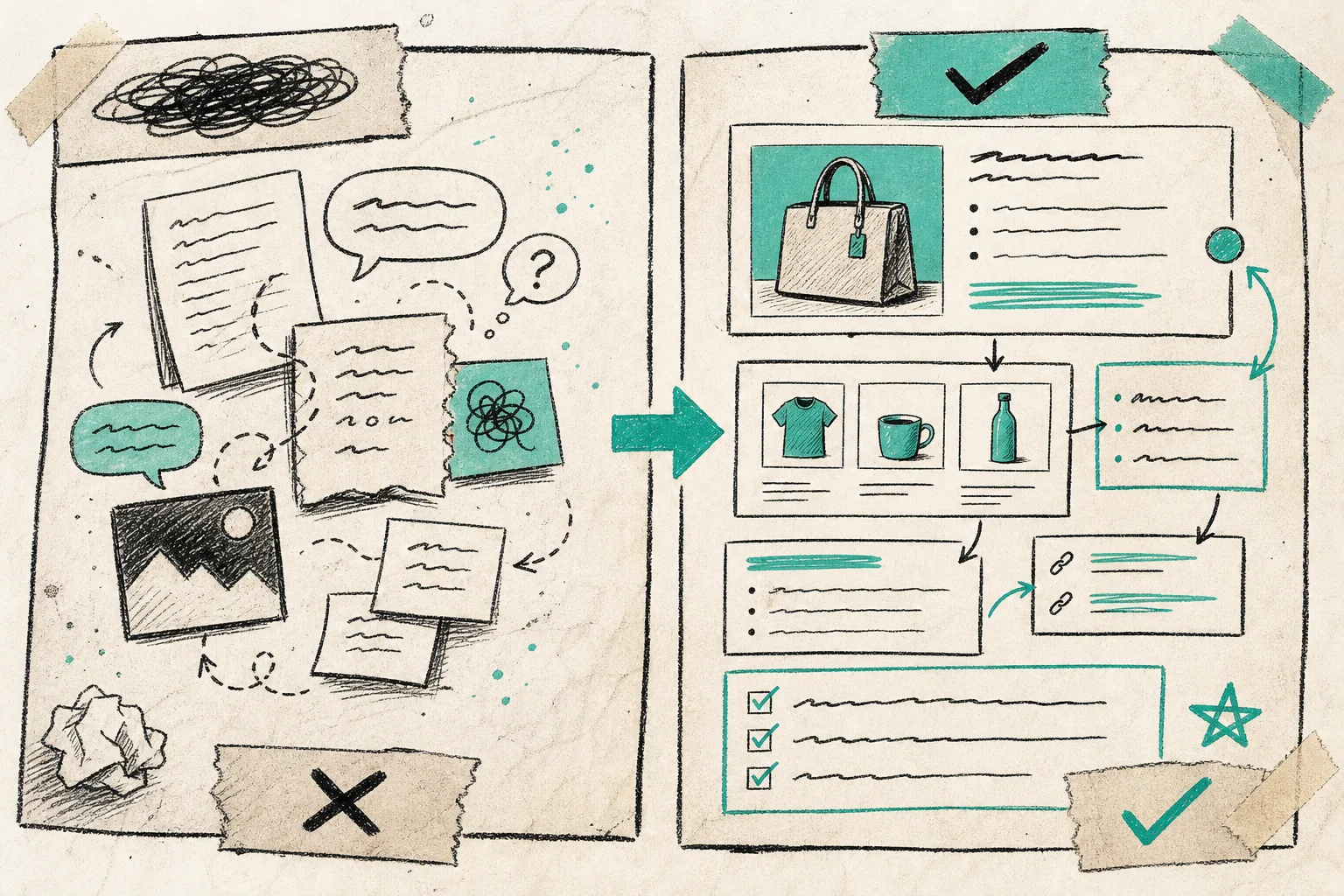
The left side is what I do not want: vague claims and disconnected ideas. The right side is what I want more often: a post that is anchored to the store, the product, and the next action.
Start from a product, collection, or customer problem
The best post ideas I have seen in Shopify stores are specific. “How to choose the right size” beats “Why size matters.” “How to style a spring collection” beats “Spring fashion tips.” The more the topic is tied to a real product or collection, the easier it is to write a useful article that can link back to the store.
Supra Blog Automation is built for that kind of workflow. It supports product-aware content, so the draft can reference the items you actually sell instead of drifting into broad advice. That usually makes the article better for SEO and better for conversion.
I would pick one of three starting points:
- a product that needs more discovery
- a collection that needs internal links
- a customer question that stops people from buying
Give the generator the constraints that matter
A useful automation needs guardrails. If you only give it a topic, you get a generic post. If you give it a topic plus audience, goal, product context, and tone, you get something you can actually publish.
When I set up a workflow, I try to define:
- the reader
- the search intent
- the product or collection to feature
- the CTA
- the visual style
- whether the post should be a draft or a live post
This is also where internal links matter. A good Shopify blog post should not just answer the question once. It should point readers toward the relevant collection, product page, or related guide so the article does some store work.
Use visuals that explain the post
I prefer visuals that earn their place. A product photo shows the item. An AI-generated image can show the concept behind the article. A workflow graphic can show the process. The mistake is using random imagery just to have an image.
Supra Blog Automation can use product images, stock images, or AI-generated visuals, which is helpful because different article types need different media. A seasonal gift guide may need product shots. A process article may need a workflow illustration. A concept piece may need a generated image that sets the mood without pretending to be the product itself.
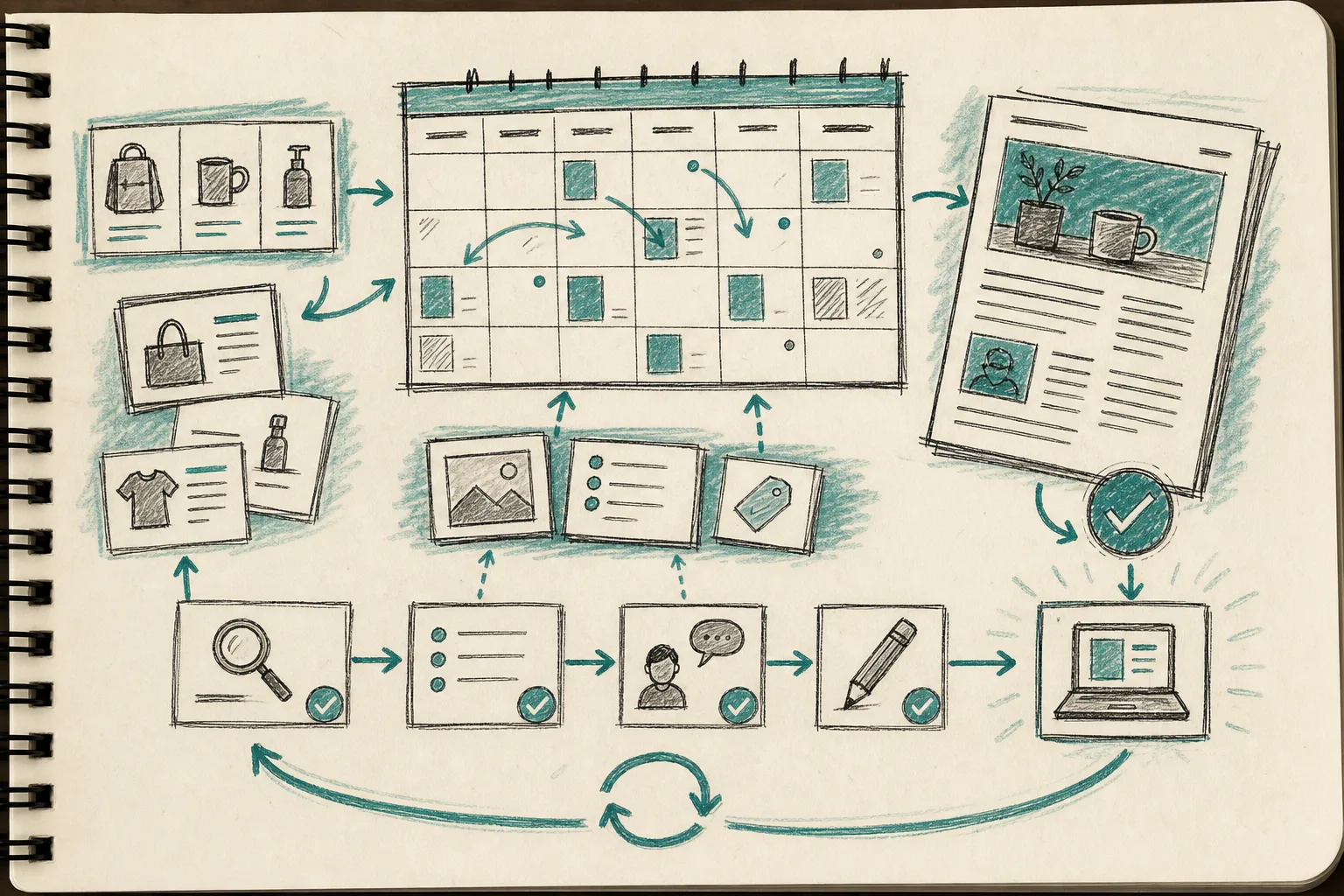
That calendar view is the part a lot of store owners miss. The real SEO win is not one article. It is a repeatable publishing rhythm that does not fall apart when the team gets busy.
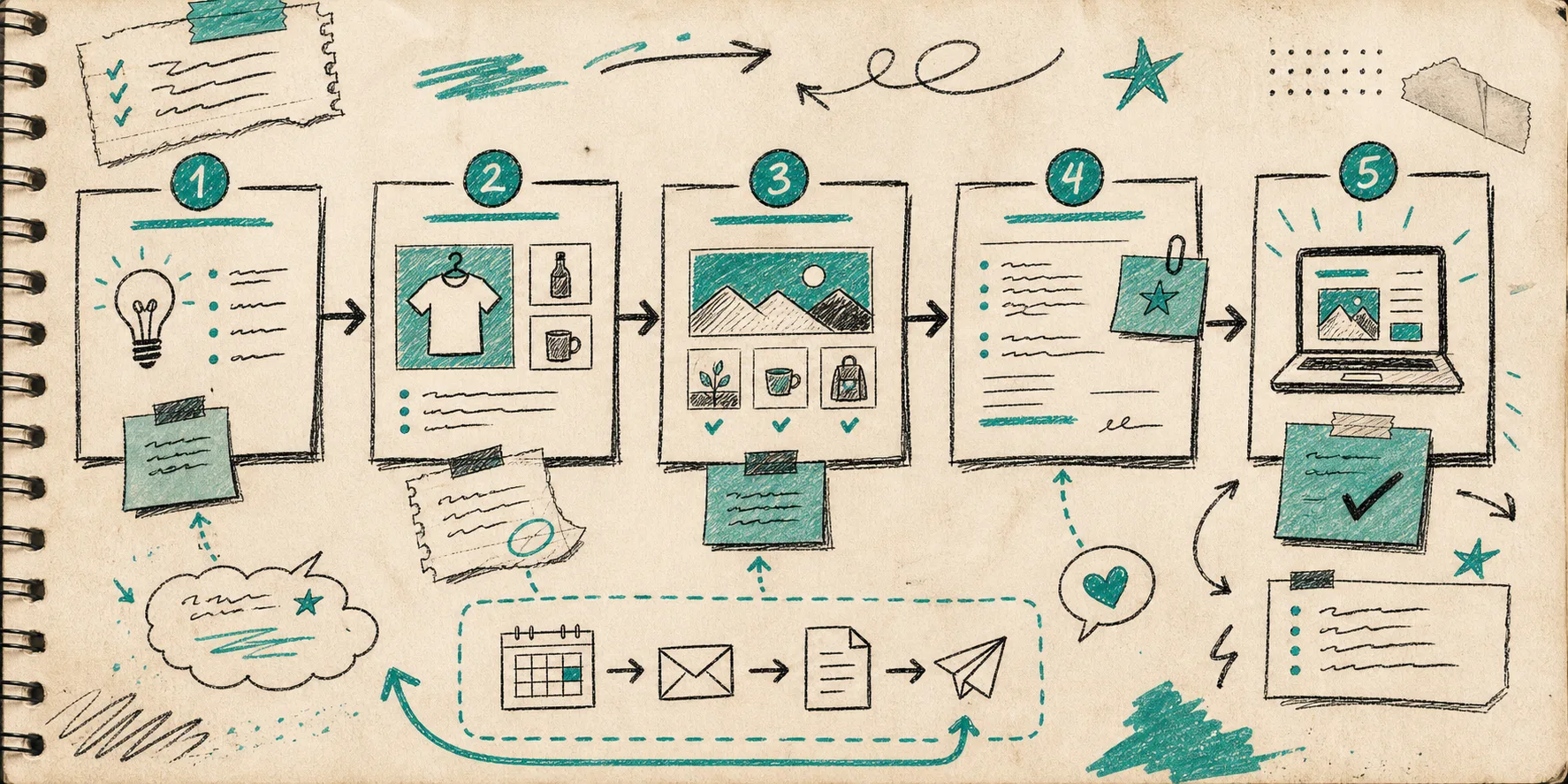
The workflow image is how I think about the whole system: topic, product context, image selection, review, publish. If one of those steps is missing, the result usually feels unfinished.
Decide when to draft and when to publish
I would not use fully automatic publishing for every post. Draft mode is better when:
- the post mentions pricing
- the post includes claims that need review
- the article is tied to a launch or seasonal promotion
- the brand voice still needs tuning
Immediate publishing is fine when:
- the topic is evergreen
- the article is informational
- the product facts are stable
- the workflow has already been tested
That is why recurring automations are useful. If you can schedule the right post types weekly or monthly, the blog stays active without turning into a daily manual chore.
My rough rule is simple: automate the path, not the judgment. If the workflow starts with a real product or question, moves through SEO structure and visuals, and ends in a reviewable draft, it stays human enough to be useful.
My publishing checklist
Before I let a Shopify blog post go live, I check seven things:
- The title matches the search intent.
- The post solves one clear problem.
- The product or collection mention is natural.
- The internal links point somewhere useful.
- The images explain the topic, not just fill space.
- The CTA matches the reader’s stage.
- I can stand behind every claim in the article.
If any of those fail, the post stays in draft. That one rule saves more cleanup time than any other part of the process.
Related reads
If you are building the rest of the workflow, these are the articles I would read next:
- How to Build a Product-Aware Shopify Blog Workflow That Publishes on Schedule
- How to Automate a Shopify Blog Without Publishing Generic AI Content
- How to Keep a Shopify Blog Publishing Without Generic AI Drafts
- How to Turn One Shopify Product Into Five UGC Video Ads
- How to Create Studio-Quality Shopify Product Photos From Plain Shots
Next step
If you want to try this on your store, start with one product or collection and generate one draft post instead of trying to automate the whole blog at once. Supra Blog Automation has a free plan, and the Shopify App Store listing is the quickest place to confirm the app details.