
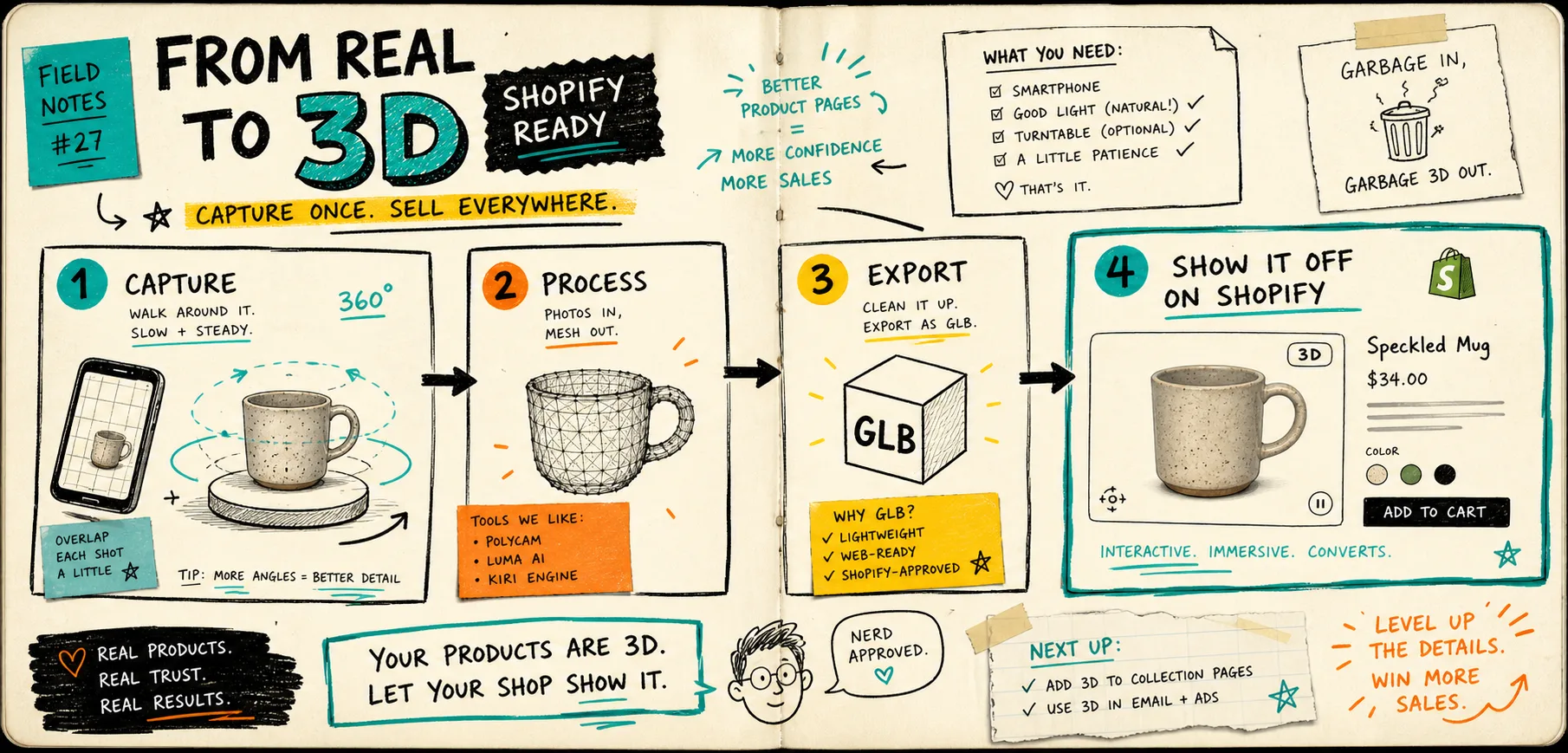
I used to think 3D capture was a special-case production task. Now I treat it more like a page design choice: if the shape matters, the page should let shoppers inspect the shape. Supra 3D Capture is the tool I reach for when I want to turn a few guided phone photos into a web-ready GLB and publish it straight into Shopify. The Shopify App Store listing says the quiet part out loud: no LiDAR, no fancy gear, no 3D experience. Just a phone, good light, and a product that can survive a clean orbit.
If I am still deciding whether a SKU is worth the work, I keep the first question simple: does the gallery already answer the buyer’s shape questions? If yes, 3D is optional. If not, 3D earns its place fast.
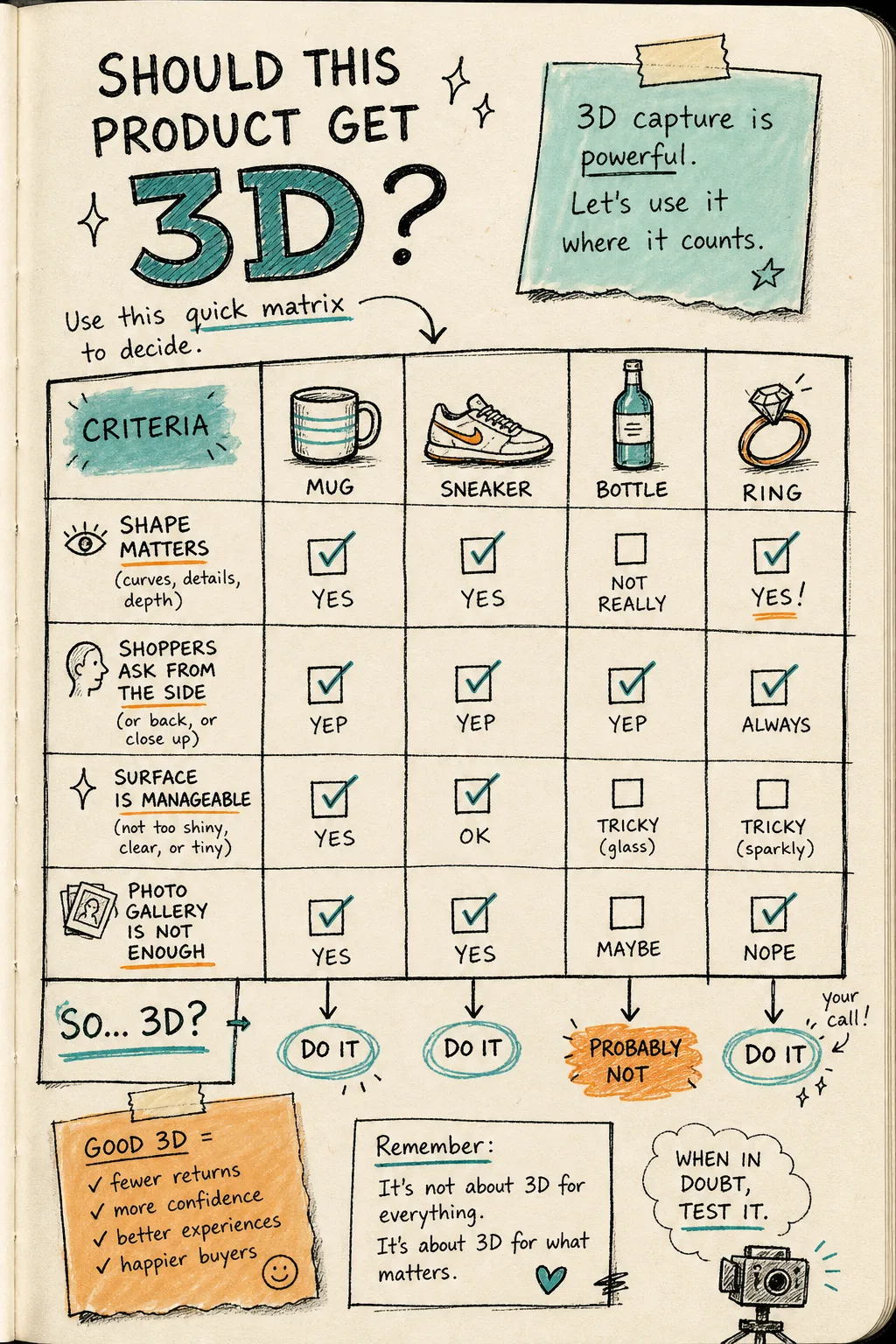
The test I use before I scan anything
I use a quick matrix to keep myself honest. The columns are not fancy. I want to know whether:
- shape matters
- shoppers ask from the side, the back, or a close-up angle
- the surface is manageable enough to scan cleanly
- the photo gallery is not enough on its own
If most of those boxes are checked, I move the product into the 3D queue. If not, I leave it alone and spend my time elsewhere.
That is the same logic I use in How to Decide Which Shopify Products Deserve 3D Models First and How to Tell If a Shopify Product Will Scan Cleanly in 3D. I do not want 3D for its own sake. I want it when the buyer needs another dimension to understand the product.
Keep the capture boring
The best scans usually come from the least dramatic setup. I want a plain table, soft light, a steady product, and a consistent orbit. Supra 3D Capture is built around that idea: snap 10+ guided phone photos, let the cloud pipeline reconstruct the model, then publish the GLB back into Shopify.
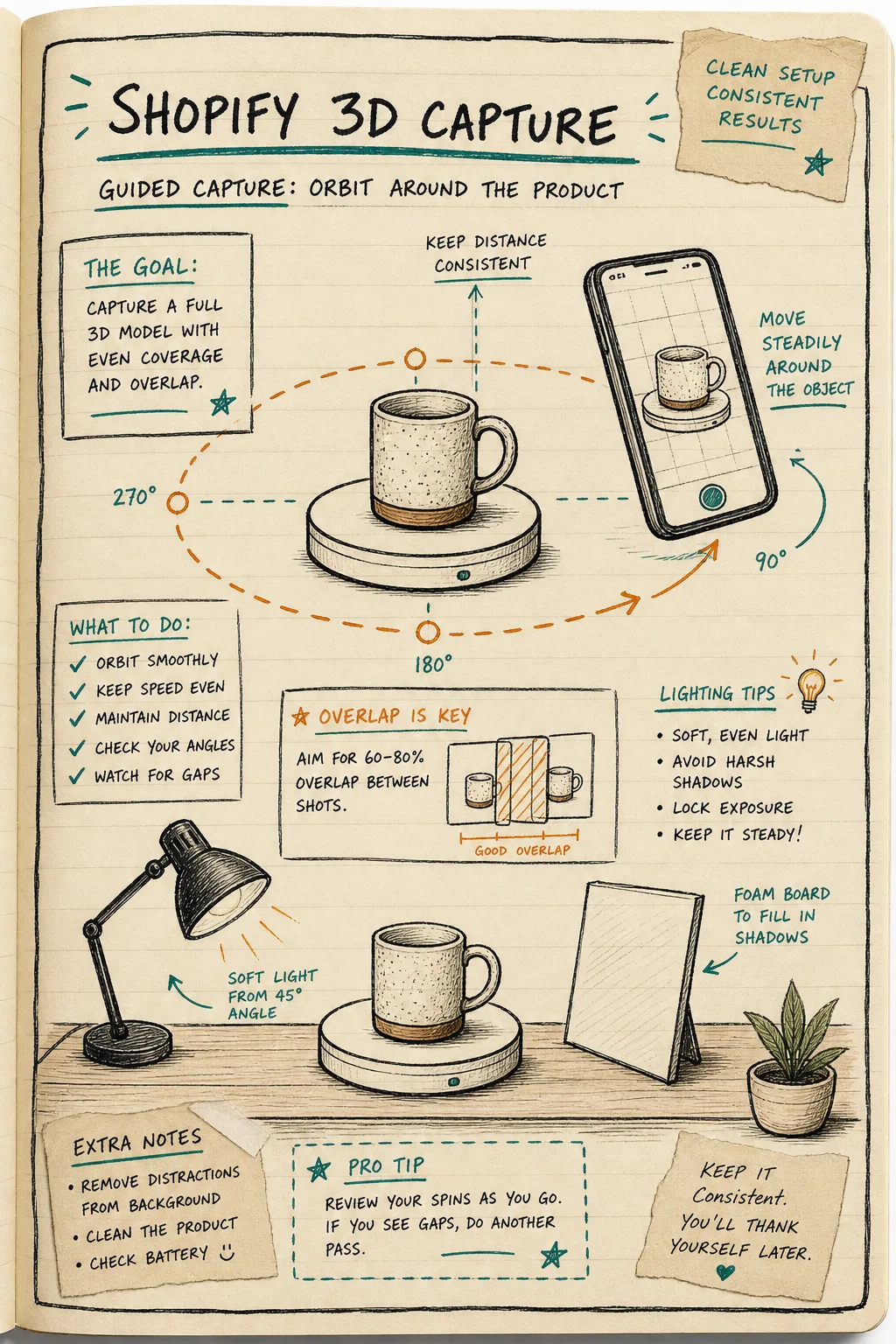
The practical part is simple:
- keep the product still
- keep the distance steady
- overlap shots instead of jumping between angles
- avoid hard shadows and ugly reflections
- review the captures while the setup is still in front of you
If I want the shot order spelled out before I start, I use How to Build a Shopify 3D Capture Shot List and How to Build a Shopify 3D Capture Checklist That Works. Those two posts keep me from improvising once the product is already on the table.
Put 3D beside the gallery, not instead of it
I want shoppers to see the photo gallery first. The 3D model should answer the next question, not replace the one the gallery already handled. On a Shopify product page, that usually means using the native 3D viewer when the theme supports it or placing the model with an Online Store 2.0 theme app block when I need a more explicit slot.
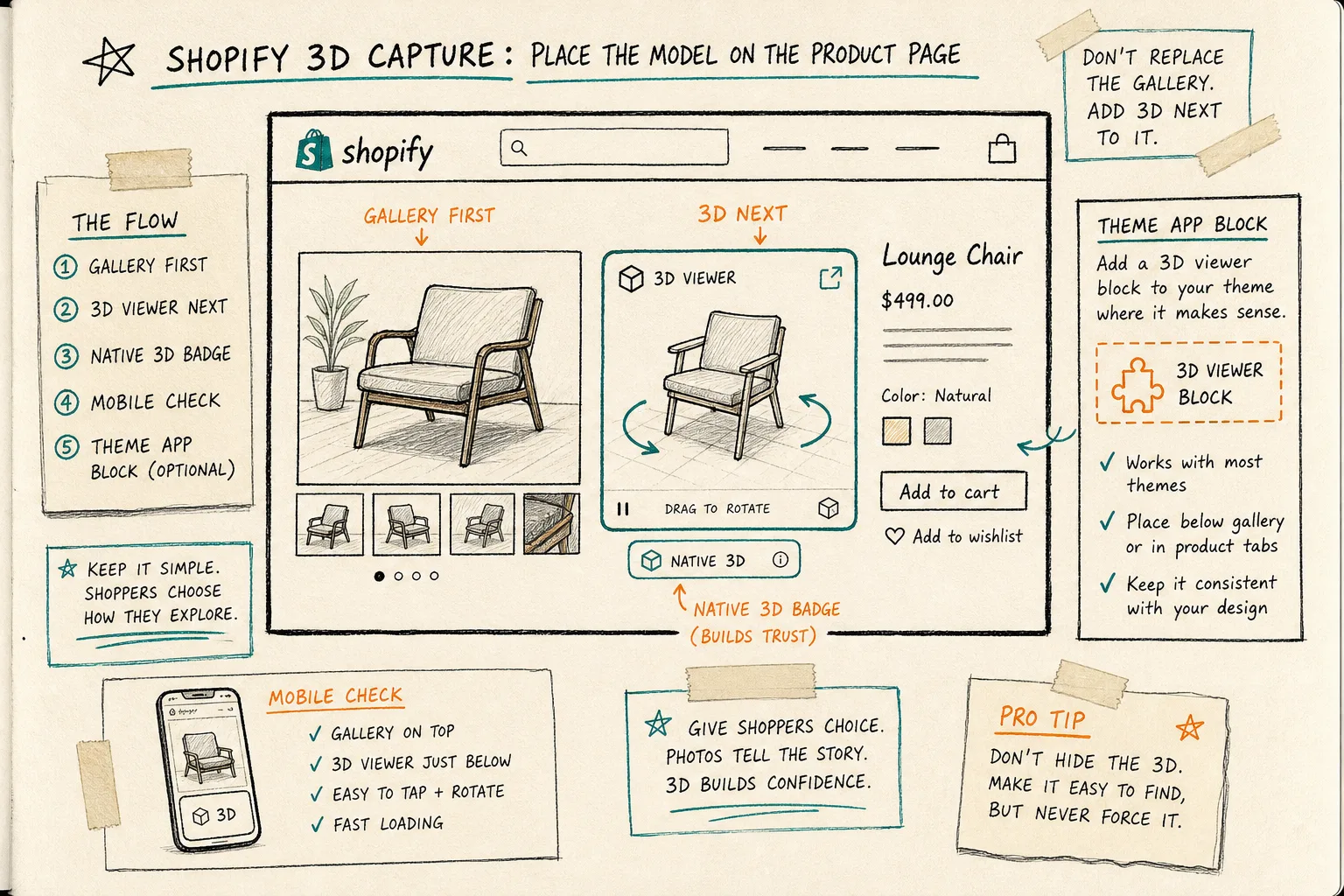
The rule I keep coming back to is straightforward: photos tell the story, 3D answers the shape question. If I bury the model, nobody uses it. If I force it to the front of the page, I can make the page harder to scan. The useful middle is visible, optional, and fast on mobile.
That is also why I do not treat 3D as a replacement for the rest of the media stack. It is a confidence layer. It helps the shopper understand proportion, depth, and angle before they commit.
Know which products fight back
Some products need more setup work before the scan is worth it. Shiny, clear, fuzzy, or reflective items are the usual troublemakers. Those are the cases where I slow down, clean the product, soften the light, and make the background less interesting before I blame the app.
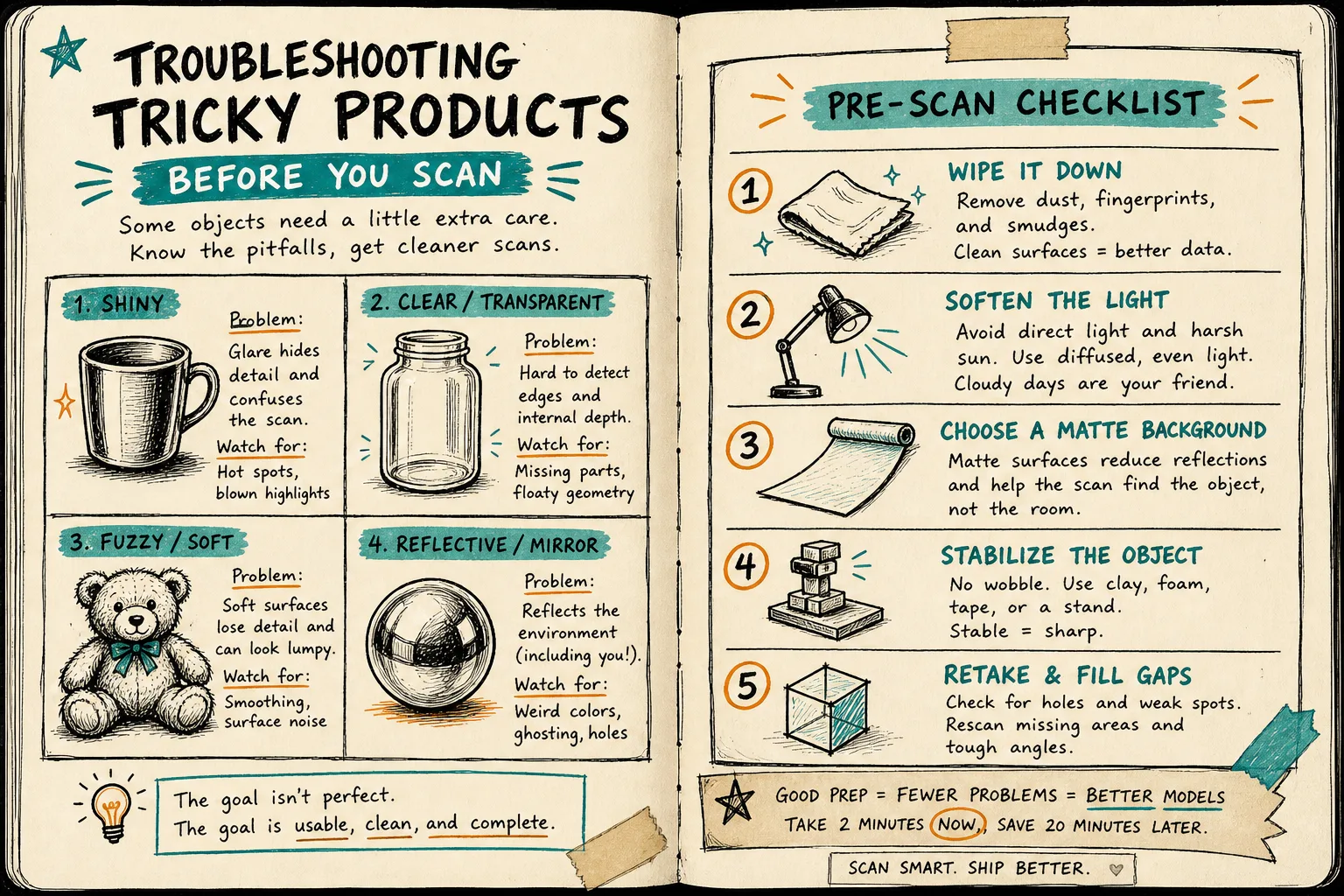
That is why How to Capture a Shopify Product in 3D Without a Studio matters. It keeps the process grounded in what a normal merchant can actually do with a phone and a table, not in studio fantasy.
When a product is difficult, I do not usually want a more ambitious workflow. I want fewer variables. Better light, fewer reflections, and a cleaner orbit usually beat a more complicated setup.
The short rule I use
I do not make every product 3D. I make products 3D when depth, proportion, and angle are part of the buying decision.
If one model makes the page easier to understand, it earns its spot. If it only adds novelty, I skip it.
Start with one SKU, capture the orbit, export the GLB, and attach it to the product in Shopify. Then check the page on mobile and ask whether the viewer helps a shopper understand the item faster. If the answer is yes, I keep going. If not, I move on.
If you want the tool side, start with Supra 3D Capture or the Shopify App Store listing. The part that matters is not that the model exists; it is that the model belongs on the page where a shopper is already deciding.