
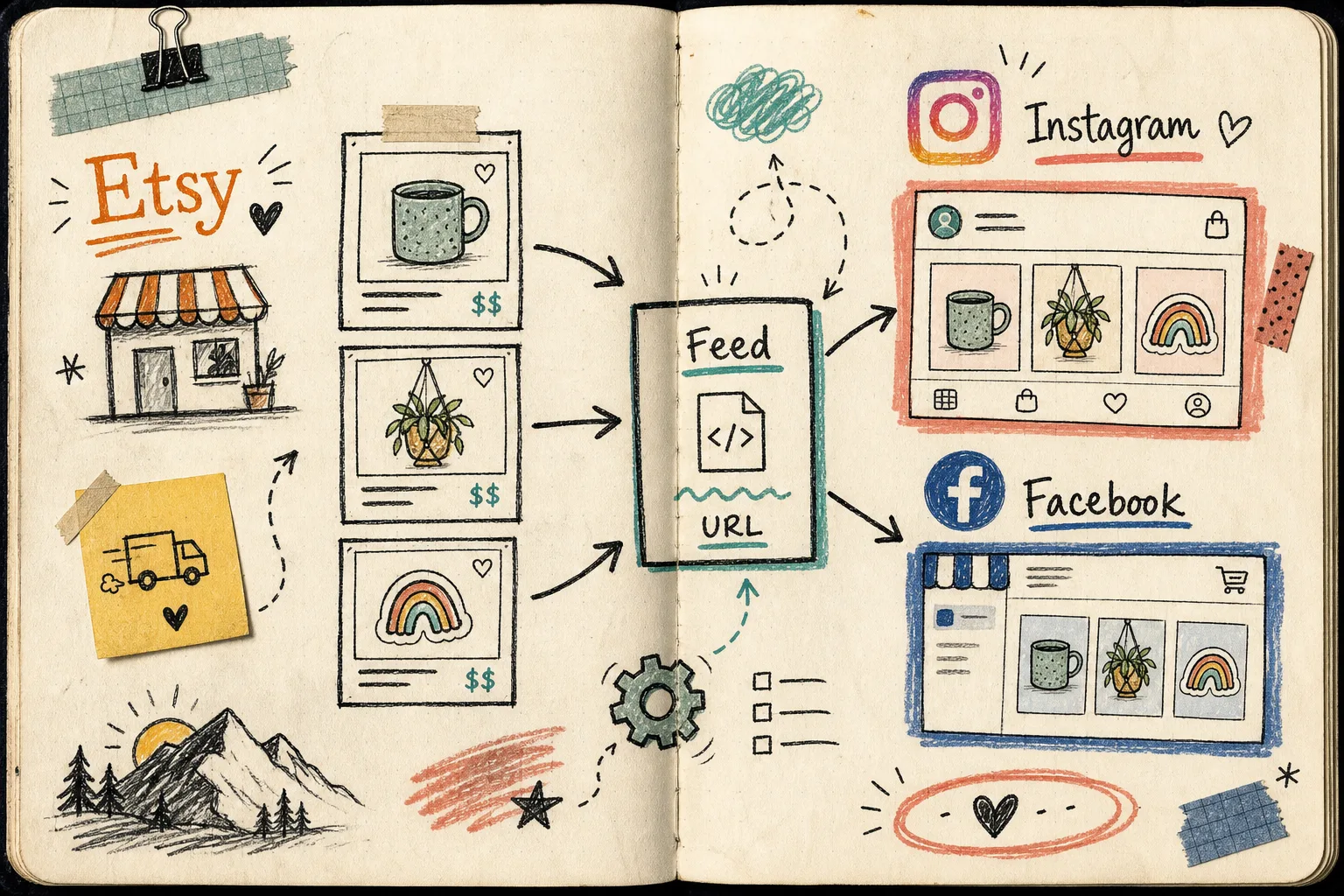
I keep coming back to the same lesson with Etsy: the listing is not the hard part. The handoff is.
This week I went back through the Catalog Generator for Etsy setup and treated it the way I now treat every boring integration: get the feed stable, verify the domain, and stop re-uploading product cards by hand. The app gives you a URL you can feed into Facebook Business Manager so Etsy listings can sync into Instagram Shop, Facebook Shop, and Google Shopping. It costs $5/month after a 7-day free trial, which is cheap enough that the only real question is whether your catalog is ready for automation.
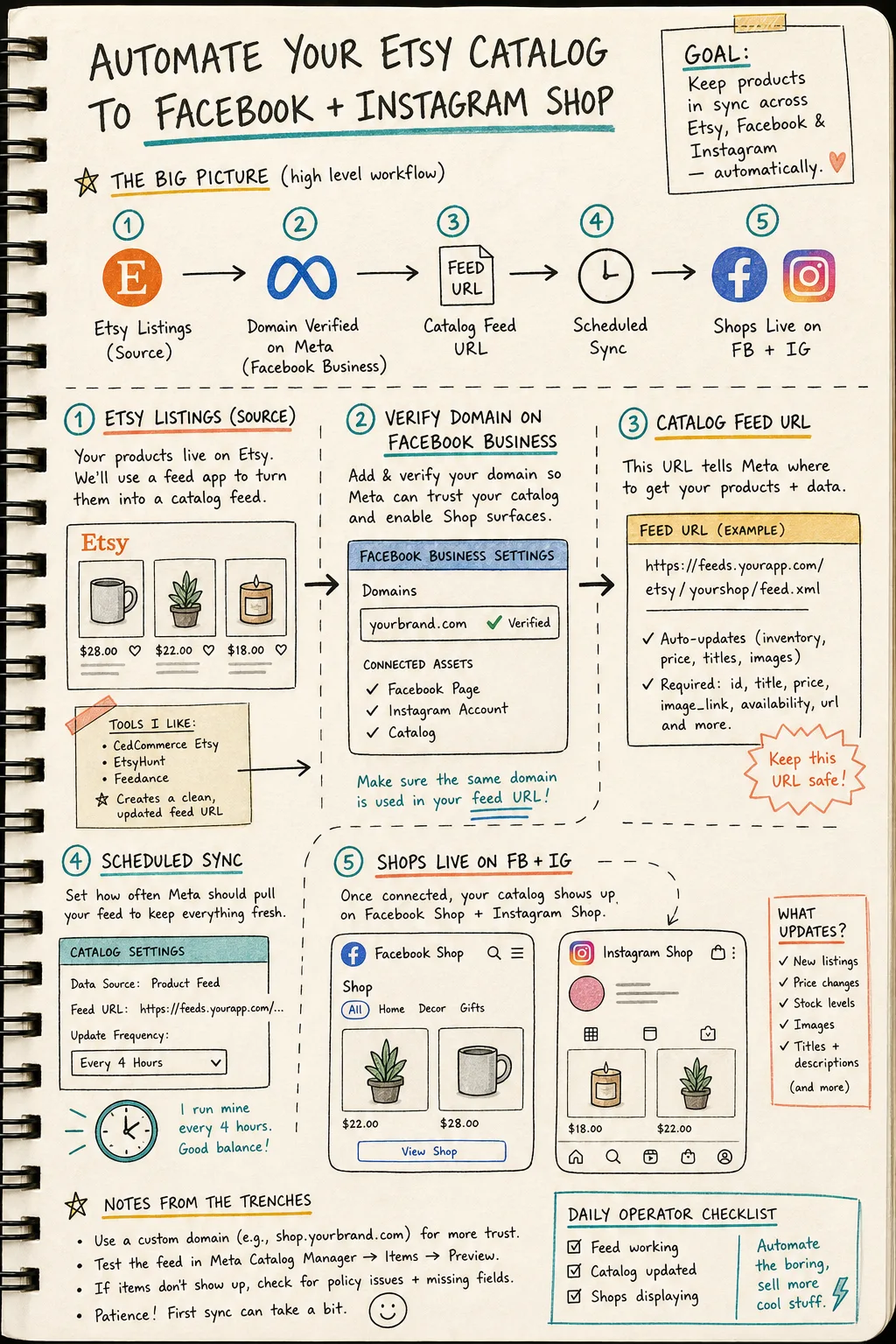
The setup I actually trust
I start with the product page itself: Catalog Generator for Etsy. The promise is simple. Connect the shop, get a feed URL, and let Meta pull the catalog on a schedule instead of forcing you to export and upload inventory every time something changes.
That sounds small until you have to do it the old way. A manual catalog upload turns every title tweak, image swap, and price change into a second job. A feed turns that same maintenance into a background sync.
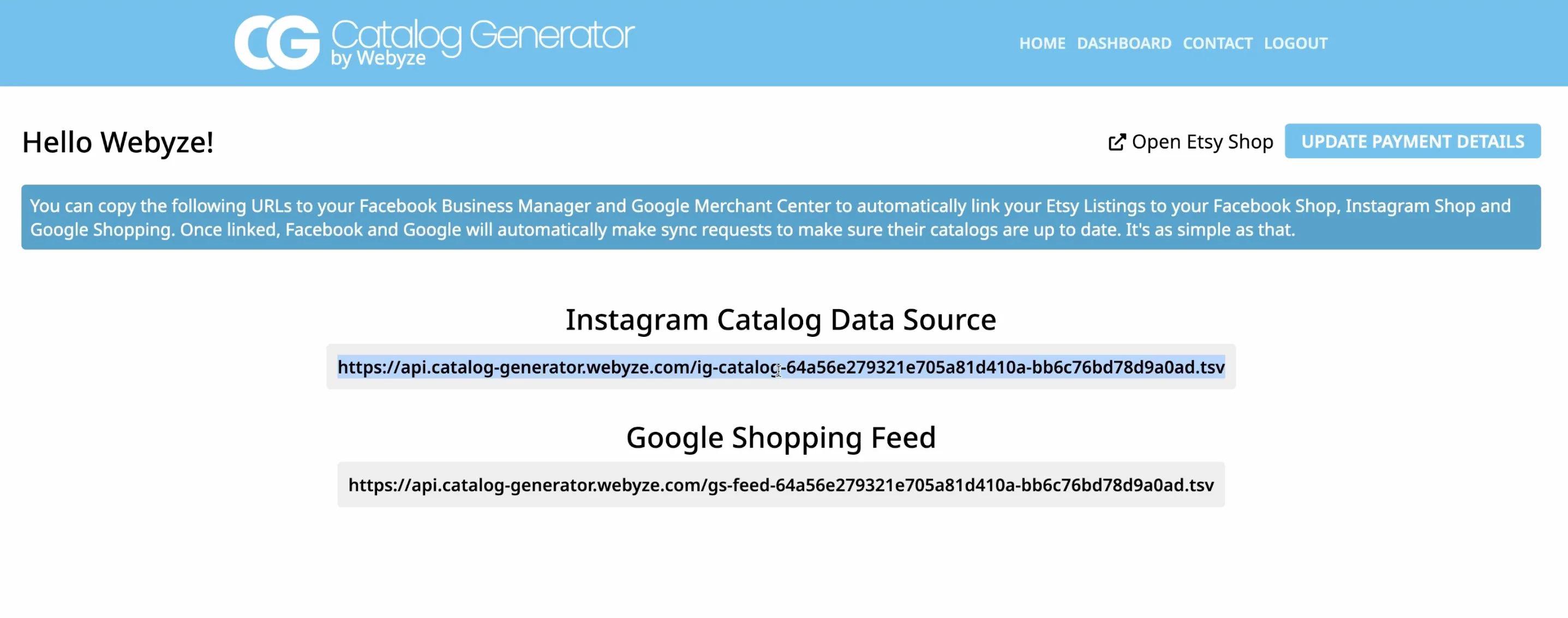
If your source data is messy, clean that first. I would use the same pass I rely on in How to Bulk Edit Etsy Titles, Tags, and Variations Safely and How to Bulk Edit Etsy Listings Before a Sale or Seasonal Refresh before I pointed anything at a social catalog. Automation does not forgive sloppy inputs; it just repeats them faster.
The sequence I follow in Meta
The product brief is pretty direct about the setup flow, and that is the right way to think about it. The order matters.
- Link your Facebook page and Instagram account to Business Manager.
- Verify your domain in Business Settings under brand safety and suitability.
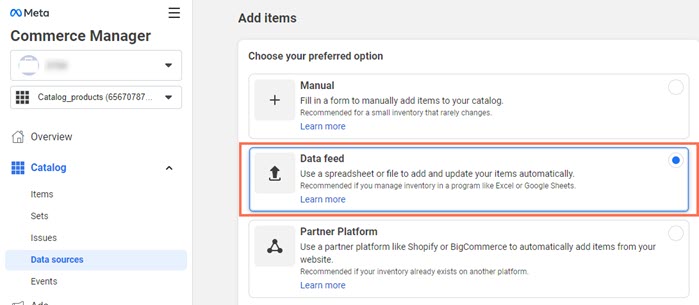
- Open Commerce Manager and choose a data feed instead of a template.
- Paste the feed URL from Catalog Generator.
- Pick a sync schedule, review the feed, and submit the domain for approval.
That middle step, domain verification, is where I see people lose an afternoon. Meta wants to trust the domain behind the feed. If the verification step is off, the rest of the workflow is just an elaborate way to stare at a pending status.
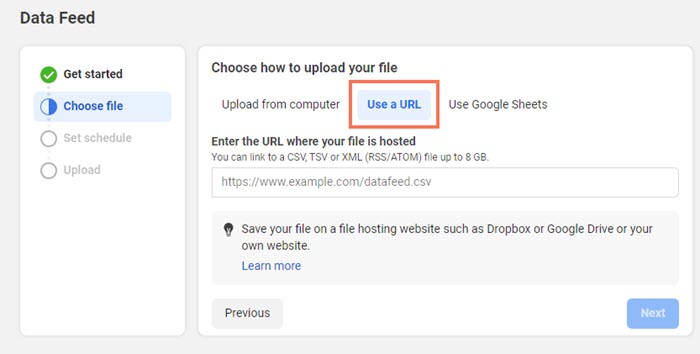
Once the feed URL is in place, the useful part is that the catalog keeps pulling on its own. That is the entire point. A tiny tool like this should not feel dramatic. It should feel like it removed a recurring task from your week.
What changes after the first sync
Once the feed is live, I stop thinking about uploads and start thinking about maintenance.
- New listings can flow into the catalog without another manual export.
- Price and availability changes stay aligned with the shop instead of drifting out of date.
- Instagram Shop and Facebook Shop pull from the same source of truth.
- Google Shopping gets the same catalog backbone, which is useful if you want one source to serve multiple surfaces.
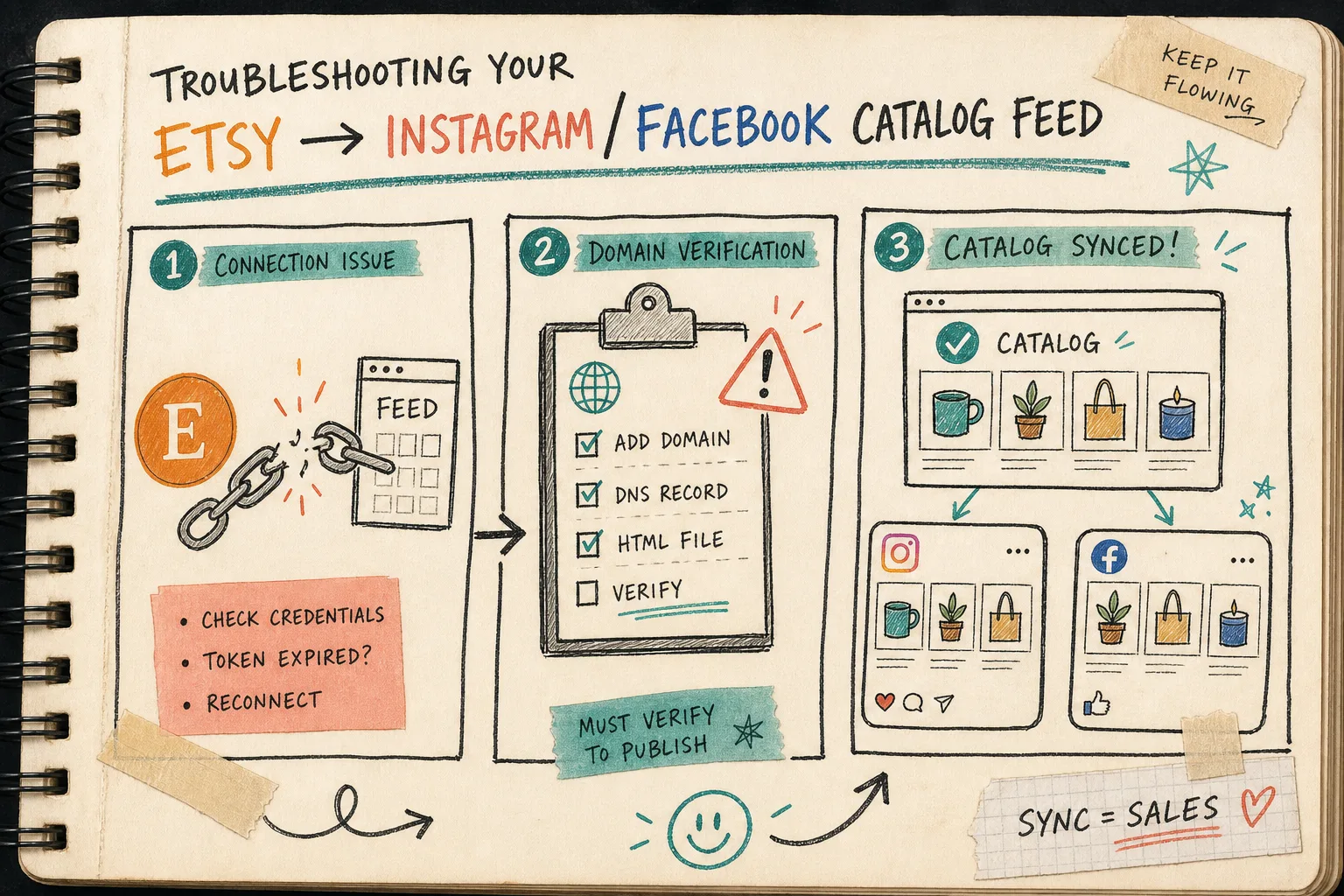
That is why I like this setup as a feed problem instead of a social posting problem. If you treat it like a feed, you make better choices upstream. If you treat it like a one-off post, you end up redoing the same work whenever inventory changes.
The failure modes I check first
I only have a short list here because the failure modes are usually boring.
- Wrong domain, or a domain that was not fully verified.
- A stale feed URL that no longer matches the app output.
- A missing account link between Business Manager, the Facebook page, and the Instagram account.
- Expecting instant propagation when the catalog still needs a sync cycle.
When something does not show up right away, I assume the catalog needs time or the source data needs cleanup before I assume the app is broken.
That is also why the earlier posts in the archive still matter here. I keep coming back to How I Replaced Manual Etsy Uploads With a Live Catalog Feed and How I Built a Live Etsy Product Feed for Instagram, Facebook, and Google Shopping when I want the fuller version of this workflow. They are the long-form notes; this post is the shorter operator version.
If your listings still need a preflight pass, the two cleanup posts I would pair with this are How to Bulk Edit Etsy Listings Without Breaking Variations and How to Bulk Edit Etsy Listings Before a Sale or Seasonal Refresh. Clean the source first, then automate the handoff.
The practical trial I would run
The app is cheap enough that I would not overthink the first test. Start the free trial, connect one shop, verify one domain, and let one catalog sync cycle prove the setup.
If the feed stays clean, the app earns its place. If it does not, you have learned something useful before you have spent much.
The short version is this: Catalog Generator for Etsy is most valuable when you want one URL to keep Etsy listings visible across Instagram, Facebook, and Google Shopping without turning catalog maintenance into another manual chore.
If you want the walkthrough in motion, the product notes also include a setup video: Link your Etsy listings with your Instagram Account and Facebook Page.
My next move would be simple: run one shop through the free trial, verify the domain, point Meta at the feed, and see whether the sync cycle behaves before I touch the rest of the catalog.
Start here: Catalog Generator for Etsy.