
How To Move A Framer Site To Git, S3, Or FTP
I keep coming back to the same Framer problem: the site looks finished before the handoff plan does. If the design is worth keeping, I do not want to rebuild it in another stack just because the host changed. I want a clean export, a place to send it, and enough control that the next edit does not turn into a rescue mission.
That is the lane ExFlow sits in for me. I type the Framer site URL into it, choose what to export, and get a static bundle I can move without rebuilding. It also covers Webflow and Squarespace, but Framer is the case I reach for most.
The Export I Check First
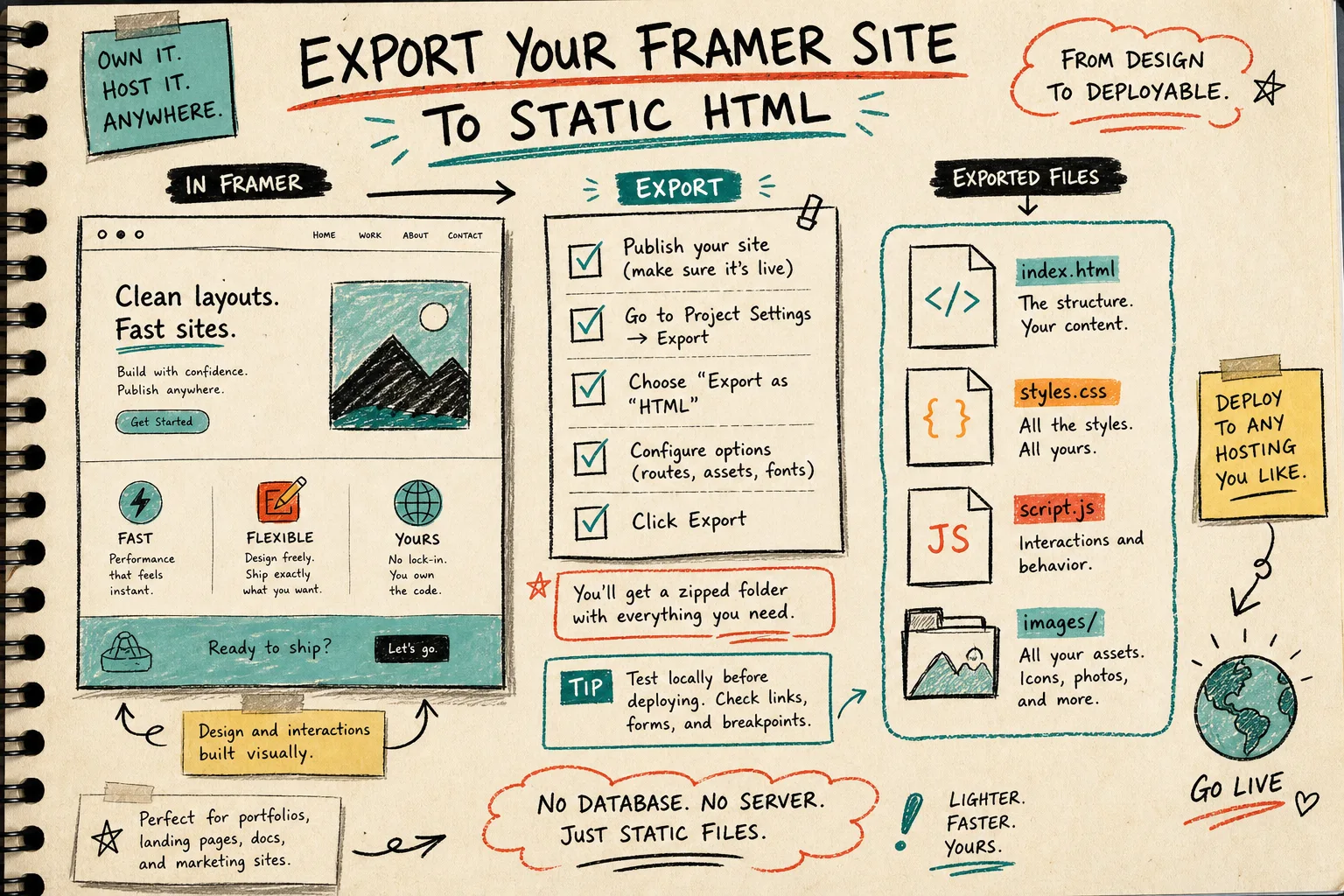
The first pass is simple. I feed ExFlow the live site URL and turn on the parts that matter:
- Export CSS files
- Export JS files
- Export images and media files
- Export all pages
- Remove the Made with Framer badge when the site is ready for handoff
- Add custom script.js and style.css files only when I actually need them
That list is boring on purpose. It keeps me from exporting a half-finished bundle and then debugging the missing pieces later.
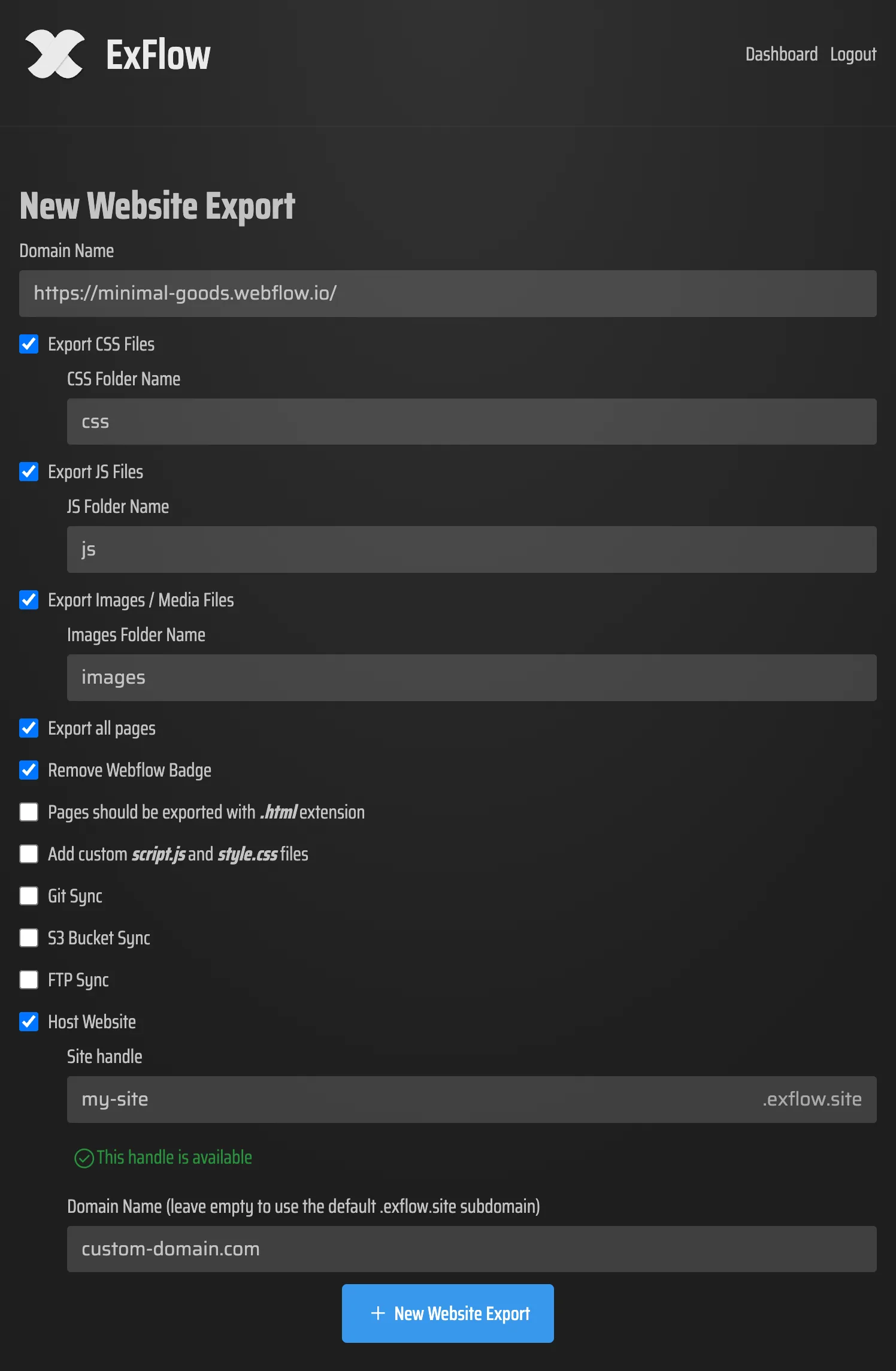
If the site is meant to stay portable, I want the export to look like a real static package, not a screenshot of a browser. ExFlow gives me HTML, CSS, JS, and media in a form I can move, inspect, and deploy without going back into Framer.
Git, S3, FTP, Or Hosted
This is the part I used to overthink. I do not anymore.
- Git is what I pick when I want version control, code review, and a diff I can inspect before anything goes live.
- S3 is what I pick when I want simple static storage and a clean path to object hosting.
- FTP is what I pick when the destination is a legacy server and nobody wants to argue about the server stack.
- ExFlow hosting is what I pick when I want the fewest moving parts and the least setup.
If I choose sync, I treat the credentials like deployment credentials. They are part of the handoff path, not something I want to improvise under deadline pressure.
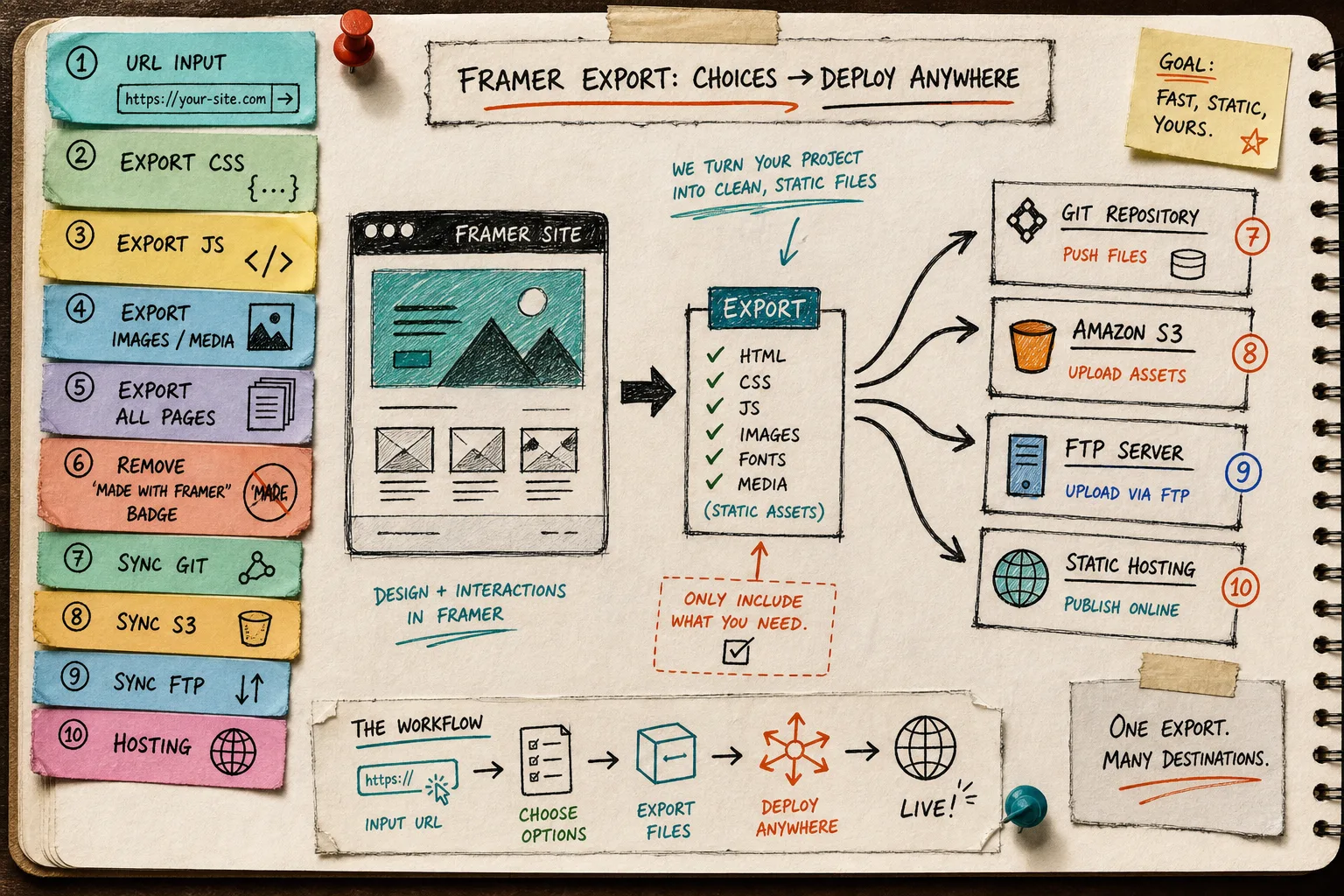
This is the branch point I kept missing in earlier posts. I already wrote about the narrow versions of the workflow in How to Export a Framer Site to Static HTML Without Rebuilding It, How to Self-Host a Framer Site After Exporting It to HTML, How to Export a Framer Site to GitHub Pages Without Rebuilding It, and Framer to HTML: How to Download and Self-Host Your Site. Those posts each answer one destination. This one is the routing decision.
What I Verify Before I Ship
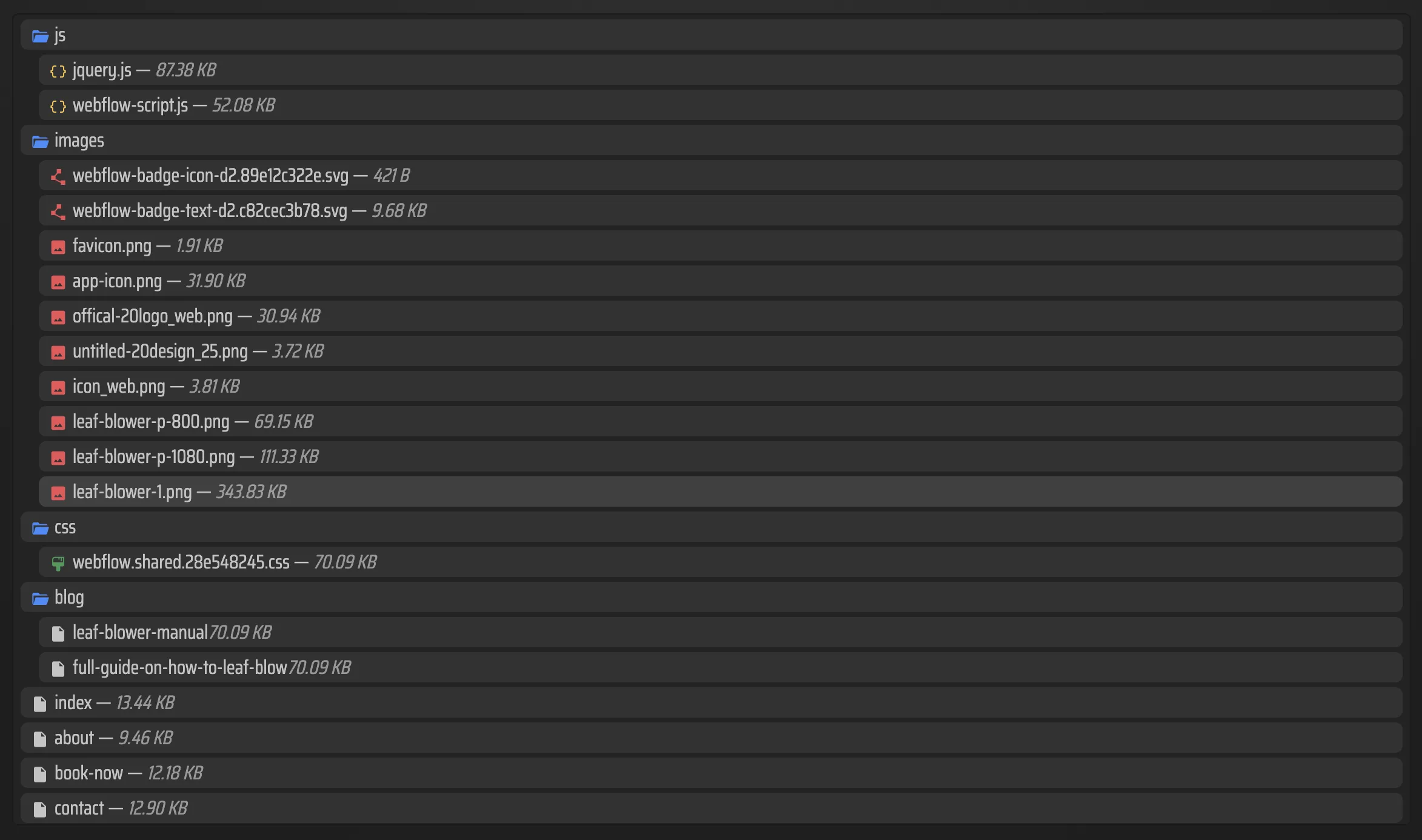
Once the export finishes, I check the bundle the same way every time.
- Open a couple of pages locally and confirm the routes resolve.
- Make sure the CSS and JS files are present where I expect them.
- Check that images and media came through intact.
- Confirm that any custom script or style changes are actually in the exported output.
- Remove the Made with Framer badge only when the site is ready for public use.
That is usually enough to catch the unpleasant surprises. If the site is broken after export, the failure usually shows up in one of those five checks. If the export is clean, the deployment choice is mostly an ops decision.
My Default Rule
If the site can leave Framer, I want the exit to be boring.
That usually means: export the live URL, keep the full file set, choose the simplest destination that matches the handoff, and do not add a redesign step just because the host changed. If Git gives me the right review path, I use Git. If S3 is the cleanest static target, I use S3. If the client only wants files dropped on a server, FTP still wins. If I do not need another host at all, ExFlow hosting is enough.
The useful part is not that ExFlow makes Framer disappear. It does not. It just makes the site portable enough that I can stop being locked into one deployment shape.
Next step: export one small Framer site, open the static files locally, and decide whether Git, S3, or FTP is actually the right landing spot.