
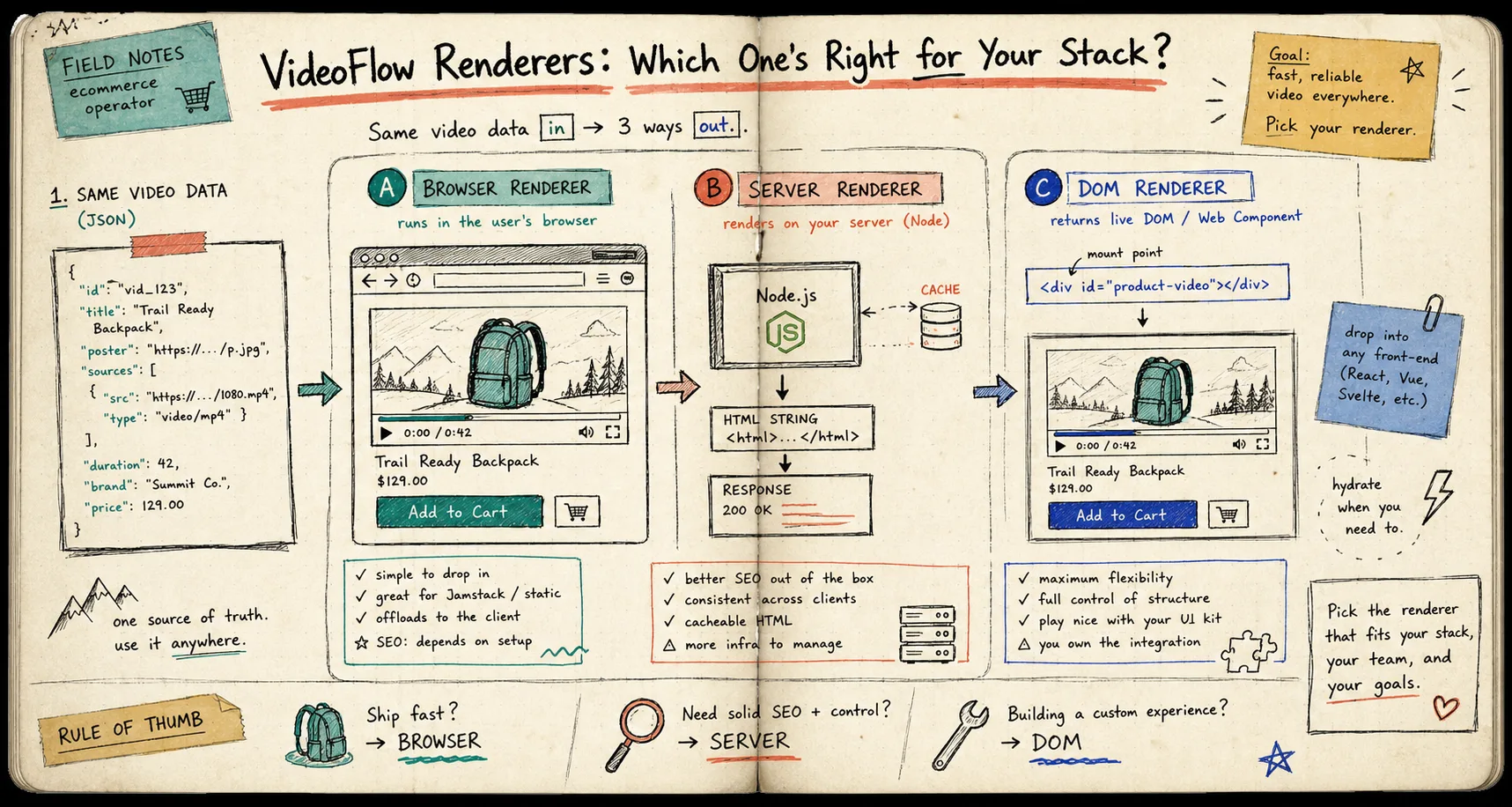
I keep coming back to the same mistake with programmatic video: I try to choose the renderer before I have decided what the job actually is. VideoFlow makes that mistake easier to avoid because the core is JSON-first, so the same project can move through the browser, a Node server, or a live DOM preview without becoming a different codebase every time. The product is VideoFlow, and the docs are laid out well enough that the architecture question stays visible instead of buried in implementation details.
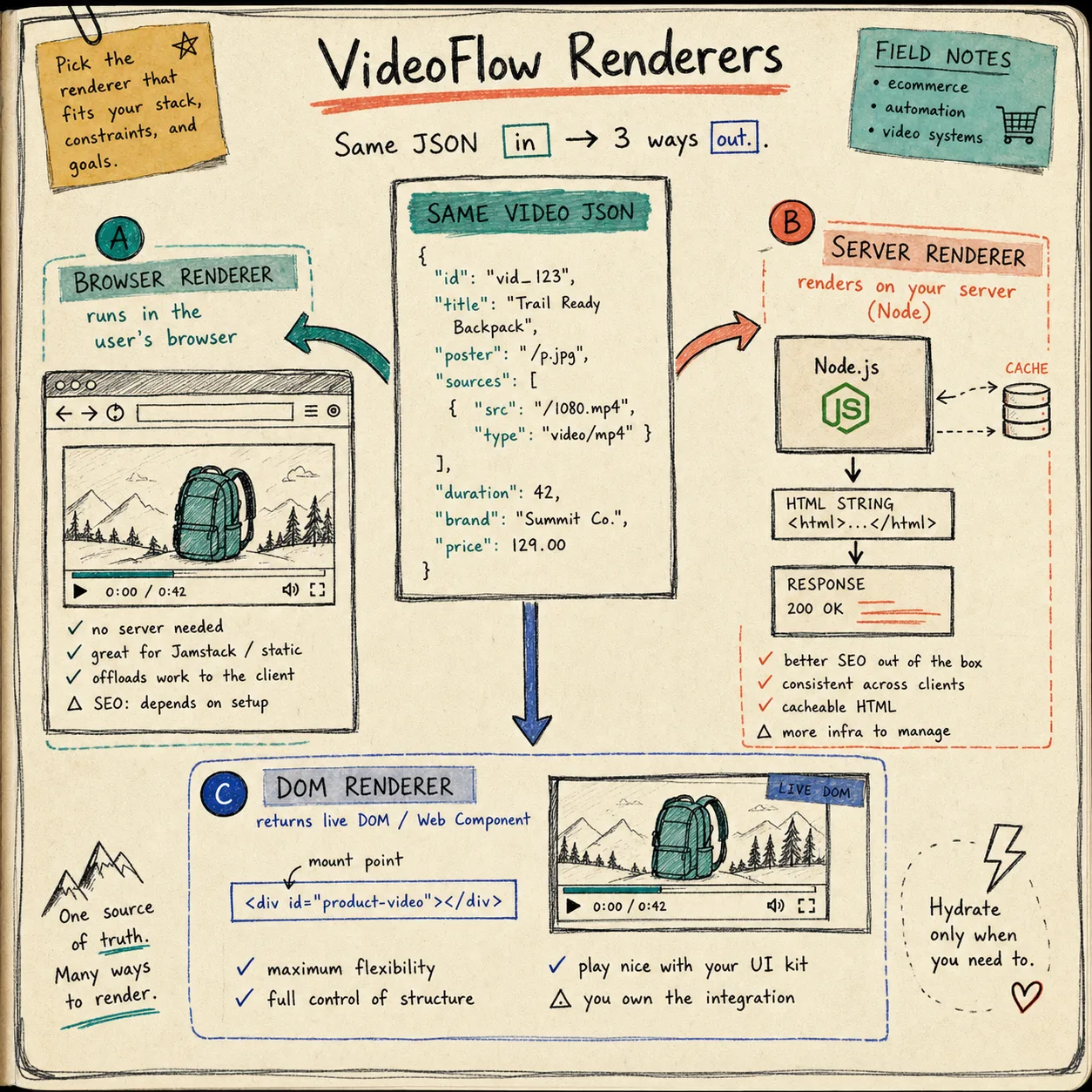
That is the part I like most. The source of truth is the video data, not the renderer. Once I started thinking that way, the choice got simpler: browser rendering for user-triggered export, server rendering for queued or repeated jobs, and DOM rendering for live preview or editor surfaces. If you want the broader portability story, How to Render One Video JSON in Browser, Node, and React is the clearest companion read. For the template side, How I Keep Video Templates Maintainable With VideoFlow is the one I keep opening again.
Start With The Job, Not The Renderer
I do a better job with VideoFlow when I ask a boring question first: what am I optimizing for?
- If a user clicks export inside the app, I want the browser renderer.
- If the work belongs in a queue, CI job, or API endpoint, I want the server renderer.
- If I am building or reviewing the scene in real time, I want the DOM renderer.
That sounds obvious, but it is the difference between a clean setup and a pile of special cases. It also keeps me from rewriting the project when the requirement changes. The same VideoJSON can still be the source of truth when the delivery path changes later.
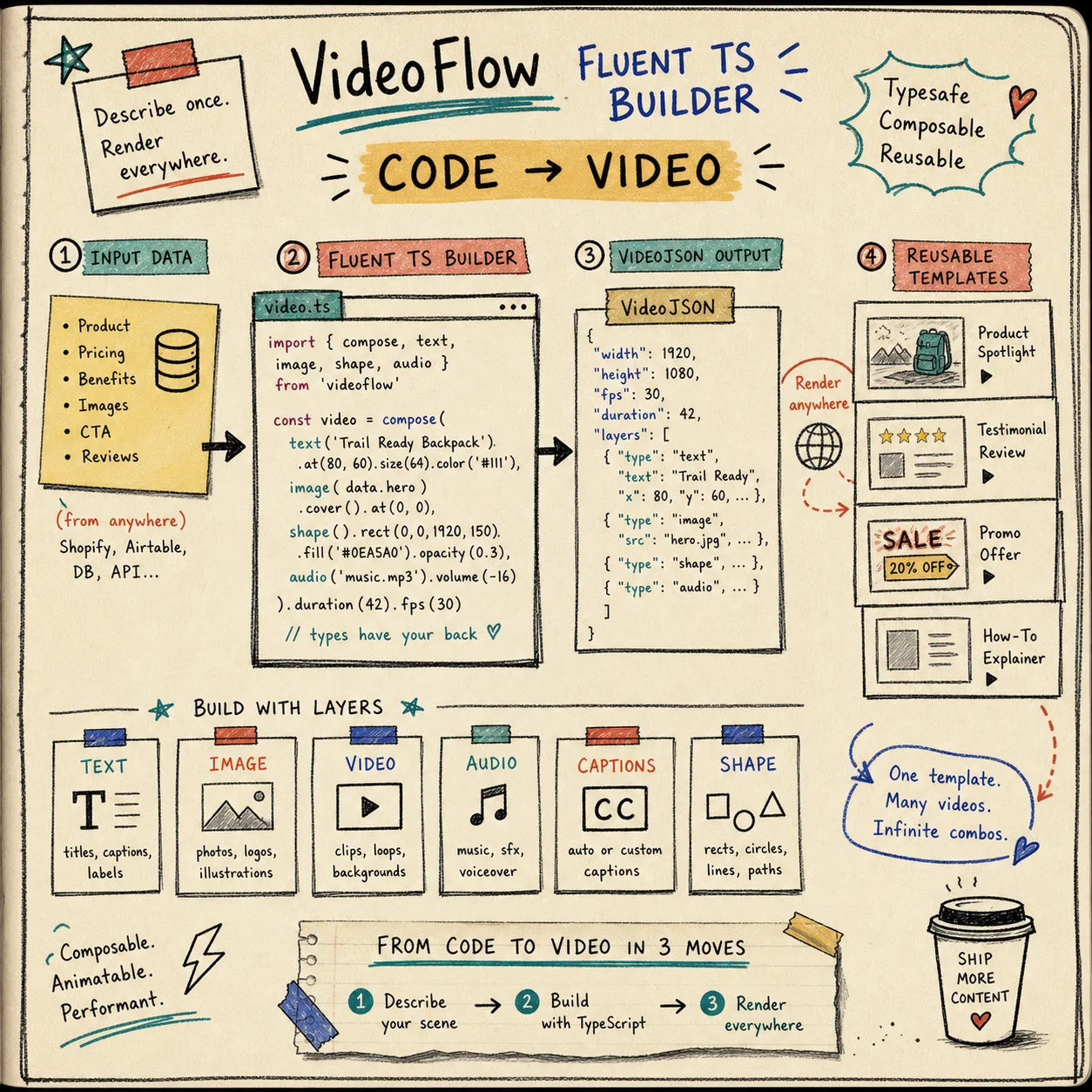
VideoFlow’s core is a fluent TypeScript builder that compiles to portable VideoJSON. That matters because it lets me separate scene authoring from scene delivery. I can build layers, groups, text, images, captions, audio, and shapes once, then decide where the render happens later.
Browser Renderer When The User Is Already Waiting
I reach for the browser renderer when the render is part of a user action. Think “export this now” or “let me download the MP4 without sending the whole project back to the server.”
That is where the browser path earns its keep:
- It avoids a round trip to a rendering service for simple exports.
- It fits app experiences where the user already has the scene loaded.
- It can use progress callbacks, worker acceleration, and cancellation when the user changes their mind.
For small tools and product workflows, that is enough. I do not need to overbuild a backend if the job is local and the user expects the result immediately. This is also the path that feels closest to a “save from the app” interaction instead of a separate rendering pipeline.
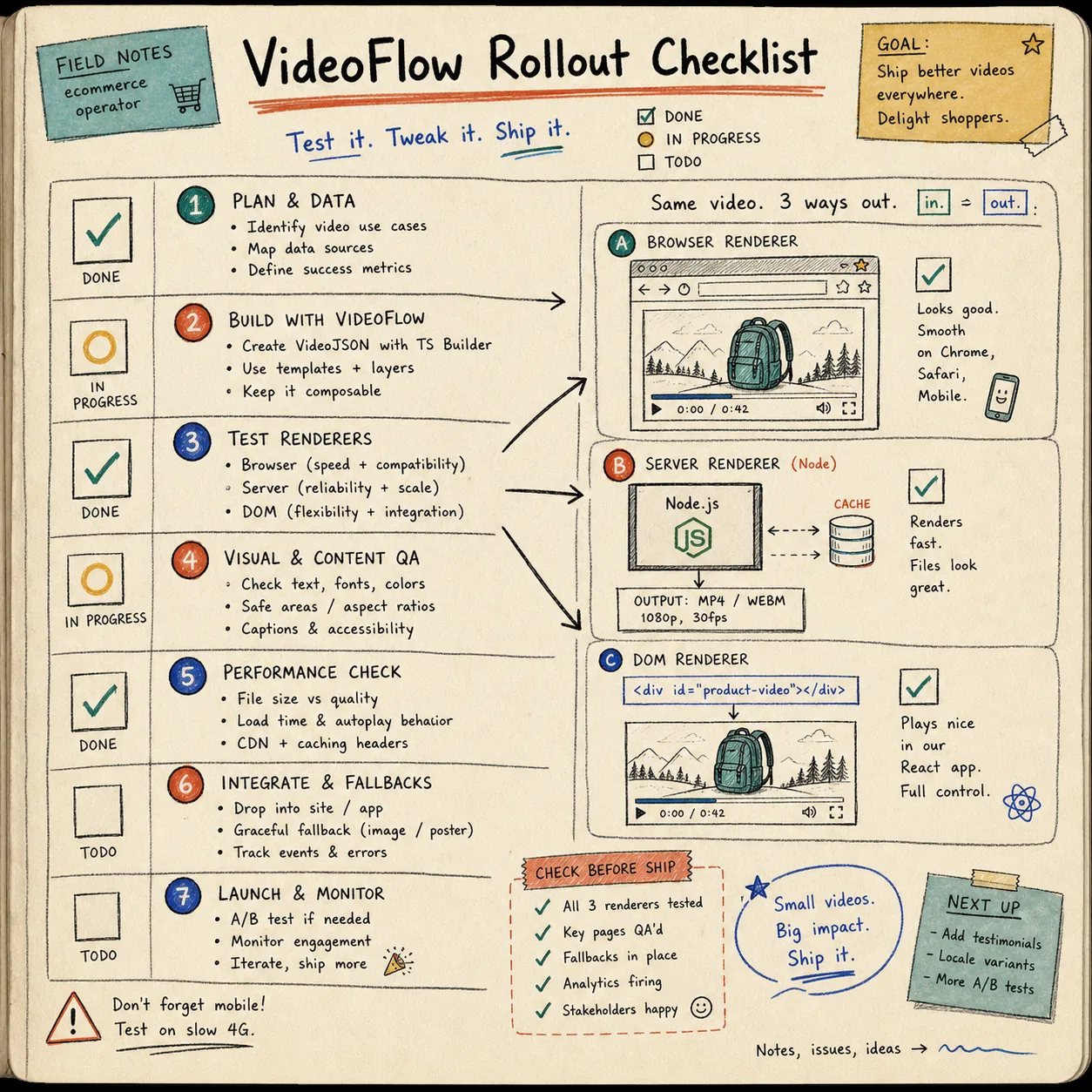
The obvious limit is that browser rendering is only a good fit when the workload and file size are reasonable. If I need to queue a lot of renders, or I want to centralize the job behind an API, I move out of the browser before the app starts fighting itself.
Server Renderer When The Work Belongs In A Queue
The server renderer is what I use when the job needs to be repeatable, scheduled, or shared across users. That is the clean choice for batch rendering, queued exports, CI-driven renders, or any workflow where I care more about throughput and reliability than about keeping the render inside the user’s browser.
VideoFlow’s server renderer is designed for headless Node environments and can use Chromium/WebCodecs, with FFmpeg available for alternate encoding paths. That makes it the better fit when I want a back end that can do the heavy lifting consistently instead of relying on whatever browser the user happens to be running.
This is also the path that lines up best with automation work. If an AI agent is generating structured VideoJSON, I would rather hand that off to a stable server render than ask the model to improvise around a manual timeline. How I Turn Product Data Into Automated Video Demos With VideoFlow is the nicest example of that pattern in the recent posts.
The rule I use is simple: if the render needs to outlive the current browser session, it belongs on the server.
DOM Renderer When I Need To See The Thing Move
The DOM renderer is the one I use when a live preview matters more than final export. That usually means an editor, dashboard, or product surface where the scene needs to be scrubbed, inspected, or adjusted before it becomes an MP4.
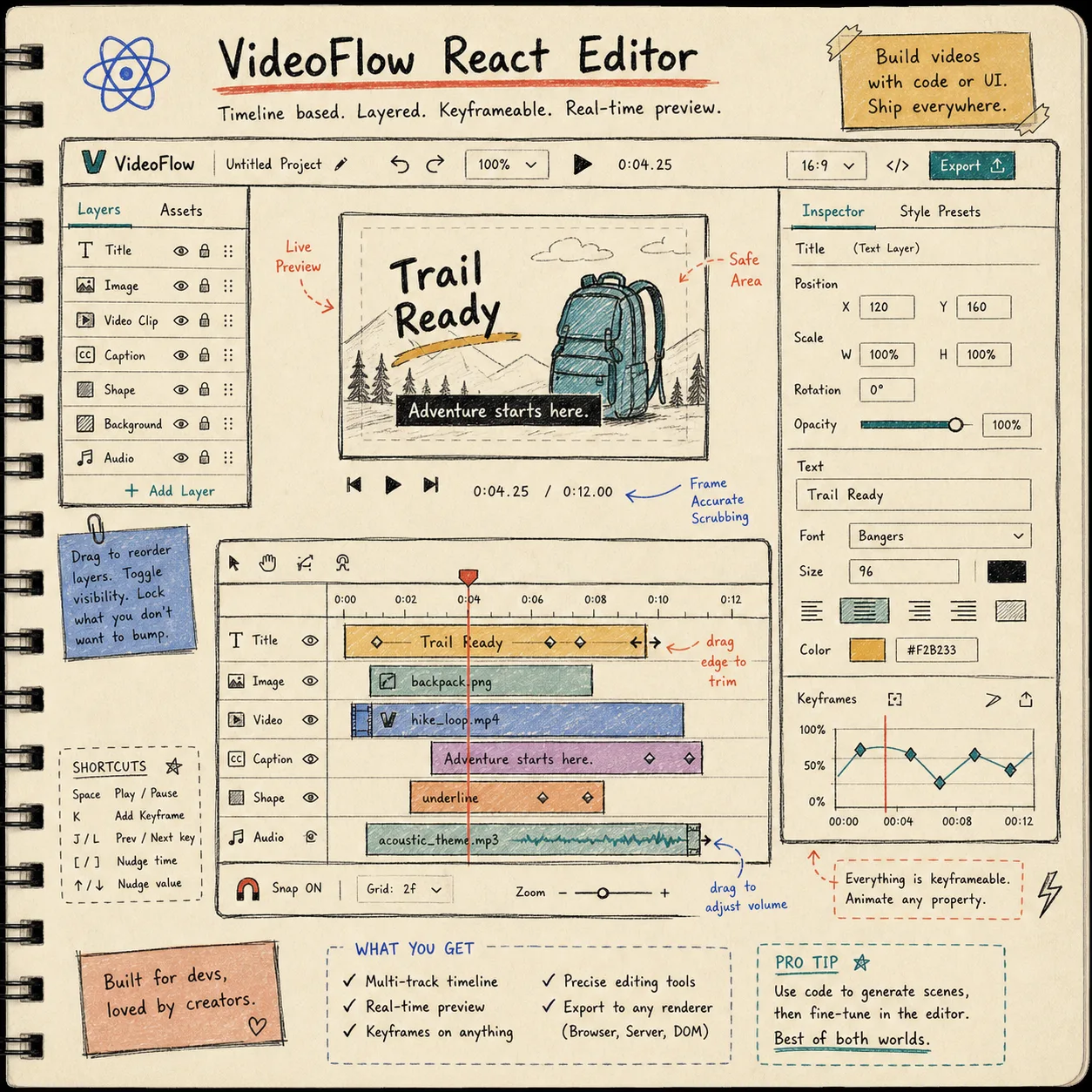
The practical value here is not just “preview exists.” It is that the preview is frame-accurate, scrubbable, and close to the final result. VideoFlow’s DOM renderer is built for live preview in the browser, and the product docs call out 60 fps preview, audio sync, frame-accurate seeking, and Shadow DOM style isolation. That is the kind of detail that makes a video editor feel like a real product instead of a custom demo.
If I need users to actually manipulate the scene, the optional React video editor becomes the natural next layer. It gives the project a visible editing surface without forcing me to abandon the same JSON source of truth.
That is the same split I write about in How I Build a VideoFlow Project That Keeps Templates and Renderers Separate. The source stays clean; the preview surface stays interactive.
My Short Decision Rule
When I am moving fast, I use a tiny rule set:
- Browser if the user is exporting something immediately inside the app.
- Server if the render has to be queued, repeated, or shared.
- DOM if I need live preview, scrubbing, or editor behavior.
- React editor if humans need to change the scene before export.
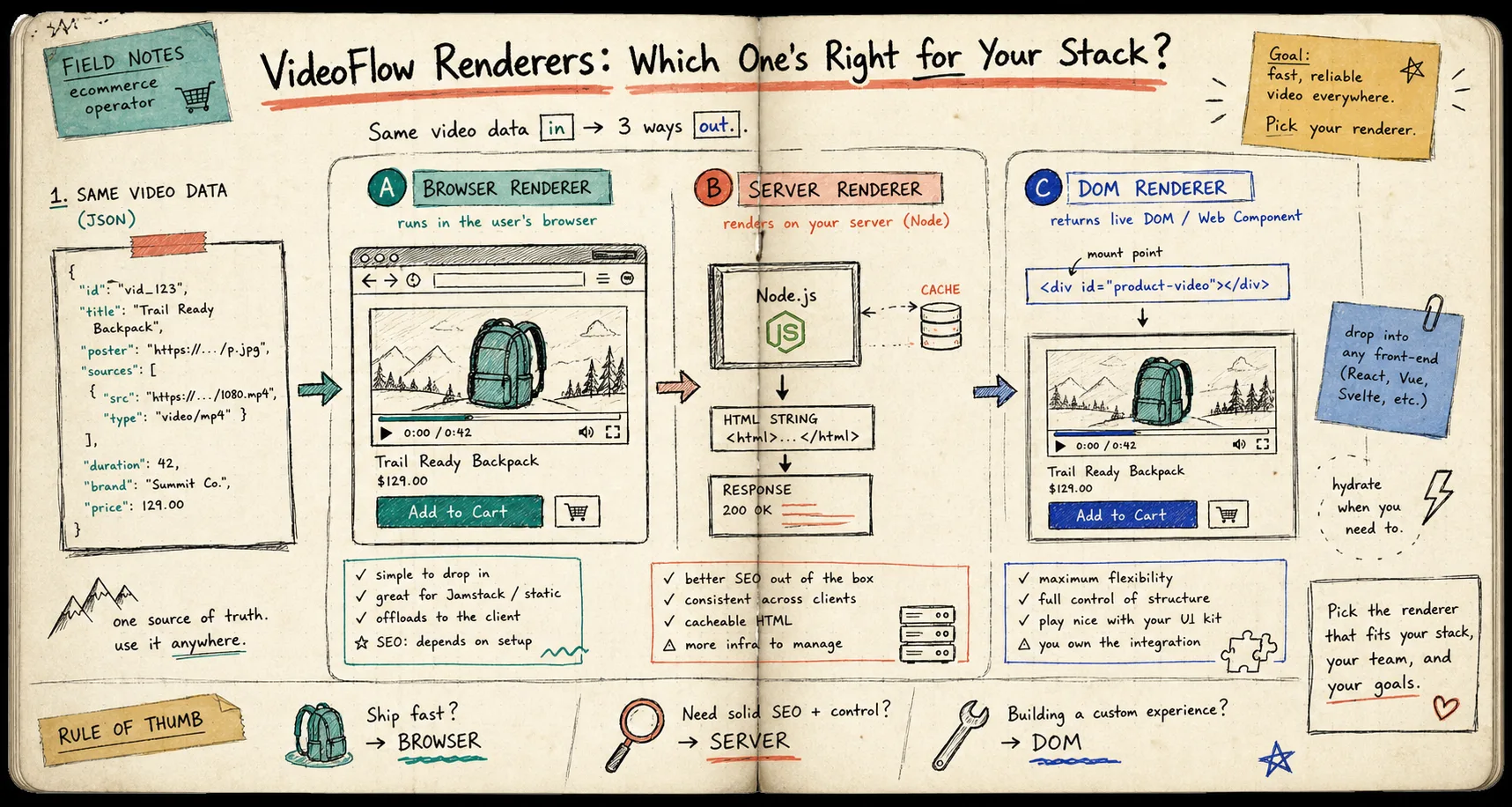
That checklist is boring on purpose. It is also the fastest way I know to avoid a rewrite six days later when the initial renderer choice turns out to be wrong.
Bottom Line
VideoFlow is useful because it keeps the source of truth portable. The core builds VideoJSON, and the renderers let the same project move through the browser, a Node server, or a live DOM preview without turning into a one-off implementation.
If you want to try the workflow yourself, start with the VideoFlow playground, skim the docs, and then build one scene that can survive all three render paths. That is the smallest test that tells you whether the stack fits.
If you want the maintenance angle next, keep How I Keep Video Templates Maintainable With VideoFlow open while you test it. It is the reminder I need most often: keep the project portable, keep the renderer explicit, and do not confuse the two.