

I learned that an export is only the beginning
I used to hear “can you send the site files?” and mentally translate it to “download whatever exists, zip it, hope.” That is not a handoff. It is an anxiety parcel with a few missing fonts tucked inside.
Framer is wonderful when the job is a quick, polished landing page with motion and personality. But when a campaign ends, a client changes hosting, or I need a real backup before a redesign, I want the page to be portable. I want a static copy that another person can open, inspect, and deploy without guessing which assets were quietly loaded at runtime.
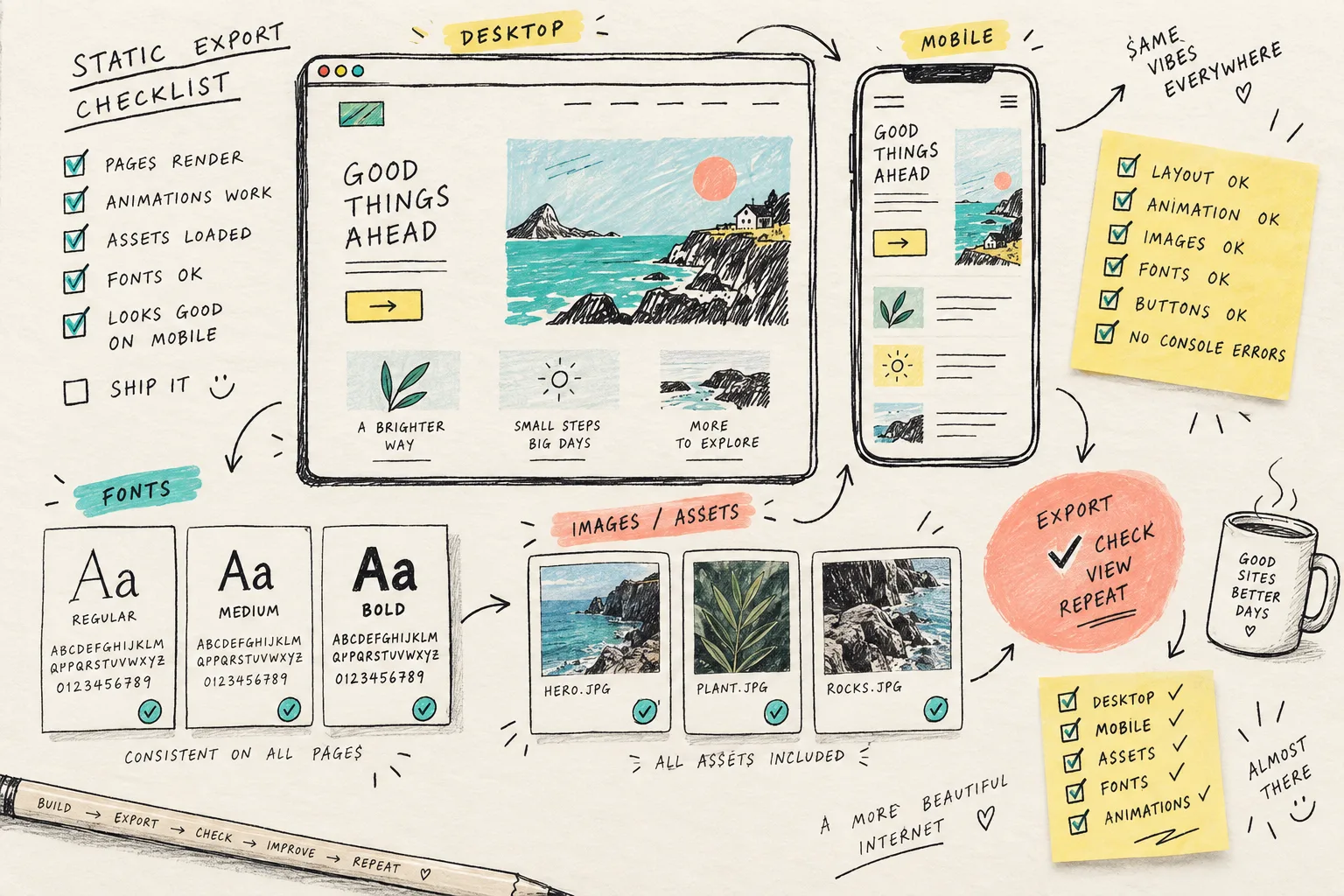
This is the checklist I now make before I call a Framer handoff finished. It is deliberately a little fussy. The fussy five minutes are much cheaper than a Friday-afternoon “the hero animation is blank on the new domain” call.
First, define what the copy is for
I begin by writing one line at the top of the ticket: backup, client handoff, staging preview, or move to static hosting. The answer changes what I need to test. A backup needs a complete snapshot. A handoff needs a deployment path and notes. A staging copy needs the marketing team to compare the original and exported versions side by side.
For this kind of work, ExFlow’s Framer exporter is the practical starting point I use. It is built to collect a published Framer site into static HTML, CSS, JavaScript, fonts, and media, with the aim of keeping the visual behavior intact. I can download a ZIP for an archive or take the output toward Git, S3, FTP, or a managed hosting route.
That is more useful than a generic download when the page depends on the details that make modern builder sites feel finished: responsive layouts, animation scripts, font files, images, and interactions. It does not remove the need for review. It gives me something reviewable.
My pre-export note has six fields
Before exporting, I save the published URL, the intended destination domain, the person who owns final sign-off, and the date. Then I add three small lists: routes to test, interactions to test, and assets that absolutely cannot be replaced. The last list is usually logo files, campaign video, specific product imagery, and any paid-font choice the team expects to see.
I also make the form question explicit. A static export can preserve a page, but form handling is a separate operational decision. Where should submissions go after the handoff? If nobody answers that before the move, the prettiest contact page in the world becomes a decorative suggestion box.

This note is not bureaucracy. It makes the export testable. I borrowed the habit from a previous static-site smoke test: decide what “still works” means before you start comparing tabs.
Export the whole published site, then inspect the shape of it
Once the published version is stable, I run the export and inspect the result before I upload it anywhere. I look for the boring-but-important things first: page files, linked CSS, JavaScript, images, media, and fonts. I want the internal URLs to be predictable and the asset folder to contain the things the page actually asks for.
Then I open the exported copy locally or in a temporary static host. I do not rely on the file list alone. A complete-looking folder can still contain an incorrect relative path, a missing font request, or a script that only fails on the smaller breakpoint.
My short visual check is:
- Open every key route directly, not only from the home page.
- Compare desktop and mobile against the published Framer page.
- Trigger the hero motion, navigation state, accordions, and any interactive section.
- Watch the network panel for missing files and check that the primary metadata still describes the right campaign.
- Click every CTA, then confirm the destination is intentional for the new environment.

I am particularly suspicious of fonts and motion. They are easy to notice when missing, but awkward to diagnose after the site has already been handed off. This is why I keep the old page available during QA and write down the viewport widths I actually checked.
Put the static copy somewhere with a clear owner
A ZIP sitting in a shared drive is an archive, not a deployment plan. For a simple client handoff, I may keep the ZIP plus a short readme that names the start page, required DNS work, analytics changes, and form decision. For a site that needs ongoing edits, I prefer syncing the static output to Git so the deployed version has history and a visible owner. S3 or FTP can make sense for an established hosting setup; ExFlow Hosting is the simpler path when I do not want to assemble that stack.
The choice is less about technical purity than about who will maintain it next Tuesday. This is the same reason I export a Framer site before a handoff rather than after something changes: the cleanest transfer is the one made while the original context is still available. A related Framer handoff guide covers the step-by-step version of that moment.
Keep the test notes beside the files
My final handoff bundle has three parts: the static site, the original published URL and export date, and a tiny QA note. The QA note lists tested routes, known non-static features, the intended host, and who accepted the result. It makes the next person much less likely to mistake a snapshot for a live application.
This process has also made me calmer about redesign work. I already use the same principle for Webflow redesign backups and for a Squarespace staging copy. ExFlow has dedicated export paths for those platforms too, but I keep each export conversation platform-specific because the failure modes are not identical.
My next action is simple: before the next Framer renewal, client handoff, or landing-page rewrite, export the published page and run this checklist while the original is still intact. Start with the Framer exporter, then make the archive useful by testing it like someone else will have to operate it.