
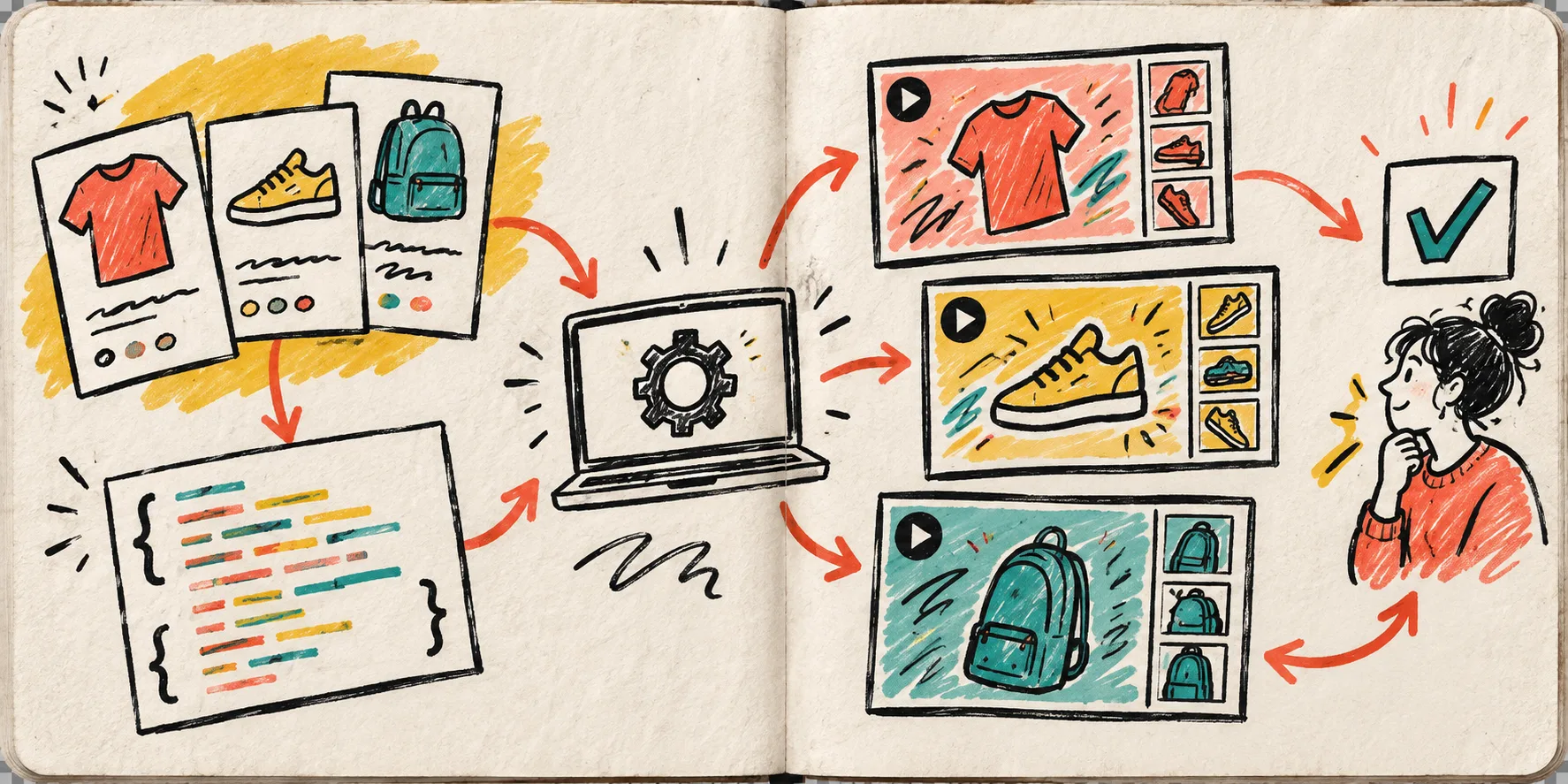
I used to treat every product-video variation like a tiny creative project. New hook, new edit. New offer, new edit. Then launch week arrived and the work became a pile of almost-identical timelines. The change that helped was making the brief structured before it became a video.

Start with a brief that can become data
A usable product brief does not need to be a novel. Mine usually has a product title, a short benefit, approved images or clips, the audience, a hook, a call to action, and any non-negotiable brand rules. The useful trick is to store those pieces as fields instead of burying them in a chat thread.
That is the entry point for VideoFlow: it is an open-source toolkit for turning code and structured data into portable VideoJSON, previews, editable timelines, and final video renders. In a product workflow, the brief becomes the input to a template rather than a request to rebuild the same clip from scratch.
My small variation queue
I make the queue deliberately boring. Each row has a product ID, one visual set, a hook angle, a CTA, a locale, and a status. For a single product launch, that might produce three short clips: one for the problem, one for the feature, and one for the proof point. The template stays the same; the values change.
The goal is not to generate infinite content. It is to make the few variations you actually want reviewable before rendering. That matters when you are testing product video hooks, building a seasonal campaign, or turning a catalog into social clips.
Keep VideoJSON in the middle
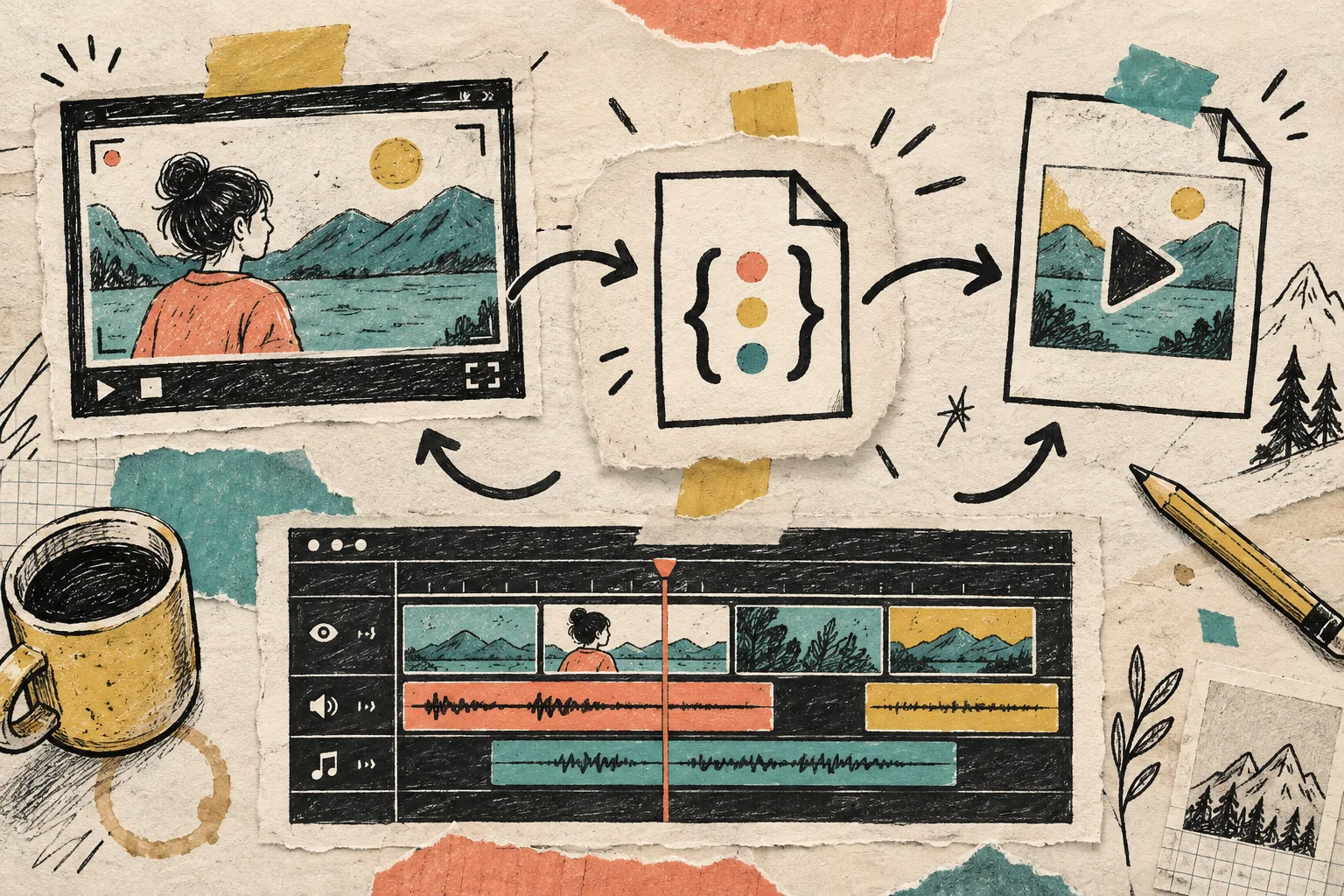
VideoFlow gives the workflow a practical middle format. A developer can use the VideoFlow core package to define layers, timing, captions, media, and transitions, then compile that into VideoJSON. An automation or AI agent can fill structured fields, validate the result, and hand it to the same renderer.
That separation is the part I find most useful: data comes in, VideoJSON becomes the working artifact, and the render happens at the end. You can store it, diff it, inspect it, and reopen it later without asking someone to decipher an old timeline.
Preview before the render bill arrives
I would put a live preview immediately after generation. VideoFlow’s DOM renderer is suited to a scrubbable browser preview, which means an operator can catch a clipped image, a too-long headline, or an awkward transition before asking for an MP4.
For small, privacy-sensitive exports, the browser renderer can produce an MP4 in the browser. For a batch of campaign variants, the server renderer fits better behind a queue. The valuable part is that both can start from the same VideoJSON instead of separate projects.
A good approval step asks only a few questions:
- Is the product claim accurate?
- Does the first two seconds earn attention?
- Are the selected images the correct variant?
- Is the CTA appropriate for this channel and locale?
- Does the output still match the template rules?
That is much easier to answer against a preview than against a spreadsheet of promises. It is the review lane I wish I had before I started experimenting with automated product video workflows.
Let users make the final human edit
Sometimes an automated draft is 90% right and still needs a human adjustment. Rather than sending the whole task back to an editor, a product can open the generated VideoJSON in the React Video Editor. It provides a multi-track timeline, type-aware controls, keyframes, transitions, effects, uploads, and MP4 export.
That makes a useful pattern for SaaS teams: generate an on-brand first cut from data, let a user trim or rewrite the parts they own, and save the edited JSON for approval. The template provides boundaries; the embedded editor provides enough flexibility to avoid a dead-end workflow.
Build the queue around delivery, not generation
A video job is not finished when JSON exists. It needs a destination: a product page, an ad library, a customer email, a client portal, or a social scheduler. Add that destination to the job record alongside the render status and approval status.

For ecommerce, this can mean one approved template creates a product-page clip, a square social variation, and a localized version without losing track of what was actually shipped. For SaaS, it can mean a monthly customer recap or an onboarding video is triggered by real account data.
The field note I keep nearby
Do not automate the judgment out of video production. Automate the repeatable assembly: media selection rules, timing defaults, captions, locale swaps, and render delivery. Keep humans responsible for the claim, the creative direction, and the final approval.
A product brief that turns into a reviewable queue is a quieter system than a folder full of final-final edits. Start with one template and three variations. Once you can preview, edit, approve, and deliver those reliably, you have the foundation for programmatic video creation that a real product team can trust.