
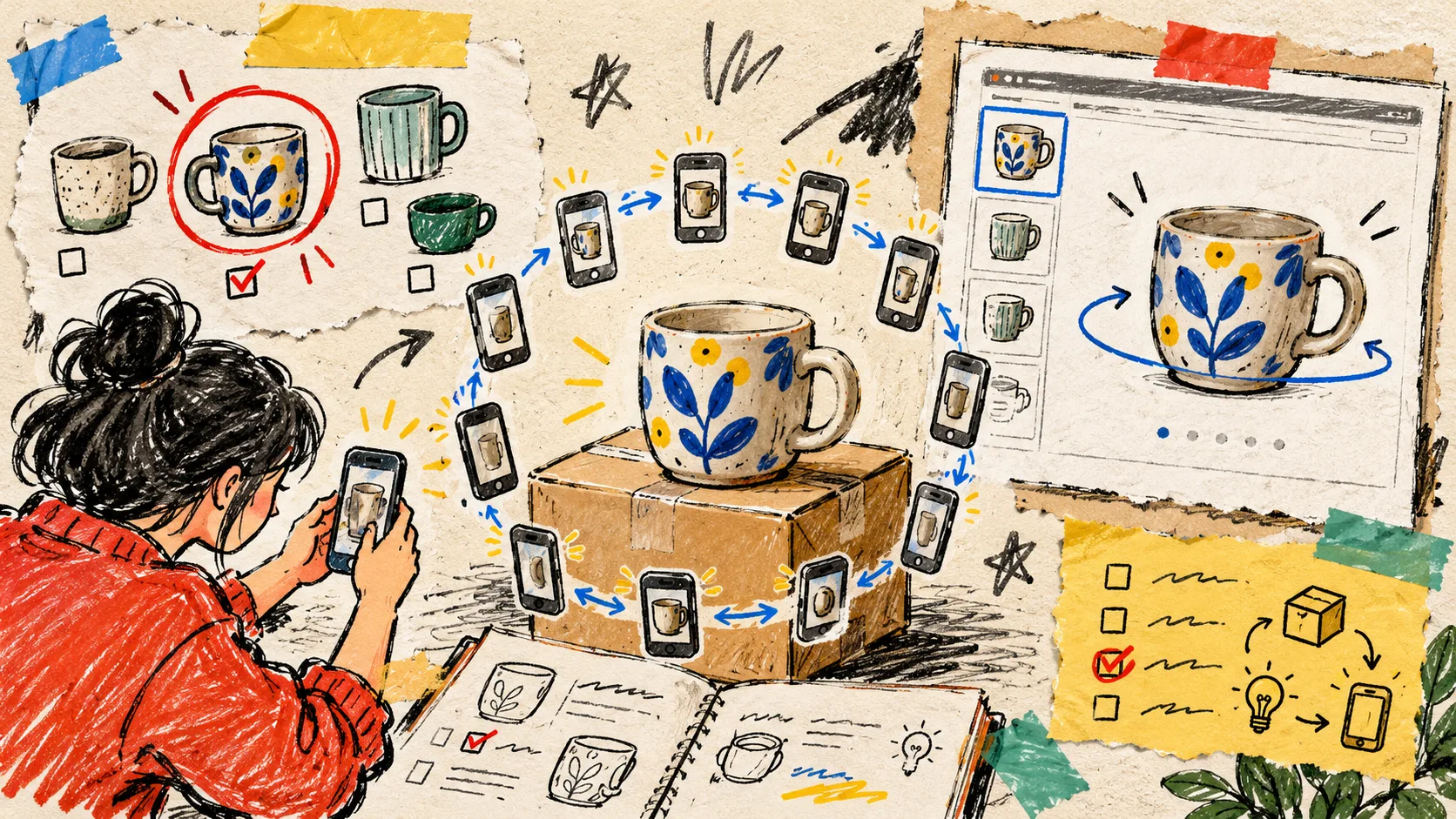
I nearly made the classic ‘new tool, hardest SKU’ mistake. The first product I wanted to test in 3D was a shiny, reflective thing with tiny moving parts—exactly the item most likely to turn a quick experiment into a week of debugging.
Instead, I picked a product that could teach me whether interactive 3D product media belonged in the store at all: a medium-sized, matte, solid item with a clear silhouette and a reason for shoppers to inspect it from more than one angle. That decision gave me a useful result faster than chasing an impressive result.
If you are adding phone-based photogrammetry to Shopify, the first model is not your portfolio piece. It is your test rig. Here is the selection method I now keep in the margin of my product-page notebook.
My eight-title scratchpad
- How to Choose Your First Shopify Product for 3D Capture
- The Low-Risk Way to Test 3D Product Media on Shopify
- Which Shopify SKUs Should Get 3D Models First?
- A Merchant’s Checklist for Your First Phone-Captured 3D Model
- I Picked My First Shopify 3D Product Before Opening the Camera
- Four Product Types That Make Better First 3D Capture Tests
- Start Shopify 3D Media Without Choosing Your Hardest Product
- How to Find a Return-Prone Product Worth Showing in 3D
I chose the fifth angle because it starts with the decision that prevents the most wasted work: choosing a sensible product before thinking about lighting, capture counts, or a GLB file.
Give the first SKU an unfair advantage
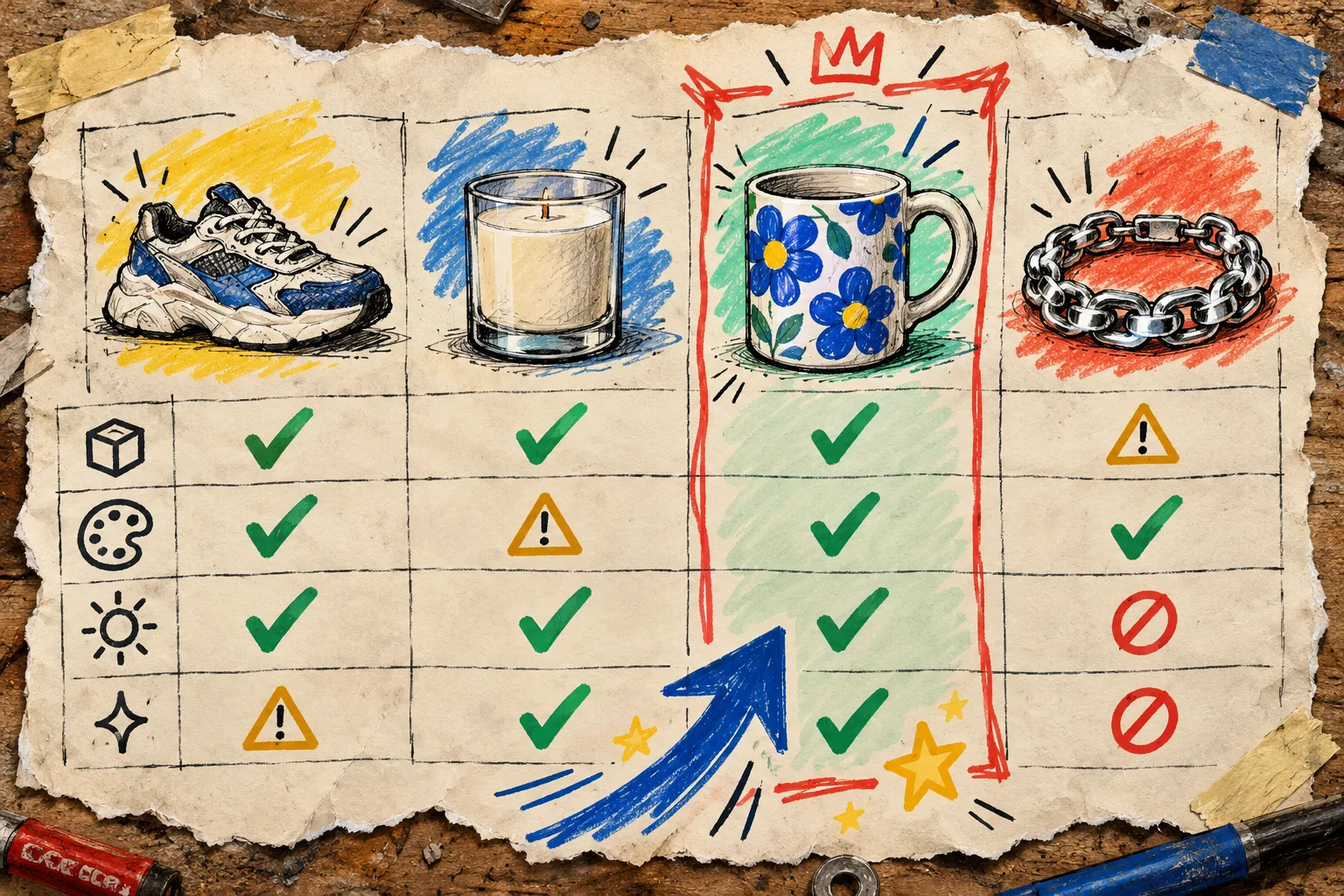
My first-pass filter has four questions. A candidate does not need to be perfect. It should simply clear most of them.
1. Can a shopper benefit from rotating it?
The best candidate has shape, depth, texture, or proportion that flat photos flatten too aggressively. Think a distinctive mug, a lamp, a shoe, a bag, a piece of homeware, or a compact product with useful side details. If every relevant detail is already obvious in one front-on shot, an interactive model will be pleasant but may not solve an actual product-page problem.
2. Is it visually cooperative?
For a first run, choose a matte or gently textured surface, a stable form, and a product with visible features around its full perimeter. Avoid mirror-like metal, clear glass, wispy fabric, very dark glossy objects, and things that bend or move. Those are valid projects later; they are just poor controls for a first test.
3. Can I stage it simply?
I want one product, a calm background, steady light, and enough room to walk around it. If the item needs a stylist, special rigging, or a full production day just to photograph, I am no longer testing the capture workflow. I am testing a miniature studio.
4. Does it represent a product-page question?
Pick an SKU that receives ‘How big is it?’, ‘What does the side look like?’, or ‘Will this fit with my setup?’ questions. Interactive media will not guarantee fewer returns, but it can close an expectation gap that a gallery leaves open. That is a far more useful experiment than adding 3D solely because it looks novel.
A tiny scoring sheet beats a heroic hunch
I score each candidate from 1 to 3 on: shape clarity, matte/texture friendliness, need for angle inspection, ease of staging, and sales or support relevance. The highest score is not automatically the winner. A product with a 2 in every column is usually a better first candidate than one with four 3s and a disastrous 1 for reflectivity.
This is also where I check theme readiness. Before capture, use the Shopify 3D media readiness check so the test does not stall at the publishing step. If you are choosing between several candidates, the field note on picking first products for Shopify 3D is a helpful second opinion.
Build the capture setup around consistency, not drama
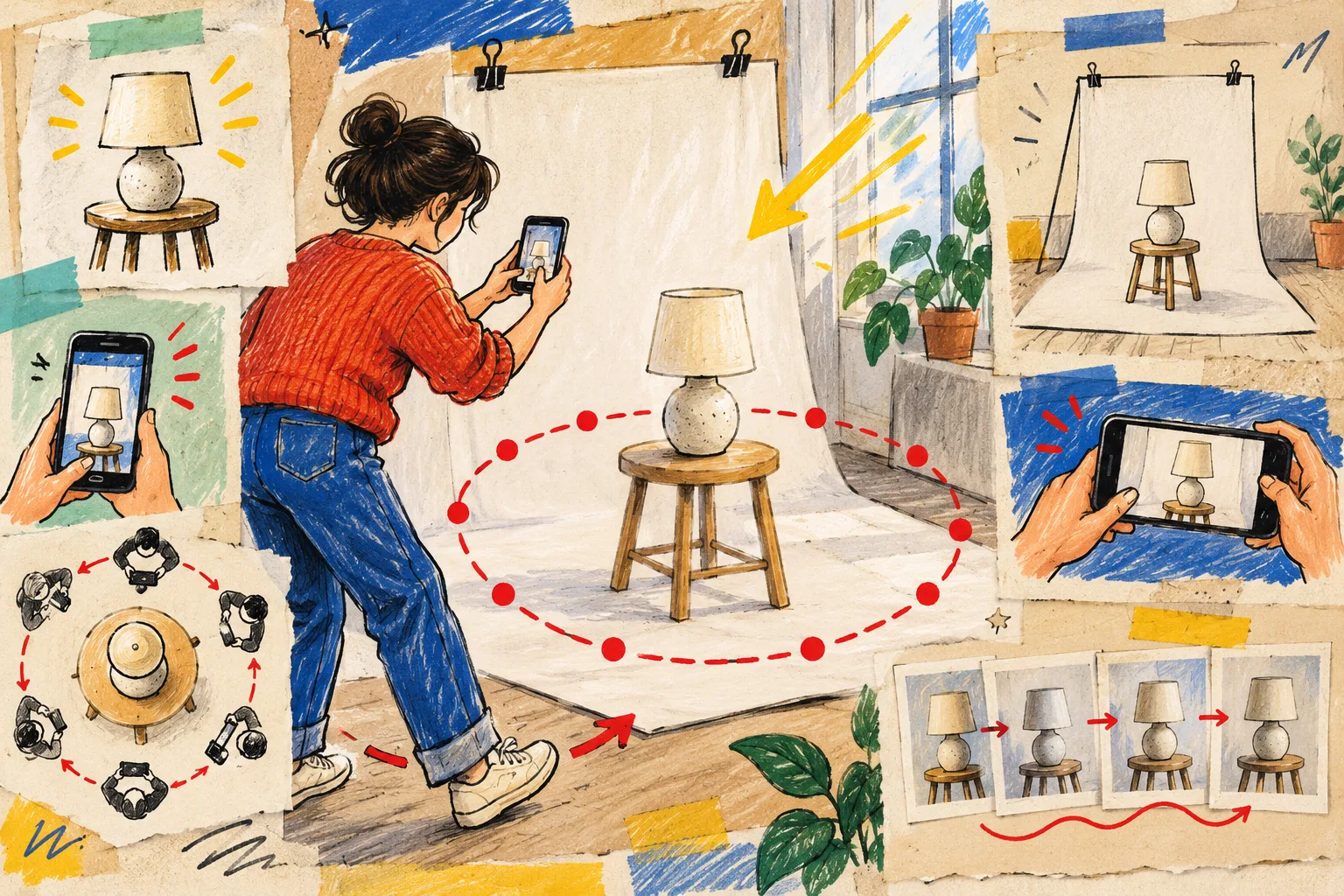
Once the SKU is chosen, I use a plain sweep or uncluttered surface, bright indirect light, and a stable product position. Then I make a patient orbit with the phone. Keep the product in frame, overlap adjacent views, and make each move around the object small. The aim is to give photogrammetry enough consistent visual evidence to reconstruct shape—not to create a set of individually beautiful lifestyle images.
For a phone-first workflow, Supra 3D Capture guides the capture, processes the photos into a web-ready GLB, and lets you publish to Shopify’s native 3D product media or use an Online Store 2.0 app block. The practical promise is not that every object becomes easy. It is that a merchant can test a good candidate with a regular smartphone instead of beginning with specialist hardware or 3D software.
If your first session feels messy, revisit the capture logic in this guide to capturing Shopify products for 3D models with a phone. It is often faster to simplify the scene than to force a complicated first SKU through the pipeline.
Treat the model as product-page media, not a side project
After processing, inspect the GLB as a shopper would. Rotate it. Look for missing edges, wobbly silhouettes, unexpected holes, or places where the material stops reading correctly. Then attach it to the product in Shopify and view the actual product page on desktop and mobile.
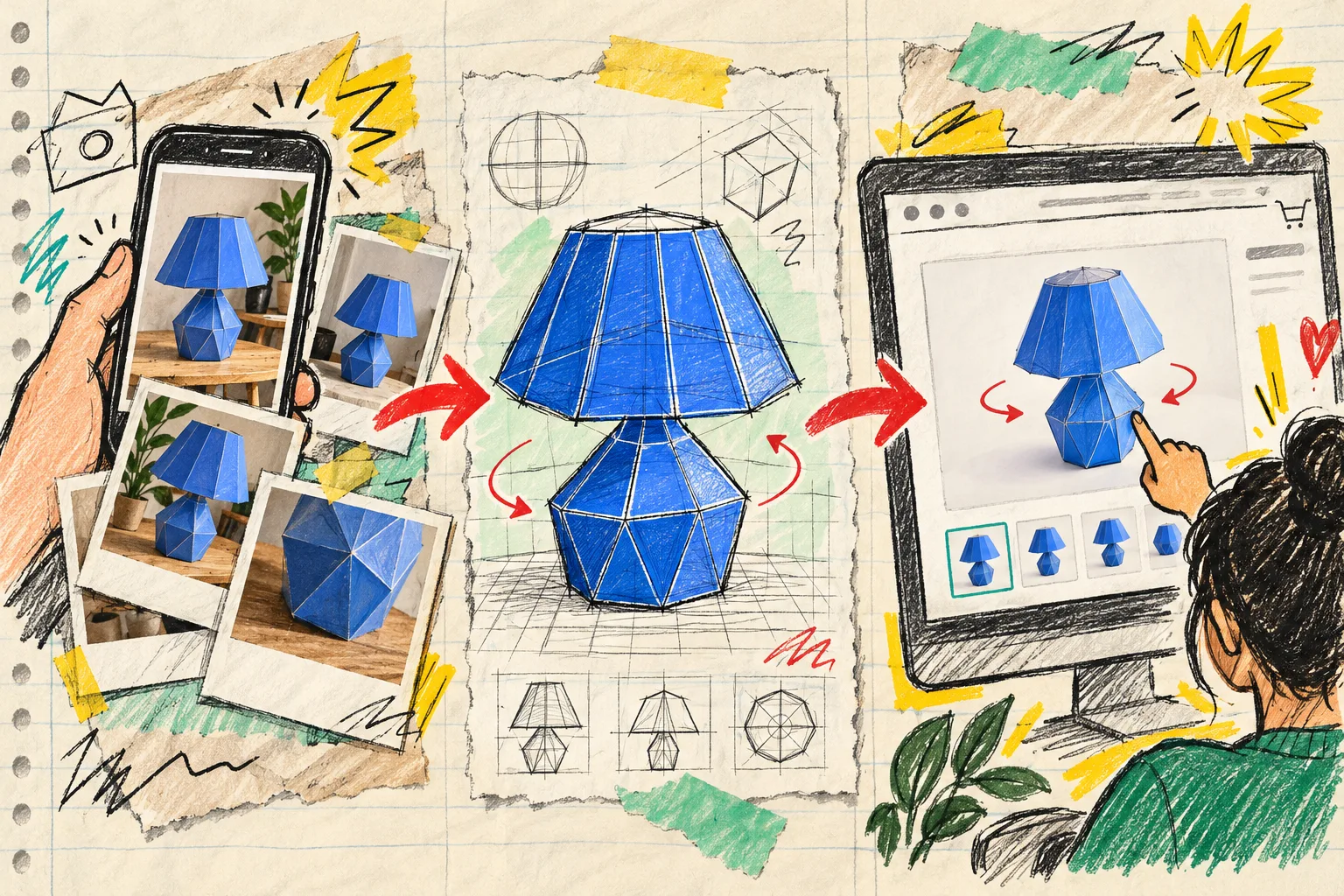
The useful question is: does this model make the listing easier to understand? A familiar example is a lamp with a wide shade and a narrow base. A customer can rotate it to judge proportions in a way a single angle cannot convey. That is the moment where native Shopify 3D media becomes more than a decorative experiment.
If you need to compare the result with older rotation formats, I found this note on why 360 spin galleries are not the same as real 3D useful context. And if your team is deciding which product details belong in the listing beside the model, the guide on mapping product details before adding tabs keeps the rest of the page from becoming an afterthought.
My first-test rule
Do not try to prove that 3D works for every catalog category. Prove that one well-chosen SKU can make one product page clearer. Pick the stable, useful, visually cooperative item; make the phone-photo orbit; publish it where shoppers can actually spin it; and collect the questions that disappear or persist.
Start with one product today. Open Supra 3D Capture, choose the SKU you would normally photograph without a fuss, and use that as the first real test of interactive product media.