
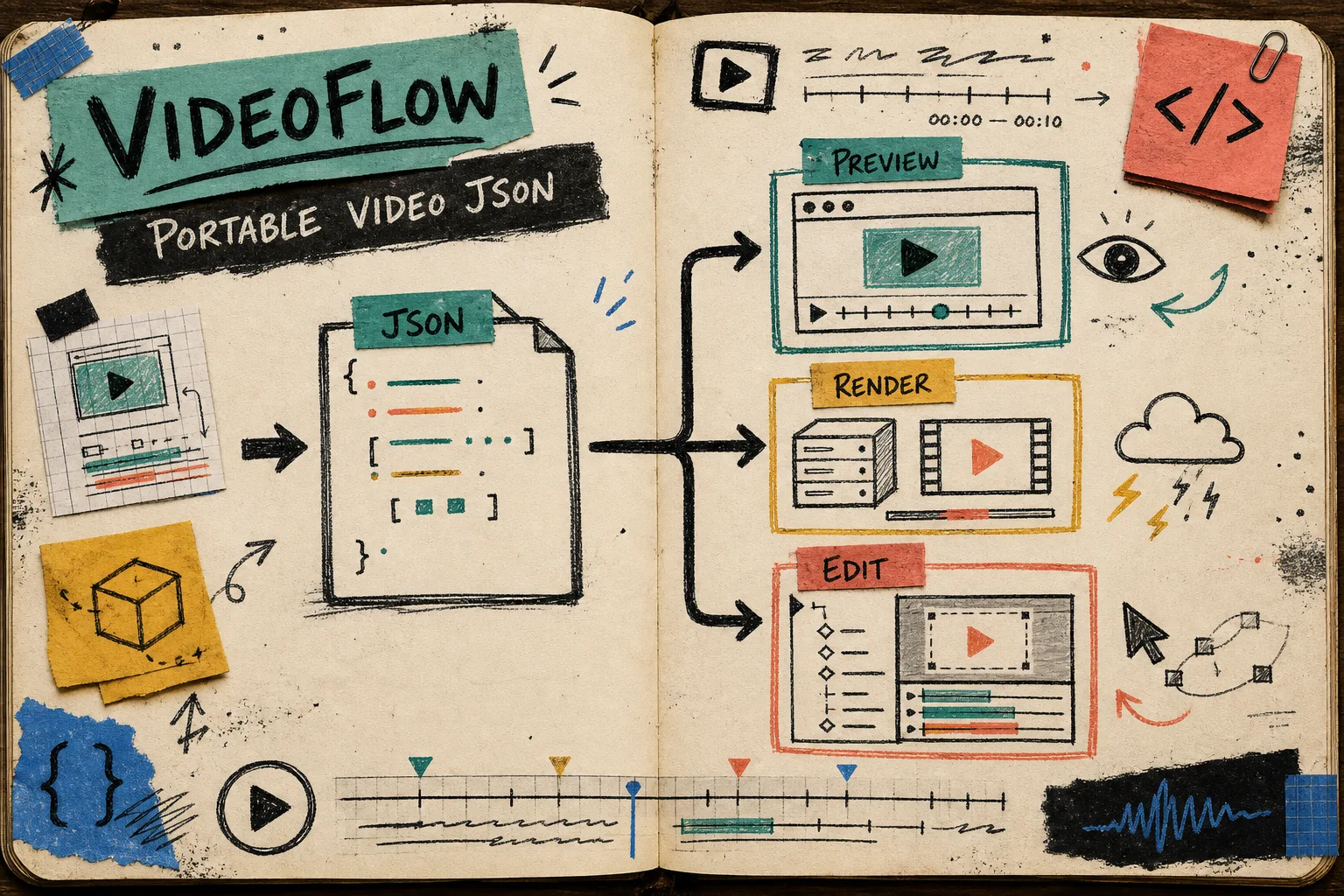
How to Build a Three-Renderer Video Workflow With VideoFlow
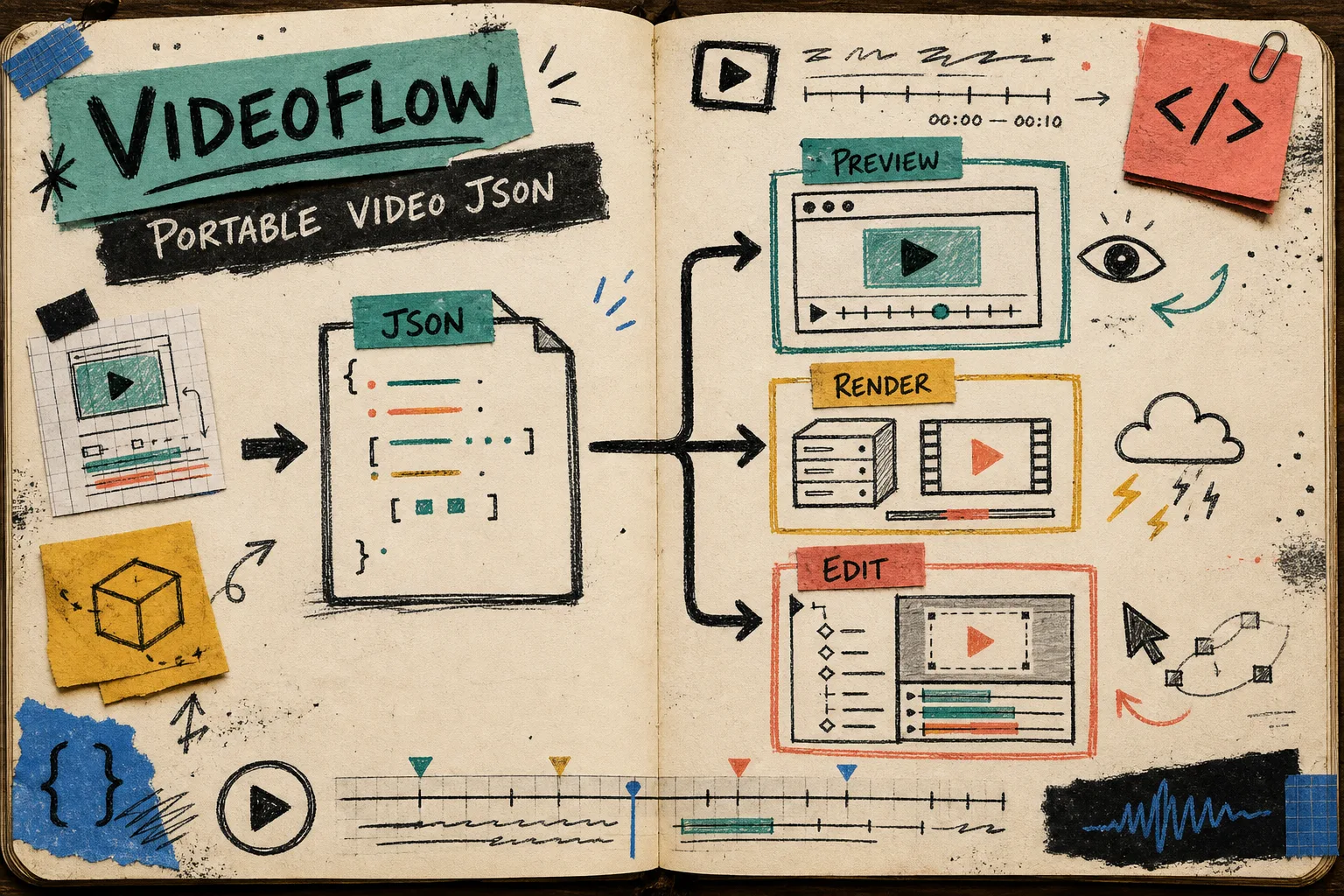
I kept running into the same failure mode: a video looked right in one place and drifted in another. Preview passed, export broke, and the editor disagreed with both.
The fix was not another abstraction layer. It was making the scene live as one portable JSON source of truth, then choosing the renderer per job. That is the part VideoFlow gets right: you can author with @videoflow/core, compile to VideoJSON, and send the same structure through browser export, server rendering, or a live DOM preview.
I kept the product page, docs, playground, and repo open while I worked: VideoFlow, docs, playground, and GitHub.
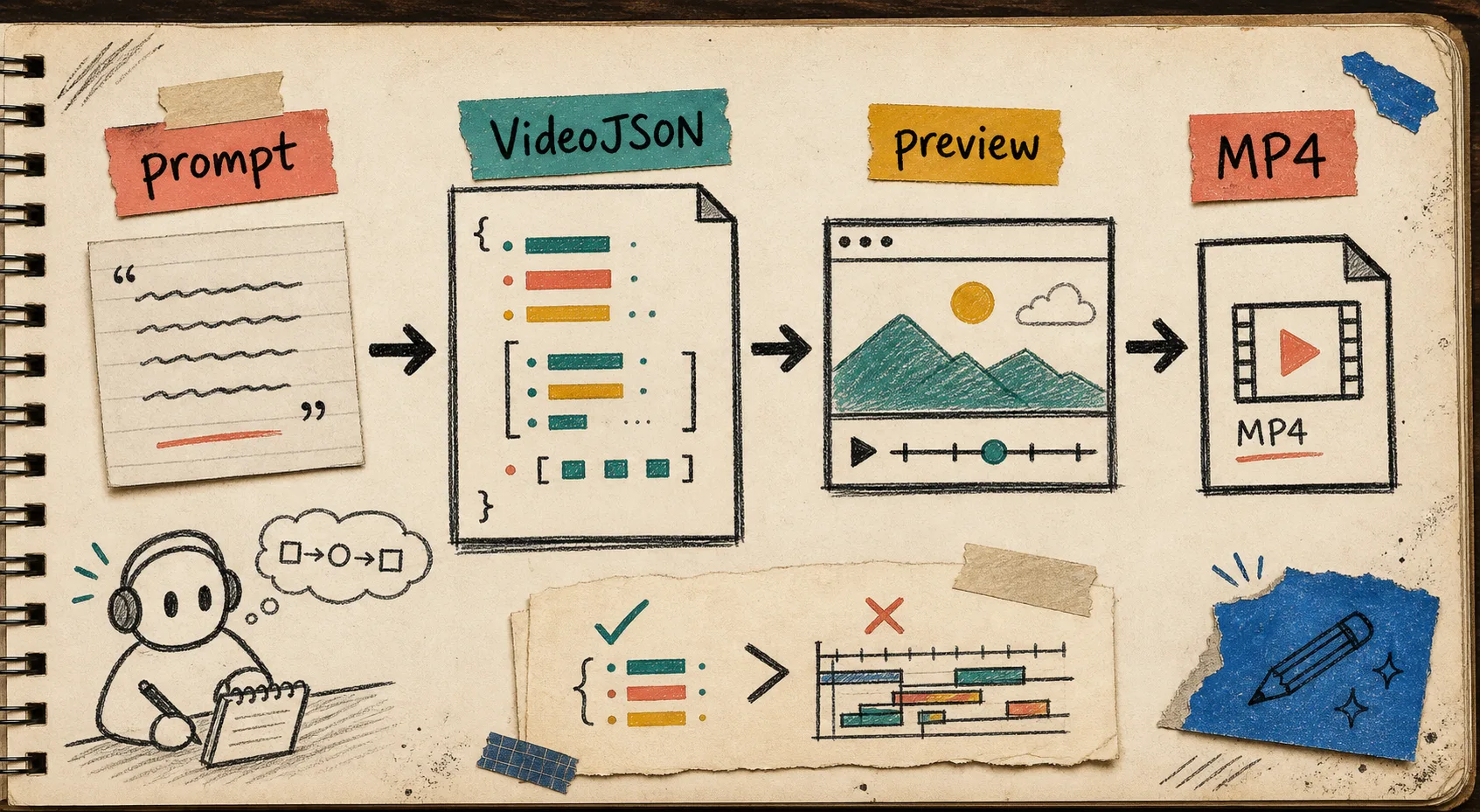
If you want the broader prompt-to-MP4 path, I already wrote about the full pipeline in How to Build an AI Video Workflow From Prompt to JSON to MP4. This post is the more operational version: how I split the work across renderers without rebuilding the template every time.
The Part That Changed My Setup
The key shift was treating VideoJSON as the thing I keep, review, and move around. The renderer is the disposable layer. That sounds obvious until you have a browser export path, a server batch job, and a preview widget all trying to own the same timeline.
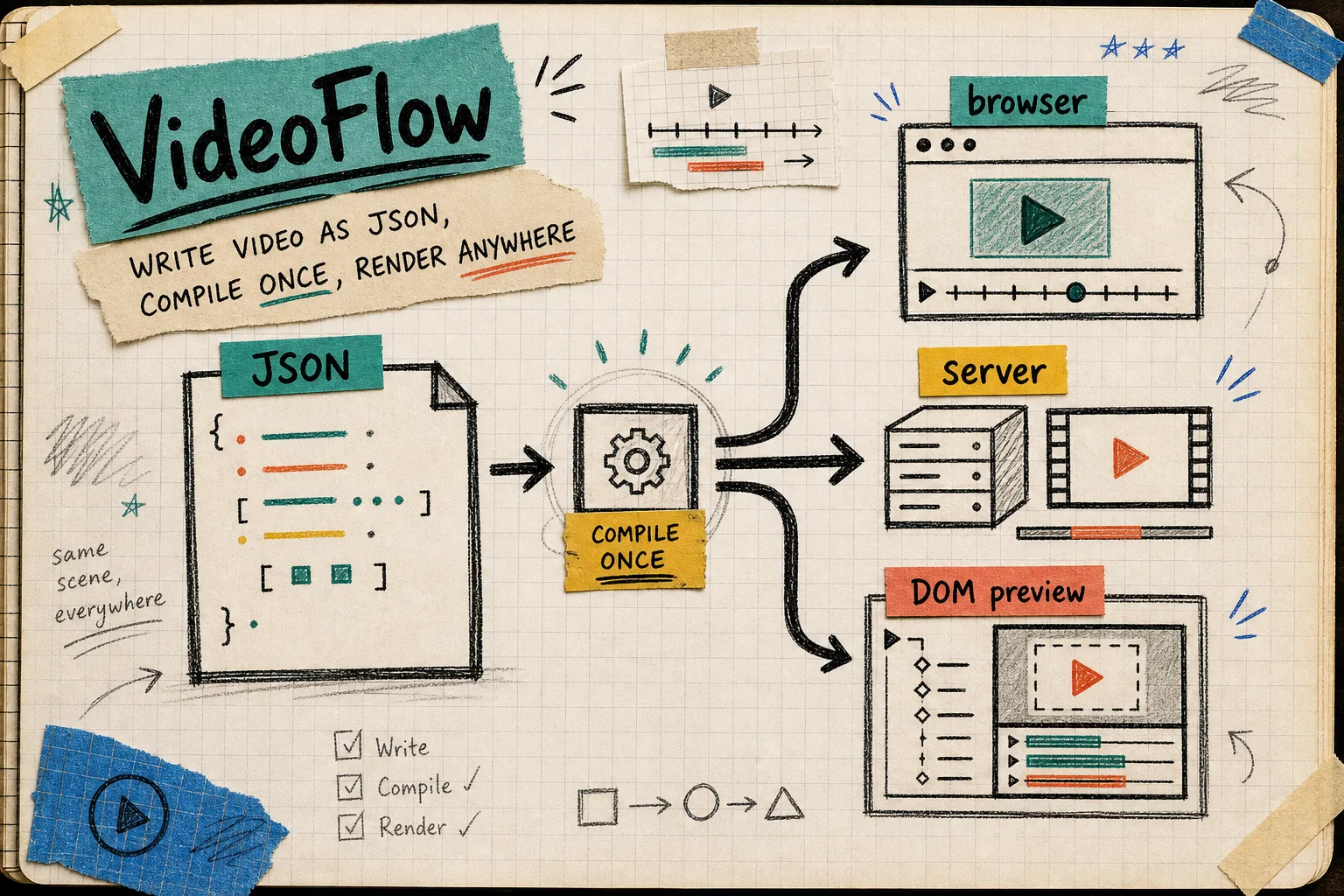
Once I stopped letting the rendering target become the source of truth, the rest got calmer. I could adjust timing, text, and layout in one place, then decide where that scene should run.
That is also why the earlier post How to Build a Video JSON Pipeline That Renders Everywhere With VideoFlow still matters. This version is just narrower and more practical: one source, three jobs, fewer surprises.
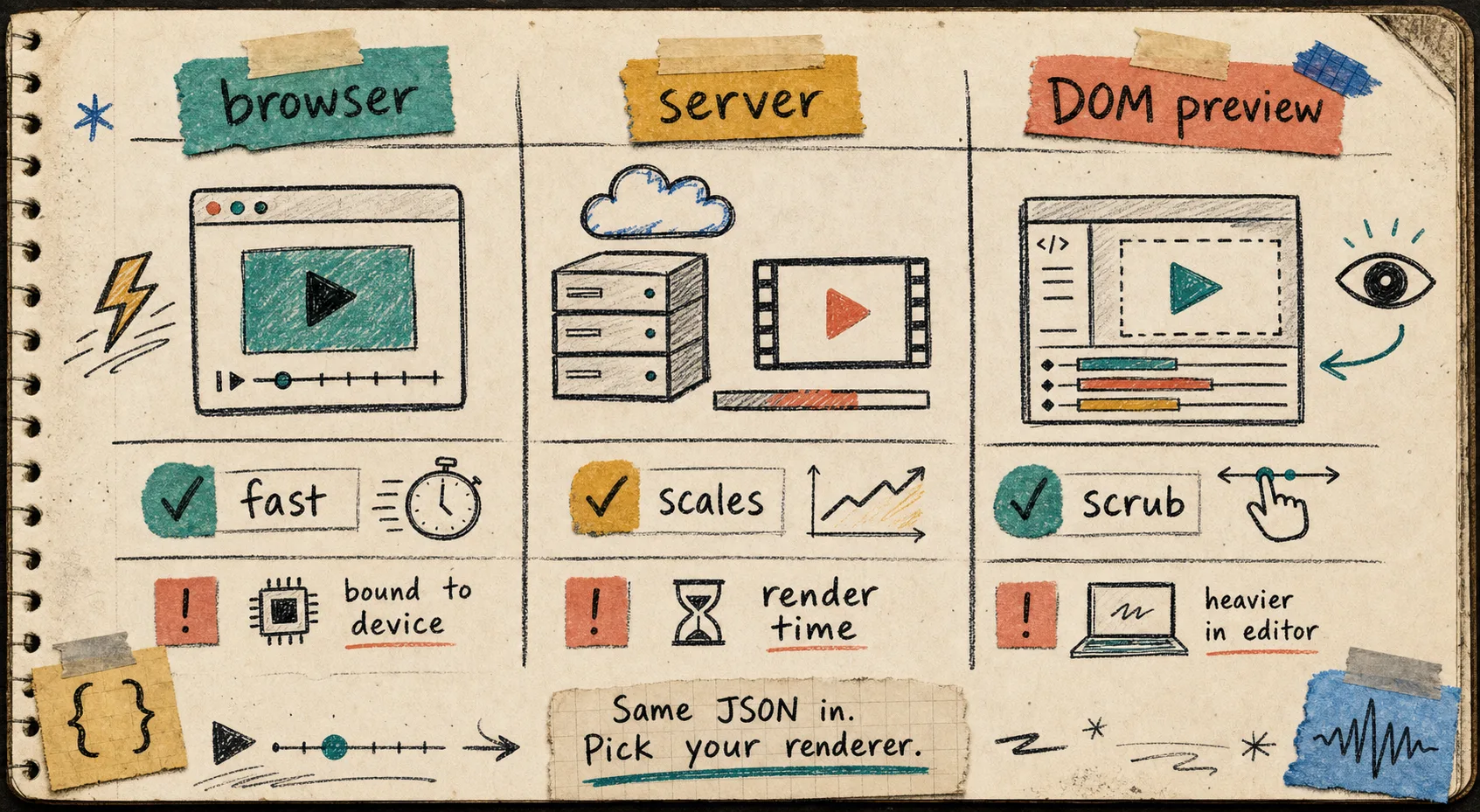
The Three Renderers I Actually Use
Browser export
I use the browser renderer when I want export to happen where the user already is. That keeps the workflow simple for embedded tools, internal dashboards, and lightweight generators where shipping a render server is overkill. It is also the path I reach for when I want a local export story with progress feedback and cancellation.
If you are building that version of the stack, the companion note is How to Build a Browser-Based MP4 Exporter Without a Rendering Server.
Server rendering
I use the server renderer when the job is batchy, queued, scheduled, or attached to an API. That is the version that scales cleanly when you need to render many variants, produce exports in the background, or keep the browser out of the critical path.
VideoFlow positions the server side for headless rendering, and that is the right mental model for me: the scene stays the same, but the execution environment changes. The browser can stay focused on previewing; the server can stay focused on throughput.
DOM preview
I use the DOM preview when scrubbing matters. That is the version that lets me move around frame by frame, check timing, and keep the preview close to the editing surface. It is the bridge between a developer-friendly data model and a human-friendly review loop.
The tradeoff is straightforward: browser export is convenient, server rendering is scalable, and DOM preview is the one you want when the layout needs to feel interactive. The important part is that all three paths consume the same underlying scene.
The Code Shape That Makes It Hold Together
I keep the authoring side small. I install @videoflow/core, define the scene in TypeScript, compile it, and treat the compiled output as the portable asset.
import VideoFlow from "@videoflow/core";

const flow = new VideoFlow({
  name: "Launch clip",
  width: 1920,
  height: 1080,
  fps: 30,
});

flow.addText({ text: "New drop", fontSize: 72, fontWeight: 800 });
const videoJSON = await flow.compile();
That is enough for me to keep the project portable. From there, I can hand the JSON to the renderer that matches the job instead of rewriting the scene for each environment.
If you want to see the browser preview and MP4 story from the other angle, the companion article How to Turn Video JSON Into Browser Preview and MP4 Export fills in the details.
That prompt-to-JSON-to-MP4 path is the same idea I want teams to internalize: keep the scene structured until the last possible moment. The render target can change. The scene should not.
Where The React Editor Fits
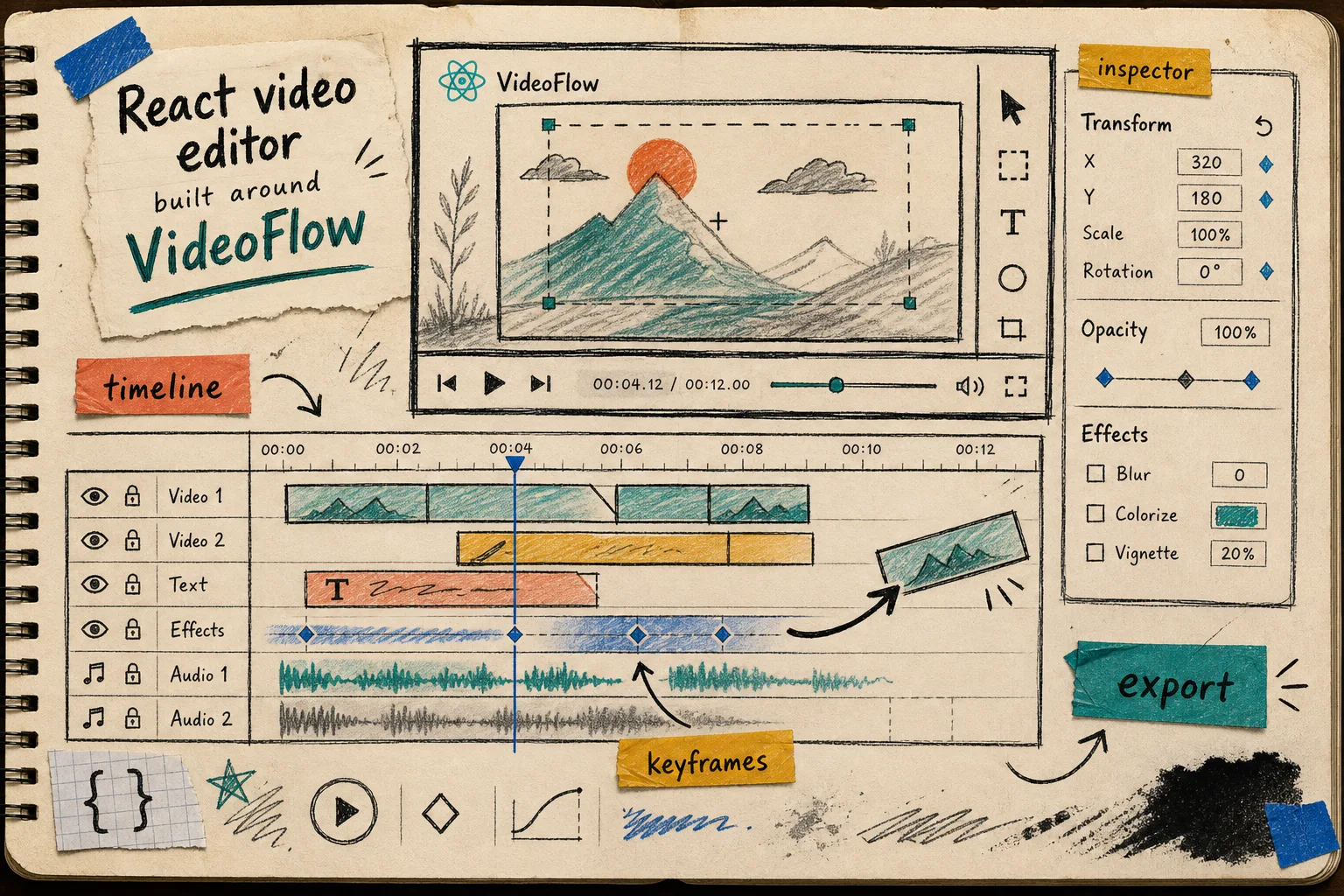
When I need end-user editing, I reach for @videoflow/react-video-editor. The useful part is not just that it exists. It is that it sits on top of the same VideoJSON model, so the UI can expose the scene without inventing a second representation.
That matters in SaaS products. A multi-track timeline, keyframes, an inspector, file uploads, and MP4 export are useful only if the edited scene still maps back to a portable project. Otherwise the editor becomes a dead end.
If you want the UI side, I wrote the broader implementation notes in How to Add a Multi-Track React Video Editor to Your SaaS App, and the more notebook-like companion in How I Built a React Video Editor Around Portable JSON with VideoFlow.
My Shipping Checklist
Before I call a VideoFlow template done, I check four things:
- The scene compiles cleanly to JSON once.
- The browser path and server path both render the same composition.
- The DOM preview stays readable when I scrub and inspect timing.
- The editor, if there is one, still points back to the same source of truth.
That checklist sounds simple, but it is the difference between a video workflow that survives repeated edits and one that falls apart the moment a teammate asks for a second version.
For the full end-to-end mental model, How to Build a Video JSON Pipeline That Renders Everywhere With VideoFlow is the closest companion piece.
Closing Note
The next step I would take is small: build one scene, compile it once, and render it in exactly two places before adding anything else. If that feels stable, wire in the third renderer and only then add the editor surface on top.
That is the workflow I trust: one JSON source, the right renderer for the job, and no duplicate timelines to maintain.