
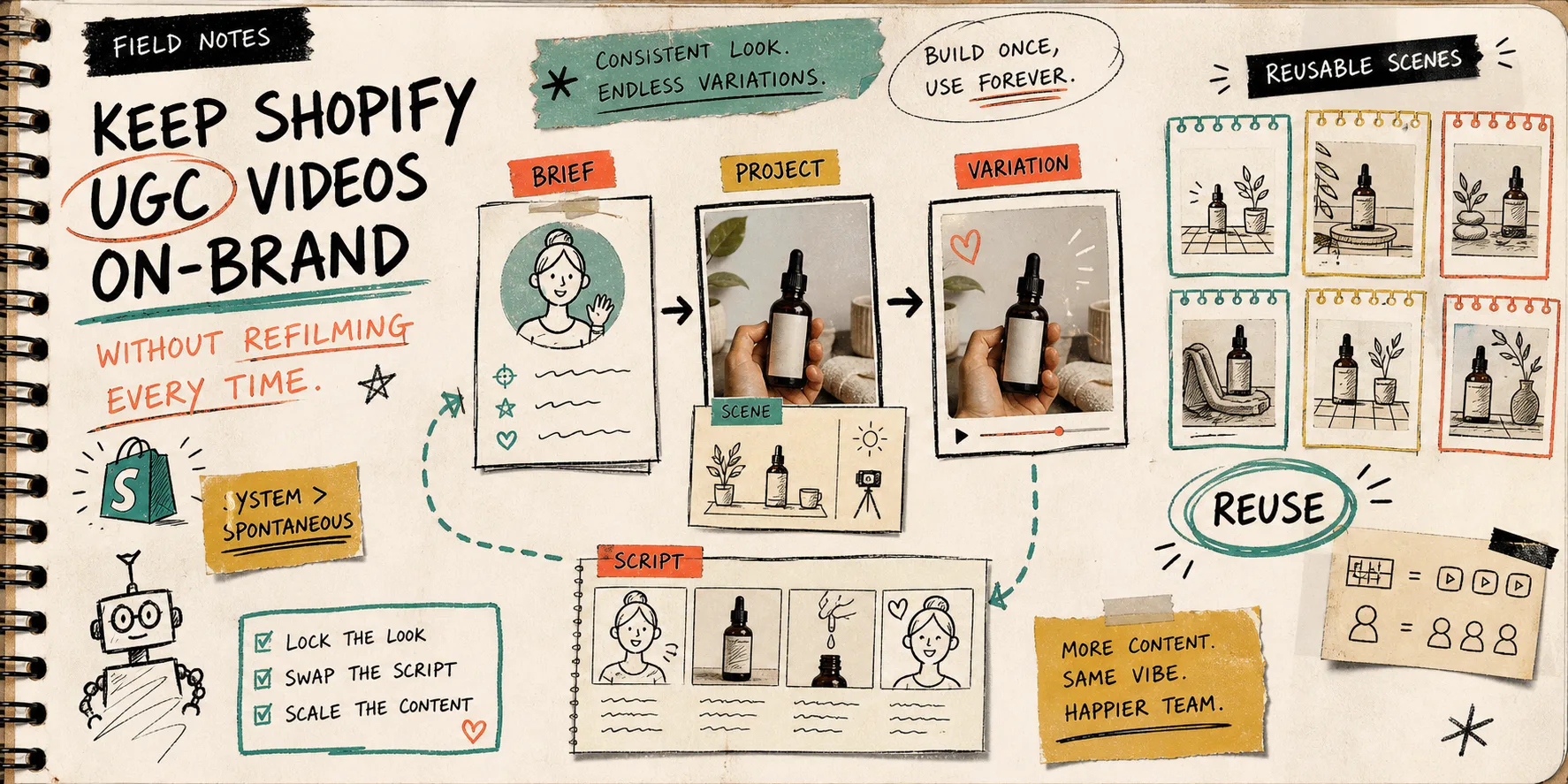
I keep seeing the same UGC problem: a team gets one decent video, then treats every follow-up like a brand-new shoot. That works for a week. After that, the content cadence stalls, the voice drifts, and everything starts to feel like a scramble.
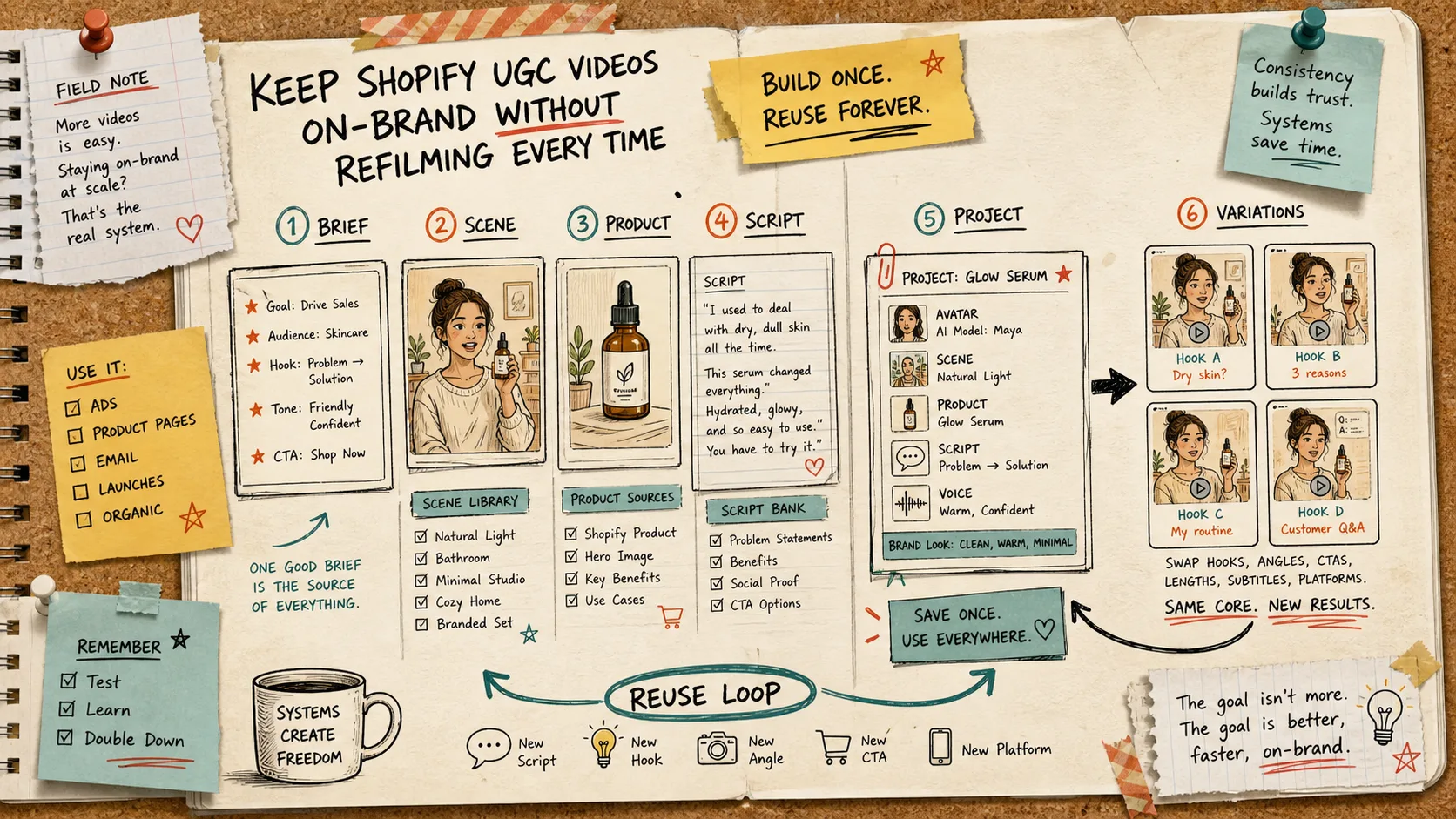
That is the part I like about Supra UGC Maker: it gives you a reusable structure for the work instead of a one-off render. You pick or create an avatar, set the scene, attach the product, write the script, and generate the video. Then you can reorder, trim, update, regenerate, and save the scene for the next round. On the Shopify side, that matters more than people admit. The win is not just “make a video.” It is “make the next five videos cheaper to produce than the first one.”
The part that usually breaks
Most UGC pipelines break in the same place:
- The product changes, but the visual setup changes too.
- The hook changes, but the brand voice does not stay stable.
- The team makes new clips, but never saves the good parts into a system.
If you have already been building a testing matrix, this is the cleanup layer that keeps it from turning into chaos. I wrote about that in How to Build a Shopify UGC Video Testing Matrix, but the practical version is simple: do not test everything at once. Keep one part fixed and let the other part vary.
For me, the fixed layer is:
- avatar
- scene
- product
- voice and tone
The variable layer is:
- hook
- opening line
- CTA
- length
- platform cut
That separation makes the rest of the workflow easier. It also helps if you are turning one product page into multiple angles, which I covered in How I Turned One Product Page Into Four UGC Video Angles. The page already has the raw material. The app just gives you a way to package it without starting from zero every time.
My reusable setup
Here is the workflow I would keep if I had to run this on a small team.
- Start with the product and the one customer problem that matters.
- Pick an avatar that fits the audience or create a custom model.
- Choose a scene that supports the claim, not just a pretty background.
- Write the script from one buyer question, objection, or use case.
- Generate the first version and keep notes on what feels off-brand.
- Save the project and scene so the next variation starts with a better base.
That last step is the one people skip. It feels slower in the moment, but it is the whole point. Reusability is what turns UGC from a one-off ad asset into a content system.
Build the scene library first
I think people overfocus on scripts and underfocus on scene consistency. If the scene changes too much, the whole thing starts to feel like a different brand.
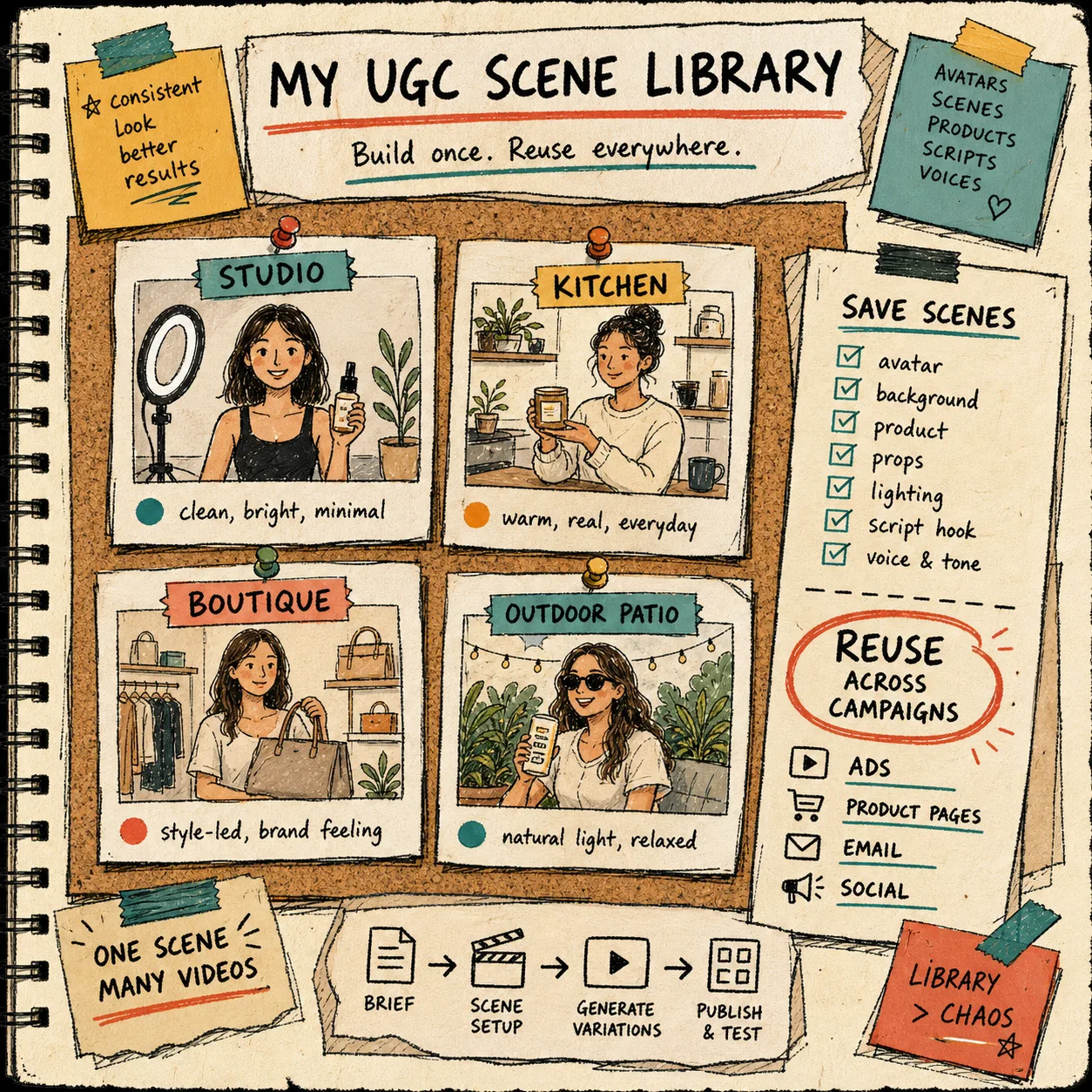
A better move is to build a small scene library:
- studio
- kitchen
- boutique
- outdoor patio
- minimal product close-up
That way, the creative can shift without the world around it shifting every time. The image above shows the kind of library I mean. Once you have a stable set of scenes, you can reuse them across ads, product pages, email, and social without the visual language falling apart.
That is also why I like working from a reusable project instead of a blank canvas. One saved scene can support many hooks. One saved avatar can carry many scripts. One product reference can power multiple angles. If launch week hits hard, those saved pieces are what keep you moving.
For a launch-heavy workflow, I would also pair this with How to Launch a Shopify Product With UGC-Style Video Variations. The launch version is just a faster, more aggressive version of the same idea: same core, new angle.
Write scripts from buyer questions
When the script sounds generic, I usually trace it back to a weak prompt.
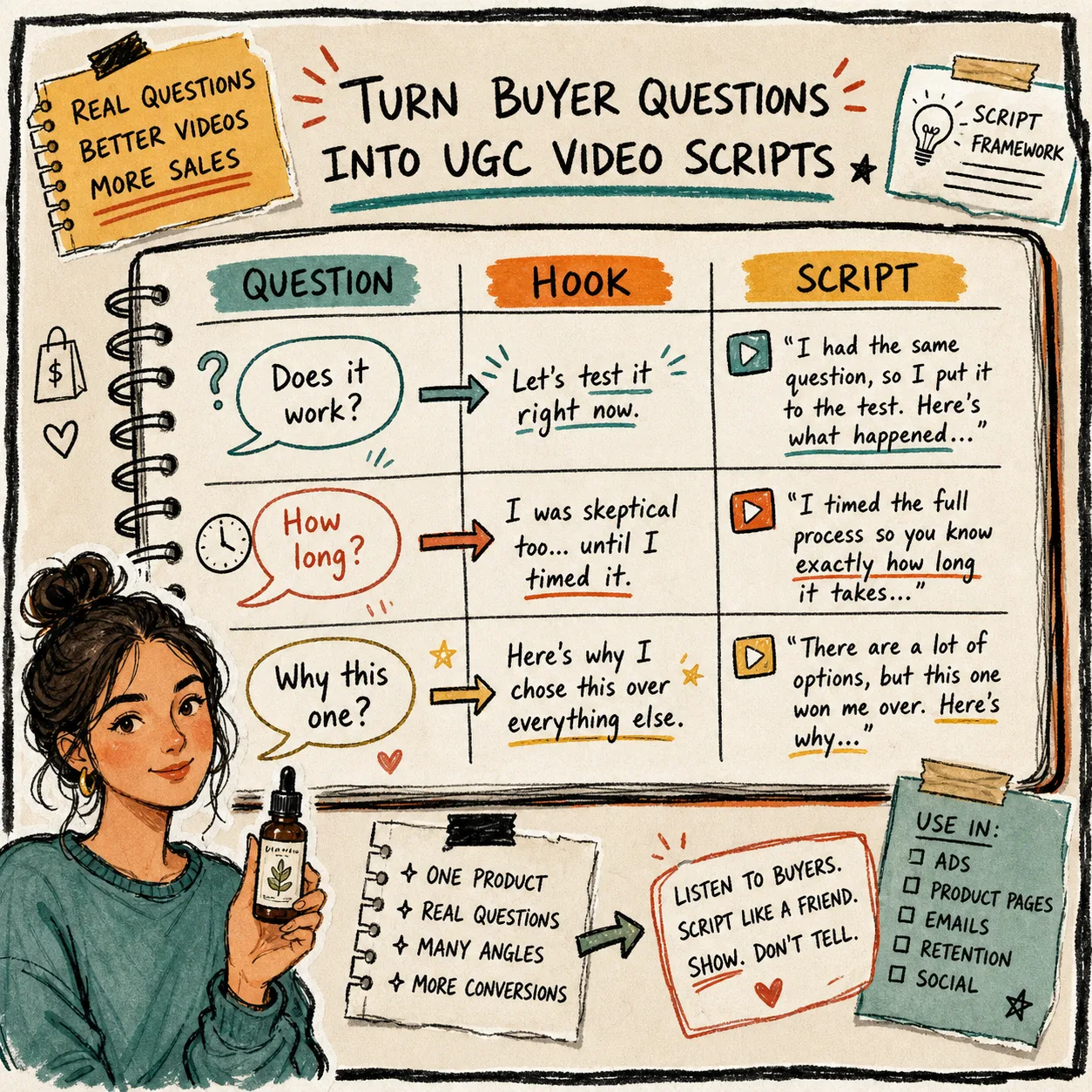
The easiest fix is to steal from the customer, not the marketing calendar. Use a real buyer question:
- Does it work?
- How long does it take?
- Why this one?
- Is it worth it?
- What makes it different?
Then turn that question into a hook and a simple answer. That is exactly the kind of prompt structure I used in How to Turn Buyer Questions Into Shopify UGC Video Scripts. The script does not need to be clever. It needs to sound like a human answering a concern a shopper already has.
This is where Supra UGC Maker is pretty useful: you can change the script, voice, and tone without rebuilding the whole scene. That means the creative loop is smaller. Faster loops usually mean better decisions.
What I would keep fixed vs flexible
A lot of teams ask for “more content.” What they usually need is fewer decisions per video.
Keep these fixed:
- brand voice
- core visual scene
- avatar or model
- product reference
- quality bar
Let these change:
- opening hook
- question asked
- CTA
- caption
- channel cut
That is the difference between a content library and a pile of files. A library is something you can return to. A pile of files is just proof that the team was busy.
A small checklist before you generate the next round
Before I hit generate again, I check:
- Does this script answer one real buyer concern?
- Does the scene match the product and audience?
- Does the avatar feel consistent with the brand?
- Can I reuse the setup for another angle?
- Did I save the useful version as a project or scene?
If I can answer yes to most of those, I keep going. If not, I fix the brief before I spend another generation.
That is the practical part: the app is most valuable when you stop treating each video like a one-off and start treating it like a reusable asset family.
If you want a cheap way to test that workflow, the free plan is enough to start experimenting. The Shopify App Store listing and landing page are here: Supra UGC Maker and the Shopify App Store listing. You do not need a full production process to learn whether the structure works for your store.
Next step
Pick one product, one buyer question, and one scene. Build the first project in Supra UGC Maker, then save the scene so the next variation starts from something real.