
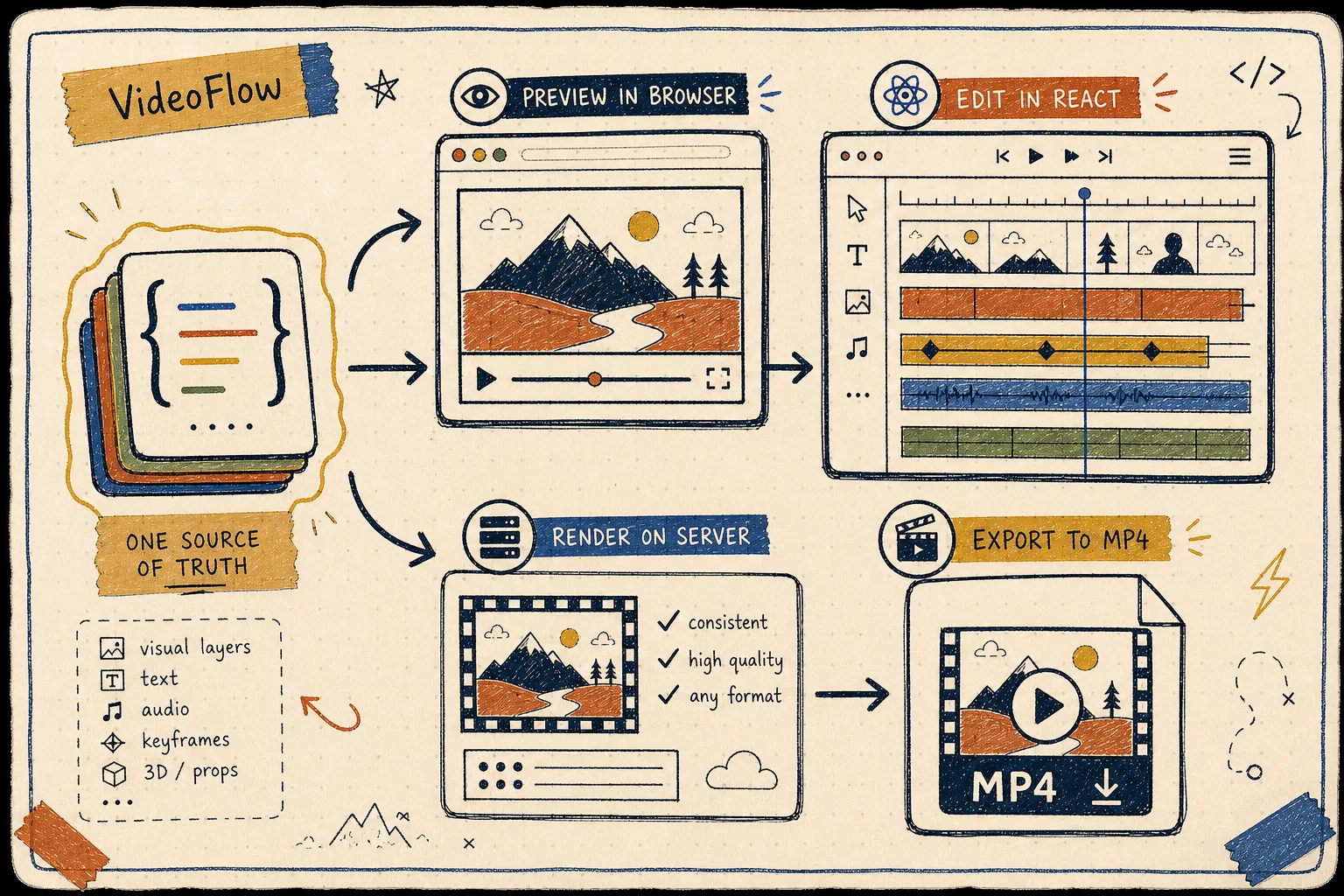
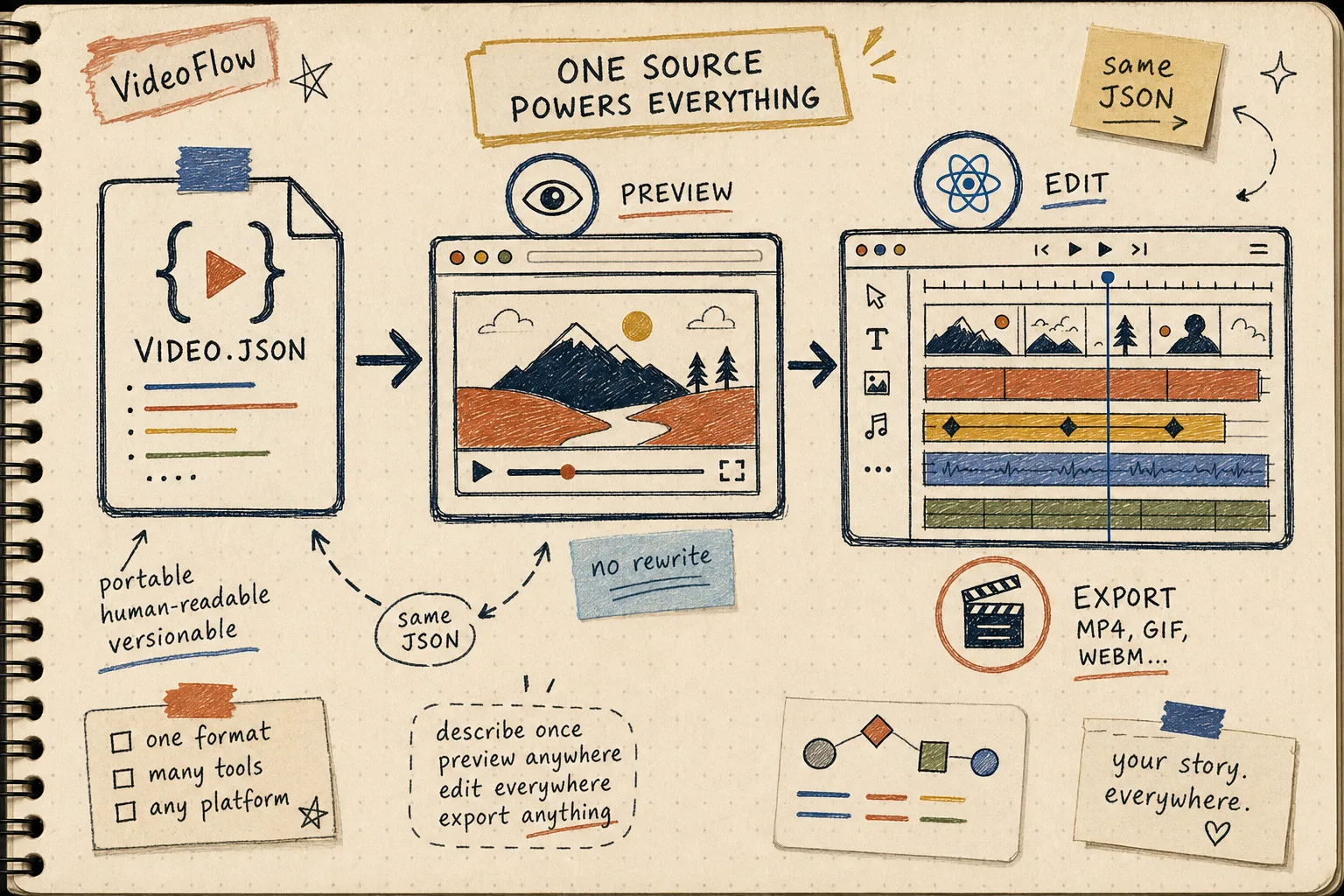
I keep running into the same failure mode with programmatic video: the preview looks right, the editor state drifts, and the final MP4 exports from a slightly different setup. VideoFlow is useful because it gives me one portable VideoJSON path through the whole loop: author in core, preview in the browser, edit in React, then render on the server when I need throughput.
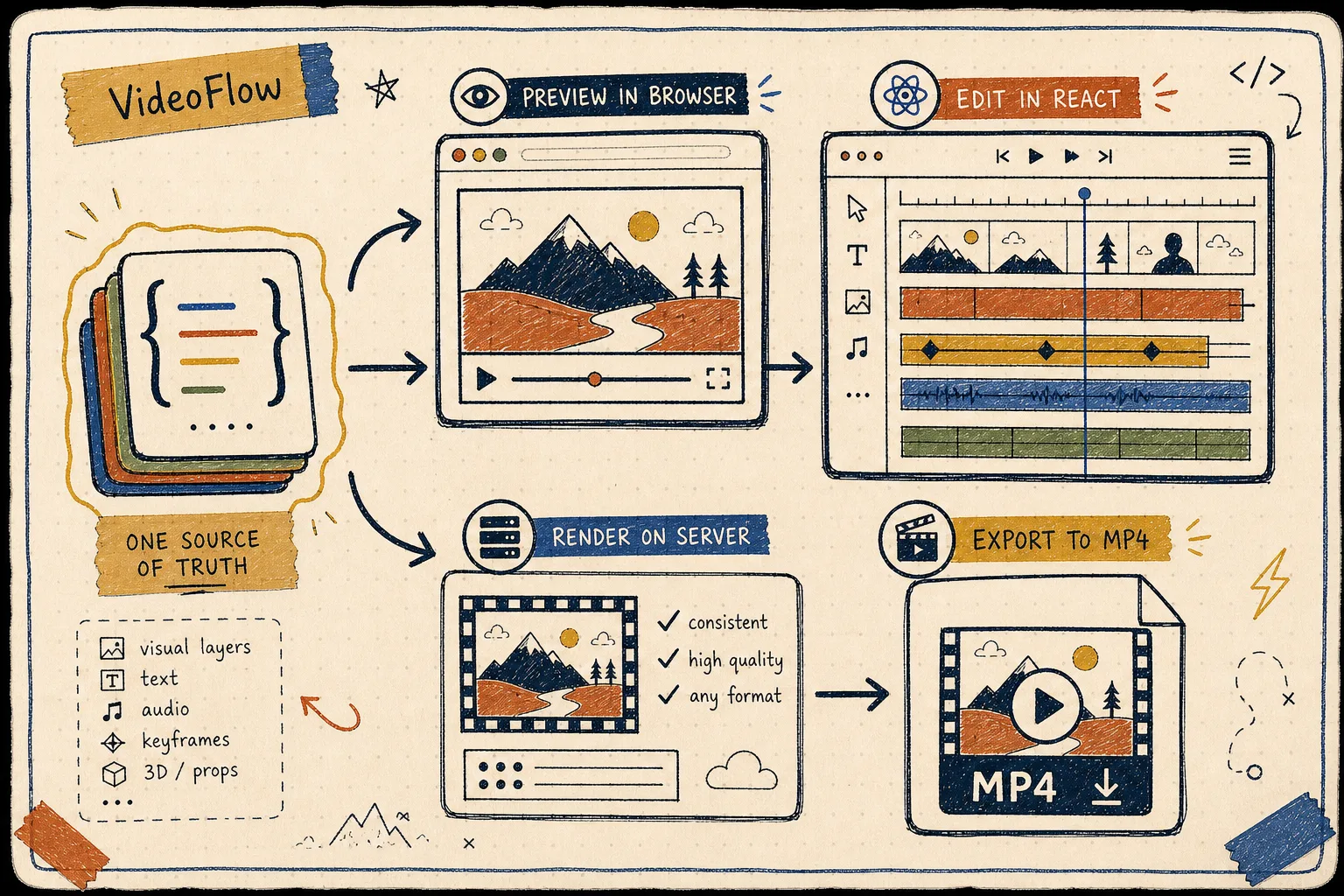
The rule I use
If I cannot answer “where is the source of truth?” in one sentence, I am already maintaining two systems.
For VideoFlow, the answer is simple: keep the scene in one JSON-shaped format and let different runtimes consume it. That is the part I want to preserve. The rest is execution detail.
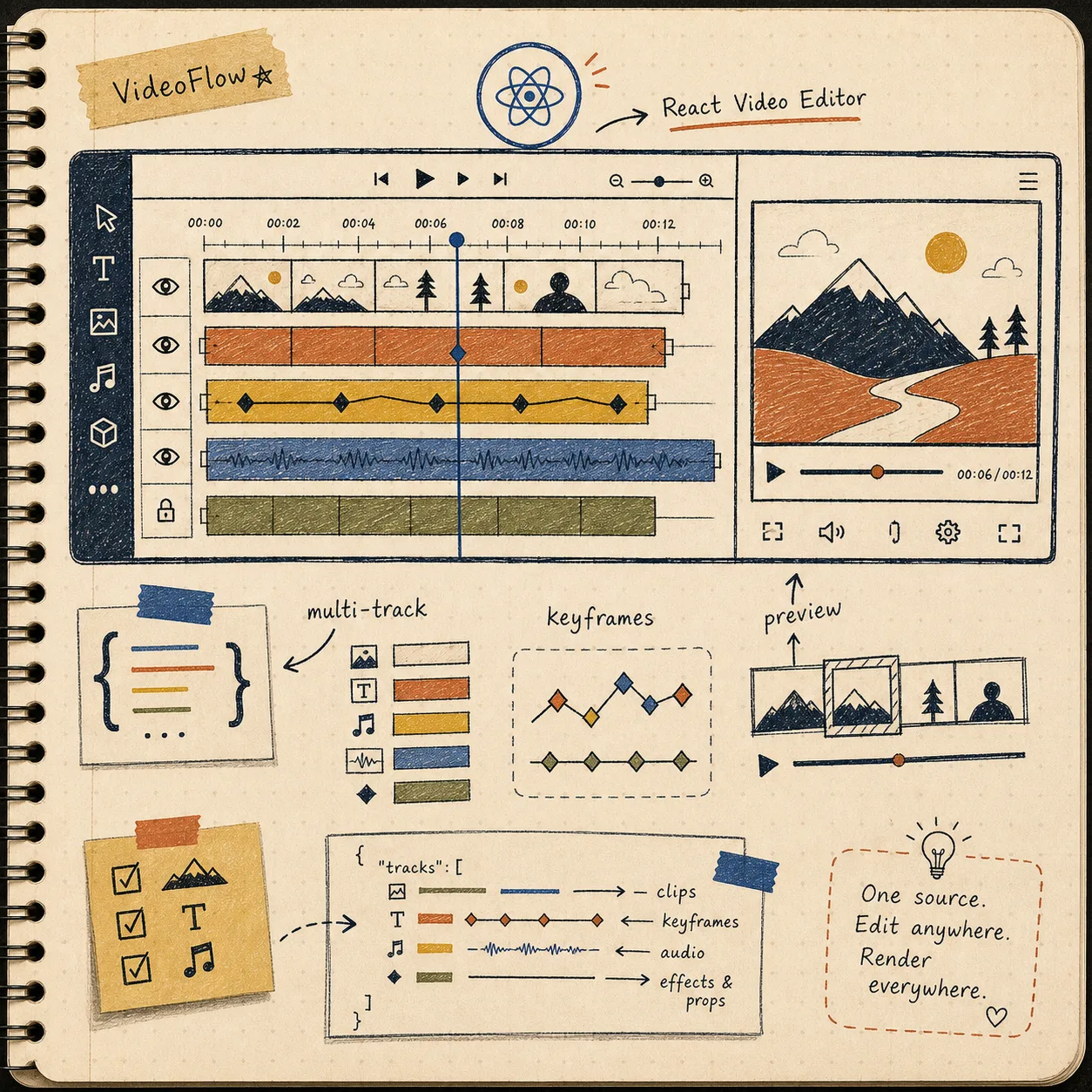
I am not trying to make the browser, editor, and renderer all own different versions of the same template. I am trying to make one scene portable enough that the preview loop, the human edit loop, and the export loop can all share it.
What the workflow looks like in practice
My default path is boring on purpose:
- Build the scene in
@videoflow/core. - Compile it to VideoJSON.
- Preview it in the browser so the team can catch layout mistakes early.
- Hand the same structure to the React editor when a human needs to adjust layers, timings, or keyframes.
- Render the same JSON on the server when the job needs a queue, a batch, or an API.
That is the difference between a tool and a workflow. A tool exports one video. A workflow keeps the template alive after the first export.
Here is the smallest shape that matters to me:
import VideoFlow from "@videoflow/core";

const $ = new VideoFlow({
  name: "My Video",
  width: 1920,
  height: 1080,
  fps: 30,
});

$.addText(
  { text: "Hello, VideoFlow!", fontSize: 7, fontWeight: 800 },
  { transitionIn: { transition: "overshootPop", duration: "500ms" } }
);

const json = await $.compile();
const blob = await $.renderVideo();
The important bit is not the snippet. It is the contract: one compile step produces an asset that stays useful in more than one place.
Preview first, not last
I like the browser preview loop because it is cheap. If the composition looks wrong there, I would rather find out before I ask the server renderer to do real work.
This is also where the React editor starts to matter. The editor is not there to invent a second source of truth. It is there to let a human make deliberate changes on top of the same structure: trim a clip, move a layer, tune keyframes, or swap a section without breaking the template.
That is the line I try not to cross: the editor can change the scene, but it should not fork the scene model.
When the server renderer earns its keep
The server renderer is the right choice when the job is bigger than one user clicking export. Batch renders, scheduled jobs, API-driven output, and queue-based pipelines all fit better there.
The browser renderer is useful when export needs to happen client-side. The DOM renderer is useful when I want a live preview embedded in a dashboard or editor. Different backends, same VideoJSON.
That is the part I keep coming back to in VideoFlow: the format does not care where it is rendered.
If you want the backend split in more detail, I would read How to Build a Three-Renderer Video Workflow With VideoFlow next, then How to Build a VideoJSON Pipeline for Browser, Server, and React.
Let AI draft the structure, not the mess
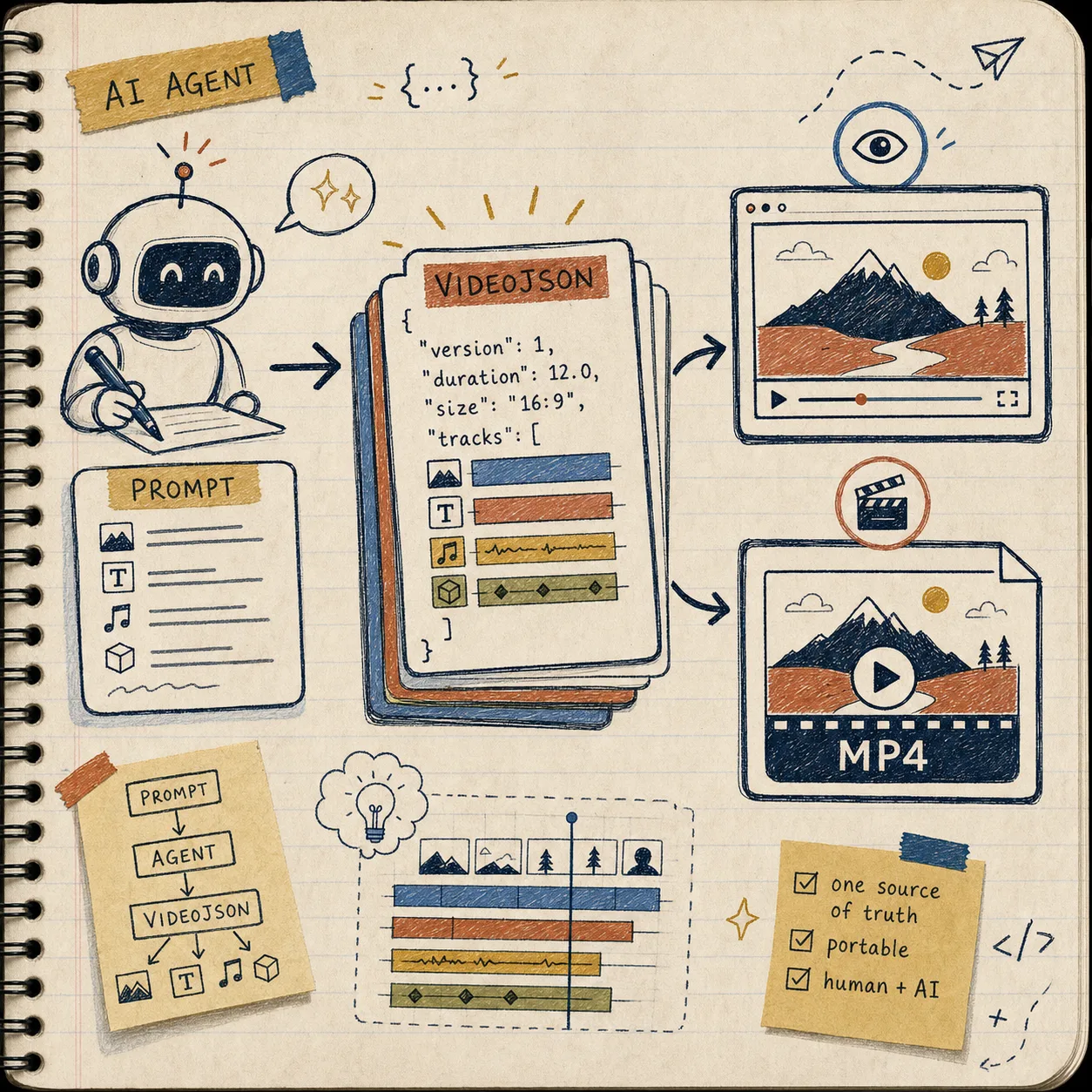
I do like using AI here, but only when the model is producing structure I can inspect. A prompt should become a draft of VideoJSON, not a pile of hand-wavy export settings.
That keeps the human reviewable. It also makes the output easier to diff, easier to version, and easier to feed back into the editor or renderer without translation work.

The clean version of this looks like:
- AI proposes the scene structure.
- A human checks the layers and timings.
- The template goes through preview.
- The same JSON gets edited if needed.
- The final render happens from the same asset.
If you want the Git discipline around the same idea, I covered it in How to Make Video Templates Diffable in Git with VideoFlow. For the editor layer, How to Add a Multi-Track React Video Editor to Your SaaS App is the next step.
What I stop splitting
The biggest cleanup is deciding not to split these into separate systems:
- one schema for preview
- one schema for editing
- one schema for export
That is how maintenance gets expensive. The same template starts to drift, and every bug turns into a translation bug.
What I want instead is a single portable artifact that can survive different consumers. The preview reads it. The editor mutates it carefully. The renderer executes it. The Git history tells me what changed.
That is also why I keep VideoFlow’s docs open while I work: VideoFlow, docs, core docs, renderers docs, React video editor, and examples. If I am wiring a new template, I also keep the GitHub repo nearby.
The shortest next step
If you are building a video workflow right now, do not start by adding more render targets. Start by making one template portable.
That means:
- Write one scene in VideoFlow.
- Compile it to VideoJSON.
- Preview it.
- Edit the same structure if you need to.
- Render it from the backend that best fits the job.
Once that works, everything else gets easier.