
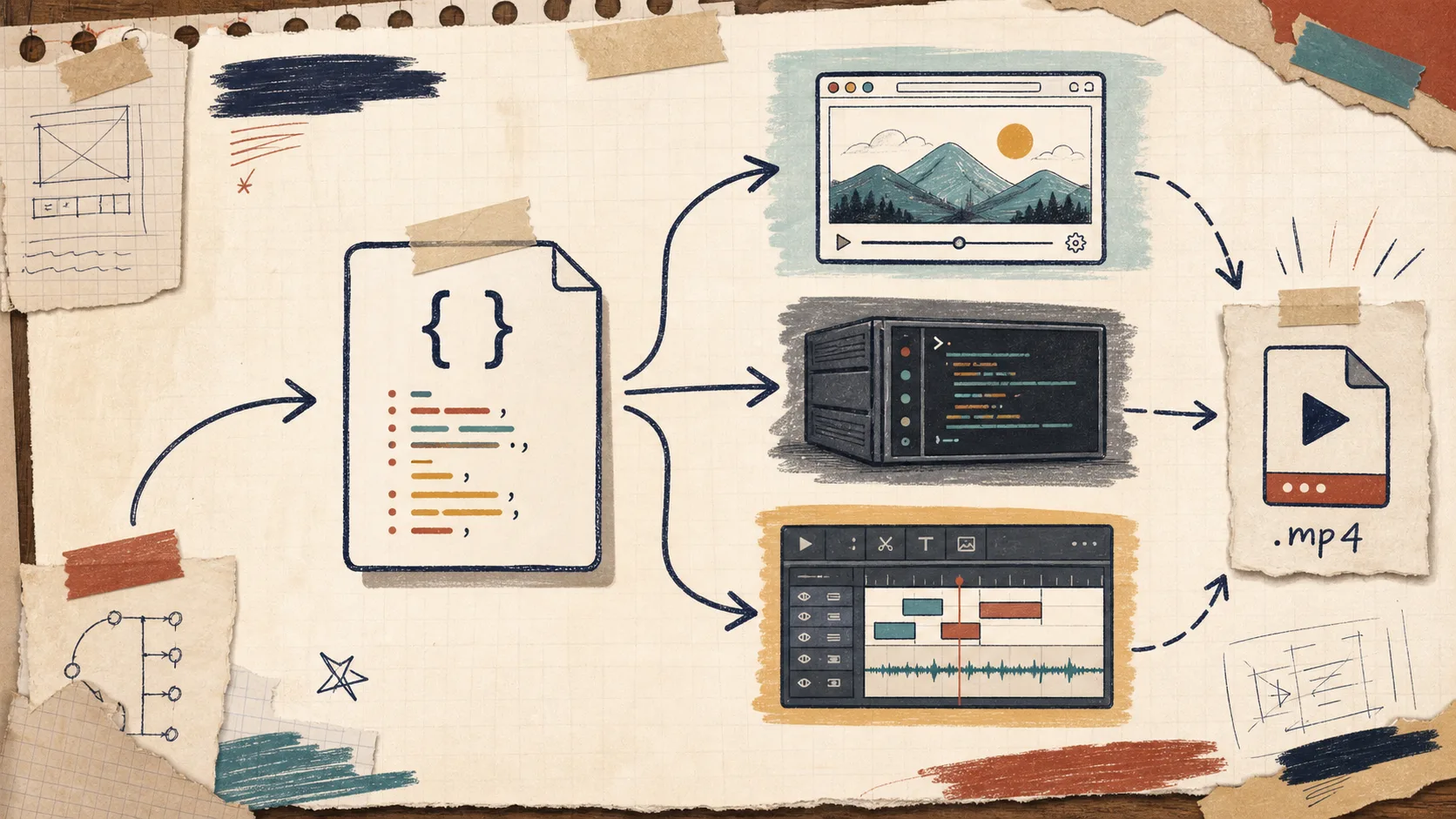
I keep seeing the same video problem in different clothes: preview lives in one code path, export lives in another, and the editor lives somewhere else entirely. The result is predictable. A timing fix lands in the timeline but not the render pipeline. A new effect looks right in the browser and wrong in the final MP4. Someone changes the template and now the team is maintaining two versions of the same scene.
VideoFlow is a cleaner way to stay out of that mess. The practical version is simple: keep the video as portable JSON, then point that same source at the browser renderer, the server renderer, or the live DOM preview. If you need a user-facing editor, @videoflow/react-video-editor sits on top of the same data instead of inventing a second model.
What I want from a video stack
I am not trying to make video “more AI” or “more automated” for its own sake. I want three things:
- One source of truth for scenes, layers, timing, and effects.
- A preview path that feels close enough to production to trust.
- A render path I can swap between local export, server jobs, and editor playback without rewriting the project.
That is the part VideoFlow gets right. The core is an open-source TypeScript toolkit, and the docs are explicit about the three render targets: browser, server, and live DOM preview. The docs also make the data model clear: write the scene in code, compile it to VideoJSON, then render it wherever you need.
If you have ever read How to Build a Three-Renderer Video Workflow With VideoFlow or How I Built a React Video Editor Around Portable JSON with VideoFlow, this is the same idea from a slightly different angle: portability is what keeps the workflow maintainable.
How I use the three renderers
I think of the renderers as roles, not competitors.
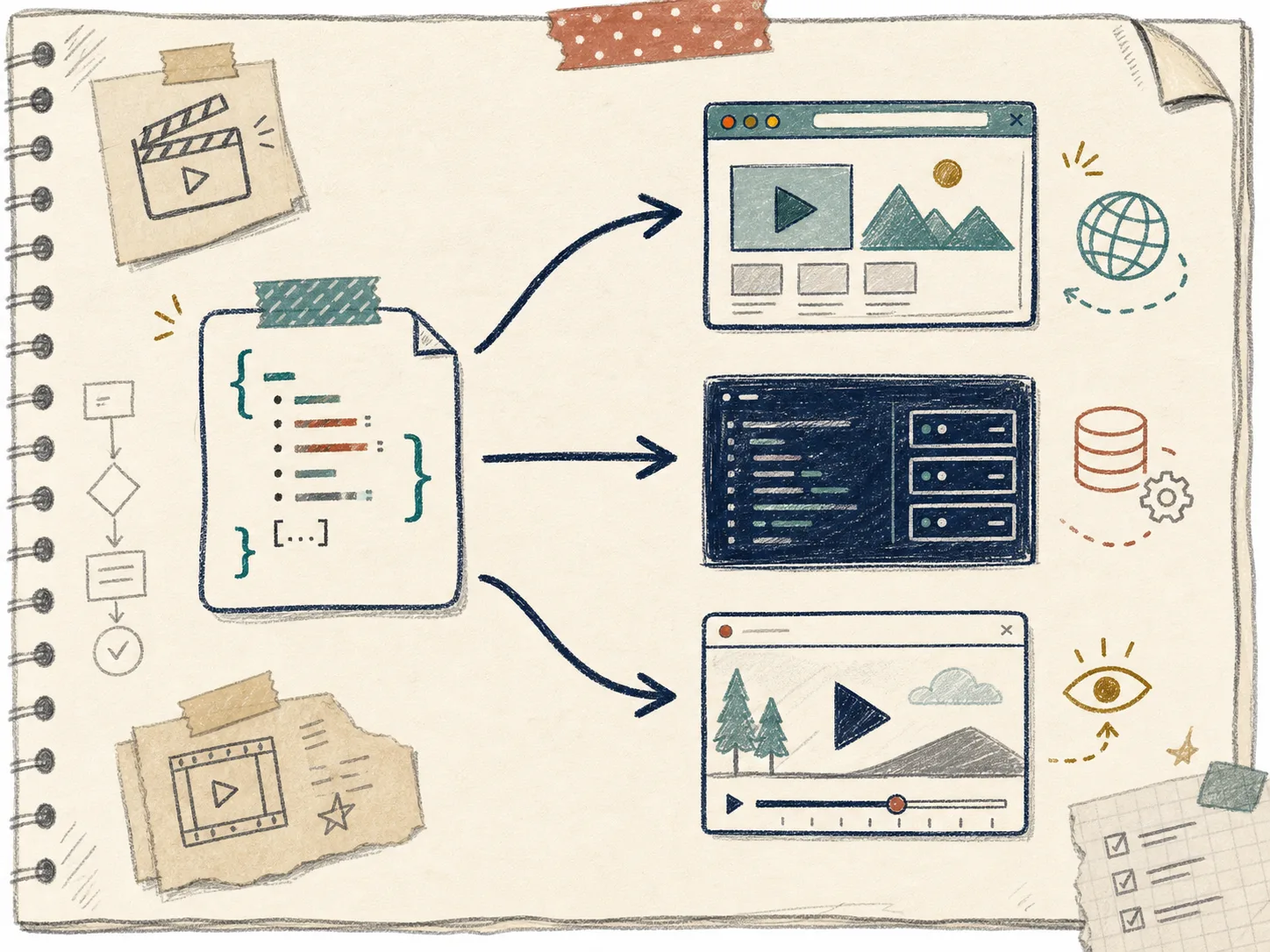
- The browser renderer is what I reach for when I want client-side export, quick iteration, or a path that does not depend on a render server.
- The server renderer is what I use for queue jobs, batch generation, and anything that needs to be reliable under load.
- The DOM preview is what I want when I need scrubbing, live inspection, or an authoring experience that stays close to the actual scene structure.
That division matters because it stops the “preview/export drift” problem before it starts. The scene definition does not get forked for each destination. I can tune the same JSON and then choose where to run it.
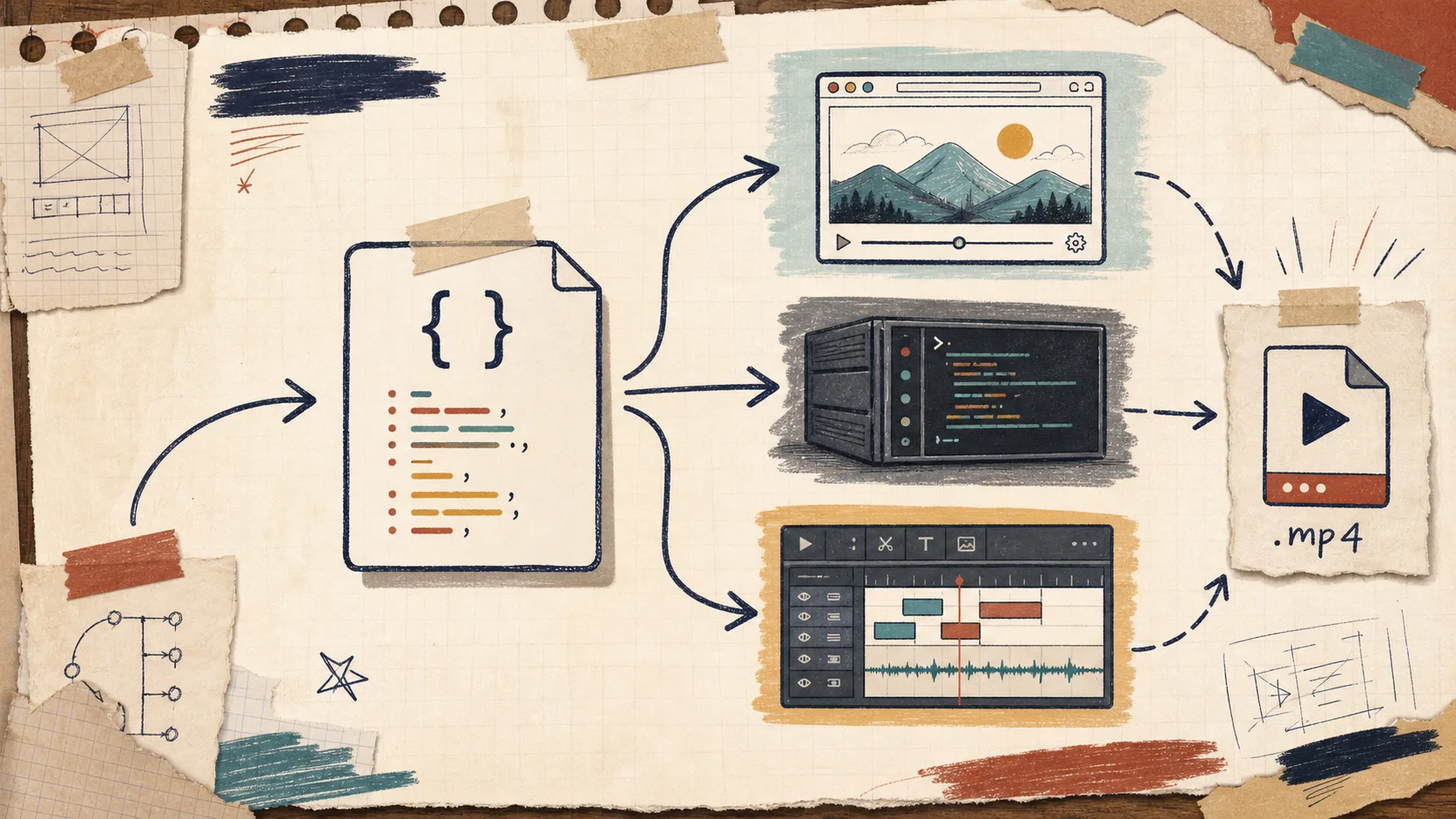
The render target becomes a deployment decision instead of a design rewrite. That is a much better place to be.
For teams comparing tooling, this is also where the difference from a timeline-first workflow shows up. How I Add a React Video Editor to a JSON-First Video App is the editor-side version of the same story. How I Keep Video Preview, Editing, and Export in Sync With VideoJSON shows why the shared format matters once the project gets real.
Where the React editor fits
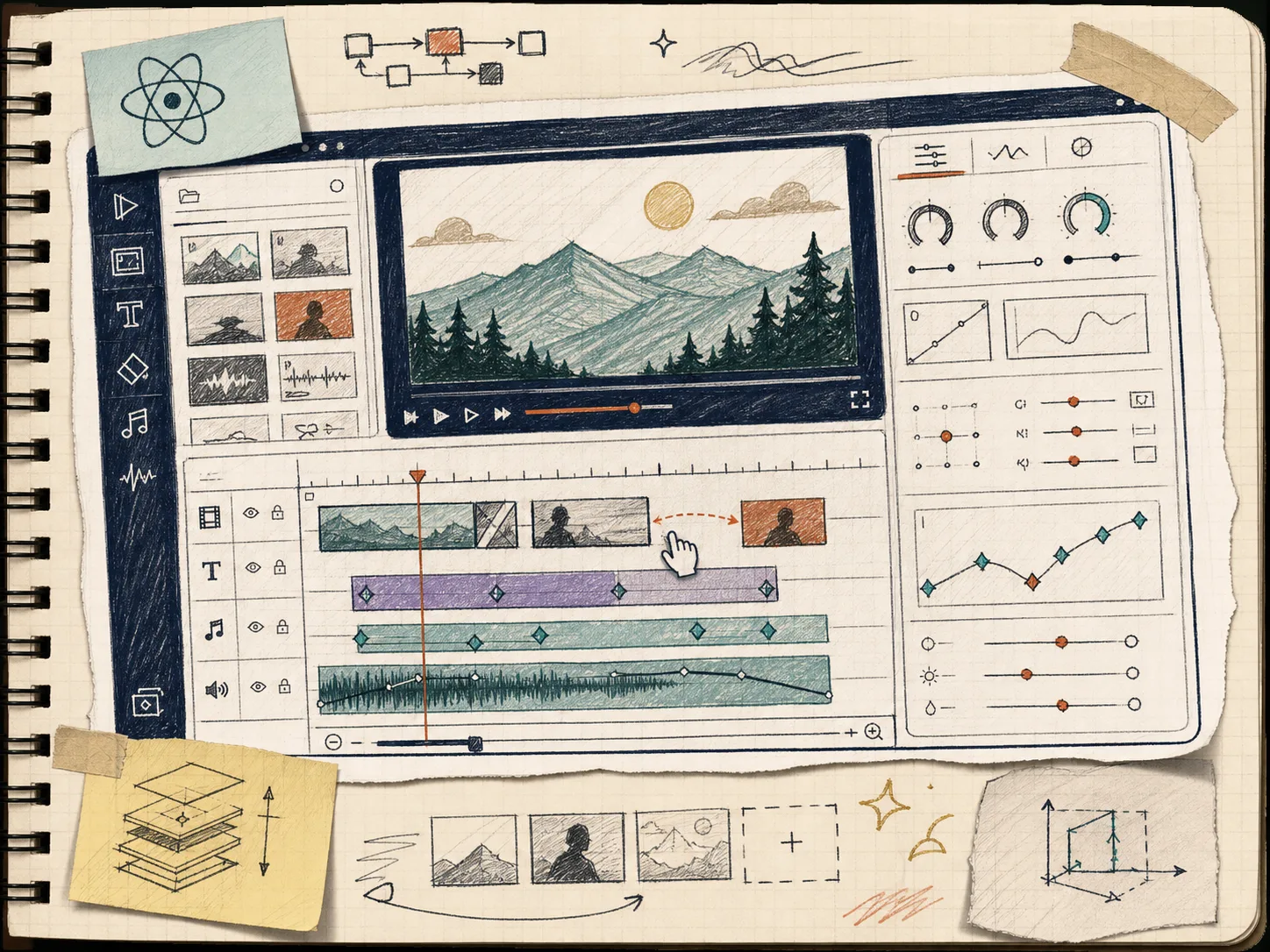
The React editor is not a separate product in the way most video editors are separate products. It is a surface on top of the same scene data. That is the part I care about.
When a user drags a layer, changes a keyframe, uploads an asset, or swaps a theme, I want those actions to mutate the same JSON that will later render on the server. VideoFlow’s editor docs call out the practical stuff that usually decides whether an editor is actually shippable: multi-track timeline, live preview, keyframes, uploads, undo/redo, theming, and MP4 export.
That is also why I like the split between the core package and the editor package. How I Built a React Video Editor Around Portable JSON with VideoFlow is the right mental model: the editor is an interface to the workflow, not the workflow itself.
In practice, the setup feels like this:
import VideoFlow from "@videoflow/core";

const $ = new VideoFlow({
  name: "Launch teaser",
  width: 1920,
  height: 1080,
  fps: 30,
});

$.addText({
  text: "New feature",
  fontSize: 6,
  fontWeight: 700,
});

const videoJSON = await $.compile();
At that point, the same videoJSON can be previewed, edited, or rendered without rebuilding the project around a different schema.
How I choose the render target
This is the cheat sheet I actually use:
- Choose the browser renderer when you want local export, low setup, or a client-side path.
- Choose the server renderer when you are generating lots of videos, running jobs in a queue, or need a controlled rendering environment.
- Choose the DOM preview when the user needs to inspect and scrub the scene while they edit.
- Choose the React editor when the app needs a real editing surface instead of a hidden builder script.
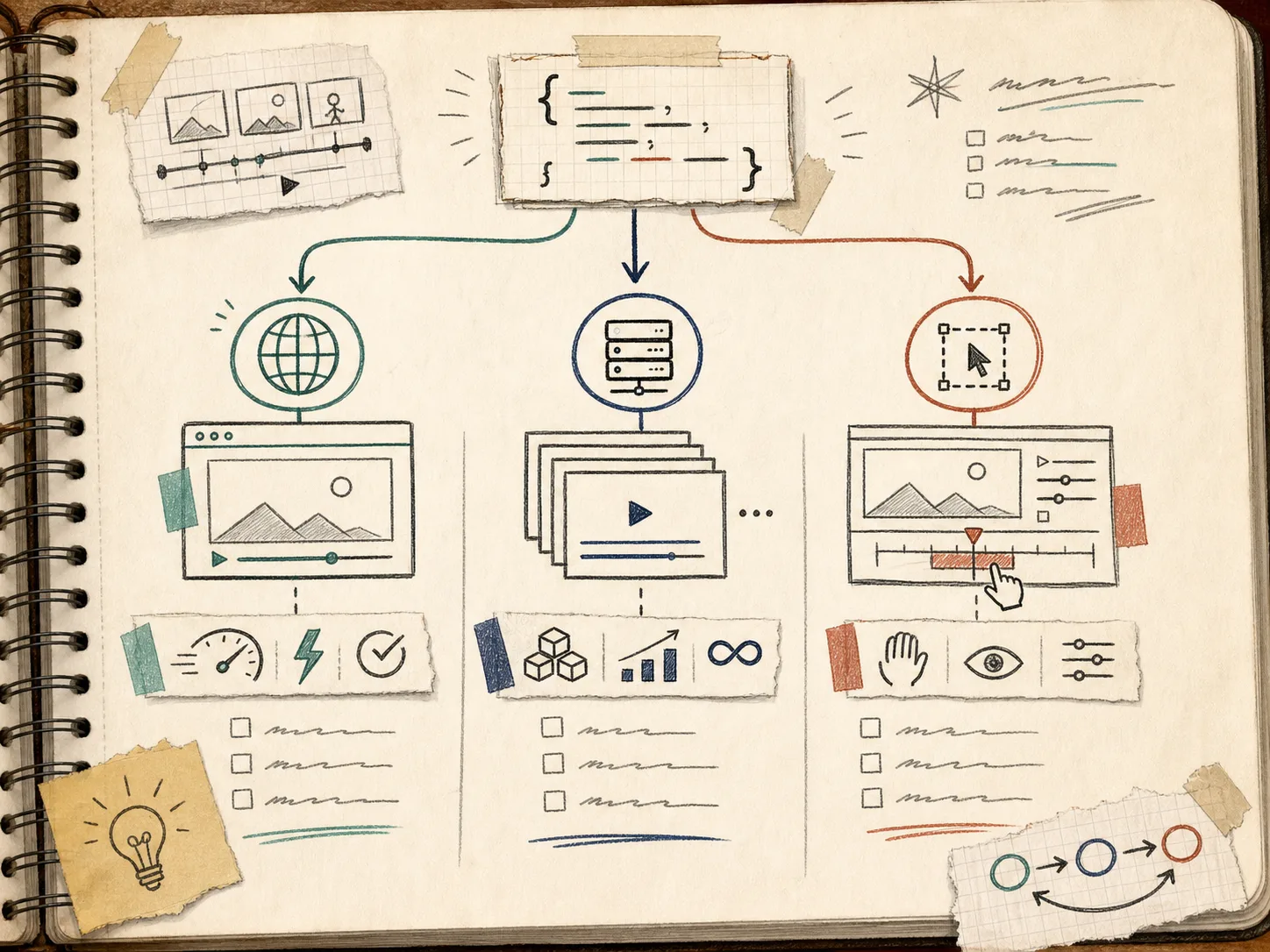
The key is that the scene format stays the same. The render target changes, but the logic does not. That makes this stack easier to version, easier to diff, and easier to automate. It is also why AI agents fit naturally here: an agent can generate structured video data, but it does not need to pretend to be a human dragging a timeline.
Where this pays off
The payoff shows up in a few specific cases.
If you are building template-driven marketing videos, one portable JSON scene gives you reusable variations without starting over every time. If you are building an app with user edits, the editor can persist the same scene that later goes through batch rendering. If you are automating a content pipeline, you can generate the scene from product data, then preview it, then render it, all without translating between three different representations.
That is the same reason I keep returning to related writeups like How to Build a Three-Renderer Video Workflow With VideoFlow and How I Build a Video Template System Around a Single JSON Source of Truth. Once the data model is stable, the rest of the pipeline gets simpler.
The short version
If your video stack is getting hard to maintain, stop optimizing the timeline first. Optimize the contract.
Keep one video source, compile it to portable JSON, and let the renderer be a choice instead of a fork. Use the browser renderer when client-side export makes sense, the server renderer when you need scale, and the DOM preview when the editor needs to feel alive.
If you want the full toolkit, start with the VideoFlow homepage, read the docs, and try the playground. If you are building a user-facing editor, the React video editor page is the fastest way to see how the pieces fit together.
The next thing I would do is build one scene, render it two different ways, and refuse to duplicate the timeline after that.