

I used to think a Squarespace site was finished when the design felt calm. The first time I had to decide whether I still wanted to pay for the platform just to keep the files online, I stopped treating the site like a design object and started treating it like a set of assets I might want to own.
That is where ExFlow fits. It exports Squarespace sites into static files, including pages, CSS, JS, images, media, and the custom script and style files I would rather keep under my own control. I care less about the drama of moving off Squarespace and more about ending up with a copy I can host, version, and inspect without opening the editor again.
What I Check First
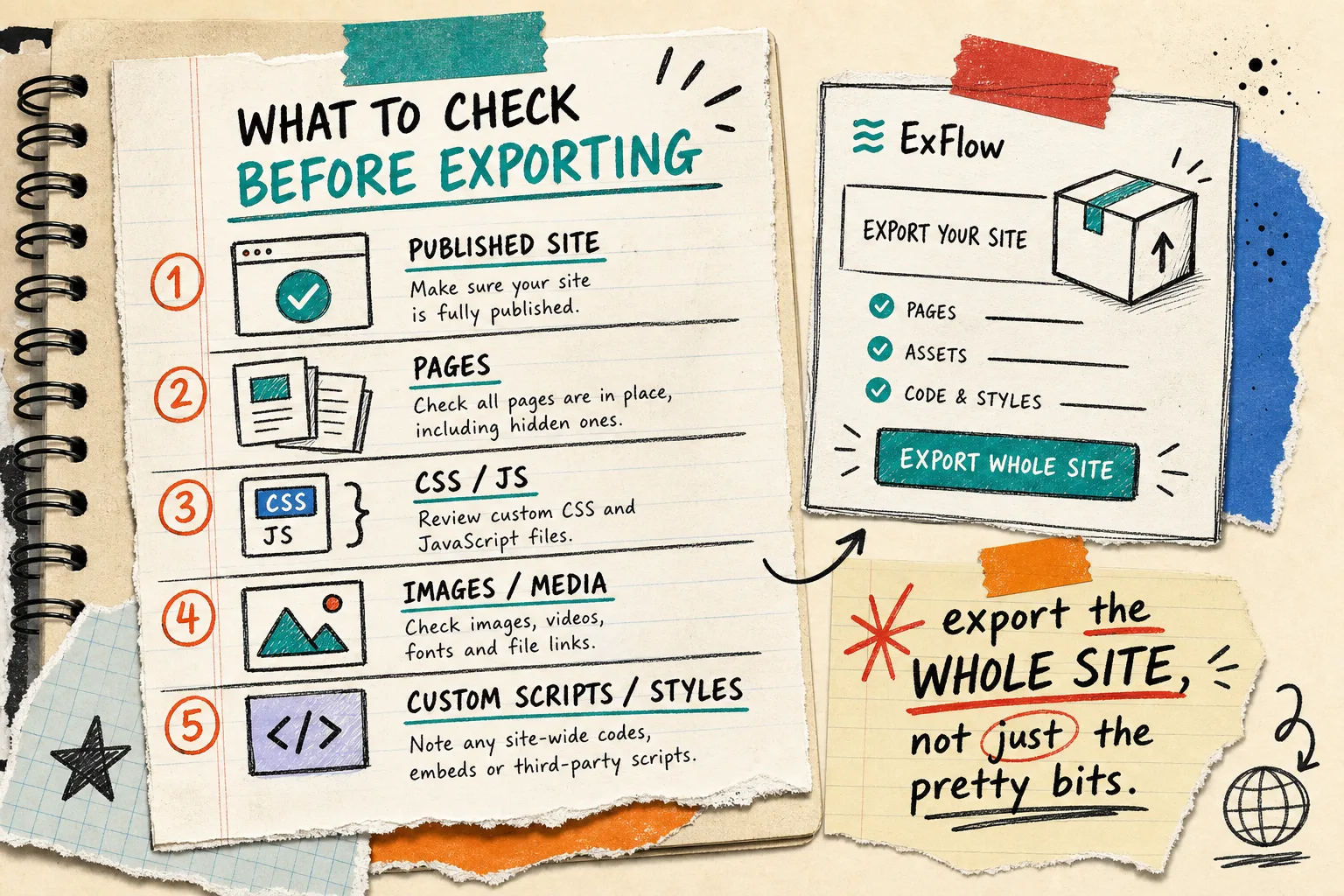
Squarespace’s help center says export requires an active, published site and that export is meant for moving content to a new platform. I read that as a reminder that export is a migration step, not a magic archive button. My first pass is simple:
- the site is published
- the pages I care about are actually included
- CSS, JS, images, and media are present
- any site-wide scripts or custom styles are accounted for
- I already know where the exported files will live before I point DNS anywhere
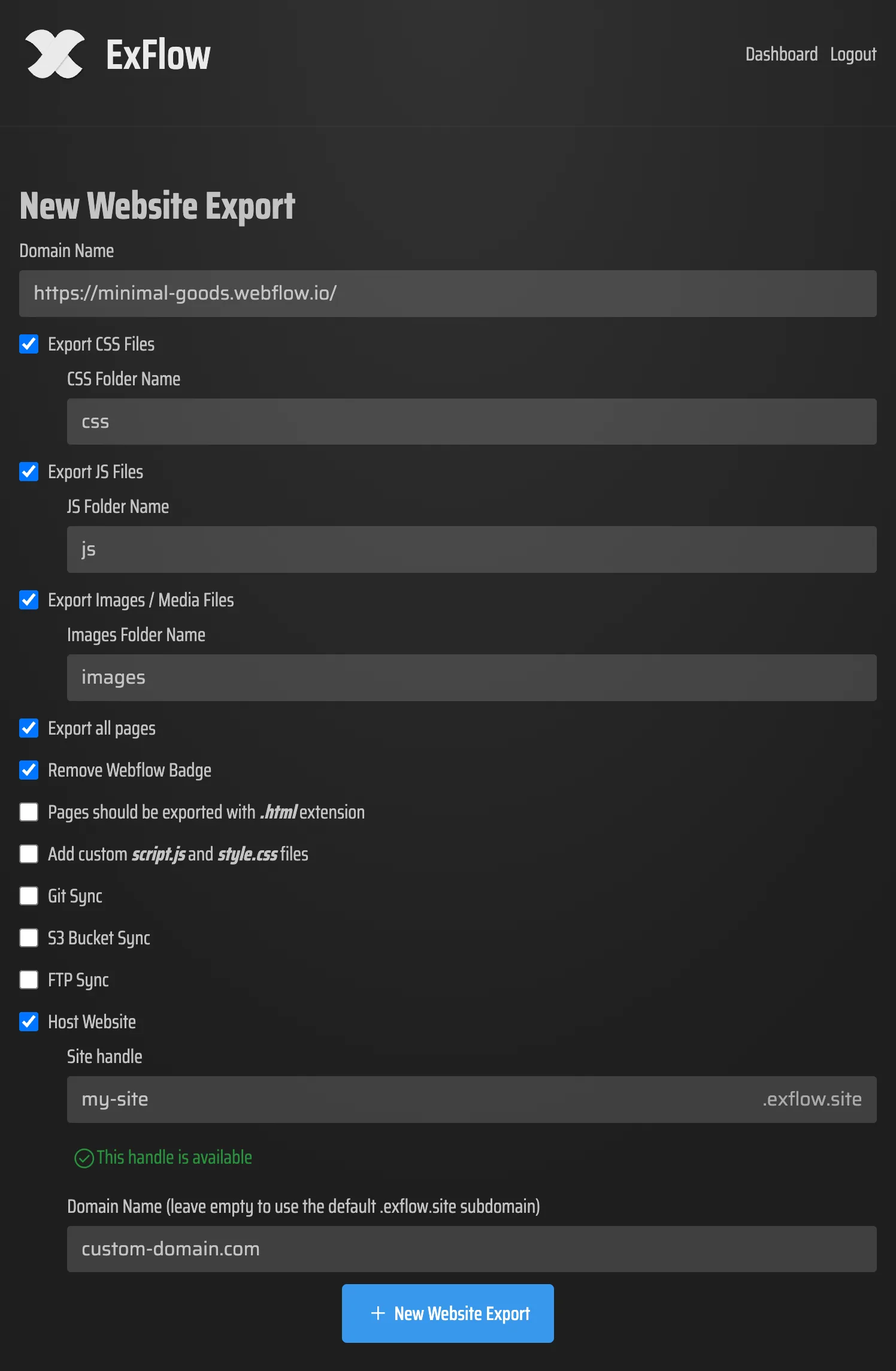
That is also the point where I open the ExFlow export settings and stop guessing. I want to decide what gets included before the download exists, not after I am already trying to debug missing pieces.
Why I Do Not Reach for a Generic Mirror First
HTTrack is a respectable tool. Its own site describes it as an offline browser utility that recursively pulls HTML, images, and other files into a local directory. That is useful when the goal is to mirror a website.
For a Squarespace export, I want a tool that is aimed at the exporter problem directly. ExFlow is built around that workflow: type the site URL, choose what to export, and get a static package that I can move on to the next step. That is the difference that matters to me in practice.
Where I Send the Files
Once I have the export, I choose the destination based on how much control I need, not on whatever sounds newest.
- Git if I want diffs, reviewable changes, and a clean history
- S3 if I want simple static hosting with plenty of room to grow
- FTP if I am wiring into an older host I already use
- ExFlow hosting if I want the shortest path from export to live site
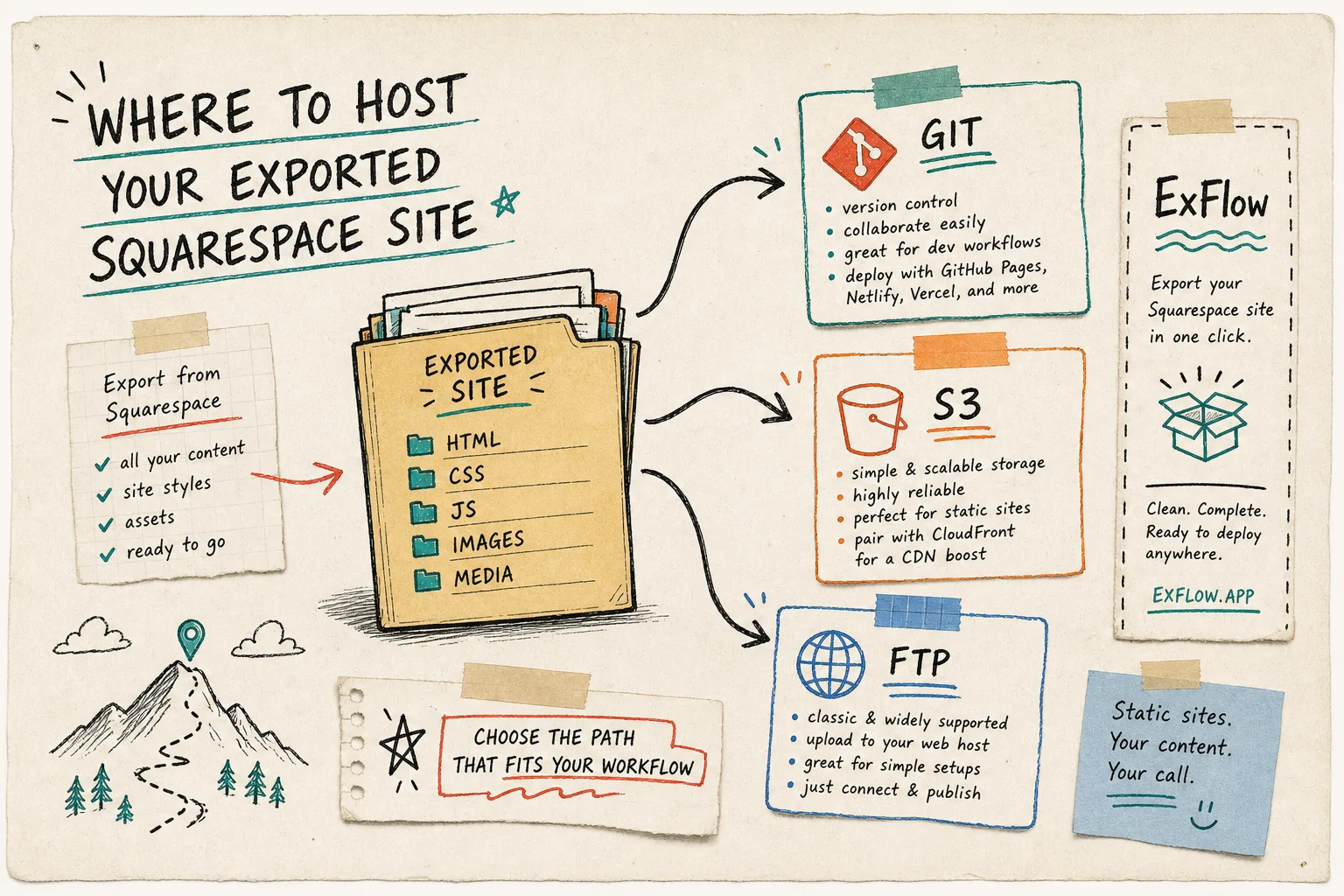
ExFlow’s own feature list matches that shape: Git sync, S3 sync, FTP sync, hosting, hosting status, and support for linking a custom domain on the right plan. I read those as options, not pressure. The workflow stays the same even if the destination changes later.
The Smallest Workflow I Trust
When I want the export to stay boring, I follow the same five steps every time:
- Export the published Squarespace site.
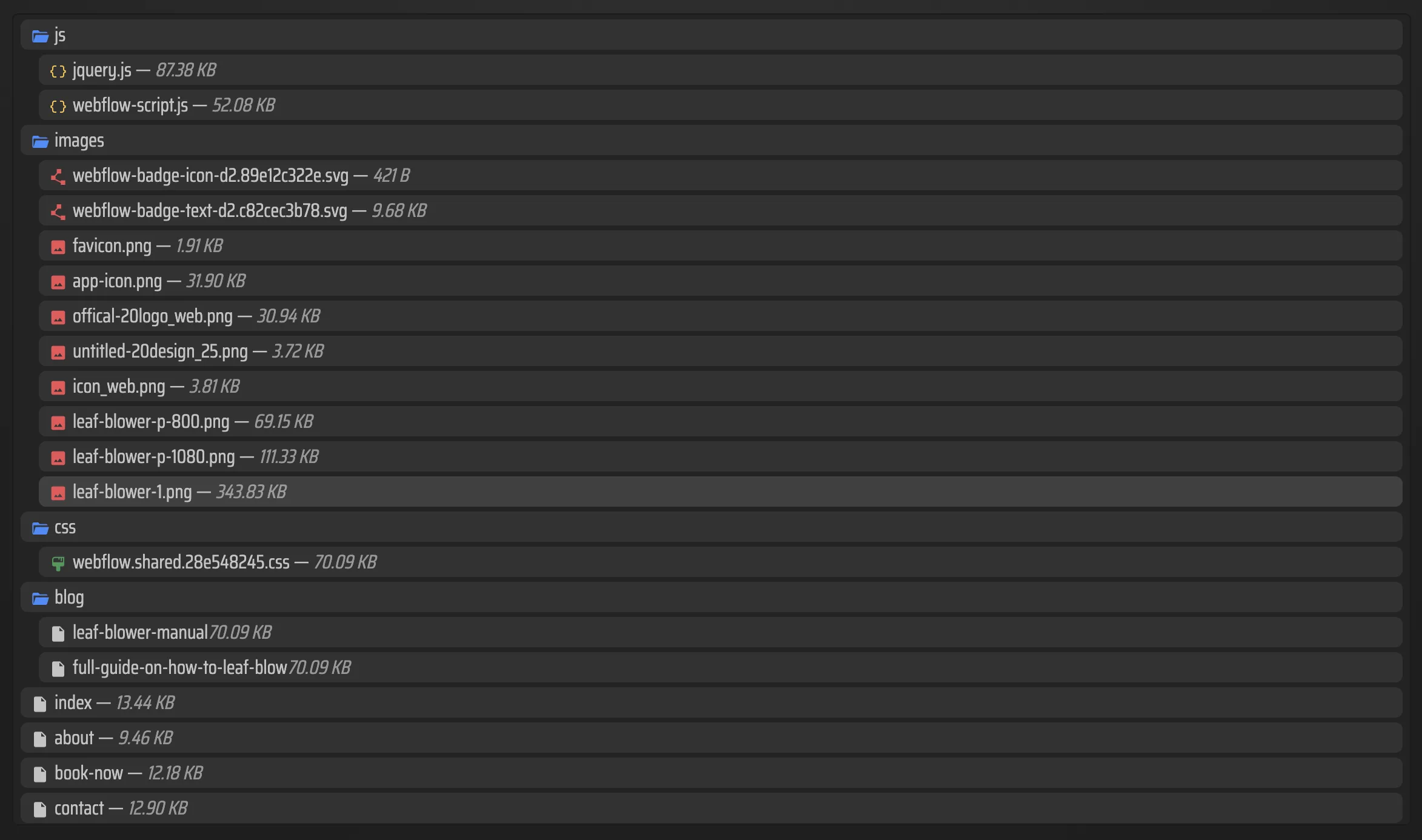
- Open the exported file list and spot-check a few pages.
- Confirm the HTML, CSS, JS, images, and media look complete.
- Pick the hosting target and publish the static copy there.
- Keep the Squarespace site live until the new version checks out.
That sequence keeps me from turning a simple migration into a rebuild. I am not trying to re-create Squarespace inside another tool. I am trying to get my files back in a form I can own.
Why This Keeps Showing Up In My Notes
I keep returning to the same migration question in other posts too: How I Self-Host a Webflow Site After Exporting CMS Content, How to Export a Webflow CMS Site to Static HTML, How To Move A Framer Site To Git, S3, Or FTP, and How I Decide When a Framer Site Is Ready for Static Hosting.
The platform names change, but the operational question stays the same: can I get the files out cleanly, keep them readable, and host them without rebuilding the whole thing from scratch?
My Bottom Line
Squarespace is still fine for getting a polished site live quickly. I just want the option to outgrow it without losing my work or accepting the platform as the only place the site can live.
If that is the tradeoff you are trying to solve, start at ExFlow, export one small site first, and see whether Git, S3, FTP, or ExFlow hosting is the path that actually fits your workflow.