
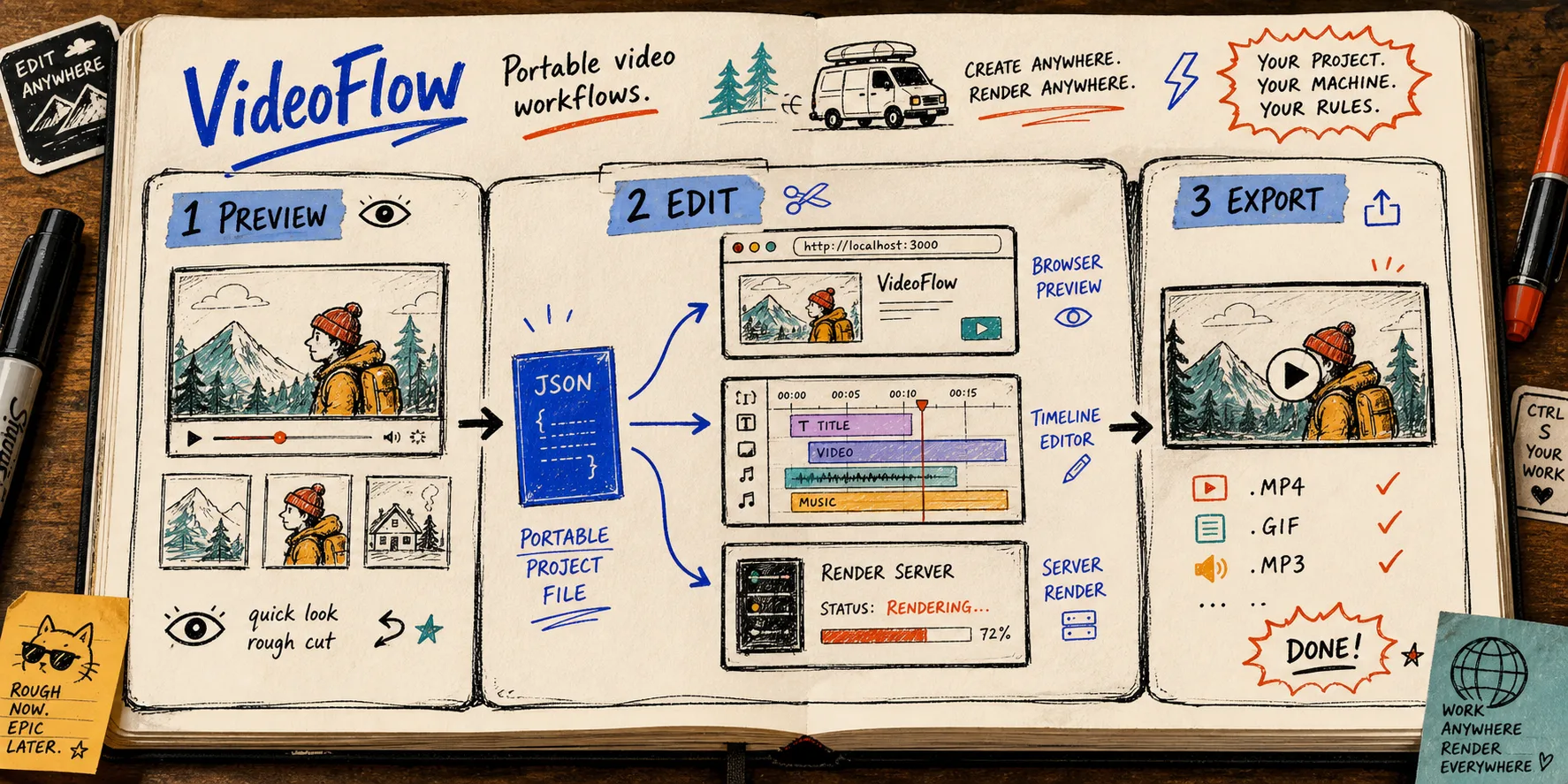
How to Build a Video Workflow Around a Single JSON Contract
I keep seeing the same failure mode in video tooling: the preview is right, the editor is right, and export is wrong. If you are shipping product demos, launch clips, or onboarding videos, that mismatch eats more time than the render itself.
With VideoFlow, I have had better results treating VideoJSON as the contract and letting every surface read the same source. The docs line up around the same idea: VideoFlow, core, renderers, and the React video editor all push the same pattern. Author in TypeScript, compile to portable JSON, then render or edit that JSON wherever it needs to live.
This is the shape that works for product demos, personalized videos, AI-agent output, in-app editors, browser export, server-side batch renders, live previews, captions, lower-thirds, and template systems that need to stay in Git.
The contract I keep boring
I do not want each surface inventing its own timeline. I want one file or object that can be handed from authoring to preview to edit to export. For @videoflow/core, that starts with a fluent TypeScript builder that compiles to VideoJSON.
import VideoFlow from '@videoflow/core';

const $ = new VideoFlow({
  name: 'Product Demo',
  width: 1920,
  height: 1080,
  fps: 30,
});

$.addText(
  { text: 'New Drop', fontSize: 7, fontWeight: 800 },
  { transitionIn: { transition: 'overshootPop', duration: '500ms' } }
);

const videoJSON = await $.compile();
const blob = await $.renderVideo();
That gives me one scene definition I can move between tools instead of rewriting the whole stack every time the renderer changes.
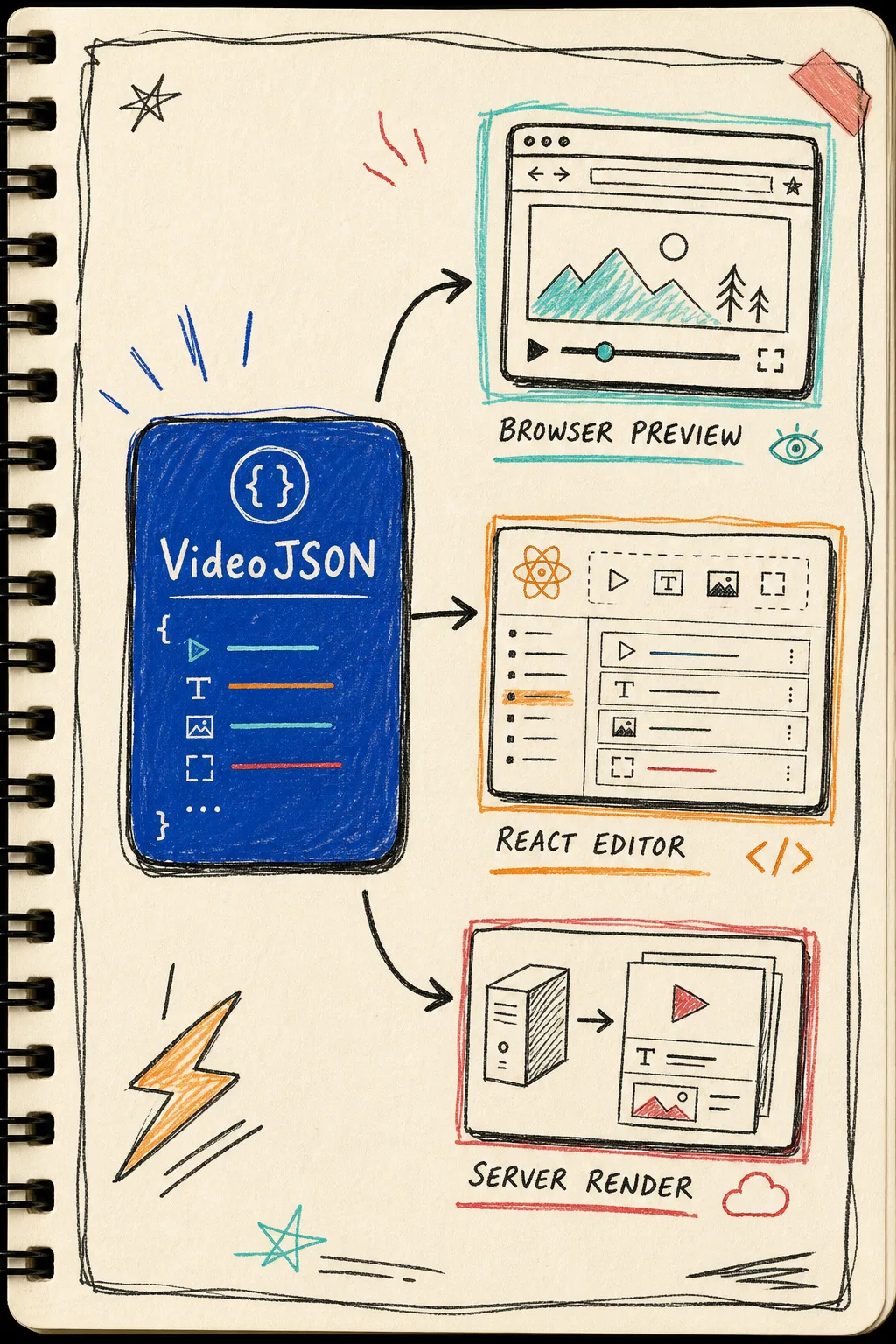
The useful shift is not that JSON is fashionable. It is that JSON is portable. Once I can compile a scene into a structured object, the renderer stops owning the template. It becomes an implementation detail.
Split the surfaces by job
The part that finally made VideoFlow click for me was separating what each surface should do:
- Core authoring: build the scene in TypeScript.
- DOM renderer: live preview and scrubbing in the browser.
- React editor: let users change the same JSON through a timeline UI.
- Browser renderer: export locally without a server round trip.
- Server renderer: handle batch jobs, APIs, queues, and scheduled renders.
That lines up with the product docs: the same VideoJSON can drive browser export, server render, and live DOM preview. I do not need a different project model for each one. I just need a different execution path.
If you want the broader architecture version, I wrote about it in How to Build a Three-Renderer Video Workflow With VideoFlow and How to Build a VideoJSON Pipeline for Browser, Server, and React.
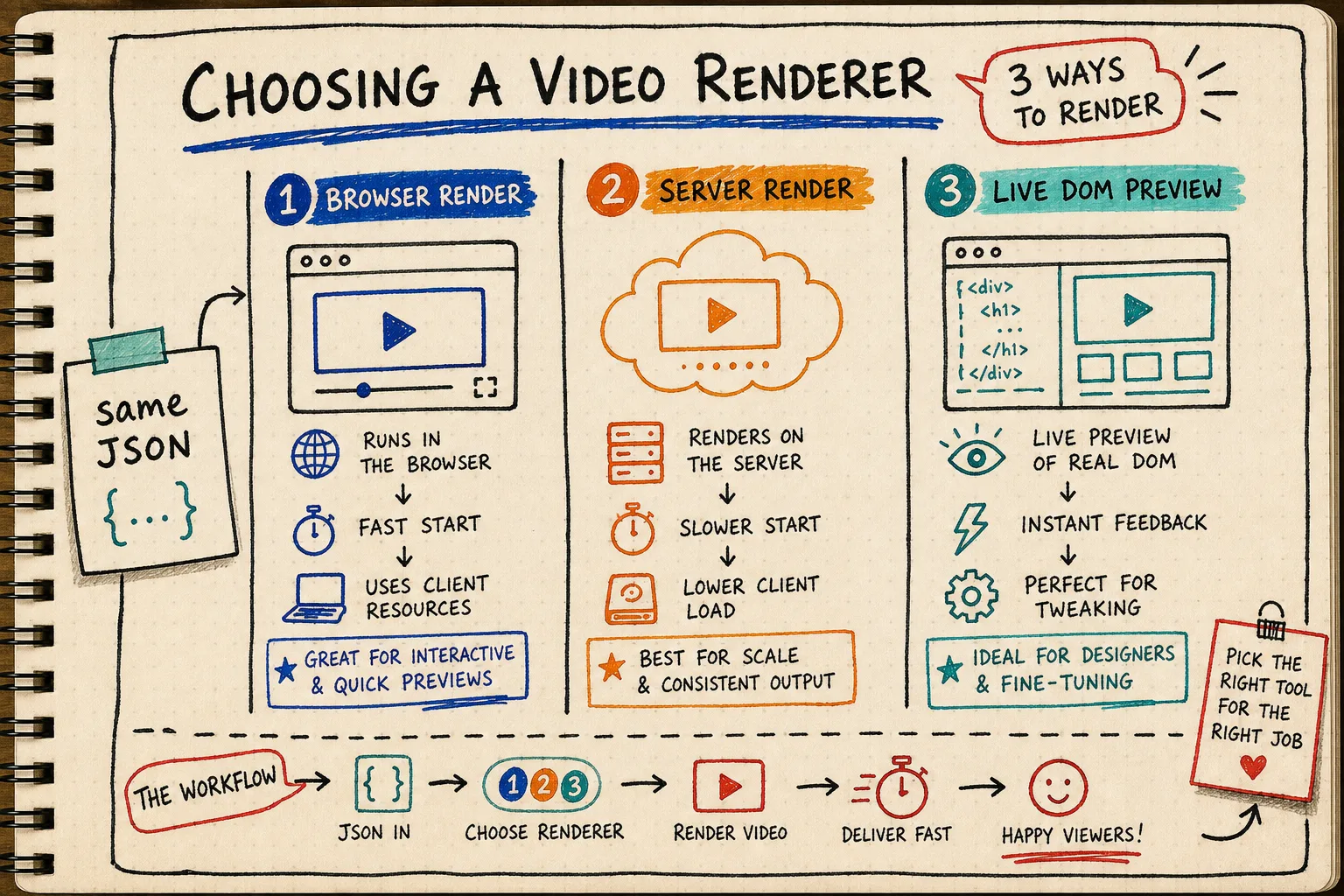
The renderer is a job choice, not a new source of truth. If the user wants instant export inside the app, the browser renderer is the cleanest path. If the work is queued, scheduled, or API-driven, the server renderer is the better fit. If a designer or operator needs to scrub and tune the result, the DOM renderer is the right preview surface.
Why the React editor still matters
I still want a React editor in the stack because product teams eventually ask for edits that feel visual instead of code-first. VideoFlow’s editor gives me a multi-track timeline, drag, trim, snap, reorder, an inspector with type-aware controls, keyframe animations, undo and redo, file uploads, MP4 export, keyboard-friendly editing, and themes I can customize with CSS variables. That is enough to turn the JSON into something a non-developer can actually touch.
The key detail is that the editor should edit the same JSON, not fork it. If the timeline becomes a second project model, the whole system starts drifting again.
I wrote more about that part in How to Add a React Video Editor Without Rewriting Your Video Pipeline and How I Keep Video Templates Maintainable Across Preview, Edit, and Export.
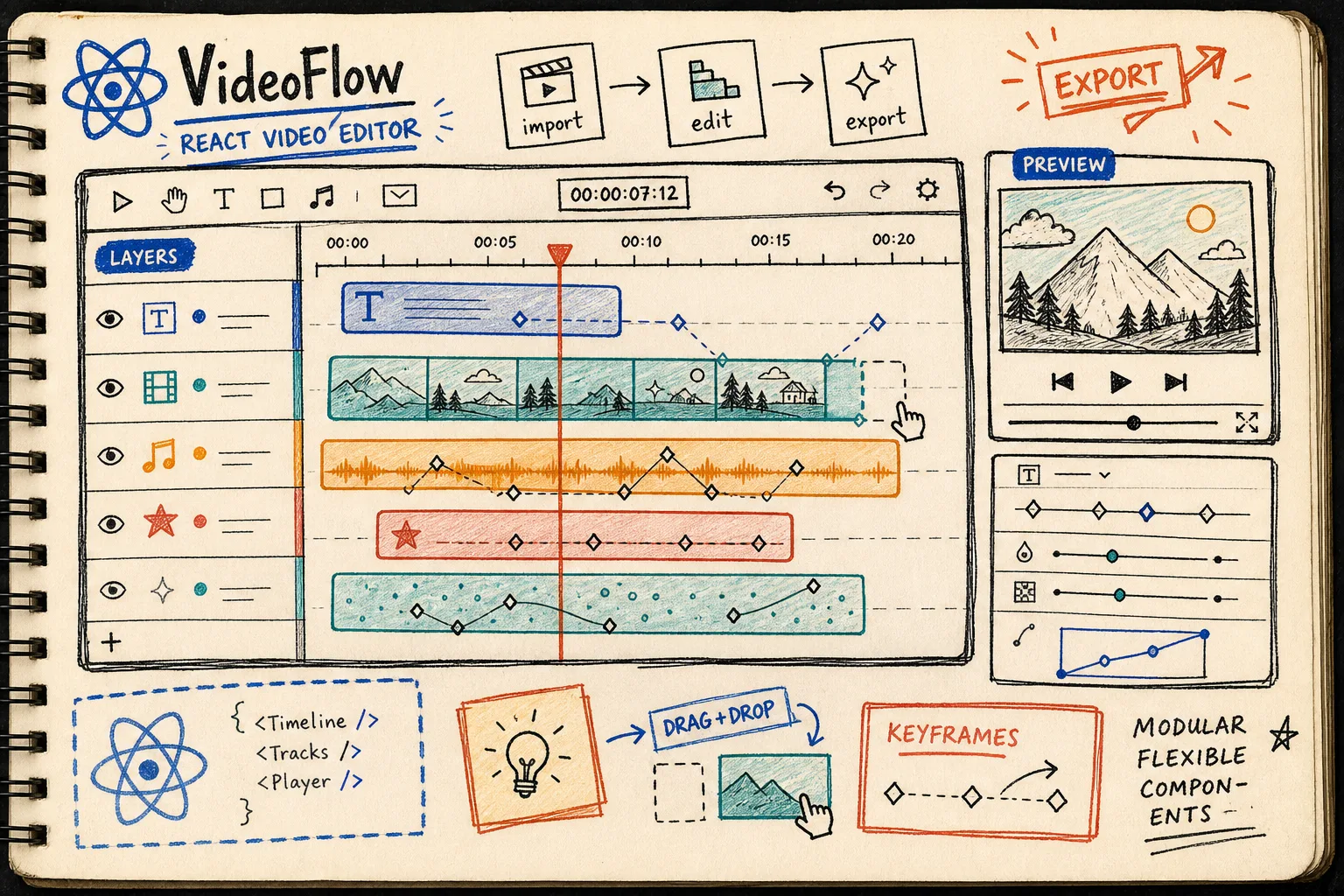
This is the part I care about operationally: the editor is a view over the contract, not the contract itself. That keeps the project diffable, portable, and much easier to reason about when the same scene has to live in a dashboard, a queue, and a publish flow.
The pre-publish checklist I actually use
I keep this short because the failure modes are boring and mechanical:
- Same JSON in preview, edit, and export.
- Every link points to a public URL.
- Every image URL is public and loadable.
- The title matches the audience and the job.
- The renderer has been tested on the actual output path.
- Export is verified before anyone treats it as final.
That is what turns the system from a neat demo into something reliable. The point is not perfection. The point is not having to guess whether the output will still match the preview tomorrow.
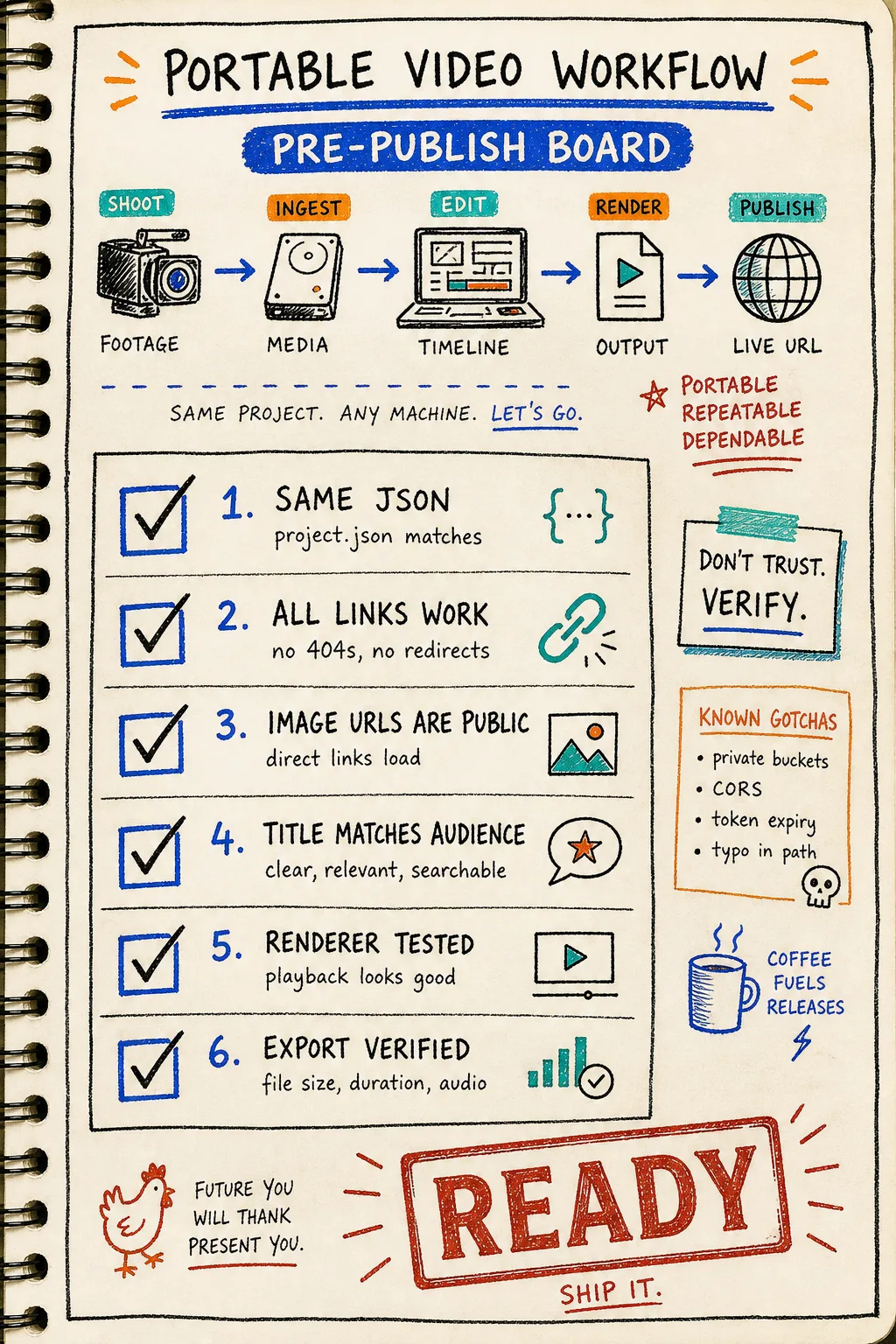
If I am reviewing a template or a pipeline, this is usually the last pass before I publish or hand it to someone else. It catches the little failures that cost the most time later: private assets, broken URLs, forgotten renderer assumptions, and titles that do not tell the reader what the post is actually about.
Where this fits
VideoFlow is a good fit when the output is structured, repeatable, code-driven, or app-embedded. It is especially useful for product demos, social clips, explainers, onboarding videos, reports, captions, lower-thirds, and AI-agent workflows that generate structured video data instead of a manual timeline. If the job is fully bespoke creative editing, a traditional nonlinear editor still wins.
That is the reason I keep returning to the same approach: one VideoJSON source of truth, multiple render paths, and a UI layer only when a human actually needs to touch the timeline. For the implementation details, start with the core docs, check the renderers docs, and add the React video editor only when the workflow needs it.
The next move is simple: compile one short scene, render it in two backends, and refuse to add a second format until the JSON survives both. That is the part that tends to hold up in real work.