

I kept putting off a Shopify 3D product-media test because it sounded like a theme project. It turned out to be a product-page project first. Before I touched the theme, I sketched the smallest possible pilot: one SKU, one phone capture, one published model, and one honest review of whether the result makes the item easier to understand.
That is a much friendlier starting point than trying to convert an entire catalog. Supra 3D Capture is built around that small loop: take a guided set of phone photos, let its photogrammetry pipeline produce a web-ready GLB, then add the model to Shopify product media or an Online Store 2.0 app block.

The pilot is not a theme redesign
My first rule was deliberately boring: pick a product that already earns its place on the page. A 3D model will not repair a vague product description, dark photos, or a weak offer. What it can do is help a shopper inspect shape, scale, texture, and the angles that a flat gallery leaves to imagination.
I started with a single hero SKU instead of the newest or most expensive item. The better candidates tend to have a recognizable silhouette, physical details worth turning over, and a shopper question that additional views can answer. Lamps, footwear, bags, home goods, and textured objects often make more sense than a flat item that looks identical from every angle.
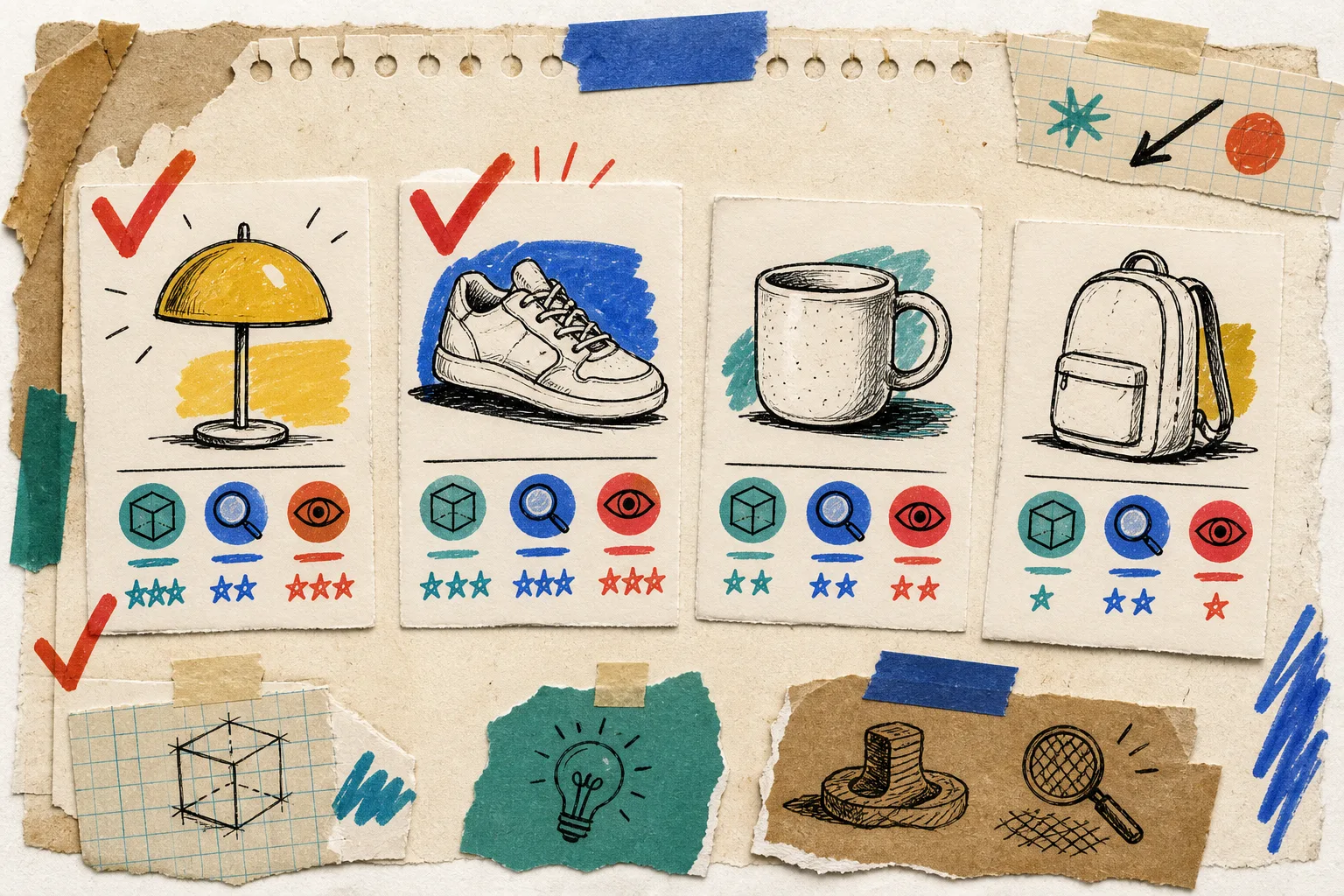
Here is the little checklist from my notebook:
- Can a shopper learn something useful by rotating it?
- Does the product have depth, proportions, fittings, texture, or an underside worth seeing?
- Can I photograph it in steady, even light?
- Is it a product I can test without making the whole catalog wait?
If the answer is mostly yes, it is a candidate. If your question is whether the theme is even ready, this earlier native 3D media checklist is a useful companion: it keeps the pilot grounded in the storefront that customers actually use.
My one-SKU capture loop
The actual capture workflow is refreshingly simple, but the preparation matters. I clear visual clutter, use soft and even light, and put the product where I can walk a clean orbit around it. Then I open a guided capture session in Supra 3D Capture and take the requested sequence of overlapping photos with a regular smartphone. The app is designed around 10+ guided shots rather than specialist hardware, LiDAR, or manual 3D software.
The important bit is consistency. Keep the product still. Move yourself, not the object. Make every side visible. Give glossy, clear, or very fuzzy items extra caution because reflections, transparency, and fine fibers can make reconstruction harder. That is not a reason to abandon the idea; it is a reason to start with a more forgiving SKU for the pilot.
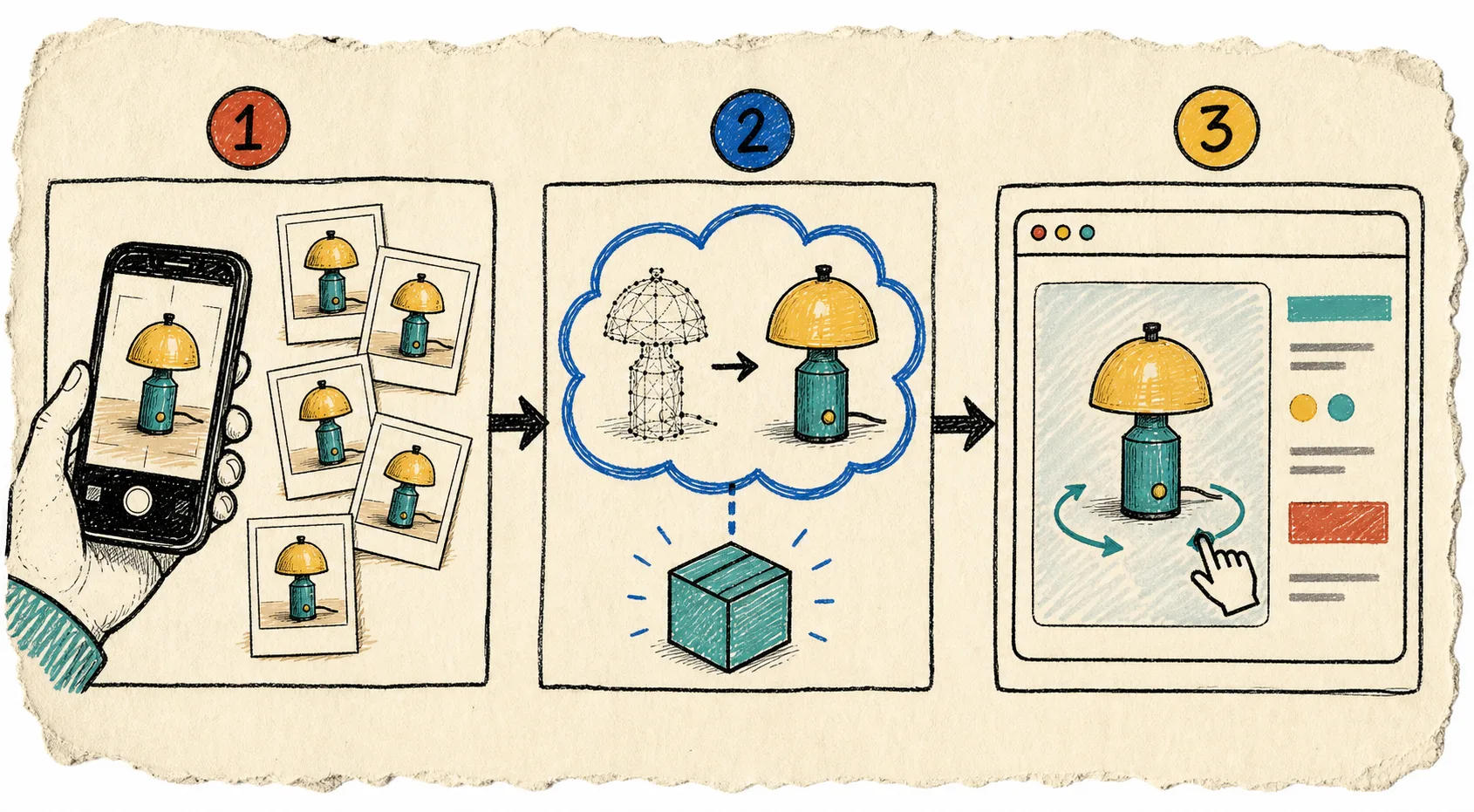
After capture, the photos go through the cloud processing pipeline and become an optimized GLB. I treat the first result as a QA item, not a launch trophy. I rotate it on a desktop and phone, look for missing areas or odd surfaces, and compare it with the physical product and existing product photos. A quick recapture is cheaper than teaching customers not to trust the model.
Publish where the shopper expects to inspect
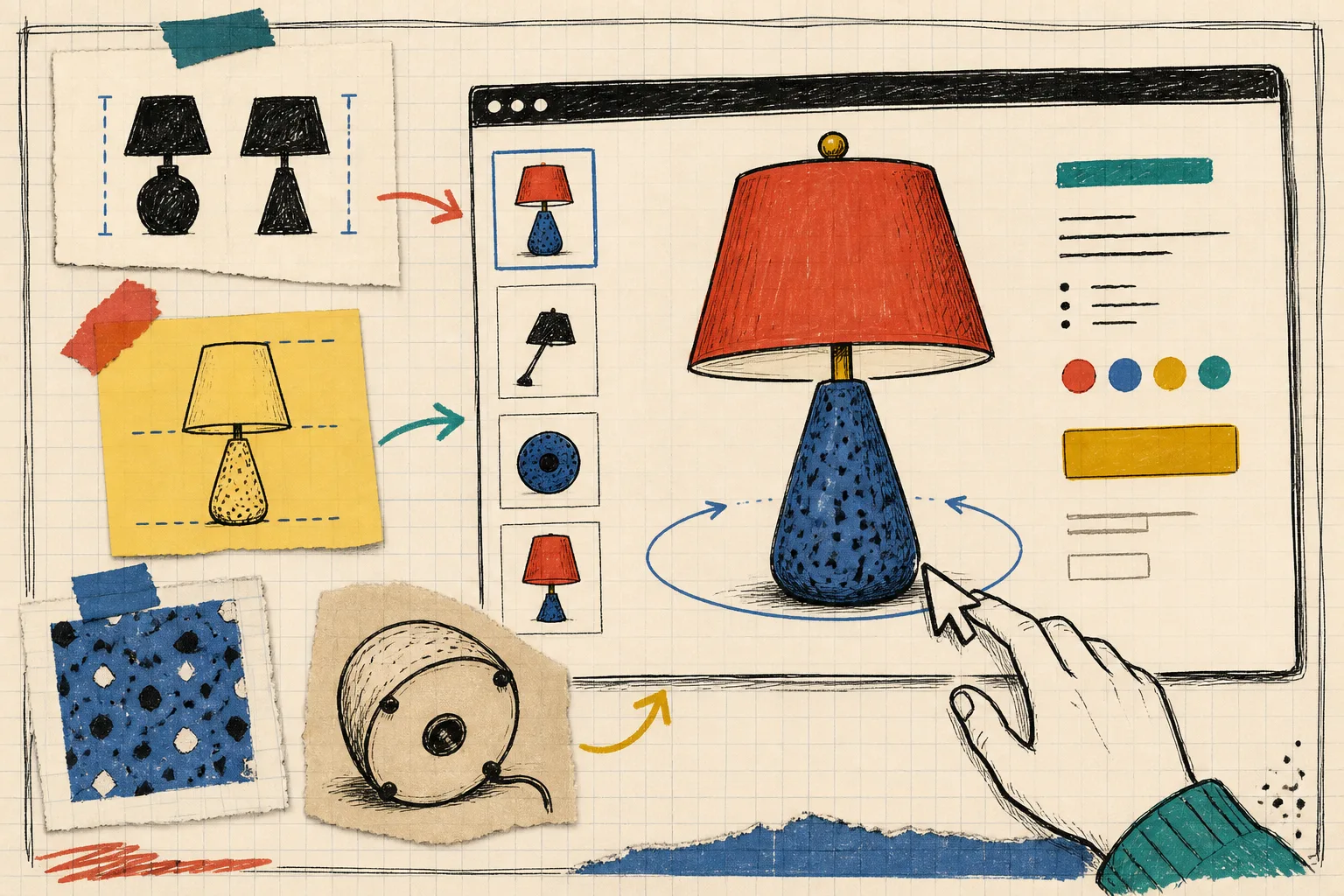
When the model passes that check, attach it to Shopify product media so a compatible theme can use Shopify’s native 3D viewer. If the product page needs a more intentional placement, Supra 3D Capture also provides an Online Store 2.0 theme app block. This is why I did not begin by rewriting templates: the native path lets the model join the product page without turning a simple media experiment into a custom-development commitment.
The result is not a claim about guaranteed conversion lift. It is a more complete inspection moment. Shoppers can drag the model, pause at the side they care about, and form a better sense of what they are considering. That can reduce expectation gaps on products where a static gallery is doing too much work. I found the 3D capture checklist I use before scanning Shopify products helpful for making this QA pass repeatable.
What I measure without inventing a success story
For a first pilot, I write down the capture time, any retakes, where the model appears on the page, and the questions customer support already hears about that SKU. Then I watch a narrow set of signals over a sensible period: interaction with the model, product-page engagement, qualitative shopper feedback, and whether return reasons mention surprises that the model could have clarified.
That keeps the project honest. One model is evidence, not a verdict. If the capture is manageable and the product page feels clearer, move to the next few products with the same decision criteria. If it is not working, adjust lighting, choose a better SKU, or simplify the placement before scaling. For the broader question of which items deserve the treatment, this 3D-product prioritization field note is a useful second opinion.
The next move
Pick one product with shape and detail, set up a short phone-photo capture, and publish the GLB through Supra 3D Capture. Keep the first run small enough that you can see the whole loop: capture, inspect, publish, and learn. That is how a potentially intimidating 3D initiative becomes a practical product-page habit.