

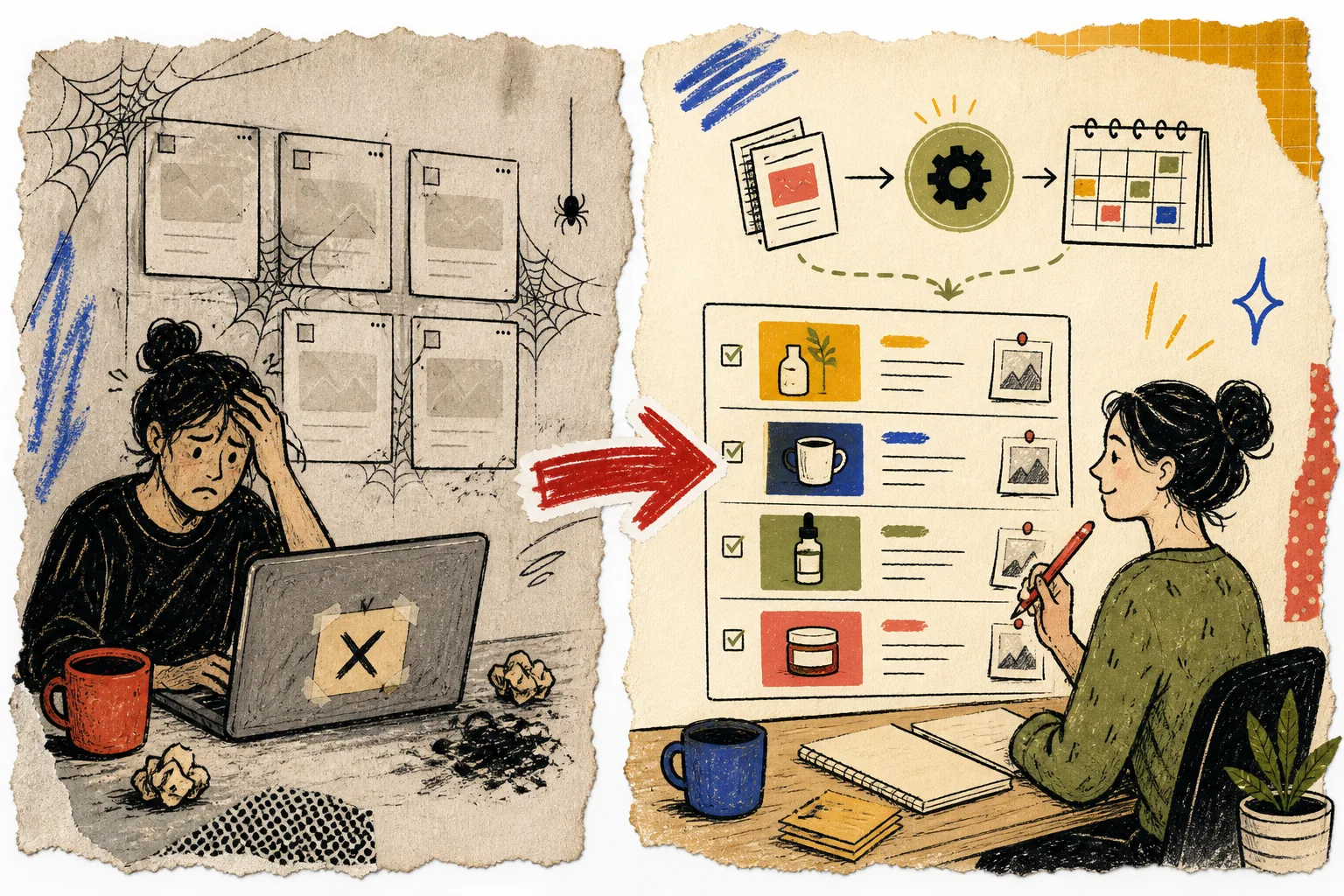
I used to treat publishing frequency as the whole blogging problem. Get more posts out, keep the Shopify blog moving, and hope the calendar creates momentum. That approach is how you end up with an active blog that still feels oddly disconnected from the store.
The fix in my notebook is small: make the automation produce a review queue, not an invisible publishing machine. Supra Blog Automation is useful here because it can generate SEO-focused posts with product context, internal links, visuals, and a schedule—but it can also save work for review. That last bit is the one I care about.
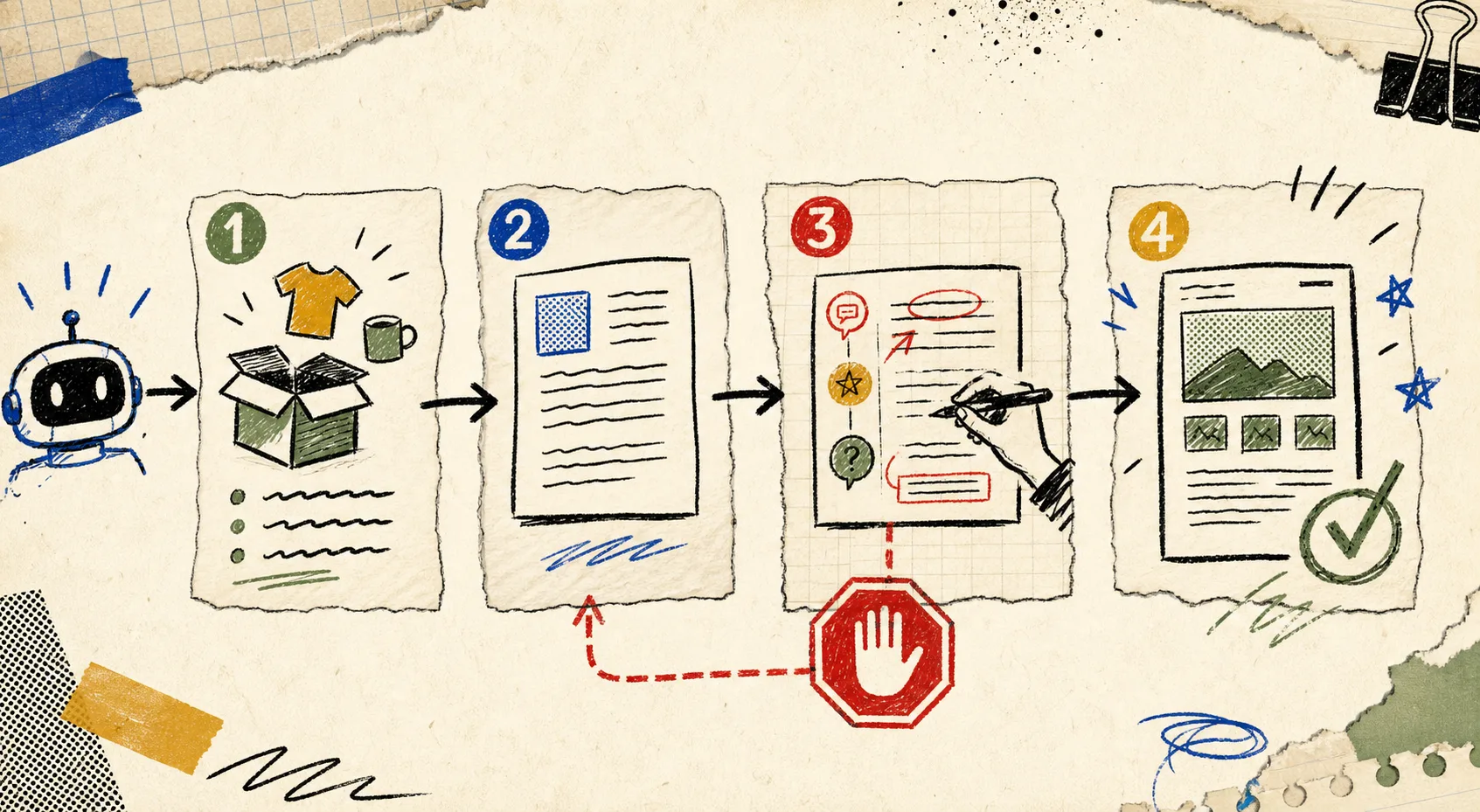
The automation should create a decision, not remove one
A generic AI writer starts from a broad prompt and fills a page. A useful Shopify blog workflow starts with real store inputs: a collection to feature, a product question customers ask, a seasonal moment, and a link a shopper should discover next. The machine can do the assembly. A person still needs to decide whether the piece deserves the store’s name.
That distinction matters because the costly mistakes are usually not grammar mistakes. They are things like:
- promoting an out-of-stock product;
- describing a feature that changed;
- linking to a retired collection;
- making a claim the support team cannot stand behind;
- sounding like a content bot instead of the shop customers recognize.
I borrowed the same rule from my read-only Shopify AI rollout: first let the system make its work visible, then increase its authority only when the outputs have earned trust.
My four-card review queue
I keep each scheduled article in one of four rough cards. It is deliberately boring, which is exactly why it survives a busy week.
1. Brief card: what is this post trying to do?
Give every request one customer problem, one relevant product or collection, and one intended next click. “Write about summer products” is not a brief. “Help first-time hikers choose a day-pack size, then guide them to the lightweight pack collection” is a brief.
Supra Blog Automation supports topic, goal, tone, product context, and image-source preferences, so this is where I make the article product-aware before drafting begins. If I cannot name the customer question and the next action, I leave the card unscheduled.
2. Draft card: check the useful bones
When a draft lands, I do not edit every sentence first. I scan the structure:
- Does the opening name a real shopper problem?
- Are the headings specific enough to earn the click?
- Does the product mention help the reader, rather than interrupt them?
- Are internal links helping someone move through the store?
That third question keeps the blog from becoming a parade of product descriptions. The post should be useful even to a reader who does not buy today. The product gets its chance after the article has done its job.
3. QA card: review the store facts before the prose
This is the five-minute pass that protects the most expensive part of the workflow: credibility. I check product names, availability, prices when they appear, policy-sensitive claims, target links, and image relevance. For image-heavy posts, I use a lightweight version of the photo decision system I use before publishing: the visual must clarify the advice, match the brand, and not imply something the product cannot do.
Then I read the article aloud for two paragraphs. It is embarrassingly effective. If I would not say the sentence to a customer, it gets a pencil mark.
A simple QA checklist:
- Verify every product, collection, and internal link.
- Remove stale promotions and time-sensitive statements.
- Replace generic examples with one real store detail.
- Confirm the CTA is the next logical step, not a hard sell.
- Choose draft or publish intentionally.
4. Publish card: keep a small feedback loop
Publishing is not the finish line. Add a note after the post has had time to do its work: which query brought visitors, which link earned clicks, and which product question should become the next brief. Over time, the queue becomes better than a pile of prompts because it records the decisions behind the content.
This is also how I avoid the “set it and forget it” failure mode. I can schedule recurring articles, but I still review the calendar monthly. My recurring content calendar with a review gate is useful only because it lets me trade an irrelevant slot for a question customers are asking now.

When should you allow auto-publish?
I would start with drafts for anything involving regulated products, changing inventory, medical or performance claims, seasonal promotions, or a new brand voice. Auto-publish becomes reasonable for stable, proven formats after you have reviewed enough examples to know the inputs and guardrails work.
That is a much better graduation path than deciding AI content is either fully trustworthy or totally unusable. The practical middle is automation for repeatable production and human judgment for the parts customers actually remember.
If your Shopify blog has gone quiet because every post feels like a mini project, try Supra Blog Automation on the Shopify App Store with one narrow collection topic. Generate a draft, put it through this four-card queue, and publish the version you would be comfortable defending next week. That is enough to turn ecommerce blog automation into a useful operating habit instead of another unattended tab.