

A product launch can produce a strange kind of video panic. Someone asks for a teaser, a product-page clip, paid-social variations, a retargeting cut, and an email asset. The usual answer is to make one generic video and crop it until everybody is equally unhappy.
My fix is to treat the launch brief as a source document, not a script. I split it into five small video jobs before I generate a frame. Then I use VideoFlow to keep those jobs as portable VideoJSON: easy to preview, review, edit, and render where the final asset actually needs to go.
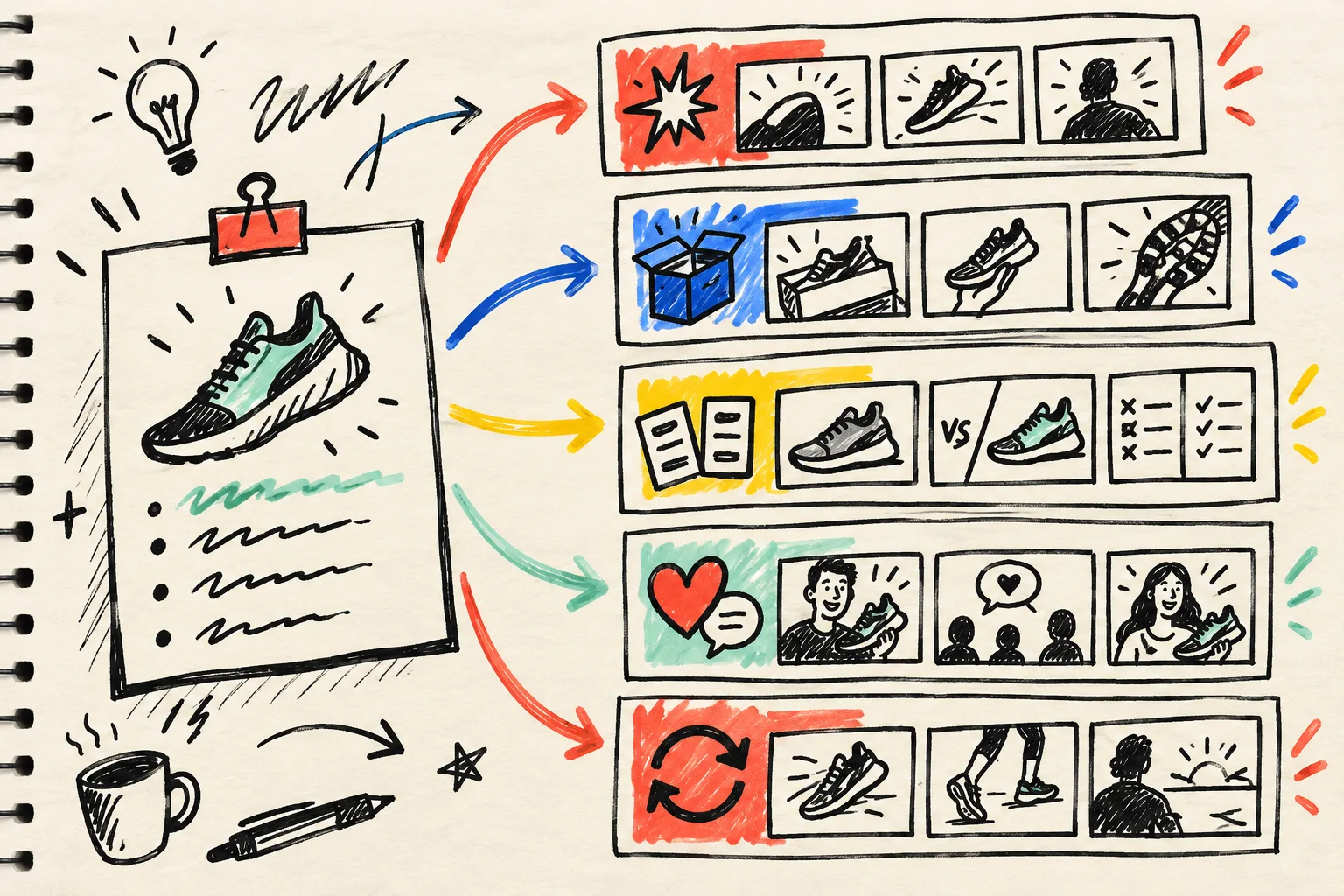
Start with a brief that can survive being split
Before I open a timeline, I write down four things from the launch brief:
- The placement. Is this for a product page, paid placement, lifecycle email, organic social, or a return visit?
- The viewer’s question. What must this person understand in the first few seconds?
- The proof. A product close-up, a real use case, a feature demonstration, a review, or a verified comparison.
- The next action. Browse, compare, add to cart, learn more, or come back.
That last line matters more than it sounds. I have been using the same discipline in my one-job UGC briefs: a clip cannot do every job just because the product launch feels urgent. A 10-second product-page demo needs a different opening and finish than a retargeting reminder.
Make five jobs, not five random exports
Here is the launch pack I reach for first. It is a starting point, not a rulebook.
1. The launch teaser
Give the teaser one intriguing promise and one visual reveal. Keep details light; its job is to make the right person curious enough to land on the product page.
2. The product-page answer
This is usually the most useful clip. Show the product, the interaction, and the proof that answers the shopper’s predictable hesitation. Do not borrow a dramatic social hook if it obscures the item.
3. The comparison cut
Put the before-and-after, old-and-new, or choice-and-trade-off in plain sight. If you cannot substantiate the comparison, this job does not ship. A shorter, honest demo beats a clever claim every time.
4. The proof cut
Use a review, a concrete result, or a close demonstration. Its single job is confidence, so I avoid stacking every feature card into it.
5. The return-visit reminder
For retargeting or lifecycle email, assume the viewer has already seen the product. Lead with the unresolved question, then give them a reason to resume the decision. This should not be a duplicate teaser with a new caption.
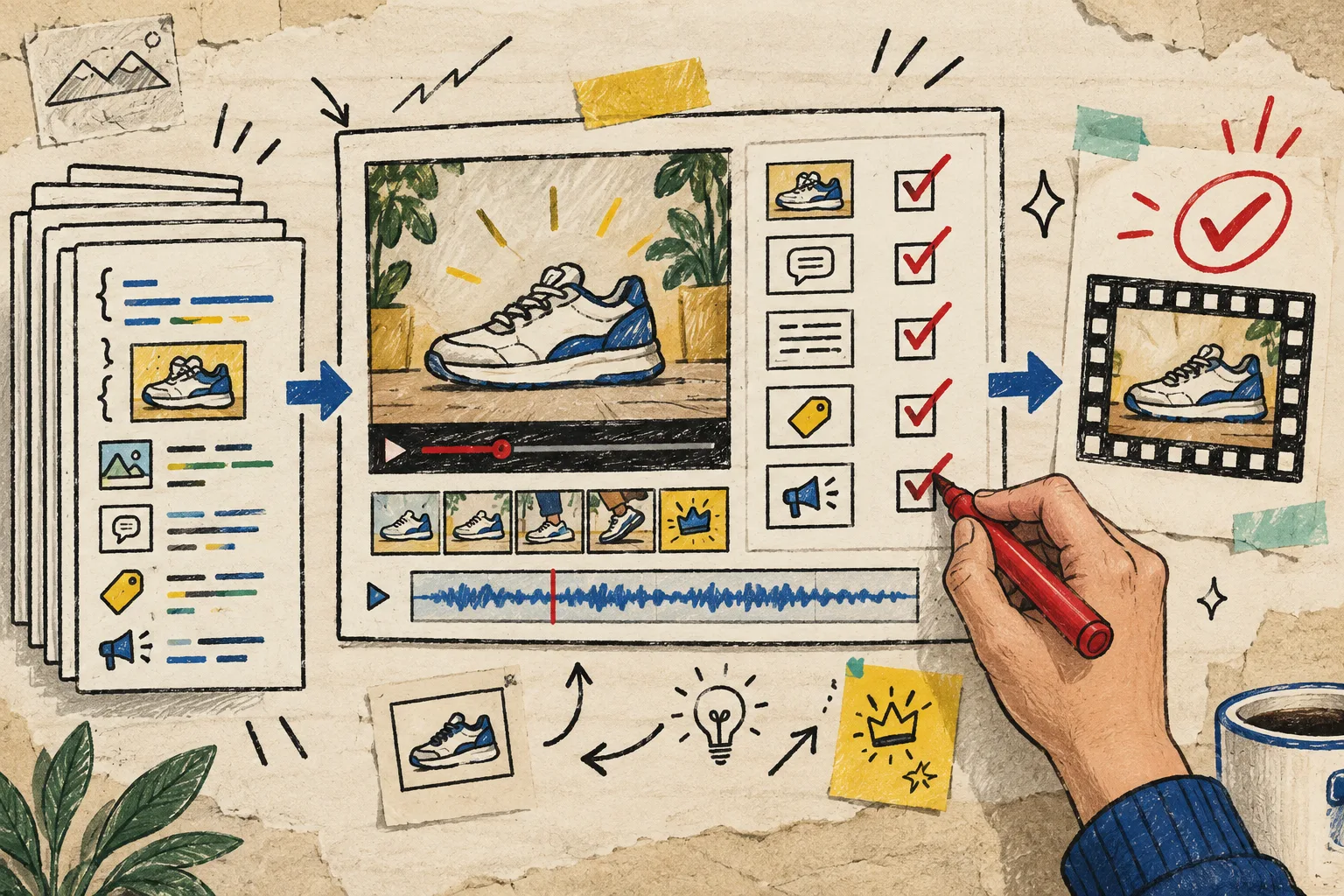
Keep the template stable; vary the job data
This is where VideoFlow’s JSON-first core earns its place in my notebook. I can define a launch template as layers—media, caption, product card, CTA—and compile it to VideoJSON. The job-specific data changes: opening, evidence media, copy, duration, destination, and call to action. The visual rules do not need to be reinvented for every export.
A deliberately small job record might look like this:
const job = {
  placement: "product-page",
  viewerQuestion: "What does it actually do?",
  proof: "close-up demo of the key interaction",
  opening: "See the interaction first",
  cta: "See the full product details"
};
This also makes review much less fuzzy. A reviewer is not reacting to an entire campaign in one sitting. They are checking whether this one job answers its question, uses approved evidence, and ends with the correct action. That is the same reason I prefer a review queue that still publishes over an all-or-nothing approval bottleneck.
Preview early, then choose the renderer for the destination
I do not render five final MP4s as my first proof of life. VideoFlow can drive a live DOM preview from the same JSON, so I can catch a weak opening, bad crop, or unreadable caption before the expensive part. When a job is approved, the same source can go to a browser export for a user-triggered download or to a server queue for launch batches. VideoFlow’s renderer guide documents those browser, server, and live-preview paths.
That separation is useful operationally. The template is not secretly coupled to a single exporter, and the launch queue can be staged the way other risky changes should be staged. My own rule for automation rollouts is to start with a reversible slice, observe it, then widen it—exactly the pattern I use in a safe content-sync rollout.
Put a human gate between draft and delivery
Generated does not mean ready. Before a launch job becomes an export, my check is boring on purpose:
- Does the first frame match the placement?
- Is every product claim supported by the supplied source material?
- Is the caption readable at the intended aspect ratio?
- Is the price, offer, and availability current?
- Does the CTA match the page or campaign receiving the click?
If the work needs a visual adjustment, the React video editor can operate on the same VideoJSON rather than making a disconnected manual version. That gives a marketer room to trim, reorder, or adjust copy without losing the structured source behind the asset. And if an AI or automation produces the first draft, I still make it read the real brief and inputs first—an operational guardrail I use for safer ecommerce agents.

Dispatch by purpose, not by filename
When the five jobs are approved, attach their destination to the record: product page, campaign, social post, email, or retargeting audience. Keep the final render URL and source VideoJSON beside that record. It makes the next launch calmer because you can see which job worked, which was never used, and which template deserves another pass.
The practical next step is small: take your next product launch and write five jobs on paper before you generate a single video. Give each one a placement, question, proof, and action. Then try the workflow in the VideoFlow playground. A launch pack built from distinct jobs feels far more useful than five copies of the same clip.