

I used to treat the phrase ‘quick seasonal cleanup’ as permission to touch half my Etsy catalog at once. That is how a harmless tag refresh turns into an afternoon of checking titles, prices, variations, and photos one by one.
My fix is boring on purpose: before a larger change, I run a one-field preflight on a small, representative slice of listings. It takes maybe fifteen minutes. It also gives me a clear answer to the only question that matters: did the edit land exactly where I meant it to?
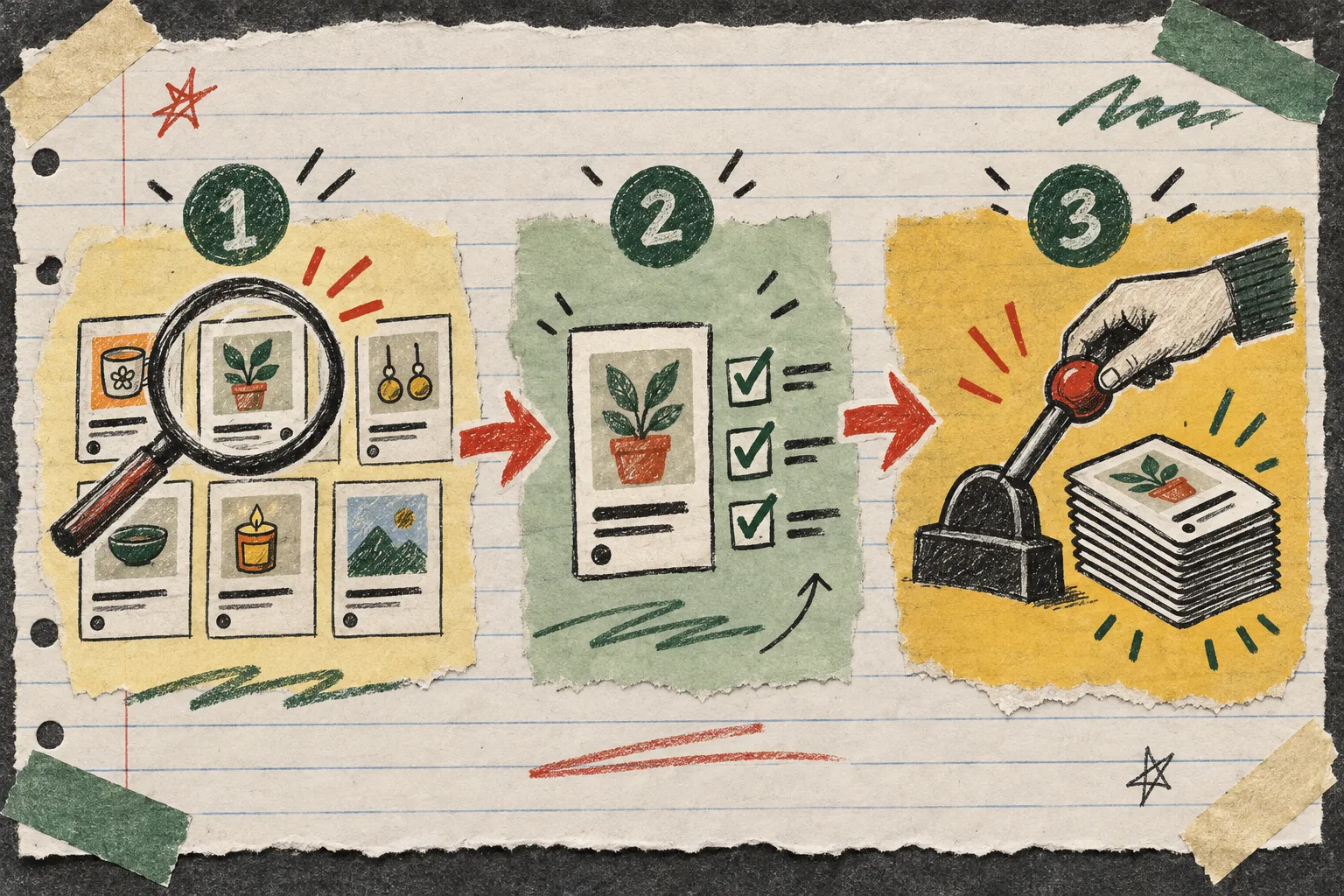
The preflight is not the bulk edit
A preflight has a smaller job. I am not trying to finish the catalog. I am trying to prove the selection rule and the one modification work together. If I am preparing a winter refresh, I might test adding a single material tag to six listings: one bestseller, one older listing, one item with variations, one personalized item, and two that have slightly odd photography or titles.
That mix is deliberate. The cleanest listing is rarely where an operational mistake hides. The outliers tell me whether my filter is too broad, whether a variation behaves differently, and whether the change would create awkward duplicates. The safe bulk-edit catalog checklist is a useful companion here: get the target group clear before you get excited about the button.
My notebook rule: one field, one expected result
I write a tiny sentence before opening the editor: ‘These six listings will gain the material tag recycled brass, and nothing else will change.’ If I cannot write that sentence cleanly, I am not ready to batch anything.
That sentence keeps the operation narrow. The Bulk Listing Editor for Etsy separates finding listings or variations, selecting the exact set, and specifying a modification before you run it. That three-step rhythm is why I find it useful for a preflight: it gives me a pause between what I searched for and what I am about to alter.
For a seasonal update, I keep price changes, image reordering, inventory changes, title search-and-replace, and tag work as separate passes. The app can handle listing fields and variation fields, but capability is not a reason to combine unrelated decisions.

Pick a slice that can disagree with you
A good test set is small enough to review with your actual eyes, not just a count in a results table. Mine is usually five to eight listings. I look for a little friction on purpose:
- a listing with multiple variations
- a product that already has several tags or materials
- a listing with personalization enabled
- an older item that still sells occasionally
- an item whose images have a different order than the rest
This is especially important when you are editing options. Variation work can be correct in the abstract but confusing to a shopper if labels, prices, or inventory were not meant to move together. I liked this practical variation-editing walkthrough for the same reason: it treats control as part of speed.
Check the before state in a plain little table
Before I make the test edit, I make a three-column note in my notebook:
| Listing | Expected change | Must stay unchanged |
|---|---|---|
| Brass hoop earrings | Add material tag | price, photos, variations |
| Personalised keyring | Add material tag | personalization setting, title |
| Winter mug | Add material tag | SKU, inventory, images |
It is not glamorous, but it prevents ‘I think it was already like that’ syndrome afterward. If the edit includes image work, I also use the same kind of inspection I use in a five-minute product-image handoff: open the real asset, check its order, then record what should remain untouched.
Run it, then inspect the storefront—not just the tool
After clicking Bulk Edit, I inspect every listing in the sample. I compare the field I intended to modify, then deliberately scan the fields I promised not to touch. For variation changes, I open the buyer-facing choices. For photo changes, I check the first image and the sequence. For title or description edits, I look for a broken phrase at the beginning and end, where a search-and-replace often reveals its seams.
The finish line is not ‘the app says it processed six records.’ The finish line is ‘a shopper would see six correct listings.’

When I expand the batch
Only after the slice looks right do I repeat the exact same search and modification on the fuller group. I do not add a second task because I am already in the editor. If the seasonal plan also needs new tags, a price adjustment, and a photo reorder, those become three small jobs with three review moments.
This approach feels slower for the first ten minutes and much faster for the next two hours. It makes a large batch predictable, and it leaves you with a clean explanation if someone asks what changed. If you need more guardrails, this 50-listing Etsy checklist is a handy second page for the notebook.
My next action is always the same: choose six listings, choose one field, and write down what is not allowed to change. Then open Bulk Listing Editor, run that small preflight, and let the results earn the bigger batch.