
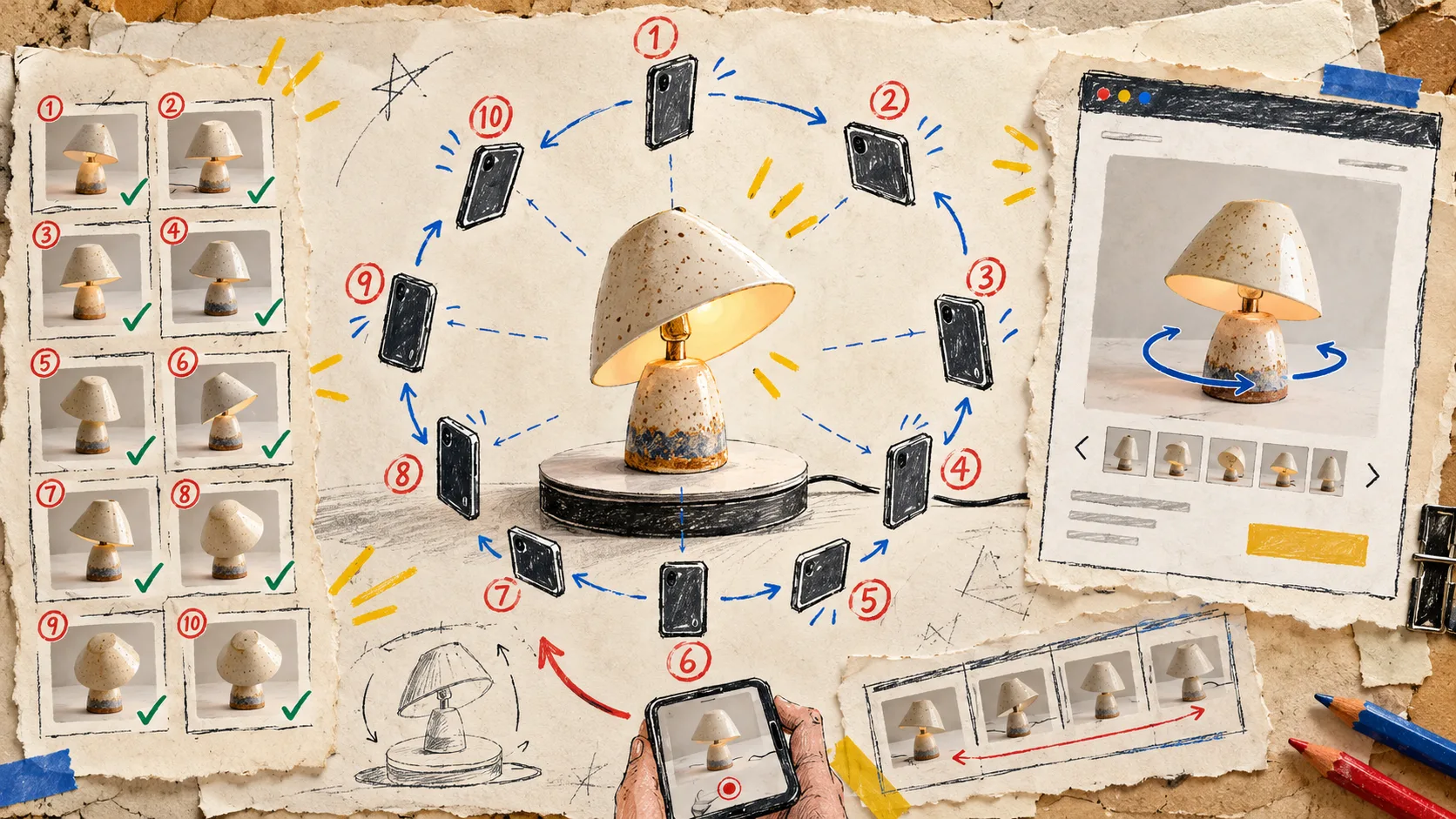
A phone is enough to start making 3D product media. That is useful—and also the reason I kept getting ahead of myself. I would choose a product, open a capture session, start walking circles around it, and only then notice the hard reflection, the floppy strap, or the missing detail a shopper actually needs to inspect.
My fix is tiny: before I take the first photo, I write a one-page capture brief. It takes about five minutes. It makes the 10+ guided phone photos in Supra 3D Capture much more intentional, and it gives me a clean decision point before I ask the app to turn them into a web-ready GLB.
The brief starts with one shopper question
I do not begin with “which SKU needs 3D?” I begin with: what will a shopper understand by rotating this object that static photos keep hiding?
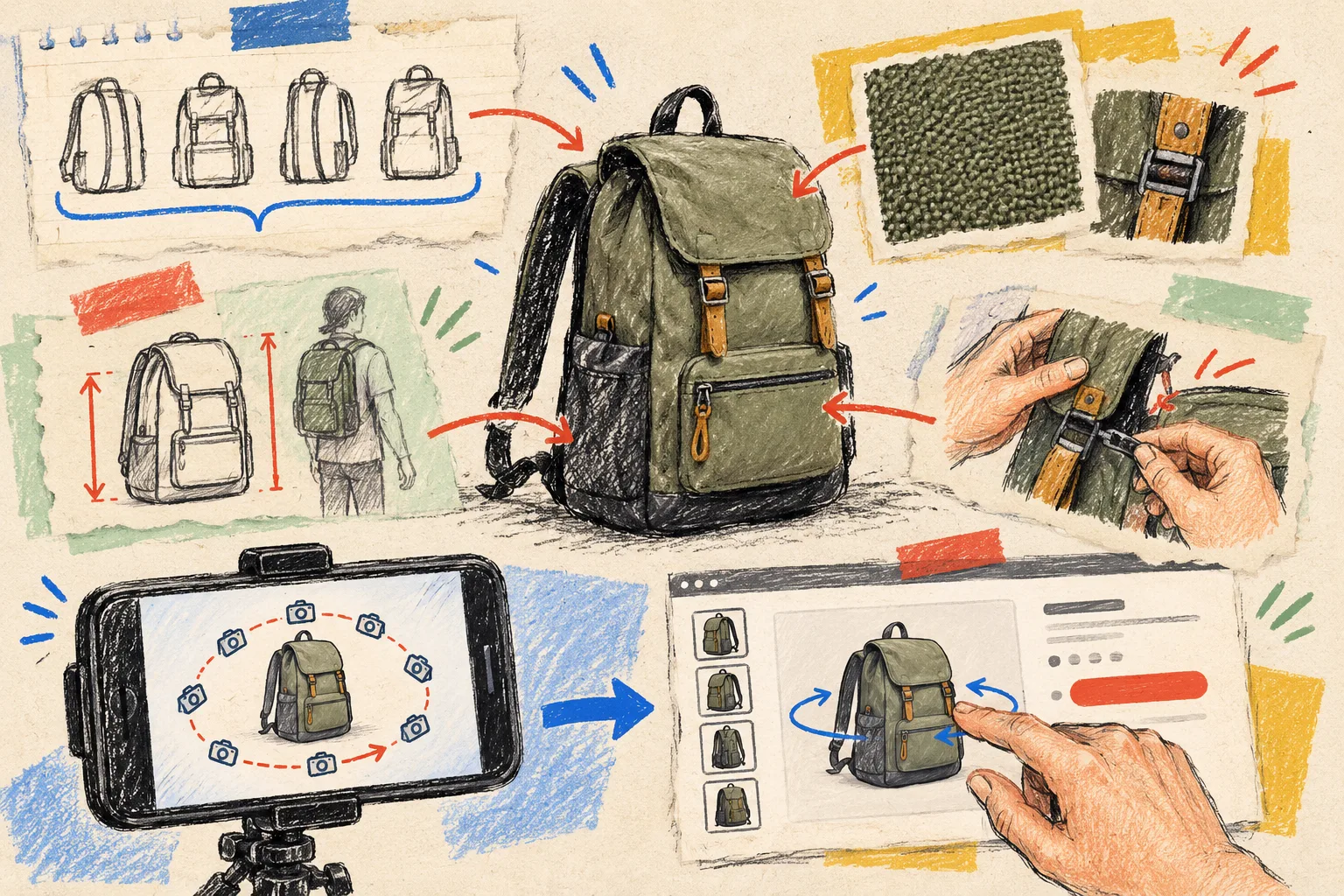
For a small lamp, the answer might be its shade depth and base proportions. For a backpack, it might be the side profile, zipper layout, and how far it stands off a body. For a ceramic mug, the handle shape and rim thickness can matter more than another close-up.
That question keeps the exercise product-page-first instead of technology-first. If the answer is only “it would look cool,” I leave the SKU in the photo queue. If the answer is a specific expectation gap, it earns a capture brief. My earlier 3D media QA is what I use later to judge the finished result; this note is the small preparation step before the camera comes out.
My five-line Shopify 3D capture brief
Here is the literal version in my notebook:
- Product and purpose: Which SKU is this, and what uncertainty should rotation remove?
- Hero surfaces: Which side, edge, opening, texture, or proportion has to survive the scan?
- Capture risks: Is it glossy, clear, fuzzy, black-on-black, flexible, or full of moving parts?
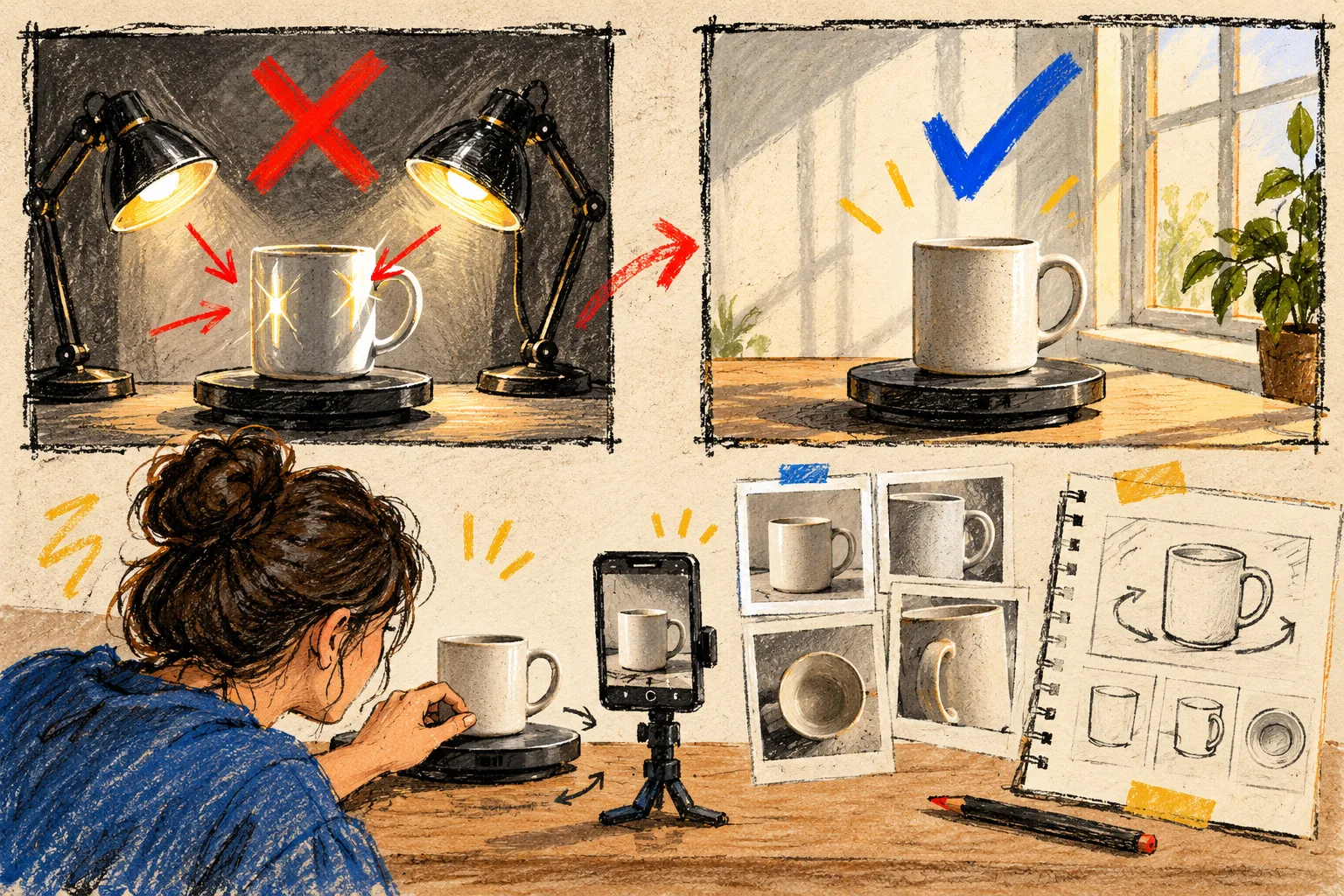
- Lighting and stage: Where will I get even light, a quiet background, and room to orbit?
- Destination: Will the model belong in Shopify product media, or does this item need a dedicated Online Store 2.0 app block?
That last line matters more than it looks. It forces me to picture the customer’s interaction before I collect inputs. Supra 3D Capture’s Shopify workflow is built around guided phone capture, cloud processing, and publishing a GLB into Shopify. A capture brief simply ensures I am making the right model for that destination.
Stage the product, not a studio
The point is not to manufacture a perfect photo studio. It is to remove variables that confuse the capture. I use a stable surface, keep the product in one pose, clear visual clutter, and choose soft, even light before I begin. Then I walk a deliberate orbit instead of chasing “interesting” angles.
For ordinary matte goods, that can be pleasantly low-tech: a phone, a clear walking path, and enough space to keep the product consistently in frame. The app guides the session, but it cannot make a highly reflective metal surface stop mirroring the room or make a soft bag hold a different shape in every shot. Those are brief-level warnings, not failures to discover after processing.
If I have never done one before, I pair this with the practical mechanics in this phone-first Shopify 3D model guide. The difference is that I decide what good must show before I decide how many steps the orbit needs.
Capture the proof, then look for gaps
Once the scene is ready, I take the guided 10+ photos with a single goal: every meaningful surface should appear in more than one usable view. I keep my distance and height consistent, then let the subject—not my enthusiasm—set the pace.
Before I upload, I quickly inspect a few representative frames:
- Is the silhouette clean against the background?
- Can I see the defining feature from at least two neighboring positions?
- Did a reflection, shadow, or hand enter a critical area?
- Did the object shift, sag, or rotate on its own?
This is where the brief pays rent. Rather than vaguely wondering whether the set “looks okay,” I compare the frames with my hero surfaces and capture risks. A missing zipper pull or an unreadable textured side is a reason to reshoot now—not a reason to publish a model that creates a new question.
Treat the GLB as product-page media, not a trophy
After Supra 3D Capture processes the photos into a GLB, I publish it to the product’s native Shopify 3D media or use the dedicated app block where that presentation better fits the page. Then I test it on the live-like product page, ideally on a phone as well as desktop.
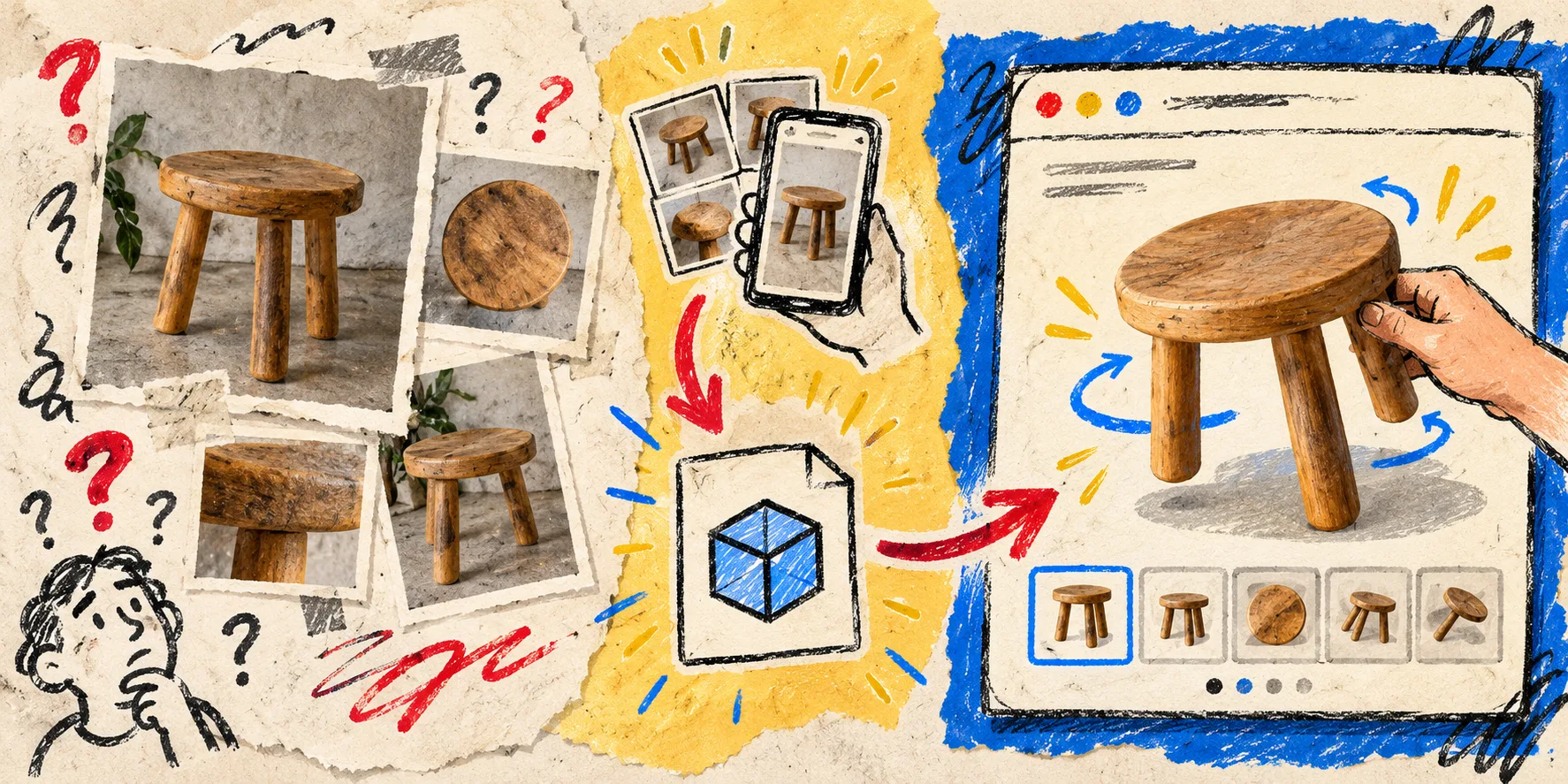
The important check is simple: can a shopper drag, rotate, and inspect the exact product detail named in the brief? If not, I do not fixate on the novelty of the model. I go back to the capture note. The clean publishing sequence is covered in this guide to adding a phone-captured 3D model to Shopify; the brief gives that sequence a conversion-aware reason to exist.
Keep the first brief deliberately boring
My best first 3D capture is rarely the most spectacular SKU. I choose one with a stable shape, readable surfaces, and a concrete customer question. That gives me a useful baseline before I attempt shiny hardware, transparent packaging, or flexible apparel. If you are deciding where to start, my one-model scaling test is a good companion: prove the workflow with one honest model before you create a backlog.
The small win here is not “we have 3D now.” It is that the 3D model helps a customer judge shape, scale, texture, or construction with less guesswork. That is product-page confidence, not decoration.
Your next move
Pick one SKU today and write the five lines before taking a single photo. Then start a guided session in Supra 3D Capture with an even-lit, stable product and one customer question in mind. The resulting model will have a much better chance of earning its place on the page.