
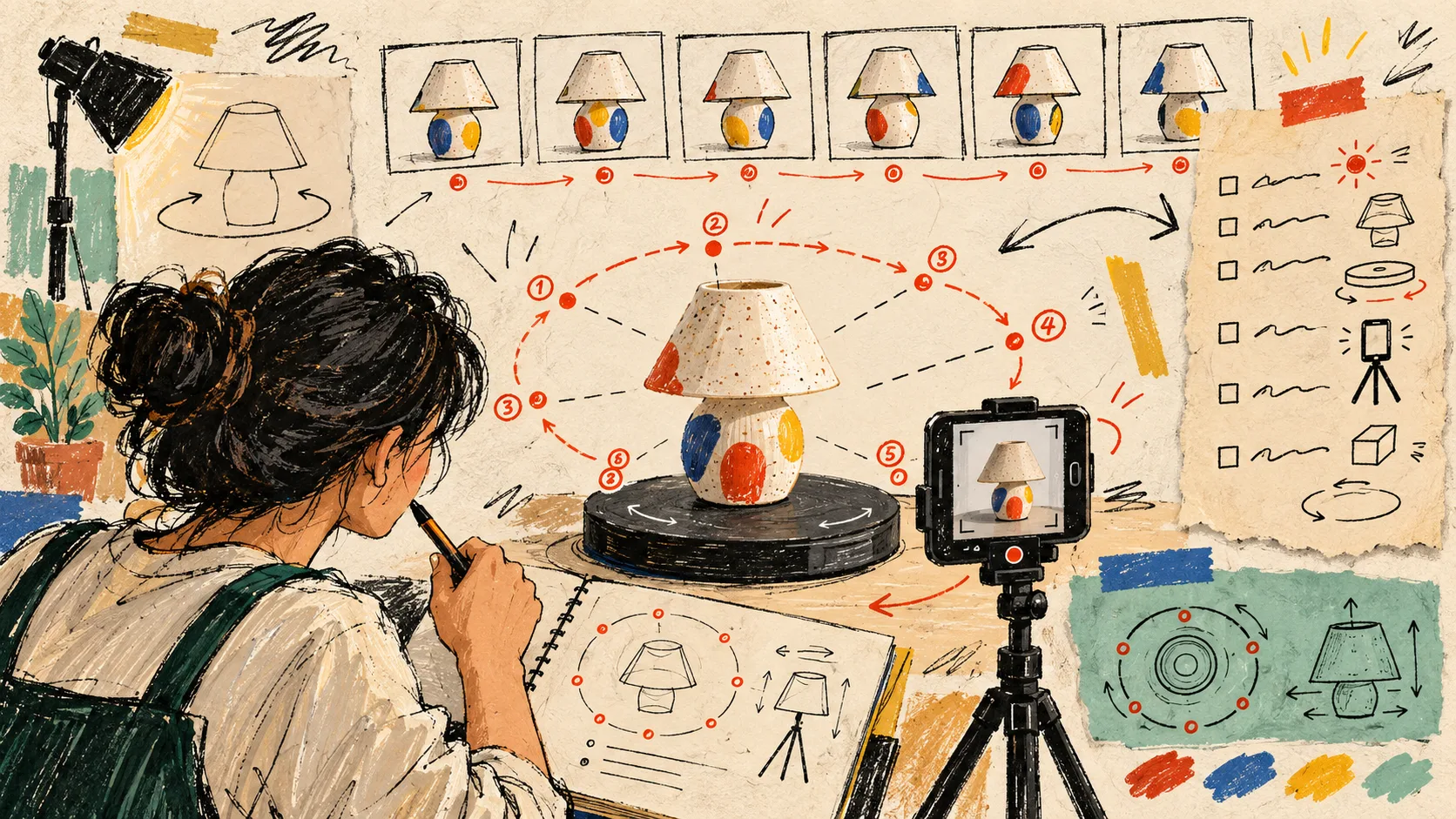
I used to treat 3D product media as a giant catalog project: pick a tool, photograph everything, then hope the models make the store feel more premium. That is an expensive way to learn which products actually need a closer look.
Now I make a one-page capture plan first. It tells me which SKU deserves the effort, what a shopper still cannot understand from photos, and whether the model has a sensible home on the product page. The goal is not ‘3D everywhere.’ The goal is fewer product-page question marks.
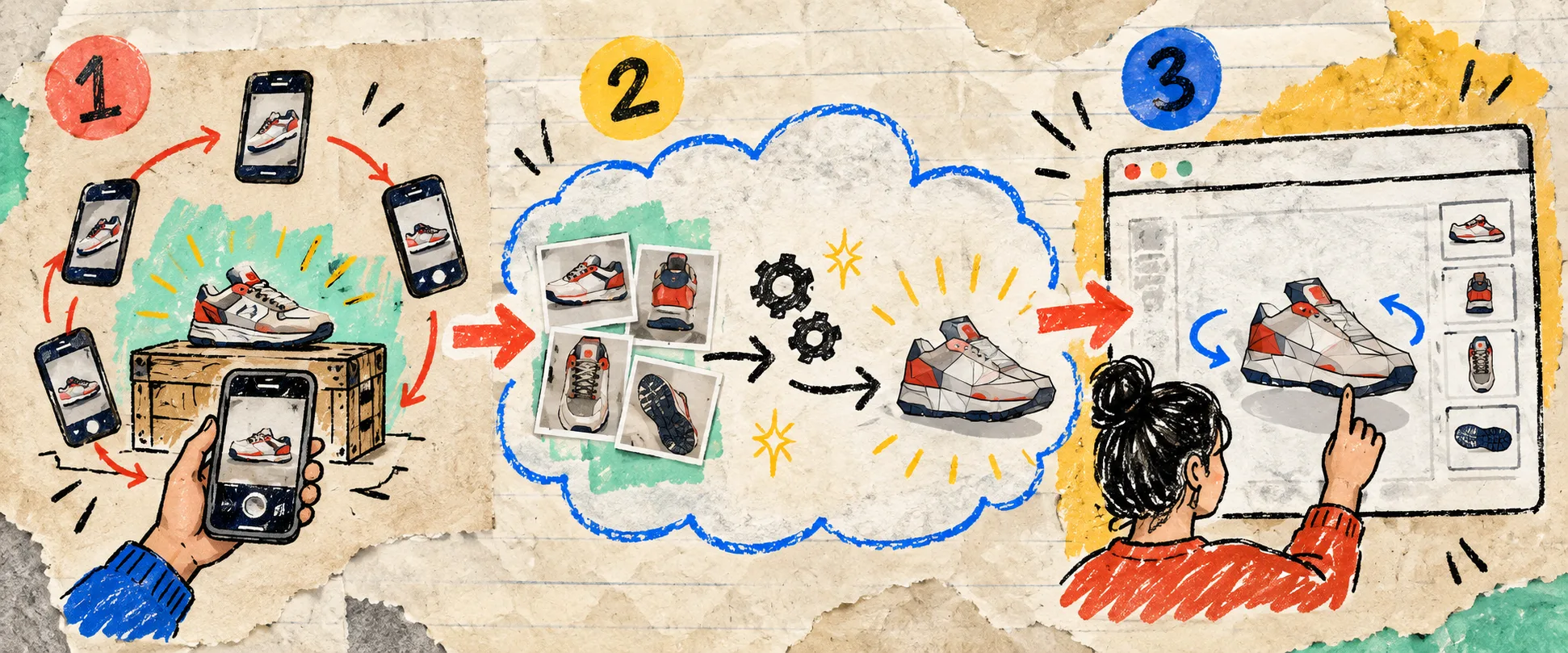
Supra 3D Capture makes this lightweight: I can take a guided set of phone photos, let the app process them into a web-ready GLB, then publish it as Shopify product media or use its Online Store 2.0 app block.
My four-line capture plan
Before I pick up a phone, I add four small notes beside the SKU:
- What photos fail to show. Is it the depth of a bag, the curve of a lamp, the texture of a ceramic finish, or the real proportions of a bundled product? If a normal gallery already settles the question, I leave it alone.
- The shopper question. I write it in plain language: ‘How thick is it?’ ‘What does the back look like?’ ‘Will this sit flat on my shelf?’ This stops the capture from becoming a decorative experiment.
- The capture risk. Shiny, transparent, fuzzy, and very thin items need more patience. I flag them before they derail a quick session.
- Where it will appear. Native Shopify 3D product media is my default. I use an app block when a model needs a more intentional position in the page.
That last line matters. A good 3D model buried under vague product copy is still a missed opportunity.
Pick the products with a visible confidence gap
My first candidates are products customers want to inspect from more than one angle: distinctive silhouettes, texture-led objects, products with a meaningful front/back difference, and items where scale changes the buying decision. Think handbags, furniture accents, footwear, giftable objects, or a compact appliance with controls on the side.
I do not start with every SKU in a collection. I start with the product that gets ‘can I see another angle?’ questions, earns a lot of photo zooming, or regularly creates a gap between what a buyer imagined and what arrived. That is where interactive rotation can add useful context.

I also keep the scan itself realistic. A regular smartphone, an evenly lit product, and a deliberate orbit are a better beginning than buying gear too early. For the phone-to-Shopify mechanics, I keep this publishing walkthrough close by. And if I am tempted to start without deciding the purpose, I return to my 3D capture brief.
Capture for the rotation, not for a pretty hero shot
The photo set is a working orbit, not a mini campaign shoot. I put the product in consistent, diffuse light, keep the backdrop simple, and walk around it at a steady distance. I want enough overlap for photogrammetry to understand the shape, especially around handles, corners, and surface changes.
Supra guides the phone capture and processes the photos into a polished GLB. That is useful because I do not need to become a 3D modeler before testing whether 3D media earns a place in the catalog. The Free plan is enough to trial the workflow on a small number of models; the paid plans give a growing catalog more room.
One field note: do not make a high-stakes launch SKU the first scan. Use a product you know well, where a small imperfection will not hold up a release. You are learning the capture rhythm and your theme’s 3D behavior at the same time.
Run a product-page confidence check
Once the model is live, I open the page like a skeptical customer. I rotate the product and ask whether the interaction answers the question I wrote at the top of the brief. Can I understand its outline? Its depth? Its surface? Does its scale make more sense beside the existing photos and copy?

If the answer is no, I do not assume 3D is the fix. The product may need a better size reference, a clearer material close-up, or more honest product copy. I like this filter because it keeps 3D product media in service of customer confidence, rather than treating it like a novelty widget.
For a complementary way to choose the first candidates, there is also a useful SKU-priority checklist from the same working notebook.
Make the next action small
Choose one product whose shape, texture, or proportions are hard to explain in flat images. Write the four-line plan, capture one phone orbit, and publish it to a test product in Shopify. Install Supra 3D Capture when you are ready to turn that small experiment into a repeatable product-page upgrade.
The win is not a fully 3D store by Friday. It is one less reason for a shopper to guess.