

I used to think a catalog video project started with rendering. It does not. It starts with the boring little decision sheet that says what every clip is allowed to show. Skip that sheet and the fiftieth SKU exposes every wobbly crop, missing field, and accidental promise in the first one.
That is why I now treat a product-video template like a merchandising rule. It has a job, a source of truth, and a small list of things it must never improvise. VideoFlow is useful here because the same video can live as portable VideoJSON: product data and a template go in; a preview, editable document, or MP4 can come out.
My template starts with one shopper question
Before I draw a timeline, I write the question the clip must answer. For a product page, it might be: What is this, what makes it useful, and what should I notice first? That is not the same job as a social hook or a retargeting ad.
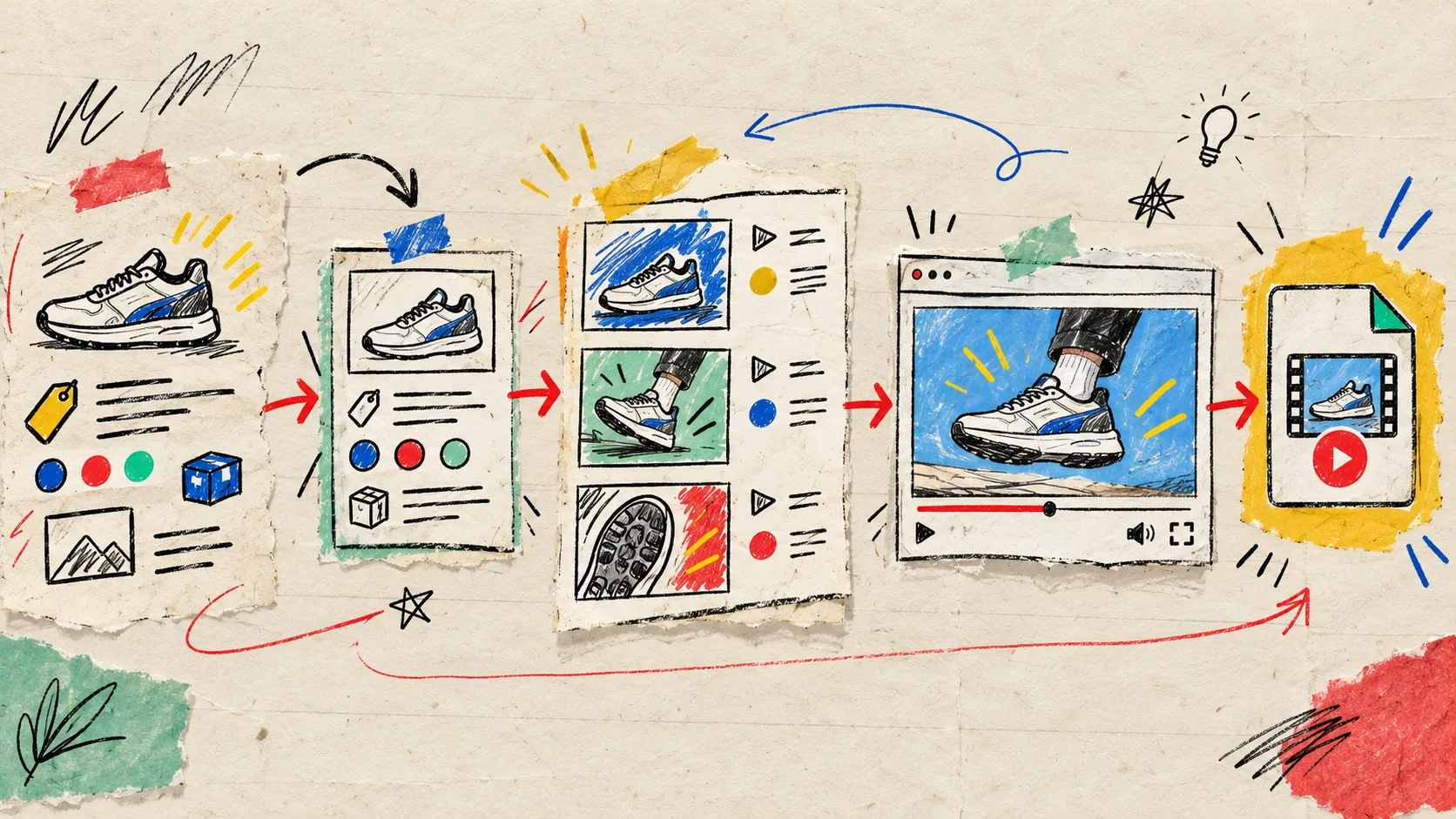
Then I make one scene card with a strict order:
- Product identity: image, name, and the one detail that earns attention.
- Proof: a feature, use case, review fragment, or material cue backed by real catalog data.
- Decision cue: price, variant, availability, or a restrained call to action—only if the feed actually owns that field.
It sounds fussy. It saves me from turning a product feed into a slot machine. A title that is missing should not produce a blank hero; a long title should not quietly cover the product; a missing image should block a render instead of making up a replacement. The same instinct helped when I cleaned up ecommerce product photos in the browser: preserve the source before trying to make it perform harder.
Put the contract in data, not in someone’s head
A useful template needs a contract. Mine is deliberately small: required product image, short title, primary benefit, destination URL, and an optional price. I also decide format up front—square, vertical, or landscape—because trying to rescue one composition for every placement usually creates a tiny, unreadable product card.
For the durable middle layer, VideoFlow’s Core can compile an authored TypeScript sequence into VideoJSON. That gives a team something much more practical than a pile of one-off exports: a document that can be stored, versioned, diffed, tested, previewed, and rendered later.
Here is the point I keep on my own checklist: input data is not the video. The template plus validated data is the video. If the product feed changes, I want to know whether the change belongs in copy, media, layout, or a new template version.
const productClip = {
  productImage: imageUrl,
  title: shortTitle,
  benefit: featureLine,
  productUrl: destinationUrl,
};

// Validate productClip, apply the approved scene template,
// then compile it to VideoJSON before a renderer sees it.
This is also why I would rather inherit a visible data contract than a mystery workflow. The same principle is behind building a reviewable AI video pipeline with VideoJSON: generated output gets a structured checkpoint before it becomes a final asset.
Preview the ugly cases before scaling
I do not test a template with its best product. I test it with the awkward set: a very long name, a pale product on a pale background, a missing optional price, a crowded product photo, and a benefit that needs wrapping. Five edge cases will teach you more than fifty perfect coffee-mug clips.
The review questions are simple:
- Can a shopper identify the product in the first beat?
- Does each field still have a readable place to land?
- Is a missing optional field gracefully omitted?
- Does the template ever imply a claim the product data did not supply?
- Would I still approve this on a phone?

VideoFlow’s DOM renderer is designed for live, scrubbable preview from the same VideoJSON, while the React Video Editor can give a SaaS user a multi-track surface to adjust a generated draft. That separation matters: template constraints can protect the system, while a human can still trim a scene, replace media, or fix a line before export.
If you are testing variation ideas, keep the template fixed and change just one thing: the opening product image, benefit order, or CTA treatment. That is much cleaner than the endless brief churn I avoided by making a Shopify UGC scene card before generating variations.
Choose the renderer after the template works
The rendering decision is operational, not ideological. A small, user-triggered export may fit the browser. A scheduled catalog refresh or a large batch wants a server-side queue. The important part is that the template and VideoJSON do not have to change just because the delivery path does.

VideoFlow’s Renderers cover browser MP4 output, a headless server route, and live DOM preview. For a lean team, that means I can start with one controlled preview flow, then add a queue only when the job volume deserves it. I would not build the queue first; I would borrow the discipline from building a video rendering queue before a first batch export once the template has proved it can survive real catalog data.
The rule I keep
A product-video template is not a pretty preset. It is a repeatable merchandising decision with input rules, visual guardrails, a review surface, and a delivery choice. Try VideoFlow’s examples, make one scene card for one product family, and run the five ugly cases before you ask it to make a hundred clips. That small bit of notebook work is what makes automation feel trustworthy instead of merely fast.