

A browser RAW uploader needs a fallback plan, not a binary supported / unsupported badge. I now give every incoming file one of four honest outcomes: full local decode, embedded-preview-only, a held handoff, or a clear stop. That keeps a photographer moving without pretending that every camera mode will render correctly. FlashRaw is useful here because it can run locally in the browser and its support docs describe formats by mode—not just by filename extension.
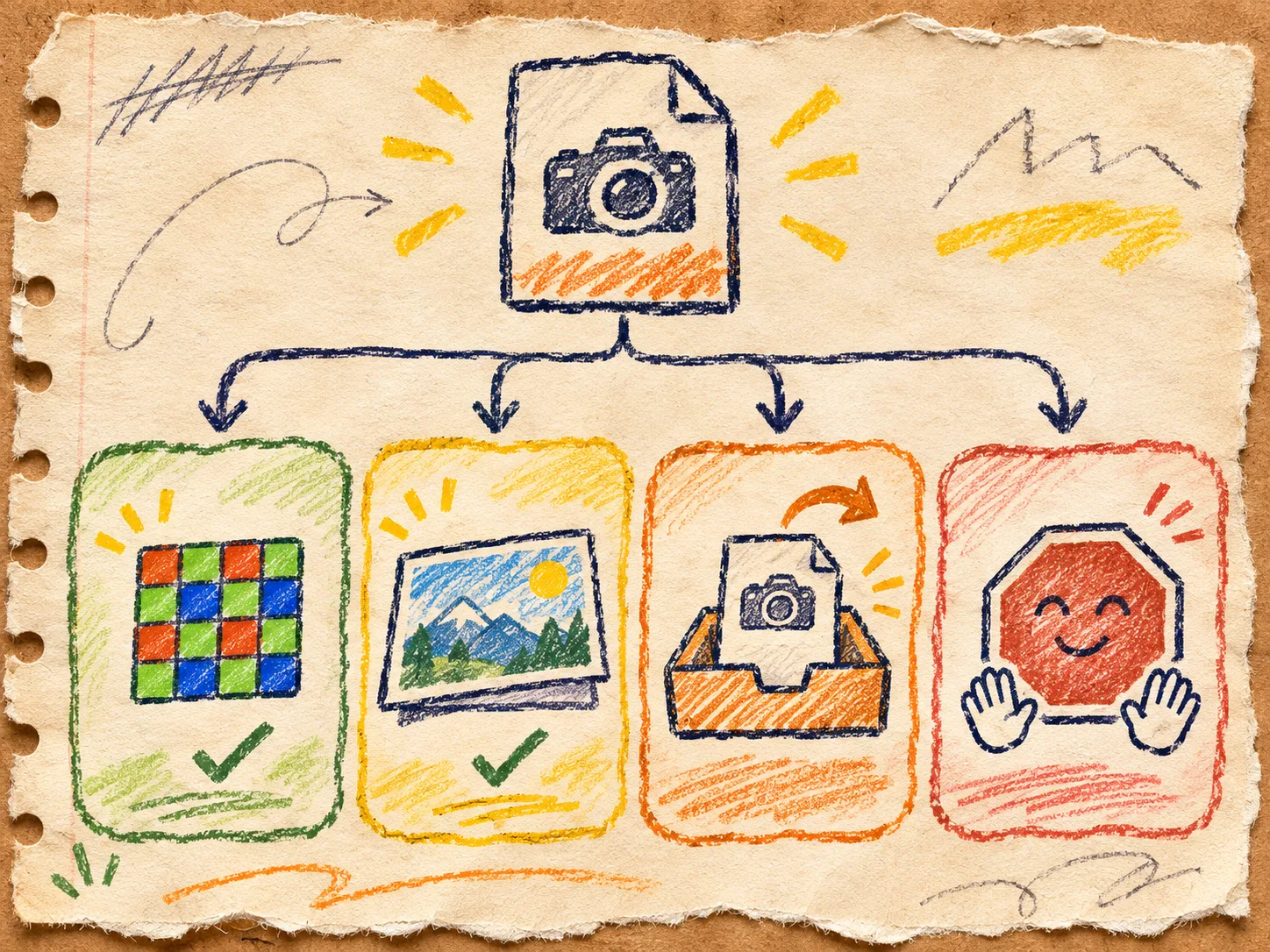
The support note I write before I build the preview
A .NEF, .CR3, or .DNG extension tells me almost nothing operationally. A camera can use several compression, bit-depth, crop, burst, or pixel-shift modes. FlashRaw’s format matrix makes the important distinction: support is tracked by format and mode, with verified, partial, experimental, and unsupported statuses.
For an ecommerce intake tool, that becomes a small customer contract: the browser may help inspect the original locally, but it must never silently substitute a preview for a full decode or imply that an untested camera mode is safe to publish. This is the same operational boundary I use in a browser RAW support contract: a good upload path tells the user what happened, what did not happen, and the next safe move.
My four states
| State | What the browser did | What the person sees | Safe next action |
|---|---|---|---|
| 1. Full decode | Parsed and developed the actual RAW data. | A labeled working preview and normal review controls. | Continue to crop, check, and submit. |
| 2. Embedded preview | Extracted the camera’s included JPEG, but did not fully develop RAW pixels. | “Preview only” next to the image. | Use it for triage; retain the original for production. |
| 3. Hold | Recognized the file but the mode is not in this release’s test shelf. | A saved original plus a non-destructive pending state. | Route it to the desktop or server workflow you have actually tested. |
| 4. Stop clearly | Rejected a malformed, unknown, or unsupported input. | A specific, polite explanation; never a blank spinner. | Ask for JPEG/TIFF or a supported original, and keep the error reference. |
That third lane is the one teams skip when they are chasing a slick launch. It is also the lane that keeps an unfamiliar camera file from becoming an invisible support ticket. A hold is not a failure if the original stays intact and the user can see the route forward.

Build the decision before the worker
I still put decode work in a Web Worker so the shop’s upload screen remains responsive; MDN’s worker guide is a useful reminder that a worker runs away from the page’s UI thread and exchanges messages with it. But the worker is an implementation detail, not the customer policy.
My message contract is deliberately dull:
// From the page: keep the original; let the worker classify it.
worker.postMessage({ kind: 'inspect', file, requestId });

// From the worker: four outcomes, each with a next action.
postMessage({
  requestId,
  state: 'full-decode' | 'embedded-preview' | 'hold' | 'stop',
  reason: 'verified-mode' | 'preview-only' | 'unlisted-mode' | 'unsupported',
});
The page should discard messages whose requestId no longer matches the selected file. More importantly, it should map each state to copy written before launch. If your deployment enables threaded WebAssembly, treat its cross-origin-isolation headers as another release prerequisite—not an afterthought. This worker-boundary field note explains why separating ownership and cancellation pays off before a large file reaches the interface.
The fixture shelf that earns the claim
Do not write “we support Nikon” because one file worked. Build a tiny shelf for each state: one known-good file, one preview-only case, one deliberate hold, and one failure. Record the camera model, exact mode, file size, app version, expected state, and whether the user can recover. FlashRaw publishes both a detailed format-support document and reproducible benchmark method; that is the standard I borrow: name the corpus and conditions instead of turning a useful result into a universal promise.
Here is my release receipt:
- Upload each shelf file through the real production build—not a dev server.
- Confirm the UI labels an embedded preview as a preview, not a completed RAW conversion.
- Interrupt or replace an upload and confirm a stale worker message cannot redraw the old image.
- Send the hold case through its documented fallback, then confirm the original bytes and customer context arrive together.
- Trigger the stop case and read the message out loud: does it name a next action without blaming the photographer?

When FlashRaw is the right piece
Use FlashRaw when your product needs to inspect or develop the files it has explicitly tested, and wants the privacy and responsiveness of a local browser path. Its browser package supports Web Workers, and the project’s format documentation gives your team a better input to the support matrix than extension-level guessing. It does not remove the need to test your own camera set, colour expectations, memory budget, headers, and fallback service.
If the goal is simply a fast visual choice, an embedded preview may be enough. If the goal is a catalogue-quality crop or a colour-sensitive product shot, treat a successful preview as the beginning of validation, not the end. That is the same honest boundary behind a camera RAW fixture gate and the decision of when a browser preview is enough.
Next step: pick four real files this afternoon—one for each state—and make the empty-state copy part of their expected result. Once the contract exists, the decoder is much easier to integrate without surprising the people trying to list a product.