
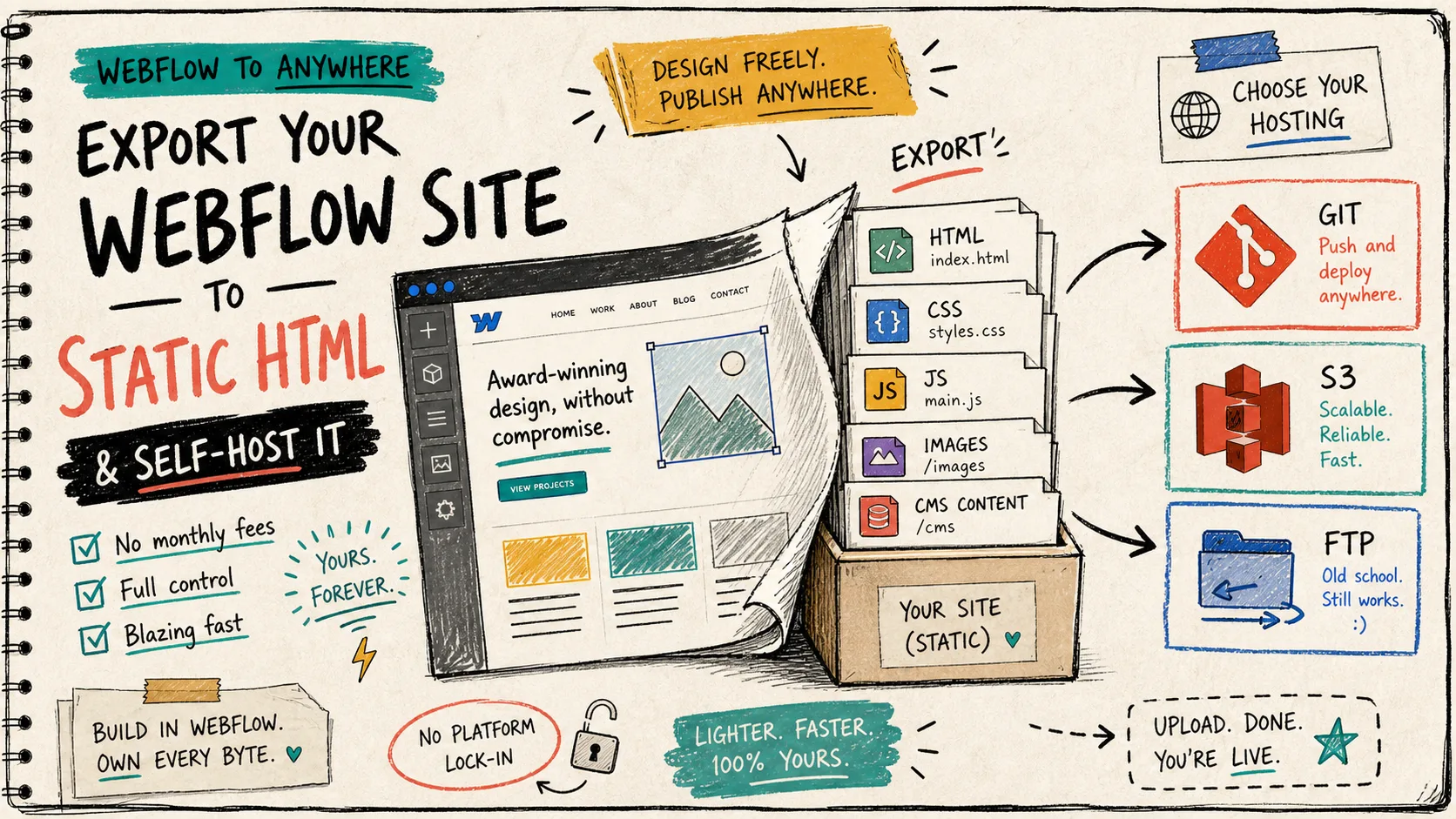
I keep coming back to the same Webflow problem: the design is right, but the hosting setup is doing too much. When I do not want to rebuild a site, I want a clean export path I can hand to static hosting and still keep the CMS content intact.
Webflow’s CMS page shows why the content model matters in the first place: Webflow CMS. ExFlow.site is the piece that makes the CMS handoff feel less awkward: Export Webflow CMS pages.
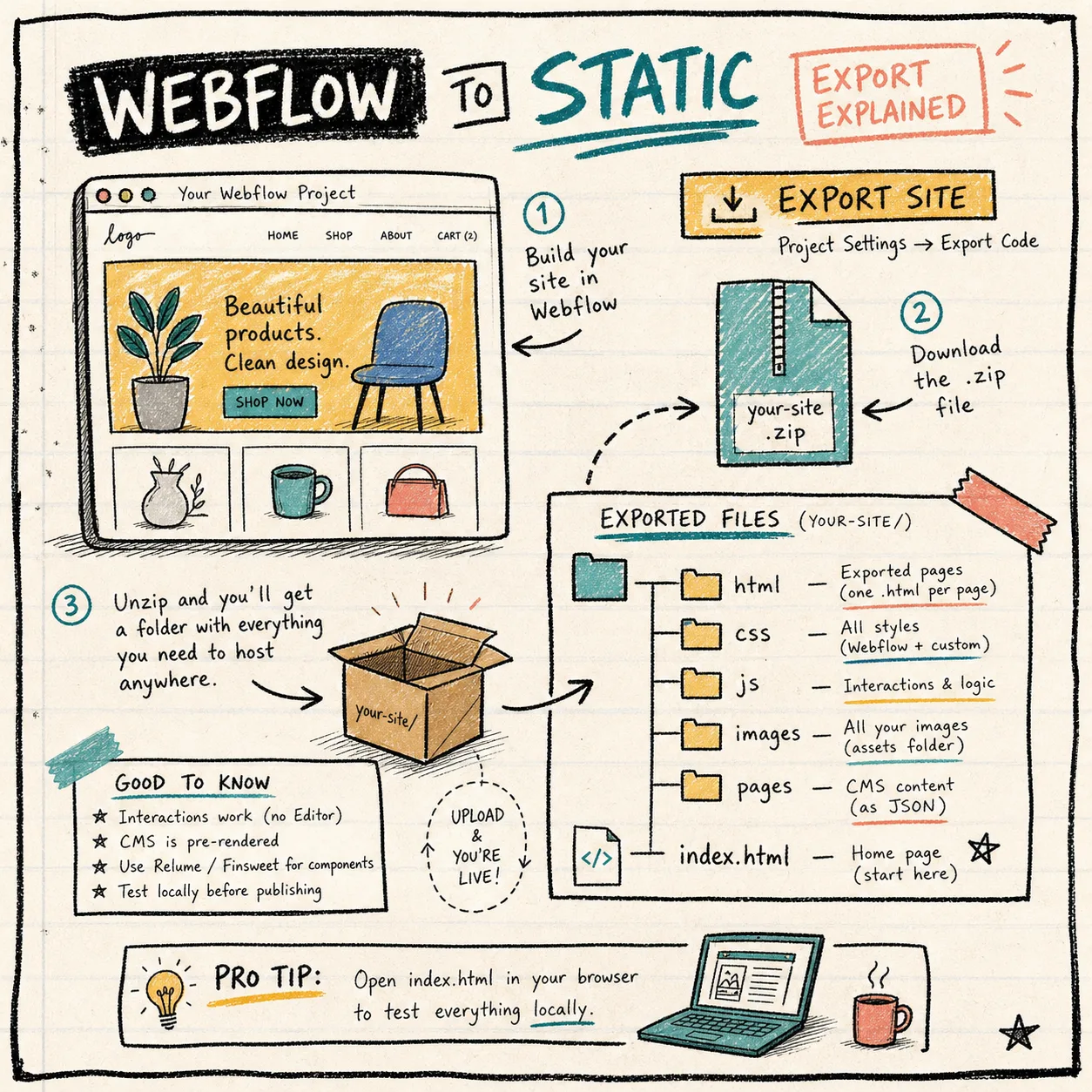
That is the shape I want before I move anything: export the whole site, keep the file tree readable, and make the handoff obvious enough that I can audit it later.
What I Actually Export
The part I care about is not just the HTML shell. ExFlow lets me think in terms of the whole site bundle:
- Pages exported as HTML
- CSS files
- JavaScript files
- Images and media files
- All pages, including CMS content
- Optional removal of the Made with Webflow badge
- Custom style.css and script.js files
- Sync paths for Git, S3, or FTP
- Built-in hosting when I want the shortest path to a live site
That is the difference between a crude download and a real migration path. If I am moving a site out of Webflow, I do not want to reconstruct the CMS by hand after the export.
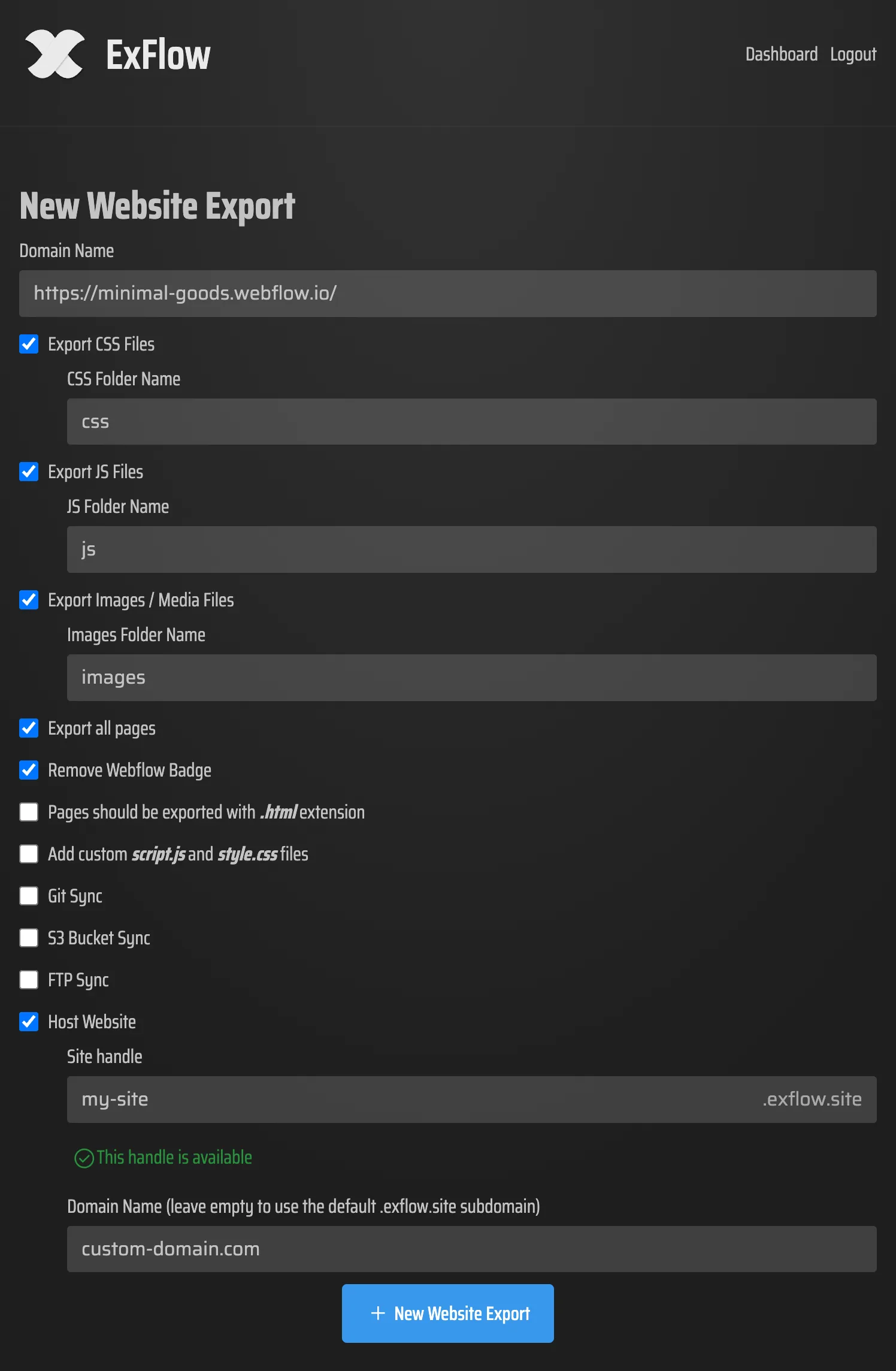
This is the configuration panel I would rather see than a vague “download site” button. The useful part is that the export settings stay explicit: what gets included, what gets stripped, and where the result should land.
My Export Checklist
When I am exporting a Webflow site with ExFlow, I follow the same sequence every time:
- Paste the live Webflow URL.
- Turn on CSS, JavaScript, images, media, and all pages.
- Make sure CMS content is included.
- Decide whether I want the badge removed.
- Add custom style or script files only if the site actually needs them.
- Pick the landing zone: Git, S3, FTP, or ExFlow hosting.
- Keep sync credentials private if the export needs them.
That last step matters more than it sounds. The exporter can move files around, but the credentials behind Git, S3, or FTP still need normal secret handling. I would not leave them in a shared note or paste them into a sloppy handoff doc.
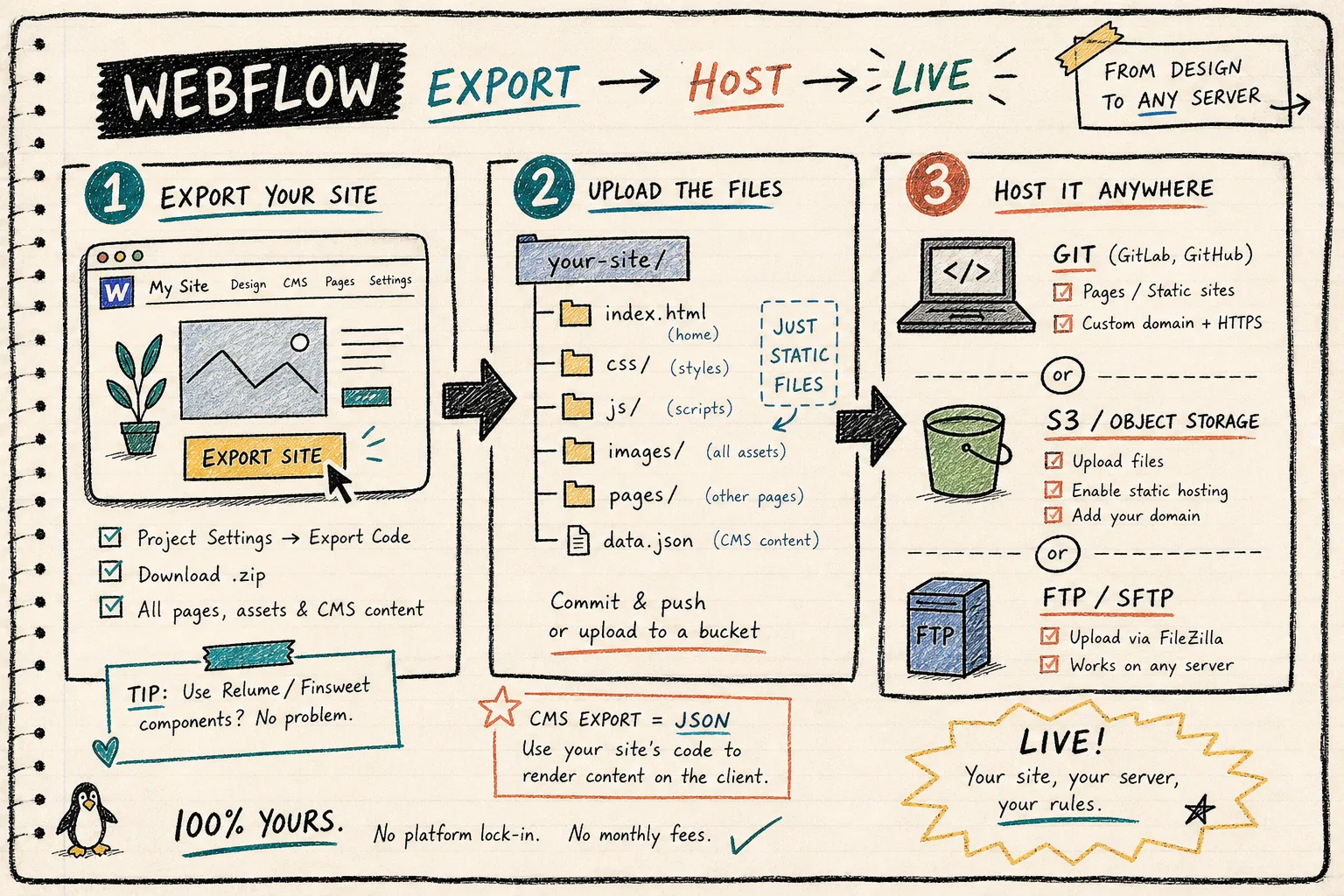
The hosting decision is usually the real decision. Git is nice when I want history and review. S3 is good when I want simple static hosting and low overhead. FTP still shows up in older environments, and ExFlow covers that without forcing me to translate the files by hand.
Where the Files Land
Once the export runs, I want to verify the shape of the output before I point a domain at it. I check for the obvious things first:
- The page tree is complete.
- Internal links still resolve.
- Images are present, not half-missing.
- The exported CMS pages look like real pages, not placeholders.
- Any custom scripts or styles I expected are actually present.
That is the point where an export starts feeling like a usable artifact instead of a one-off backup.
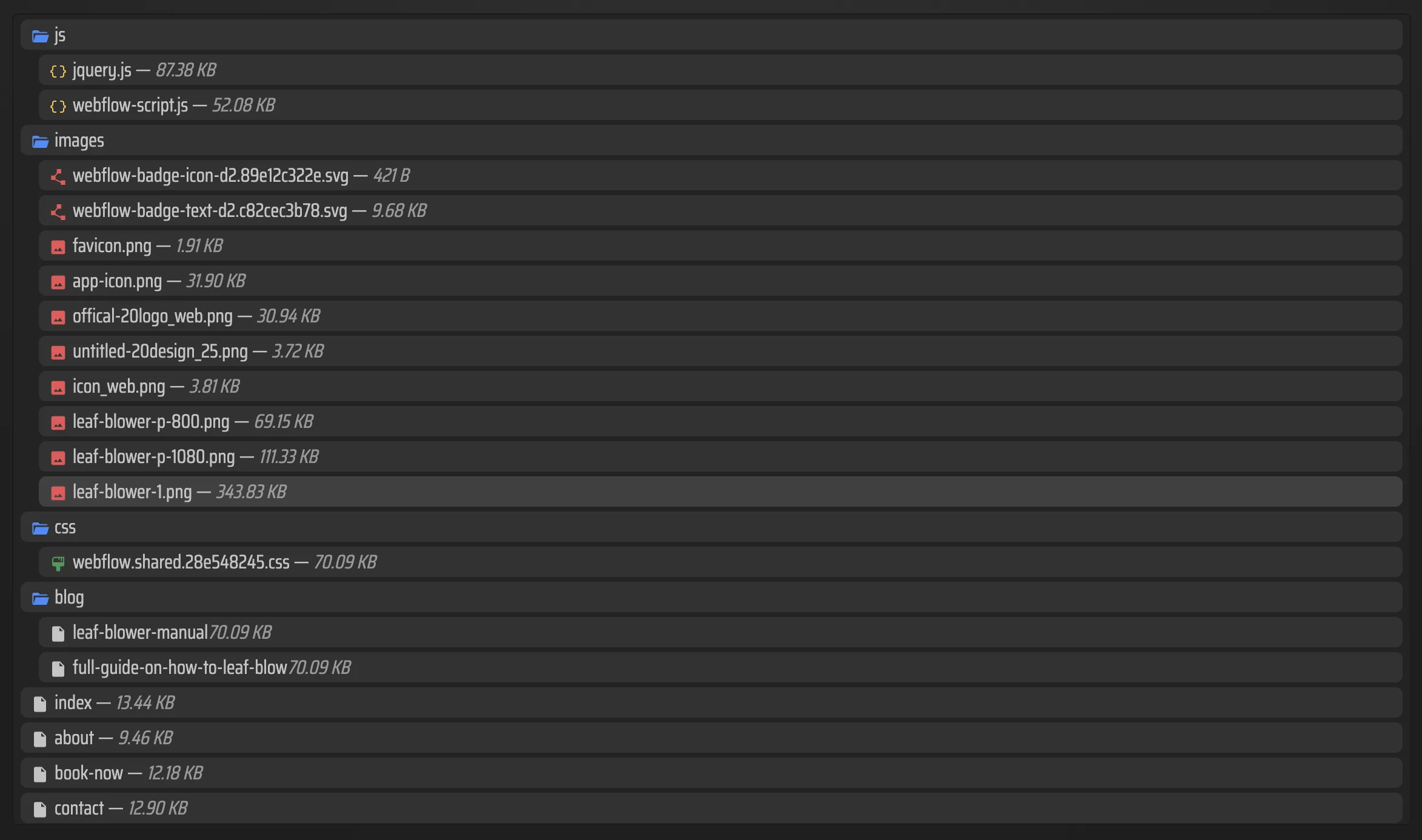
I like seeing the file list because it makes broken assumptions easier to catch. If a page, asset, or media file is missing here, I would rather know before the site is pointed at a production host.
When I Would Use This
I reach for this workflow when a Webflow site needs one of three things:
- A cleaner static handoff for a client or internal team.
- A lower-friction way to keep CMS content while changing hosts.
- A route out of Webflow hosting without rebuilding the entire site.
If the site is still heavily dependent on editor-driven changes, I slow down and check whether export is actually the right move. But if the site is mostly pages, content, and a few scripts, exporting is usually the better operational choice.
Related Notes From The Same Stack
This is the same decision tree I use in adjacent migrations and CMS workflows. I have also written about how I decide when a Webflow site should be exported, how I build a clean Notion-to-Webflow publishing pipeline with SyncFlow, how to turn Notion drafts into Webflow CMS posts with SyncFlow, and how I download a Squarespace site and move it to GitHub Pages.
The pattern is the same every time: keep the content model simple, keep the handoff visible, and do not let the platform hide the actual files.
The Short Version
If I need to keep a Webflow site editable but no longer want to depend on Webflow hosting, ExFlow is the shortest route I have found. Export the site, verify the files, choose the right static host, and keep the migration boring enough that future me can maintain it.
Start with the live URL, export the complete site bundle, and decide whether Git, S3, FTP, or ExFlow hosting is the least annoying landing zone.