
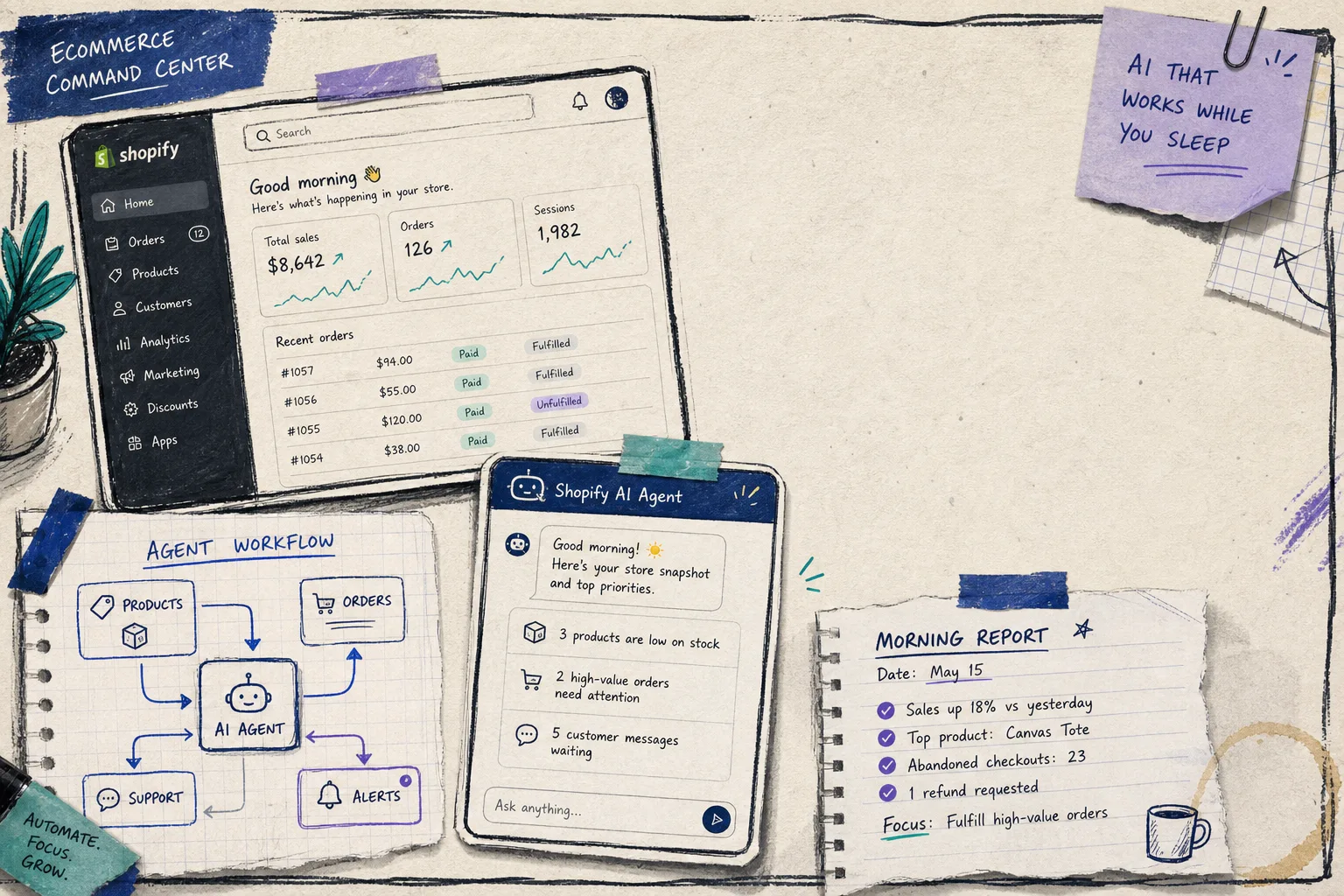
I wanted a Shopify AI assistant that could reduce repetitive work without turning into a loose cannon. The mistake is to start by asking what the model can do. I have had better results starting with what the model should not do.
Clawly, the Shopify-specific version of the OpenClaw for Shopify idea, made that feel practical. It is an AI Agent for Shopify with scoped permissions, so I can decide whether an assistant should read, draft, edit, notify, or publish. That is a much more useful question than “can it automate the store?”
I had already taken a first pass at the operational side in How I Use Clawly to Automate Shopify Cleanup, Reports, and Alerts, and the pattern that survived was simple: the assistant was most useful when the job was narrow and reviewable.
Start With The Work, Not The Agent
I made a short list of the jobs that actually eat time in a store:
- daily sales reporting
- low-inventory checks
- product cleanup
- support drafts
- marketing copy
- routine alerts
Then I sorted them by risk instead of by hype.
| Task | I Let Clawly Do | Why |
|---|---|---|
| Daily sales report | Read and notify | Safe, repeatable, easy to verify |
| Low inventory alert | Read and notify | It should warn me, not change stock |
| New product copy | Draft only | Humans still need to approve the wording |
| SEO title cleanup | Edit a narrow field set | Useful if the scope stays tight |
| Support replies | Draft only | Customer-facing messages need review |
That table is the whole game. If I cannot explain the permission in one sentence, the job is too broad.
The Permission Matrix Matters More Than The Prompt
This is where the AI assistant becomes an actual system. I treat the matrix as the product, and the prompt as the implementation detail.
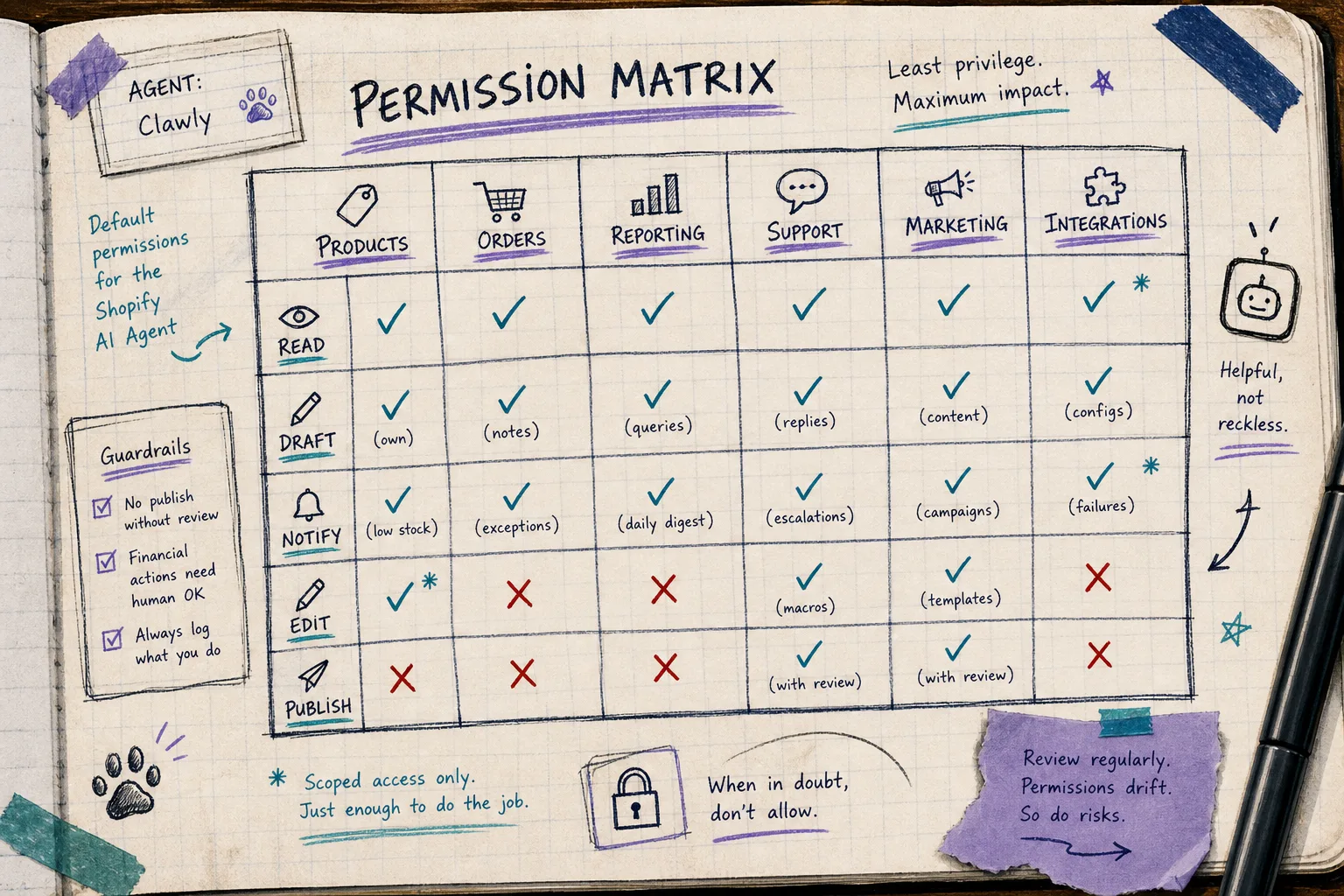
The matrix keeps me honest:
- read access for reports and monitoring
- draft access for copy and replies
- limited edit access for safe catalog cleanup
- no automatic publishing for anything customer-facing
- no broad write access just because the tool can do it
That lines up with the way Clawly is positioned: a Shopify automation layer with practical guardrails, not a permissionless chatbot glued to admin access. The Clawly landing page and Shopify App Store listing both point in that direction.
If I want the read-only version first, I use the pattern I wrote about in How to Set Up a Read-Only Shopify AI Agent With Guardrails. The point is not to be timid. The point is to earn trust in the right order.
Add Integrations Slowly
The fastest way to make an assistant messy is to connect everything on day one.
I prefer to start with Shopify plus one output channel. For me that is usually Slack or email for alerts, then Google Sheets for reporting, then maybe Notion or Klaviyo once the core loop is stable.
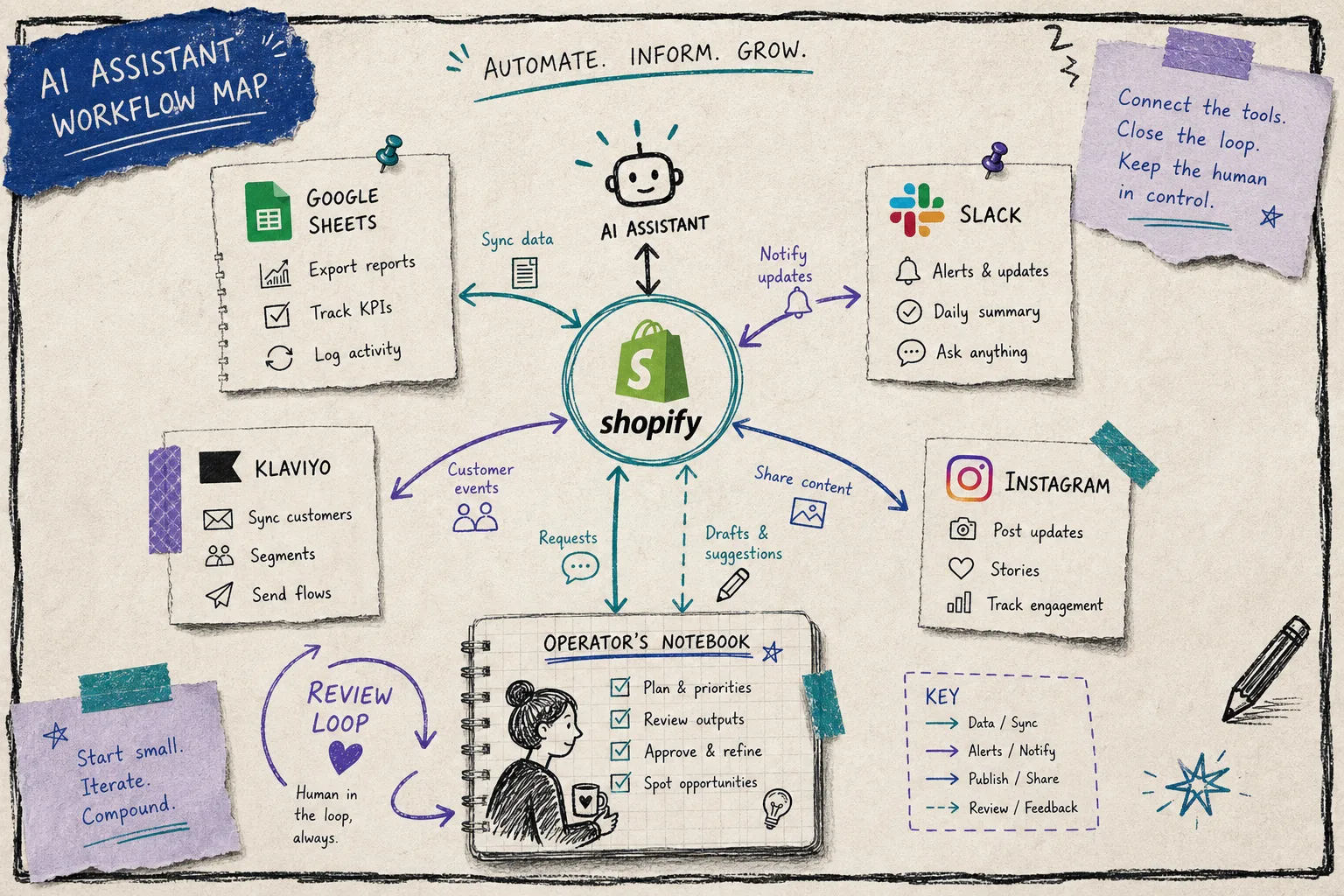
That workflow map is what I want in practice:
- Shopify as the source of truth
- a narrow set of connected tools
- a notification path back to me
- a human review loop for anything risky
Clawly’s integration list is broad enough to support that approach. The product file calls out Shopify, Google Sheets, Instagram, Meta Ads, Klaviyo, Notion, Slack, and a long list of other connectors. That matters because I do not want to rebuild the workflow every time I add one more task.
I also like keeping the automations small enough that I can describe them without a diagram:
- daily sales report
- low inventory alert
- product cleanup draft
- marketing content draft
- support reply draft
That is where a tool like Clawly earns its keep. It is not trying to replace judgment. It is trying to remove the repetitive parts that keep a small team from getting to the real work.
Use Alerts To Earn Trust
The cleanest first automation is a report, not a write action.
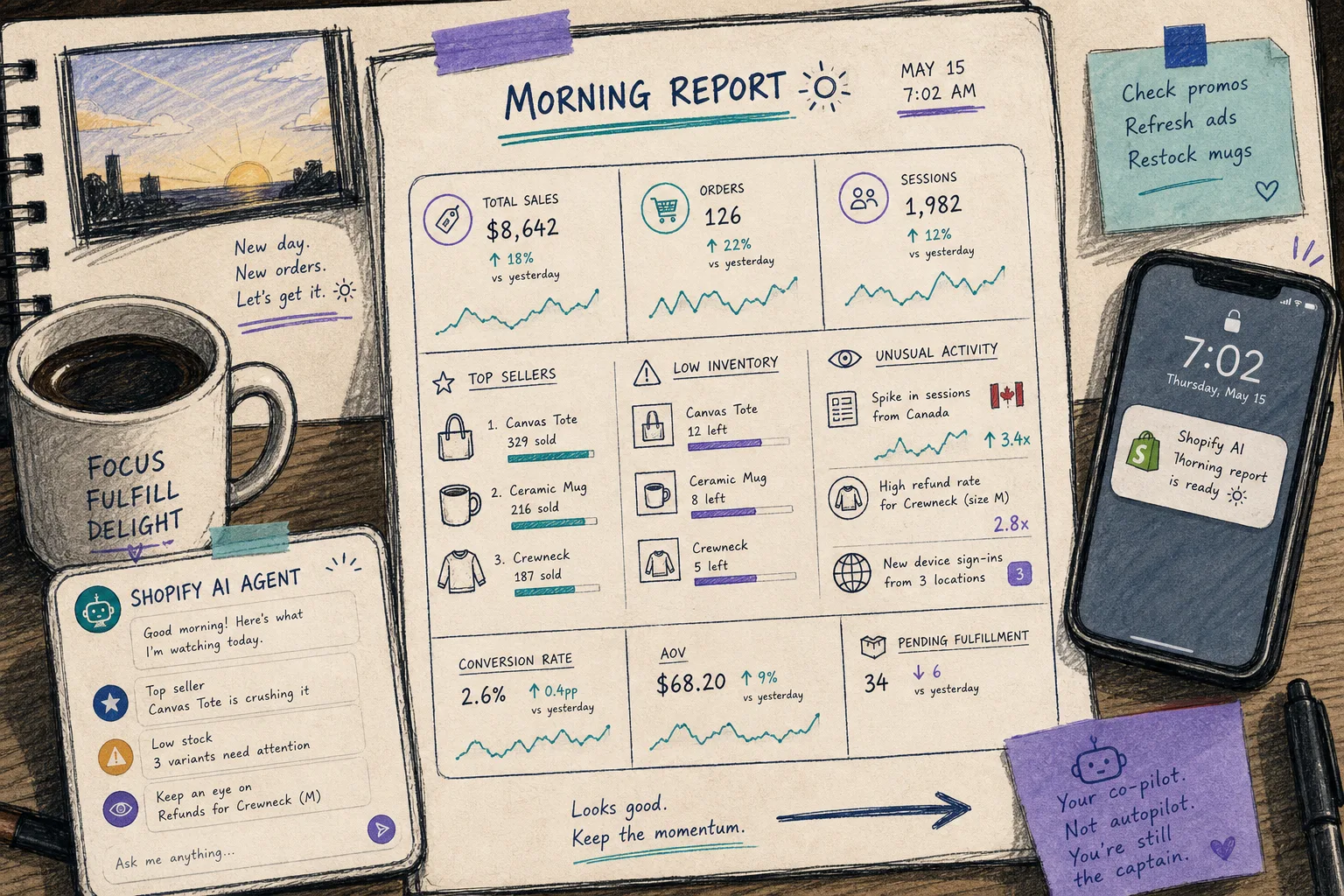
A morning report gives the assistant something useful to do without asking it to make irreversible decisions. It can summarize top sellers, call out unusual activity, and flag inventory issues. If the numbers look wrong, I know about it early. If they look fine, I still got a time saving.
That same principle applies to support and product cleanup. I like draft-only mode first:
- draft the reply
- draft the product description
- draft the SEO title
- notify me with the suggested change
- let a human approve before anything ships
That is also the right place to look at the adjacent articles in the sequence. How I Decide What a Shopify AI Agent Can Touch is the higher-level decision tree. How I Built a Shopify AI Agent Permission Matrix is the operational version. And How I Use Clawly to Automate Shopify Cleanup, Reports, and Alerts shows what happens after the guardrails are in place.
What I Would Automate First
If I were setting this up for a store today, I would start in this order:
- daily sales report
- low inventory alert
- product cleanup drafts
- support reply drafts
- marketing copy drafts
I would not start with auto-publish. I would not start with broad write access. I would not connect every app in the stack before I knew which loop was actually useful.
That is the real value of an AI Agent for Shopify: not “do everything,” but “do the right small things repeatedly, with guardrails.”
The Short Version
The best Shopify AI assistant is the one that has a permission plan before it has a job list. Start with read-only reporting, move to drafts, then allow tightly scoped edits only where the risk is low and the payoff is clear.
If you want to try that approach, start with Clawly, the OpenClaw for Shopify app. Install it from the landing page or the Shopify App Store, then build one safe automation first: a daily report or a low-inventory alert.