
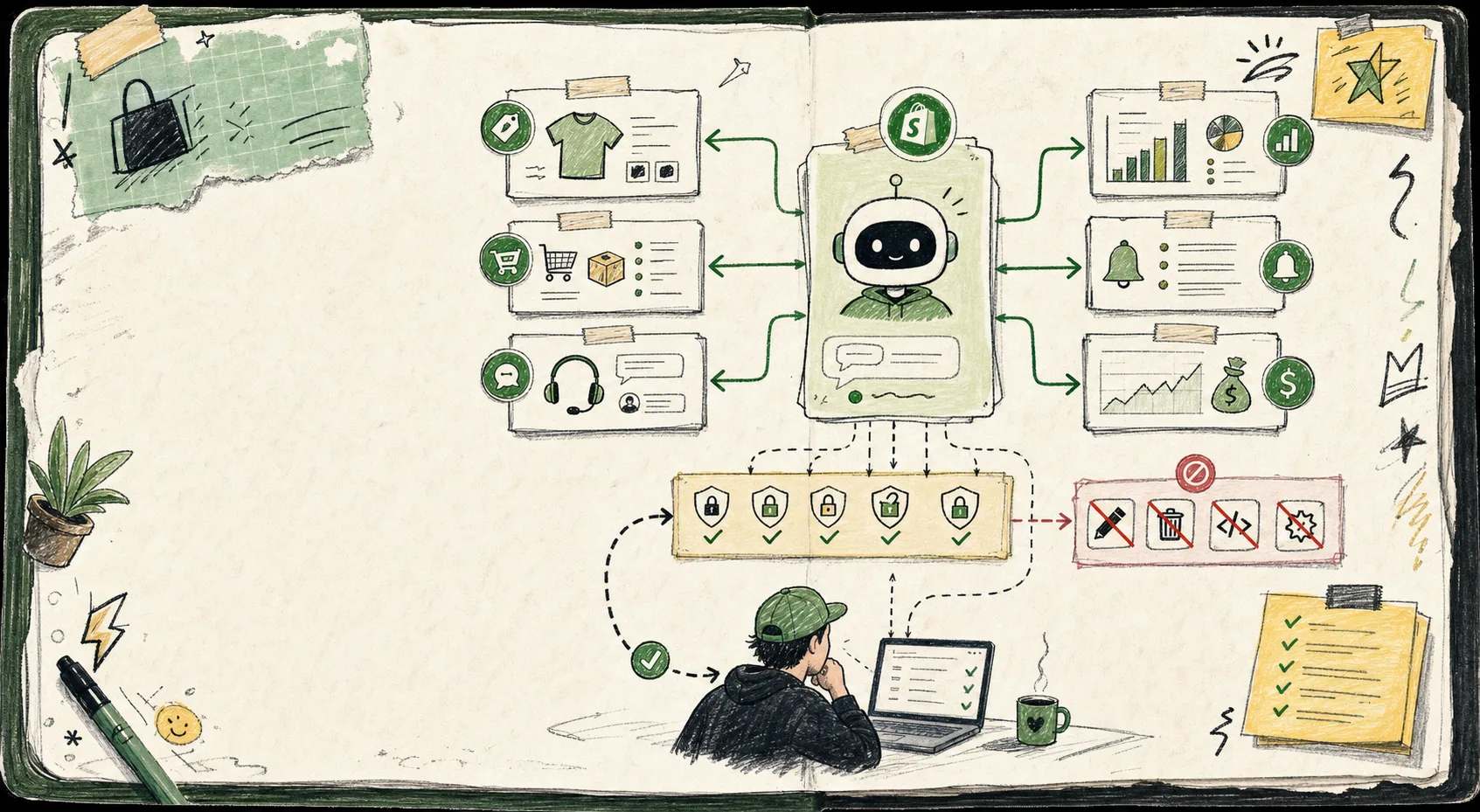
How I Set Up a Shopify AI Assistant With Scoped Permissions
I keep coming back to one rule: if an AI agent can touch everything, it can break everything. Clawly only makes sense to me when I start with narrow access and one boring job. The point of an AI Agent for Shopify is not to automate everything. It is to save time on work that is repetitive, measurable, and easy to review.
If you are looking at Clawly as an OpenClaw for Shopify style assistant, this is the setup I would start with: one assistant, one job, and a permission list that is shorter than you think.
Start With The Boring Version
Before I let anything write back into the store, I want it to read. That means products, orders, inventory, and reports first. No discounts. No deletes. No theme edits. No surprise bulk updates.
The first useful assistant is usually not the most autonomous one. It is the one that can gather context without being able to make a mess.

A simple rule sheet is enough:
- Read product data
- Read order status
- Read inventory levels
- Read reporting data
- Draft support replies
- Draft content or notes
- Notify me when something needs attention
Blocked on day one:
- Price changes
- Discounts
- Refunds
- Deletes
- Theme edits
- Anything that changes payment or fulfillment behavior
That is the whole trick. Useful output, narrow authority.
Give It Three Jobs First
I like starting with work that is repetitive but still useful even when the model is only mostly right.
- A morning store report. The assistant can summarize sales, top products, and any unusual movement.
- Low inventory alerts. If something is getting thin, I want a nudge before it becomes a customer problem.
- Drafting. It can write support replies, product copy, or internal notes for review.
That pattern lines up with the review-first habits I wrote about in How I Built a Review-First Shopify Blog Automation Pipeline and How I Turn Product Context Into Better Shopify Blog Drafts. The useful part is not letting the assistant decide everything. It is letting it assemble enough of the work that I can make the final call quickly.

For content tasks, I keep one more constraint in place: the assistant can generate the draft, but a person approves the final version. That is especially important when it is pulling from product context, pricing notes, or inventory changes.
The Permission Map I Actually Want
Clawly can connect to Shopify and a lot of other tools, but I still want the permission map to be boring. That is what makes it safe.
My default structure looks like this:
- Shopify: read products, orders, and inventory
- Slack or email: send alerts and summaries
- Sheets: log numbers or build a report trail
- Notion: store drafts or handoff notes
- Instagram or other marketing tools: only if the task is specifically content-related
That same shape is what I liked in How I Built a Shopify AI Agent With Scoped Permissions. The assistant feels useful when each integration has one job and one direction of travel.

If I need broader access later, I add it one permission at a time and only after I have seen a few clean runs. I would rather be slightly slower than discover that a helpful automation can reach into the wrong place.
Where Clawly Fits
Clawly is most convincing to me as a Shopify AI assistant when it behaves like an operations teammate, not a chatbot with broad powers. It can watch for patterns, draft responses, summarize store activity, and help with recurring work. That is a real win for small teams that do not have a dedicated ops person for every category.
The connected-tool part matters too. If the assistant can look at Shopify, send a note to Slack, update a report in Sheets, and prepare a draft for review, I get a cleaner workflow without giving it free rein over the whole store.
If you like the same stripped-down, local-control mindset, the way I think about this is close to How I Turn Claude Code Into a Scriptable Terminal Workflow and How to Keep a Shopify Content Calendar Full Without Inventing Topics. The interface can be flexible. The permissions should not be.
The Setup Checklist I Would Use Today
- Create one assistant for one task.
- Start it in read-only mode.
- Connect only the tools the task really needs.
- Block actions that can create expensive mistakes.
- Add a human review step for anything customer-facing.
- Expand access only after a few clean runs.
If I were rolling this out on a small store, I would start with the morning report, then add inventory alerts, then let it draft copy. That sequence gives me value early without forcing trust too fast.
The Short Version
A Shopify AI agent is only useful if it is allowed to help without being allowed to wander. That is why I like Clawly’s guarded approach: it turns the assistant into a practical store operations tool instead of a liability.
Start with one read-only assistant, one recurring report, and one alert. Then layer in drafts and review. If that works, install Clawly, connect the smallest useful set of tools, and give the assistant its first narrow job.
Install Clawly if you want to try the same setup on your own store, or check the Shopify App Store listing if you want the integration and pricing details first.