

I had a familiar shop-ops itch: a group of Etsy listings needed a pricing and variation cleanup, but I did not trust myself to press a big button until I could explain exactly what would change. The risk was not the edit itself. The risk was a tidy-looking batch that quietly touched the wrong size, color, or SKU.
That is why I now do a variation audit before I use Bulk Listing Editor. The app has separate Listing and Variation modes, which is useful precisely because a product-level fix and an option-level fix are not the same job. Its workflow is simple—search, select, specify the change—but the thinking beforehand needs to be just as deliberate.
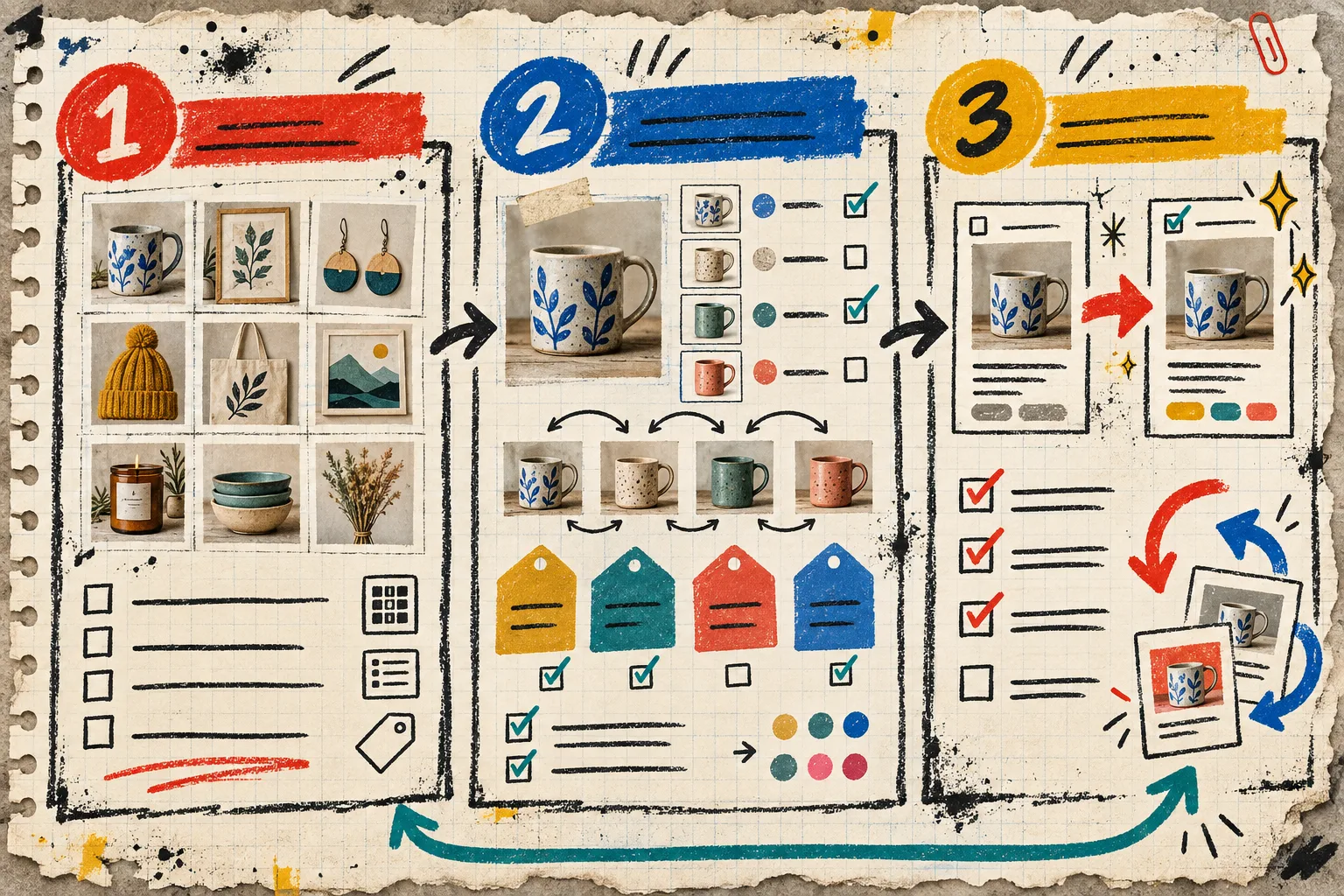
The note I write before touching the catalog
My audit starts with one sentence: which customer-facing inconsistency am I fixing, and which listings are allowed to move?
For example: “Update the price for the small and medium versions of this autumn mug collection; do not change large, personalized, or made-to-order versions.” That sentence forces a boundary. It is the same move that kept my Shopify bulk price change from becoming a cleanup spree.
A fuzzy goal—“make variations consistent”—is not a batch-edit instruction. It is an invitation to discover exceptions after the fact. Before I open the editor, I write down:
- the listings that belong in scope;
- the variation names I expect to see;
- the fields that can change;
- the listings that must stay out; and
- the smallest sample I can use to prove the rule.
That last line matters. If I cannot state the sample, I probably do not understand the rule yet.
Pass 1: audit listings as products, not as a pile
First, I look at the parent listings. This is where I check titles, tags, materials, descriptions, images, personalization settings, inventory, and SKUs at the level shoppers actually encounter the product. Bulk Listing Editor can modify many of those fields, including search-and-replace work in titles and descriptions, so I do not start by selecting everything that contains a keyword.
Instead, I search, then select only the listings that match my note. I keep a short “do not touch” list beside the batch: seasonal items, bundles, listings with custom production rules, and anything that uses a deliberately different naming scheme. This is the Etsy version of the reversible-task habit I used when I split a catalog cleanup into three bulk tasks.
The useful question is not “Can this field be edited in bulk?” It is “Would a shopper notice if this one listing changed differently?” If yes, it earns its own batch—or stays manual.
Pass 2: audit the variations as promises
Then I switch mental modes. A listing might be fine while one variation is not. Size, color, finish, or pack count is a promise made at selection time, so I check the structure before I alter prices or inventory.
My quick variation audit looks like this:
- Are the option names consistent across the selected listings?
- Does each option still describe a real purchasable choice?
- Which variants have different pricing, SKU, or stock logic?
- Is a personalized or made-to-order choice hiding inside the same set?
- Would removing, renaming, or adding an option change the shopper’s expected path?

This pass catches the problem that a product-level spreadsheet view can blur: two listings can look alike yet use their variation values for different operations. The point is not to make every listing identical. The point is to know which differences are intentional before using the app’s Variation mode.
Pass 3: turn the audit into one reversible change
Now I turn the note into a single operation. Bulk Listing Editor’s flow—search the target, choose the exact listings or variations, then specify the modification—supports this nicely. But I deliberately choose one field family per batch: prices or tags or variation names or inventory.
For a price adjustment, I select a small representative sample first: one simple listing, one with multiple variations, and one edge case I know well. For tags, I verify that the old tag is actually present before I add or remove it. For variation work, I check every affected option value after the test. The preflight stays simple: scope first, operation second, schedule third.
I also leave myself a rollback note: the old value, the new value, the selected count, and the time I ran it. It takes under a minute and makes the next check much less theatrical.
My five-minute post-edit review
I do not trust a completed job merely because the edit dialog succeeded. I reopen the sample listings in Etsy and check the exact surfaces a buyer will use:
- title and thumbnail at the listing level;
- each changed variation label;
- price and inventory per affected option;
- SKU or personalization behavior when relevant; and
- whether excluded listings stayed untouched.

For image work, I look at the actual ordering rather than assuming an upload equals a good product page. That same habit carries across merchandising projects: when I planned a Shopify 3D capture, the job only made sense once I could name the shopper question the media had to answer. Catalog edits deserve the same care.
The batch is small on purpose
The attractive thing about bulk editing is speed. The durable thing is confidence. A clean audit lets me use bulk speed without pretending that every Etsy listing is interchangeable.
If you have a change waiting in your shop, pick one field family and three representative listings today. Run the audit, test the smallest batch in Bulk Listing Editor, and only then widen the selection. That little pause is usually cheaper than fixing a very efficient mistake.