

I nearly started our first 3D capture session with the most photogenic SKU in the catalog. That would have been a tidy way to burn an afternoon. A product can look great in a still photo and still be a poor first candidate for interactive 3D media.
The better move was a short audit: which product has enough shape, customer uncertainty, margin, and repeat value to justify a model shoppers can rotate? The exercise took less time than reorganizing a photo folder, and it gave the capture work a job to do.
Supra 3D Capture makes the production side approachable: take a guided set of phone photos, let the photogrammetry workflow produce a web-ready GLB, then attach it to Shopify product media or place it with an Online Store 2.0 app block. But the app cannot choose the right first SKU for us.
The four-column SKU audit
I scored a small set of candidates from one to three in four columns. The numbers are deliberately rough; the point is to make the decision visible before capture begins.
- Shape matters to the buying decision. Does a customer need to understand depth, handles, openings, thickness, or construction? Bags, footwear, cookware, decorative objects, tools, and boxed bundles often beat a flat tee or a simple label-forward bottle.
- The page has an expectation gap. Check support questions, reviews, return reasons, and product photography notes. A model is most useful where photos regularly leave people wondering about scale, proportions, or a detail that changes from another angle.
- The product is capture-friendly. Start with something stable, well lit, and reasonably matte. Highly reflective, clear, furry, or tiny intricate products are not impossible, but they make a poor first experiment.
- The upside can repeat. Prioritize a hero SKU, a family with several variations, or a product whose visual language will make the rest of the collection easier to plan.
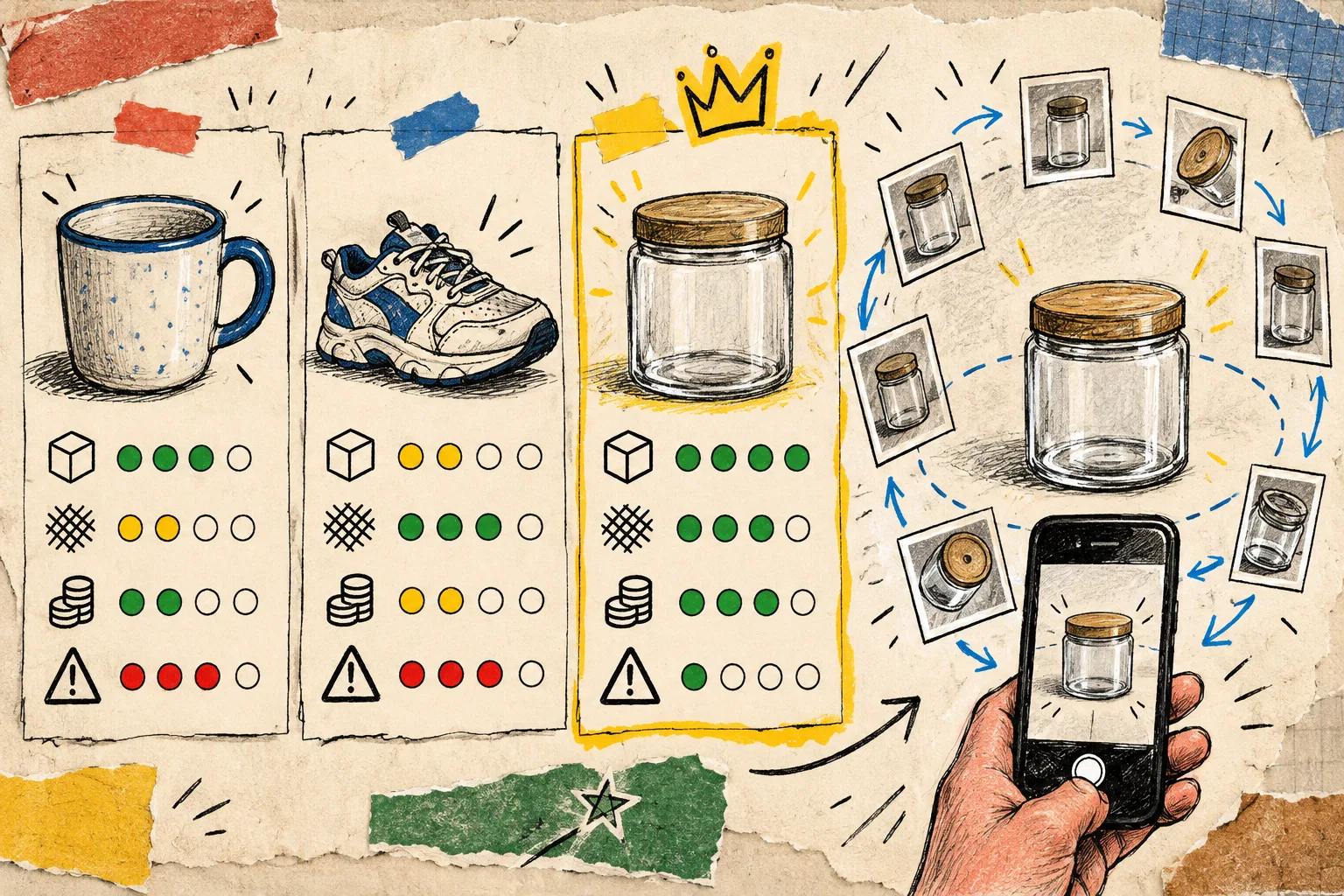
My simple rule: a product with a three in shape and expectation gap, plus at least a two in capture-friendliness, goes to the top of the pile. If two items tie, I choose the one with the cleaner shooting setup. This is not a conversion forecast; it is a way to avoid making 3D because it feels novel.
For a shorter first pass, I would pair this with the five-minute first-SKU scorecard. It is useful when the catalog is big and the team needs one decision by the end of a standup.
What I leave off the first capture list
I do not use the pilot to prove that every product can become a model. I leave off the shiniest drinkware, transparent containers, fuzzy textiles, and products that cannot sit still without a rig. Those can come later, when there is a reason and a repeatable setup.
I also skip low-context add-ons unless their form creates real buying uncertainty. A 3D model should earn its place on a product page. If a clear close-up and dimensions already answer the shopper’s question, put effort into a more ambiguous SKU first.
That distinction kept the audit from turning into a wish list. It also gave our merchandising team a useful sentence: we are reducing a specific expectation gap, not decorating the gallery.
Turn the winning SKU into a tiny capture brief
Once the first product wins, I write down five notes before opening the phone:
- The one detail a customer needs to inspect from the side or back.
- The intended surface and background.
- The cleanest source of diffuse light.
- The angles that must appear in the model.
- Where the finished model will live: native Shopify product media, a theme app block, or both.
That brief is intentionally small. The more detailed 3D capture brief is the one I use when there are stakeholders, variants, or a launch date involved. For a first model, the goal is a controlled learning loop.
Make the phone workflow boring on purpose
Good capture is not dramatic. Place the product in steady, even light, keep the phone at a consistent distance, and move around the product in a calm orbit. Supra 3D Capture guides the session and begins processing after the photos upload, but it still benefits from a product that stays put and a background that does not compete with its edges.
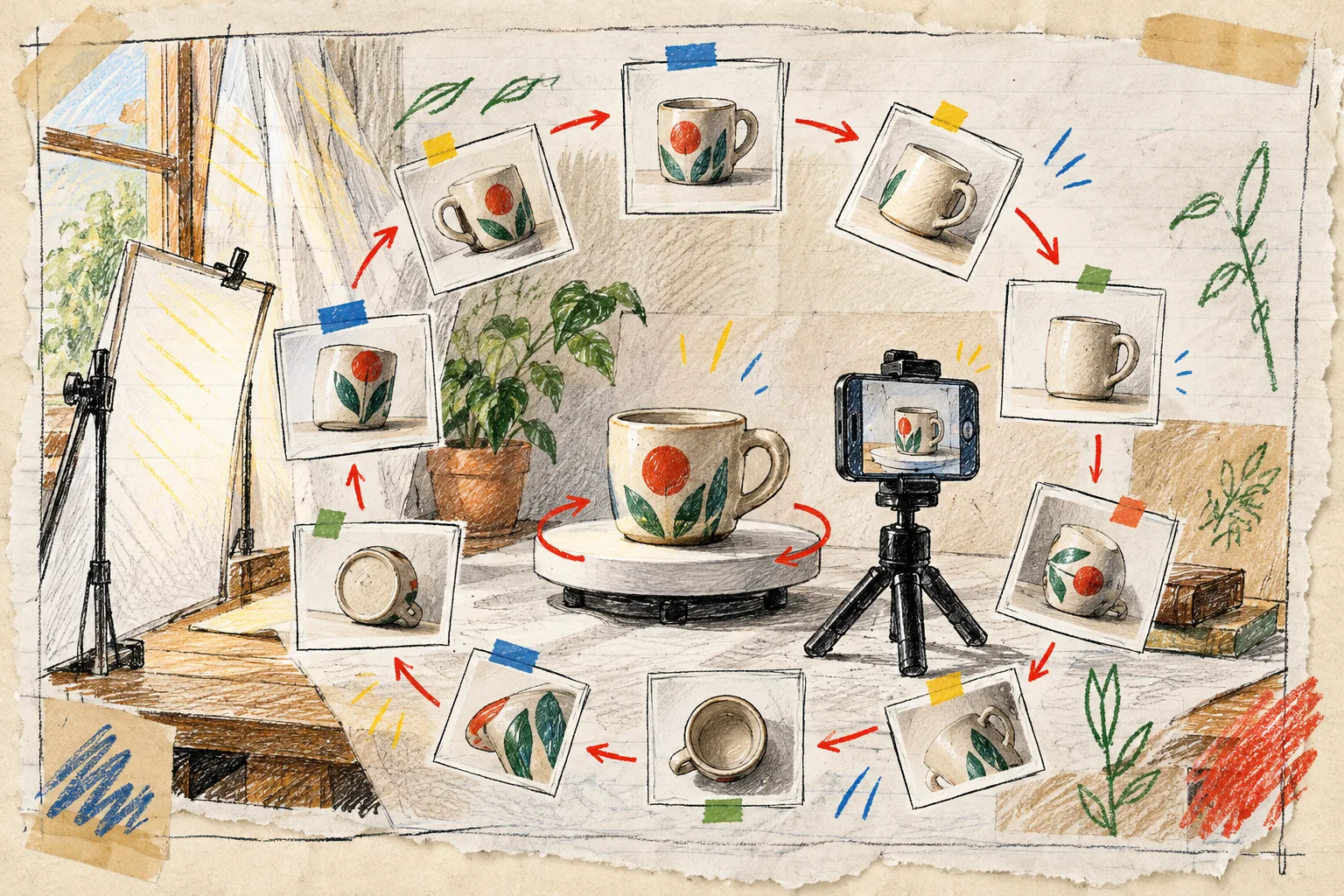
I start with a regular smartphone, not specialist equipment. The app is designed for guided phone capture and does not require LiDAR or prior 3D modeling experience. If the image looks uneven on the phone, fix the light before trying again; this phone-lighting setup note has the practical basics.
A capture session should answer one question: can a shopper rotate this model and understand the product better than they could from the existing gallery? If the answer is not obvious, revise the photos or pick a simpler pilot SKU.
Publish where the shopper can use it
After processing, the useful output is a web-ready GLB rather than another asset stranded in a drive. With Supra 3D Capture, merchants can publish the model into Shopify product media for the native 3D viewer when the theme supports it, or place it with the dedicated Online Store 2.0 theme app block.
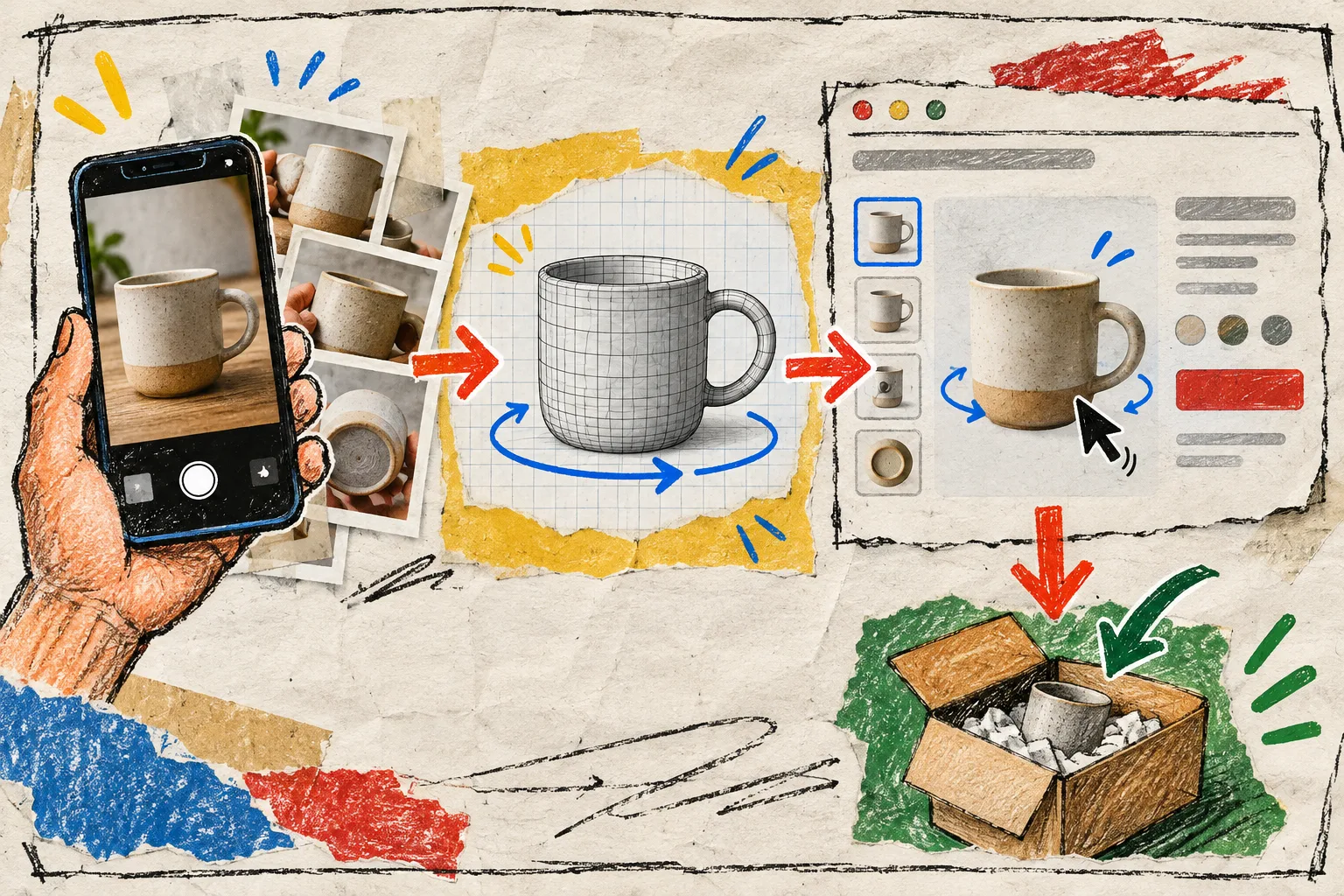
Before I call the experiment complete, I check three things on an actual product page:
- The model loads comfortably on mobile and desktop.
- The product still has clear photos, dimensions, and variant information; 3D supports those basics rather than replacing them.
- The rotating view makes a real detail easier to judge.
That final check connects the capture work to product-page engagement and customer confidence without making an invented promise about conversion or returns. If customers have fewer reasons to guess about shape and proportion, the page has done a better job of setting expectations.
For the broader decision framework, revisit how to plan Shopify 3D capture for products that need it.
Start with one useful model
My next action is simple: pick five SKUs, score them in the four columns, and schedule one 20-minute capture session for the winner. Start with the free tier if you want a bounded test; it includes three scans per month, one saved model, Shopify-native publishing, and the theme app block.
A small pilot produces a much better 3D roadmap than a vague commitment to make the whole catalog interactive. Open Supra 3D Capture when you have the winning SKU, a steady surface, and a phone ready to orbit it.