

I used to treat a working Etsy feed as a finished project. The feed was connected, the first import appeared, and I mentally crossed it off. Then I changed a price, added a color, paused a listing, or enabled personalization—and remembered that a live catalog can still drift quietly from the storefront.
That is why I now run a small drift check after meaningful Etsy listing changes. It takes less time than repairing a tagged post that sends someone to the wrong variation. Catalog Generator for Etsy is useful here because it reads the Etsy shop and creates the live feed; it does not edit Etsy for you. I keep the source of truth in Etsy and use the check to confirm the downstream catalog is telling the same story.
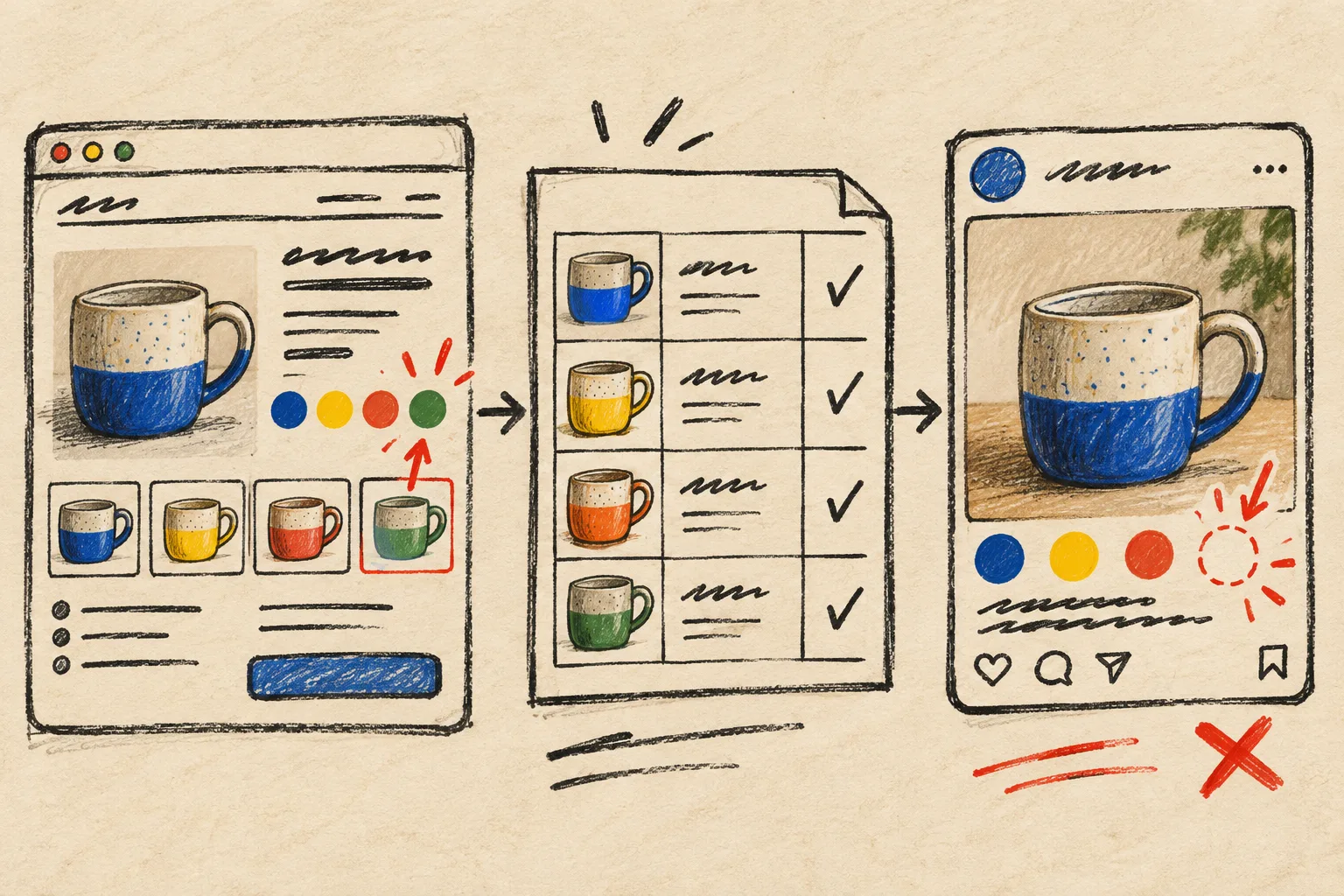
I start with a deliberately awkward sample
I do not inspect the easiest listing in the shop. I choose three listings that could expose a bad handoff:
- One item with a price or stock change.
- One item with real variations, such as color or size.
- One personalized or made-to-order item.
That third card matters. Catalog Generator says each priced variation becomes its own row with the right price and availability, while personalization can be handled as a feed setting. That is excellent, but it means the most useful test is not a plain mug with one price. Test the listing that makes your normal process squirm a little.
Before I look at the feed, I write four facts from Etsy beside each sample: displayed title, main image, purchasable variation and price, and availability. I am not building a spreadsheet; I am making a tiny comparison card. If the Etsy listing itself is unclear, I fix it there first. My recent variation audit before a bulk Etsy edit is the same basic rule: a clean downstream check cannot rescue a confusing source listing.
Then I check the feed’s boundaries
A feed can be correct and still be configured for the wrong slice of the shop. Catalog Generator lets you choose whether draft or inactive listings appear, expand variations, and decide how personalization is handled; those choices live in the feed URL. So my next question is not simply, “Did it import?” It is, “Did it import the catalog I intended?”
For a normal retail-facing catalog, I expect active, purchasable products and their price-bearing variations. If I have deliberately included a special set for a campaign, I make that choice explicit in my notebook. The dangerous state is an old test setting that becomes invisible because the catalog looks mostly fine.
This is also a good moment to revisit the basic plumbing. If you need a setup refresher, my feed-first Etsy catalog note walks through the domain and Commerce Manager sequence. For a sharper pre-sale version, this Etsy product-feed audit has a useful seasonal lens.

My four-point drift check
Once the catalog has had a chance to re-fetch the feed, I compare the same three samples in the destination catalog. I check only four things:
- Identity: Does the title make it obvious which Etsy item this is?
- Image: Is the primary image the one a shopper will recognize?
- Commercial reality: Do the visible price and availability match the purchasable Etsy option?
- Choice: Are the expected color, size, or other priced variations present?
I do not try to make the catalog prettier during this pass. I am looking for drift: old prices, a missing variation, an unexpected inactive item, or a personalization choice that no longer makes sense for product tagging. If one thing is off, I trace it in order—Etsy listing, feed settings, then catalog refresh—rather than editing the destination catalog by hand. A hand fix feels fast until the next scheduled pull overwrites it.
I finish where shoppers actually land
The final check is a tiny real-world test. I open one product from the catalog or a draft tagged post and follow it through to Etsy. I want the selected product to make sense without my internal context: same image family, plausible option, current price, and a listing that is available to buy.

This last step is what turns a technical sync into a merchandising check. The feed can be valid while a shopper still sees a confusing card. I learned to respect that difference while setting up the first connection; this Etsy-to-Instagram feed walkthrough is a useful companion if you are still getting the basic catalog live.
Keep the ritual small enough to survive
I run the full check after a seasonal refresh, a bulk price edit, a variation restructure, or a change to feed settings. Between those moments, one changed listing is enough. The point is not to inspect every row forever. It is to catch the kind of drift that makes a social catalog quietly less trustworthy than the Etsy shop.
If you are still uploading product files by hand, start a Catalog Generator for Etsy free trial, connect one clean section of your shop, and put a three-listing drift check on the calendar for the first scheduled refresh. A live feed earns its keep when it remains boring after the listings change.