
How I Turn One Shopify Product Into a UGC Ad Testing System
I used to think UGC creative meant commissioning one decent video and hoping it did the job. In practice, that usually meant I got one angle, one hook, and one edit path, then I spent the next week wishing I had tested the other three ideas first.
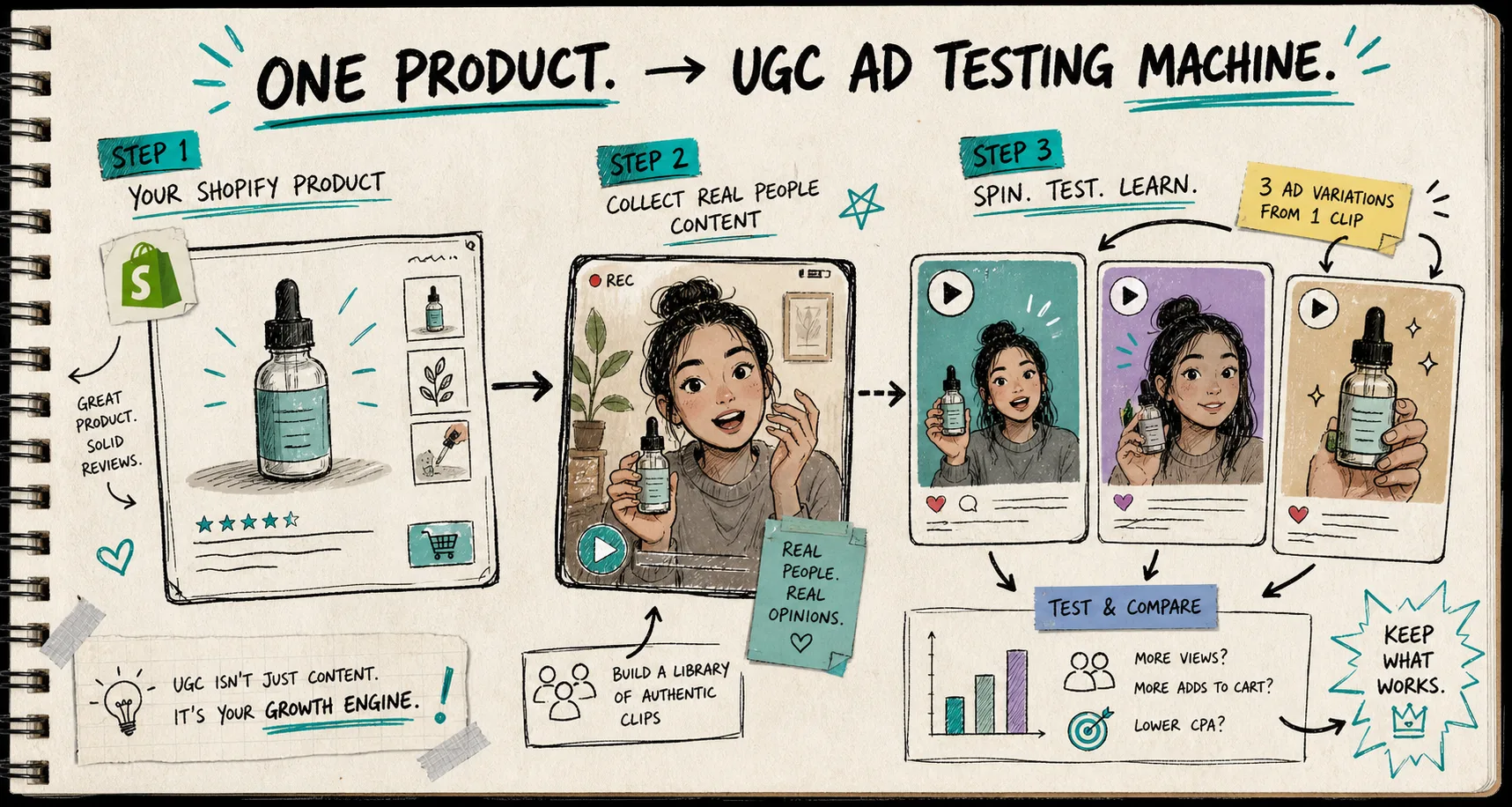
That is why I now start with a single Shopify product and build a small testing system around it. With Supra UGC Maker and the Shopify App Store listing, I can choose an avatar, set a scene, add the product, write the script, and generate reusable video variations without restarting the whole workflow every time.
Start With the Test, Not the Edit
I do not begin by trying to make the “best” video. I begin by deciding what I need to learn.
For most Shopify products, the useful questions are boring in the best possible way:
- Which hook gets people to stop scrolling?
- Which avatar feels credible for this product?
- Which scene makes the offer look normal and usable?
- Which CTA gets the click without sounding forced?
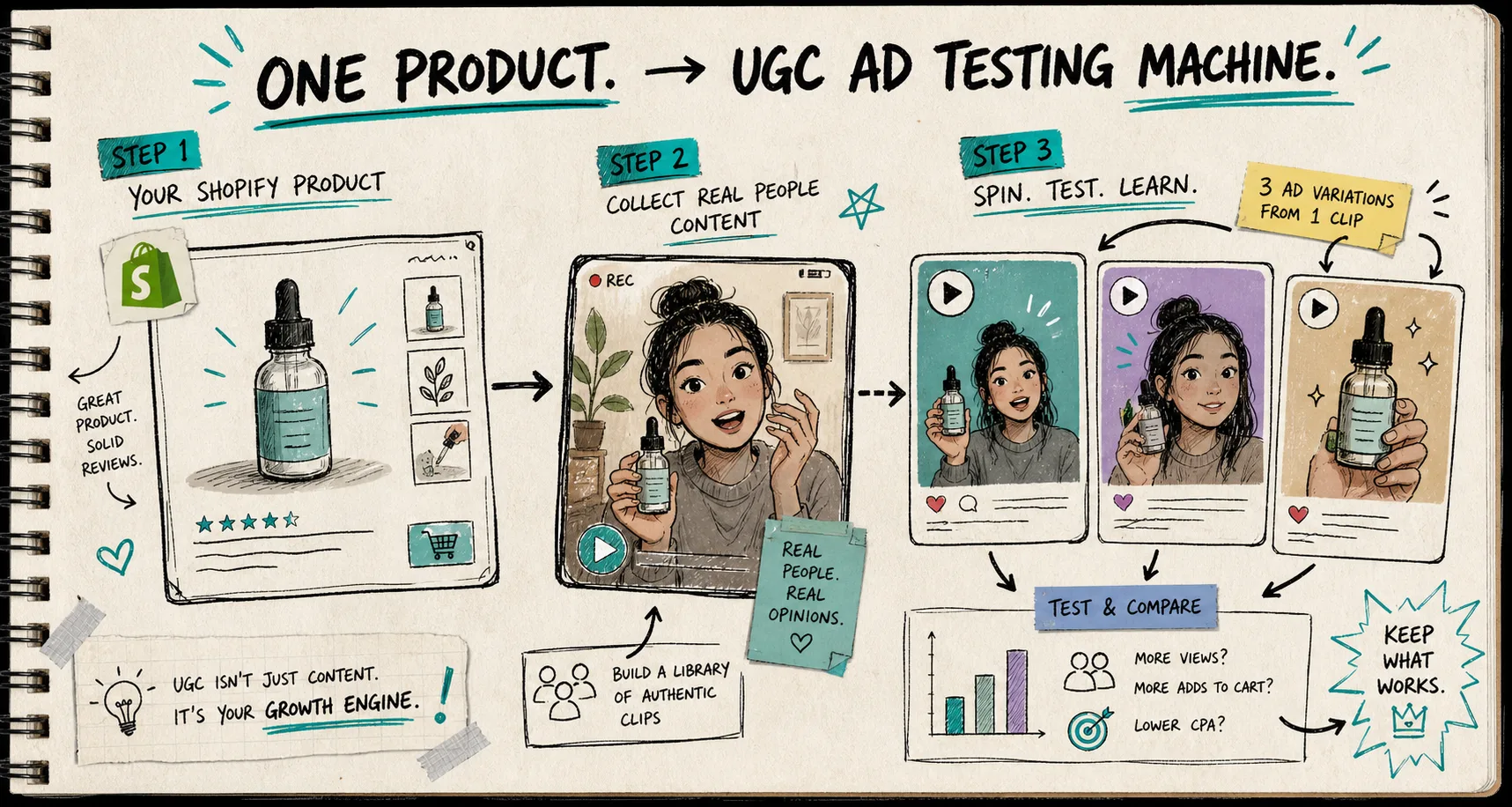
That is the point where a lot of teams waste time. They treat creative as a final polish problem when it is really a testing problem. If I do not know what I am trying to prove, I cannot tell whether a variation actually worked.

The matrix above is how I keep myself honest. I separate the variables before I generate anything. Hook, avatar, scene, and CTA are the four inputs I care about most because they change the video without forcing me to rebuild the whole idea.
The Small Workflow That Holds Up
Supra UGC Maker is useful to me because it keeps the workflow tight instead of sprawling. I can choose a preset avatar or create a custom AI model, pick a scene or background, add the Shopify product, write the script, choose the voice and tone, and generate UGC-style video segments. Then I can preview the scene, reorder clips, trim them, update them, regenerate what is weak, and save the whole thing as a reusable project.
That matters because the problem is rarely the first draft. The problem is having to start over every time the hook changes.
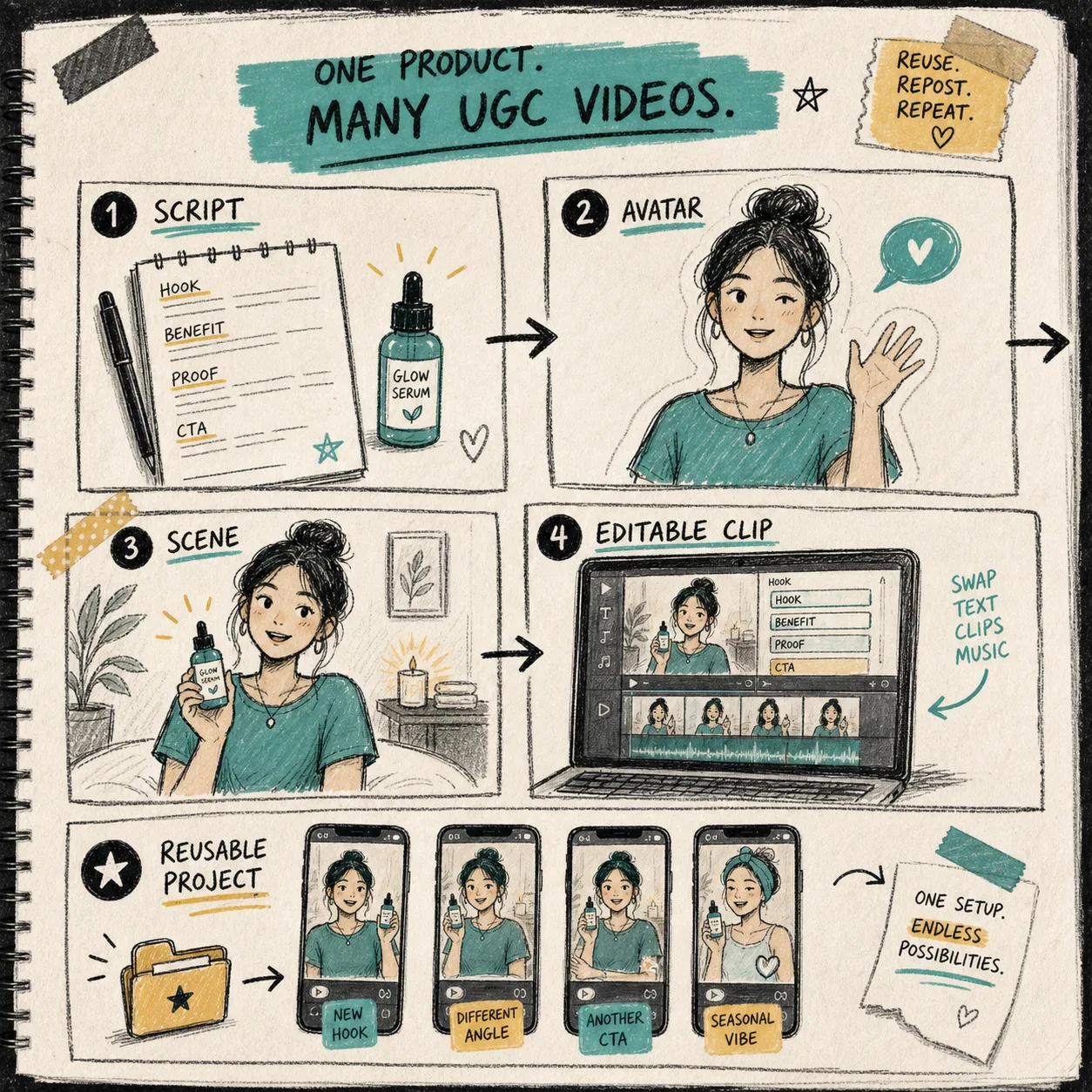
This is also why I like the product’s “reuse the project” model. Once the first version is built, I can swap the hook, adjust the CTA, or change the scene without rebuilding the asset stack. That is much closer to how I actually work when I am testing ads, product-page clips, launch teasers, or seasonal promos.
If you want the broader version of this idea, I would read How to Create UGC-Style Product Videos for Shopify Without Hiring Influencers first. Then I would move to How I Build a Shopify UGC Launch Kit From One Brief, How I Turn Buyer Questions Into Shopify UGC Video Variants, How to Build a Shopify UGC Workflow That Reuses Every Clip, and How I Keep Shopify UGC Videos On-Brand Without Refilming Every Time. Those posts are the same thinking from different angles: make the creative smaller, faster, and more reusable.
The First Three Variations I Usually Make
When I have one product and one promise, I usually build three kinds of clips first.
1. Problem-Led
This is the most direct version. The avatar opens with the pain point, then shows the product as the obvious fix. It is useful when the product solves a clear annoyance and I want the ad to feel immediately relevant.
2. Objection-Led
This one works when the shopper hesitates. Maybe the product feels too specialized, too expensive, or too hard to trust from a static listing alone. The script answers the doubt before the CTA arrives.
3. Offer-Led
This is the version I reach for when the promotion matters more than the story. It works well for launches, seasonal pushes, and time-sensitive campaigns where the viewer needs a reason to move now.
I do not try to make every variation equally clever. I try to make each one answer a different question. That gives me cleaner readouts when I look at performance later.
Where I Actually Use the Clips
The nice part about UGC-style video is that it does not have to live in one place.
Supra UGC Maker is positioned for ads, product pages, launches, email campaigns, and seasonal promotions, which is exactly how I think about it too. A strong clip can start as a paid social test, then get reused on the product page, then show up in email, then get trimmed again for a seasonal promotion.
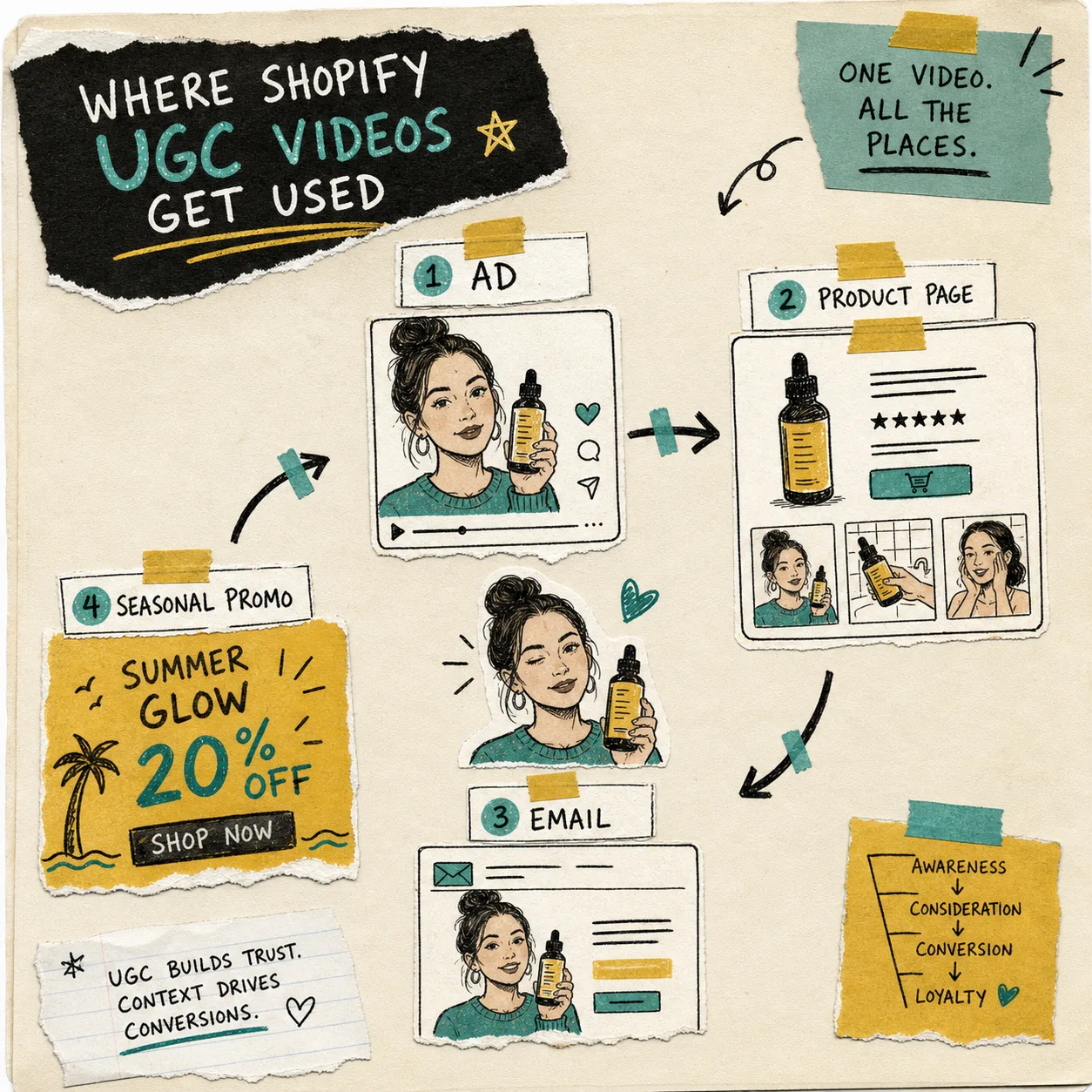
That is the workflow I trust: one product, multiple placements, different cuts for different jobs. I do not want the product-page video to behave like the ad, and I do not want the launch teaser to carry the same burden as the email clip. Each placement needs its own job description.
I also like that the app says it works with Shopify Admin, AI image models, AI video models, GPT-Image, Nano Banana, Seedance, and Veo3. That matters because the practical goal is not “use one tool forever.” The practical goal is to keep the creative loop moving fast enough that I can test more ideas before the market gets stale.
What I Keep Manual
Automation helps me move faster, but I still keep judgment in the loop.
I still decide which claims are worth saying out loud. I still decide whether the video needs to feel more product-forward or more creator-forward. I still decide when a script sounds too polished and when the scene needs more context. The product can generate the pieces, but I want the final call on what the shopper should actually believe.
That is also where I see the real value of this kind of tooling. It is not about replacing creative direction. It is about making the direction cheap enough to test.
The Short Version
If I have one Shopify product and I want better UGC results, I do not start by chasing a perfect ad. I start by building a repeatable test matrix: a hook, an avatar, a scene, and a CTA. Then I use Supra UGC Maker to generate the variants, trim the weak parts, and keep the best clips alive across ads, product pages, email, and launch work.
If you want to try the same workflow, start with the Supra UGC Maker landing page or the Shopify App Store listing, make one product the center of the test, and build from there. That is the next step that actually changes output instead of just changing the workflow.