

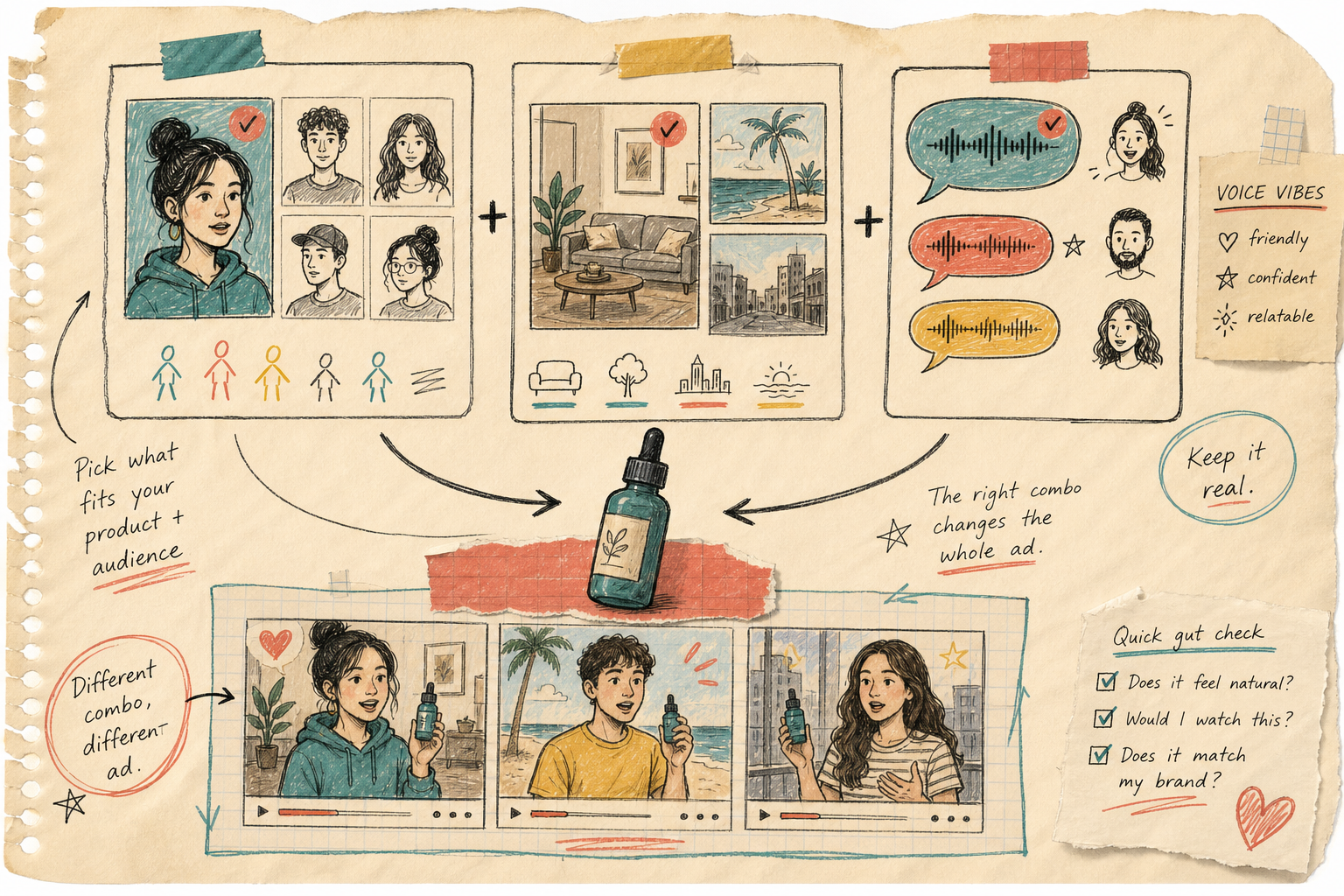
I kept trying to make one UGC video do the work of a whole campaign. That was the wrong unit. The useful unit is a reusable scene library: one product, a few avatars, a few backgrounds, a few voice tones, and scripts you can swap without rebuilding the whole clip.
Supra UGC Maker is the first Shopify app I’ve seen that matches that mental model. It lets me choose or generate an avatar, set a scene, feature a product, write a script, pick a voice or tone, then generate the segment. The part I care about most is that I can preview, reorder, trim, update, and regenerate clips inside the same project. The Shopify App Store listing says the same thing in cleaner product language, but this is the practical version: I can keep the working pieces together instead of starting from zero every time.

What I Mean By A Scene Library
I do not mean a giant pile of videos. I mean a small, reusable set of building blocks that I can keep reaching for when I need a new ad, a product page clip, or an email teaser.
For me, the useful pieces are:
- one product reference I trust;
- one or two avatar styles that match the brand;
- a few scenes that fit the category;
- a default voice or tone I can reuse;
- scripts that swap the hook without changing the whole structure.
That is the difference between making a single ad and building a system. A single ad is nice. A system is what lets me test faster when the first idea is only half right.
This is also why the product’s ability to save reusable projects matters. If I can keep the avatar, scene, script, and product reference in one place, I can come back later and create a new variation without rebuilding the setup from memory.
The Inputs I Keep Stable
I do not think every part of a UGC video should be treated as variable. That is how you end up with a messy pile of one-offs.
The stable parts are usually the ones that carry brand memory:
- The product itself. I want one reference that stays consistent, especially if the product has a specific shape, finish, or color.
- The avatar family. I am fine changing the person later, but I want the first set of videos to feel like they belong to the same brand voice.
- The scene family. A studio, a boutique, an outdoor setting, or a seasonal backdrop can all work, but I do not want every clip to feel like it came from a different company.
- The voice or tone. Friendly, confident, calm, or more promotional all change how the same product reads.
The point is not to freeze everything. The point is to keep enough constant that I can judge whether the hook works. If the avatar, scene, and voice are all changing at once, I do not know what actually moved the result.
The Parts I Vary On Purpose
Once the base is stable, I can start changing the parts that usually drive performance.
The first thing I vary is the script hook. One version can start with the buyer objection. Another can start with the use case. A third can start with the result. That is usually enough to make the same product feel like three different ideas.
Then I vary the scene if the category needs it. A product demo can stay in a simple studio. A lifestyle product may need a home, outdoor, or boutique setting. A seasonal promotion may need a more specific background so the clip feels current instead of generic.
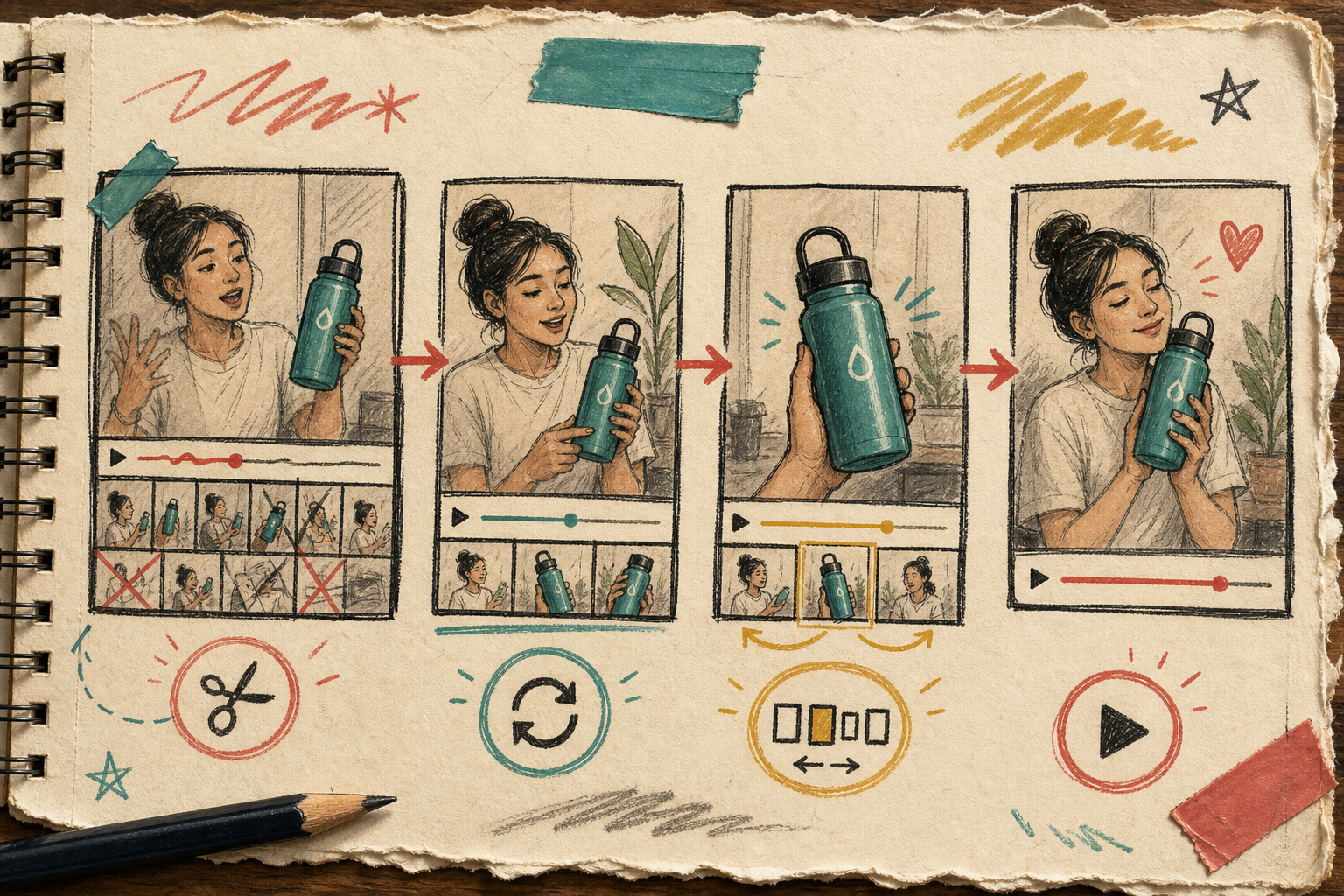
Finally, I vary the cut itself. Supra UGC Maker supports trimming, updating, reordering, and regenerating clips, which is the exact kind of control I want after the first pass. I am not looking for a magic button. I am looking for the ability to sharpen the useful part and throw away the weak part without restarting the project.
That small difference matters. It lets me stay in the same workflow long enough to make a second and third version that are actually worth comparing.
Where I Would Use The Output First
I would not try to use the same video everywhere on day one. I would start where speed and clarity matter most.
- Paid social ads, where I want multiple hooks fast.
- Product page videos, where the goal is to explain the product without a long production cycle.
- Email campaigns, where a short teaser can create a better click than another static image.
- Launch pages, where I need more visual proof around a new offer.
- Seasonal promos, where the same product needs a different mood without a reshoot.
That use-case spread is exactly why I keep coming back to UGC-style video. It is not just an ad format. It is a content system that can travel across the funnel.

That is also why this post sits naturally next to How I Build a Shopify UGC Launch Kit From One Brief, How to Turn One Product Brief Into 5 Shopify UGC Videos, How I Build a 24-Hour UGC Ad Test Matrix for Shopify, and How to Build a Shopify UGC Workflow That Reuses Every Clip. Those posts are all about the same job from slightly different angles: get more learning out of one product before you burn time on a new shoot.
The First Pass I Would Repeat
If I were setting this up again from scratch, I would keep it small.
- Pick one product that needs more video.
- Write three scripts that attack it from different angles.
- Keep the avatar and scene families limited on purpose.
- Generate the first cut and preview it before touching anything else.
- Trim, update, or regenerate only the weak parts.
- Save the successful project so the next version starts closer to the finish line.
That is the workflow I trust. Not because it makes a perfect video on the first try, but because it makes the second try cheap enough to matter.
If I want the video to feel less generic, I need to control the reusable parts instead of rebuilding every clip from scratch. That is where Supra UGC Maker is useful to me. It lets me keep the product, avatar, scene, script, and tone together long enough to make better decisions.
If you want to see whether that fits your own workflow, start with the Supra UGC Maker landing page or compare it with the Shopify App Store listing. My next move would be simple: choose one product, build one reusable scene library, and test three hooks before I ask for anything bigger.