
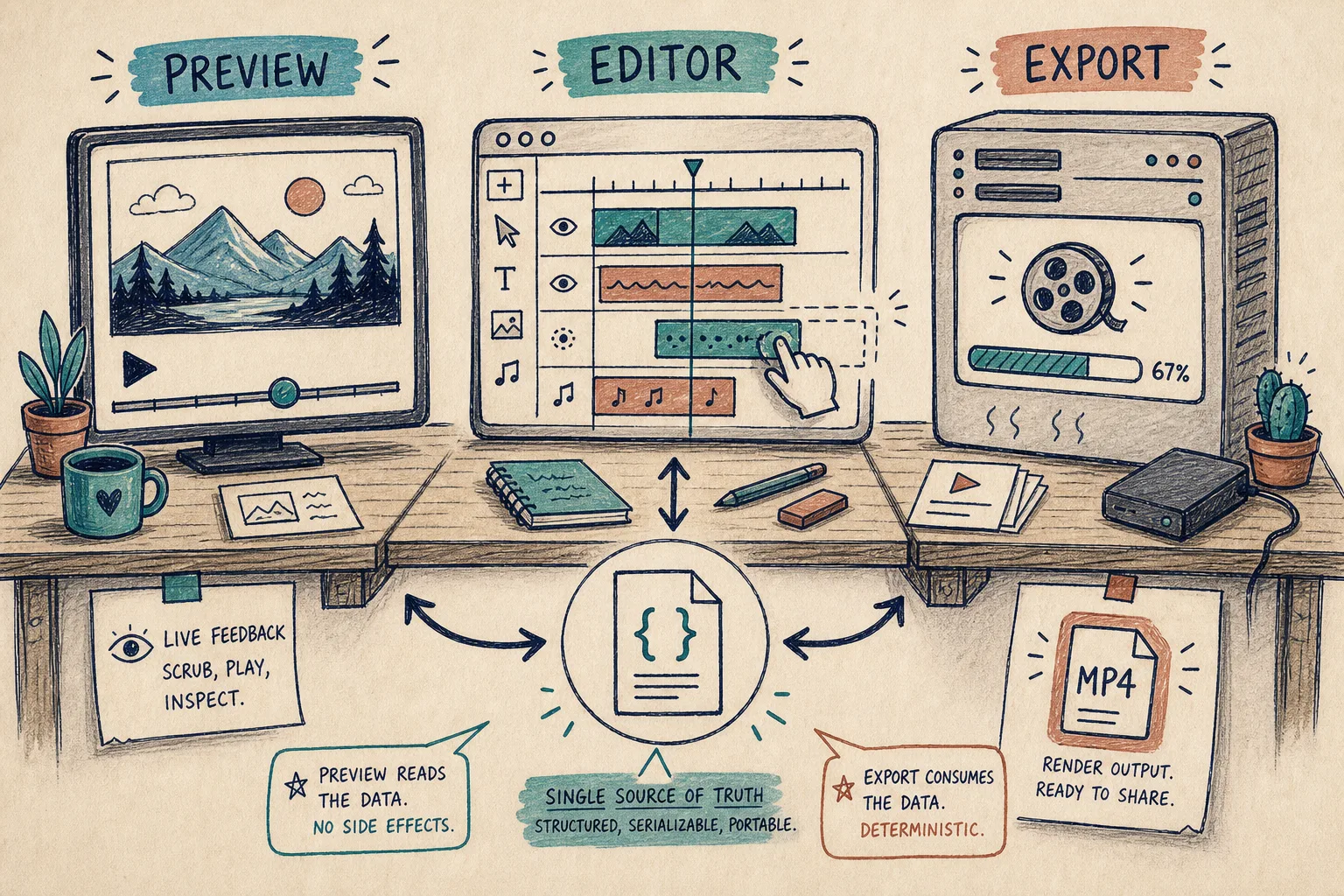
I kept running into the same problem with programmatic video: the preview was right, the editor was right, and the MP4 was subtly wrong. The fix was not more tooling. It was deciding that one video scene should stay portable while preview, editing, and export remain separate jobs.
That is the part I keep coming back to with VideoFlow. The core package gives me a TypeScript way to author video, compile it to portable VideoJSON, and then hand that same structure to different renderers instead of rebuilding the project around a single UI. If I want an editor, @videoflow/react-video-editor sits on top of the same scene data instead of becoming a second source of truth.
If this sounds familiar, I have already seen the same pattern in How I Keep One Video JSON Working Across Three Renderers and How I Build a Portable VideoJSON Workflow for Preview, Edit, and Export. This post is the version-control angle: how I keep the template stable enough to live in Git without freezing the editor surface.
The split I want
I want four things, and I want them to stay separate:
- one source of truth for the scene
- one preview path that is cheap to inspect
- one export path that can be browser-side or server-side
- one editor surface that mutates the same scene without redefining it

That split matters because it keeps the system honest. The preview can be fast. The export can be reliable. The editor can be useful. But none of those layers should own the meaning of the scene.
VideoFlow gives me that split in a clean way: @videoflow/core for authoring, browser and server renderers for output, DOM preview when I need a live scrubber, and the React editor when I need a real editing surface. The core is open source, the renderer split is explicit, and the JSON contract is portable enough to review without opening a UI.
Why I keep the contract in Git
Once the scene is JSON-shaped, I can treat it like code. I can diff it, branch it, review it, and roll it forward without having to remember which timeline owns which edits.
That is the practical reason I prefer a structured scene over a loose editor state. A human can still work visually, but the underlying artifact stays serializable and versionable. The project keeps one contract, not three hidden copies.
import VideoFlow from '@videoflow/core';

const flow = new VideoFlow({
  name: 'Launch teaser',
  width: 1920,
  height: 1080,
  fps: 30,
});

flow.addText({
  text: 'New feature',
  fontSize: 72,
  fontWeight: 800,
});

const videoJSON = await flow.compile();
The code itself is simple on purpose. What I want is a scene that can be compiled once and reused in more than one place. That is also why I like the builder API in VideoFlow: it keeps the authoring step explicit, and it produces a portable project that can be rendered later in different environments.
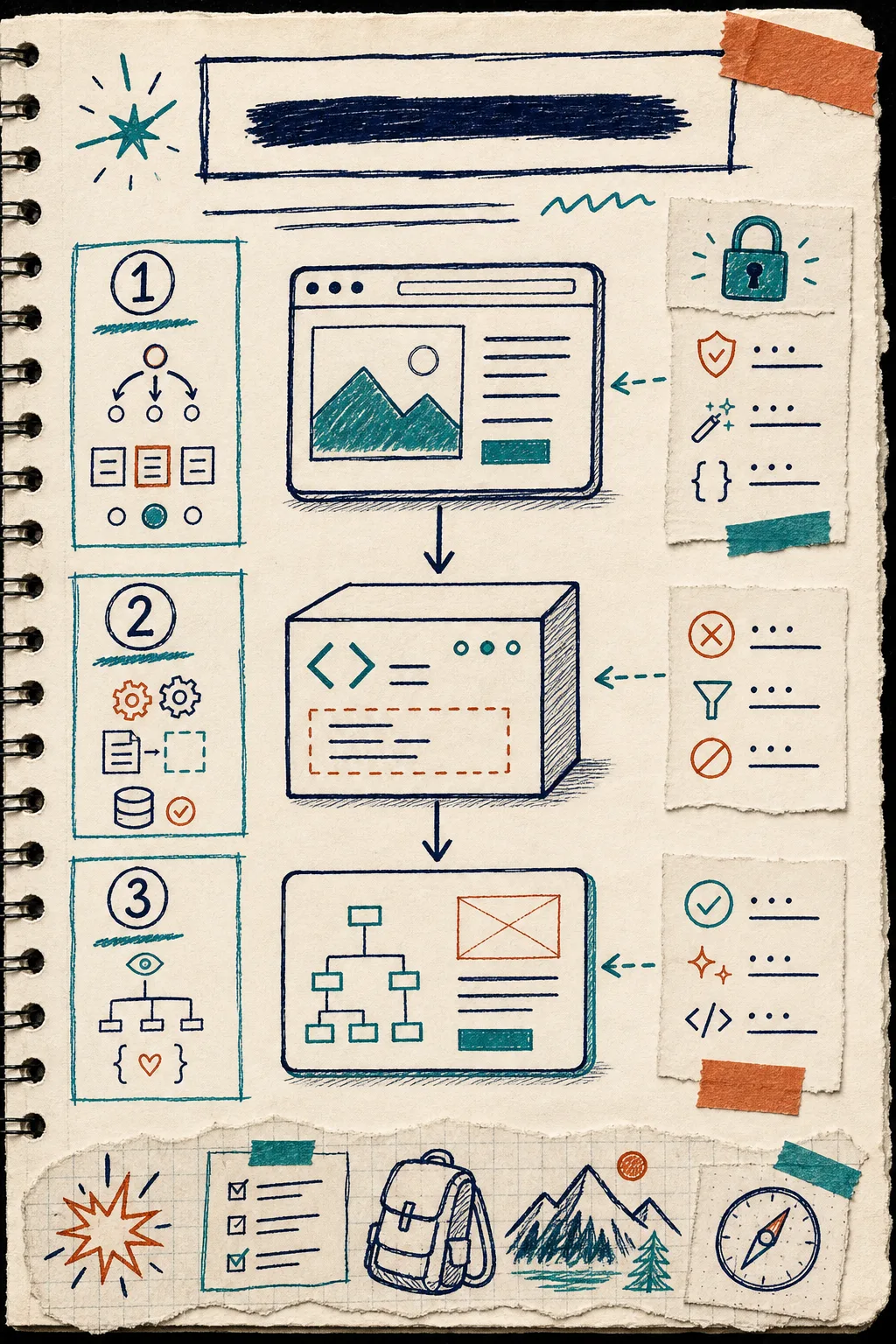
This is where I think How to Build a Video Template System Around a Single JSON Source of Truth still applies. The real win is not a fancy editor. It is having a contract that survives the next round of changes.
How I keep the editor thin
I do want a human-friendly editor. I just do not want the editor to become the renderer.
The React component is useful because it brings the practical stuff into one surface: multi-track timeline, drag and trim behavior, keyframes, upload callbacks, undo and redo, export, and theme control. That is enough to make the editor useful without letting it rewrite the rest of the stack. I would rather keep the editor narrow and the scene broad.
That is also the place where I would link to How I Add a React Video Editor to a JSON-First Video App if I were wiring this into a product surface. The important thing is the same in both posts: the editor should sit on top of the scene contract, not replace it.
If I need a reminder of why that matters, I look at How to Build a Three-Renderer Video Workflow With VideoFlow and How I Keep One Video JSON Working Across Three Renderers. Both are basically saying the same thing from a different angle: one scene, many consumers.
What I choose for each job
Here is the simple rule I use:
- Choose the browser renderer when I want export to happen client-side or I want low setup overhead.
- Choose the server renderer when I need queue jobs, batch output, or a controlled rendering environment.
- Choose the DOM preview when I want scrubbing, inspection, and a live authoring experience.
- Choose the React editor when a user needs to change the scene without touching code.
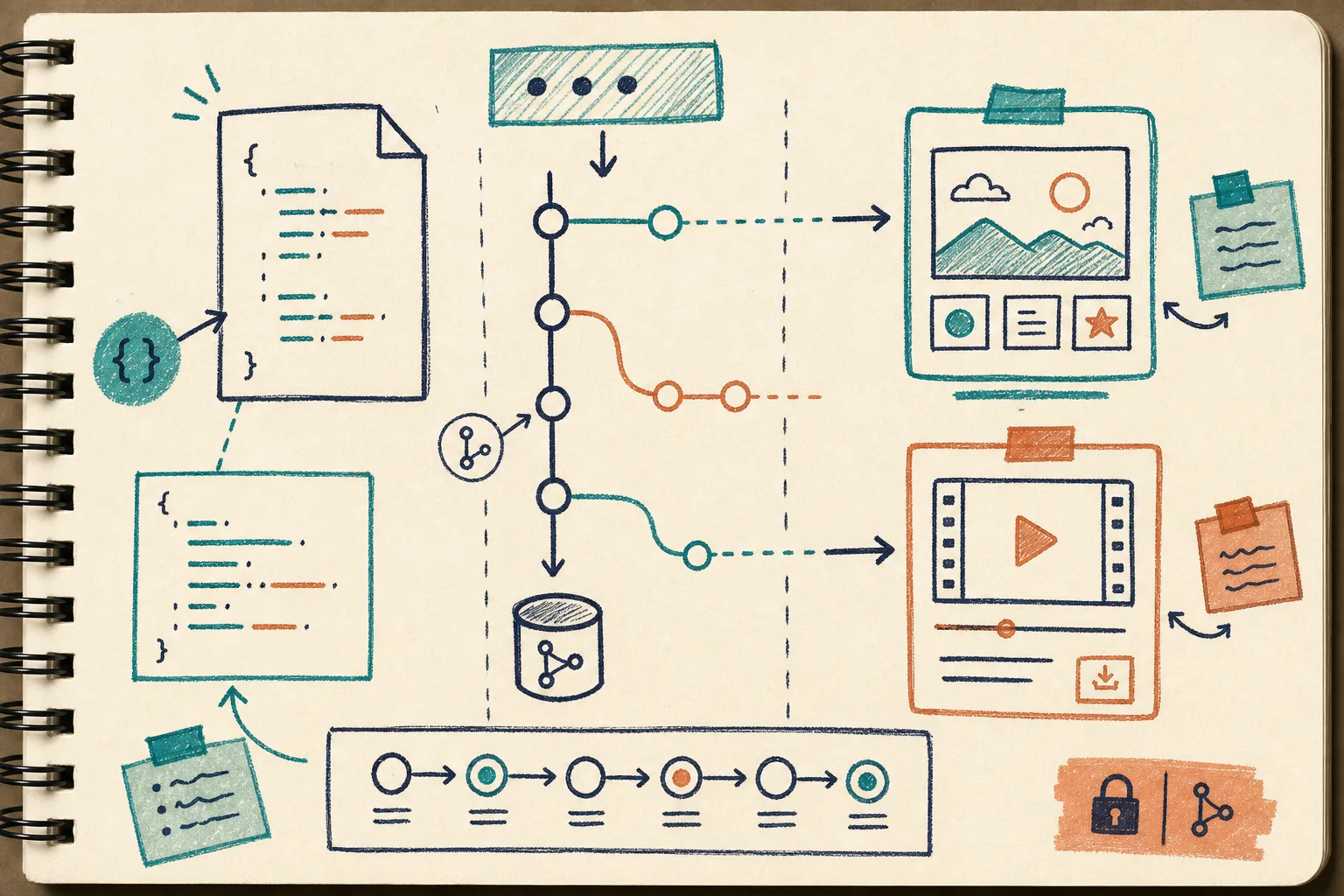
The nice part is that I do not need to change the scene to change the job. The render target becomes a deployment decision, not a format migration. That keeps the template useful for longer.
That is also where the product pages help: VideoFlow, docs, core docs, renderers docs, React video editor, playground, and examples. If I am checking how the pieces fit together, I want those open before I change the workflow.
The short version
I do not think the clean answer is to automate everything or to keep everything manual. The clean answer is to keep one portable scene and let each surface do one job well.
That means the core defines the video, the editor adjusts it, the preview verifies it, and the renderer turns it into output. Once that split is clear, version control becomes easier, collaboration becomes easier, and automation has something stable to work with.
If you are building this now, I would start with the VideoFlow docs, try the playground, and then decide whether the browser renderer, server renderer, or DOM preview is the right first target. Add the React editor only after the JSON contract feels stable.
That is the next step I trust: keep the template portable first, then make it editable, then make it fast.