

I used to think blog automation would either save time or flatten the voice. What actually worked was narrower: let the app handle the repetitive parts, and keep a human review loop around the claims, the CTA, and the product fit.
That is the shape I keep coming back to with Supra Blog Automation, the Shopify app I use when I want SEO-focused posts moving without turning the blog into a pile of generic drafts. It can generate a single post from a topic, goal, tone, and product context. It can also schedule recurring automations, keep the structure clean, and publish immediately or save as draft. The point is not to replace judgment. The point is to stop wasting it on the same boring setup work.
What I Let The App Do
The parts that are safe to automate are usually the parts that are tedious, repeatable, and easy to verify after the fact.
With Supra Blog Automation, I let the app handle:
- first-pass drafting from a real topic and product context,
- SEO structure with headings that actually make sense,
- internal links and product mentions where they belong,
- image generation when a post needs a visual anchor,
- and recurring publishing when I already know the cadence I want.
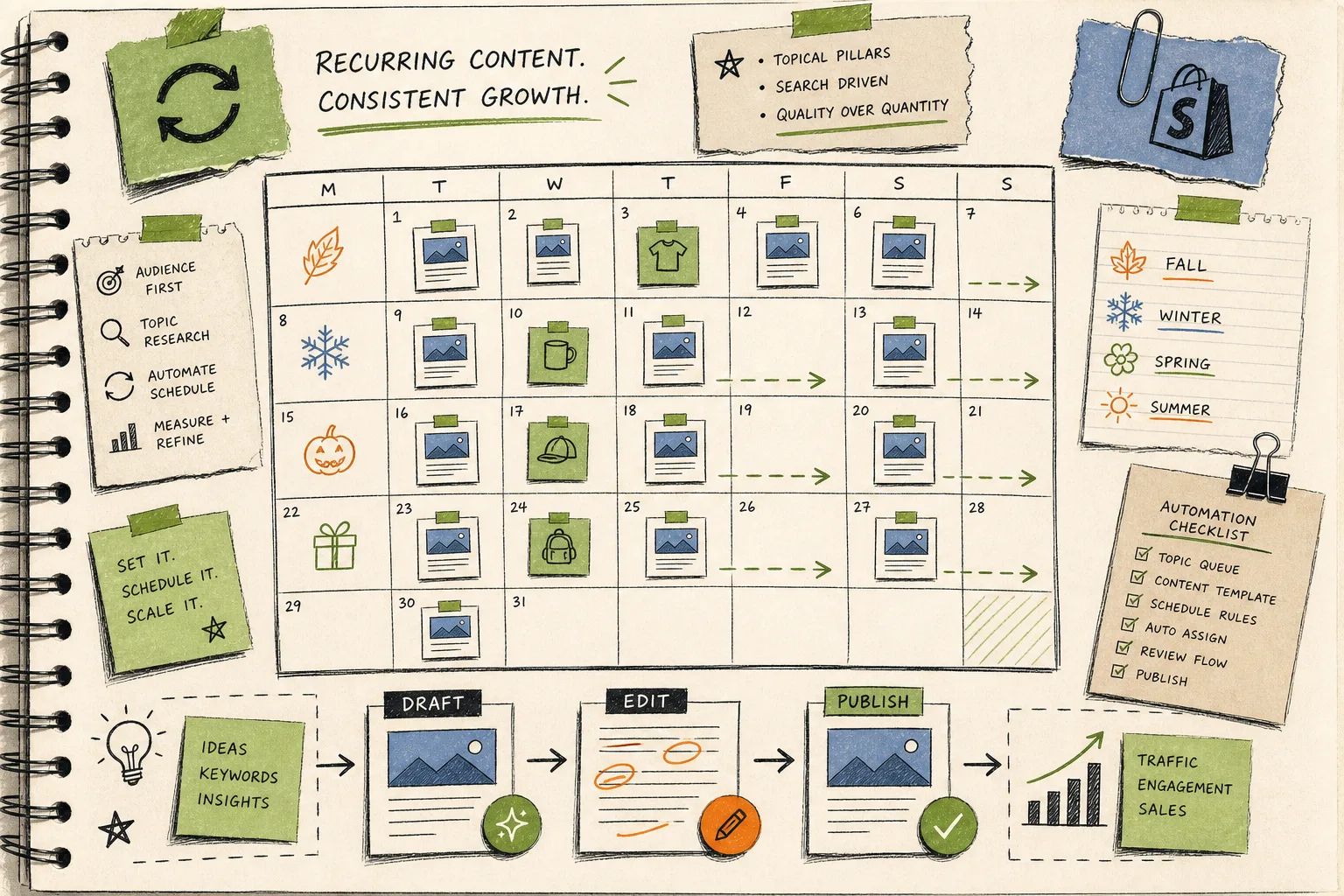
That last one matters more than it sounds. A lot of Shopify blogs die because every post starts from scratch. Recurring automations make the calendar feel like a system instead of a one-off project.
What I Keep Manual
This is the part that keeps the post from sounding like it was assembled by a content blender.
I still review:
- product claims and any specific feature language,
- the opening promise, because that has to match the reader’s problem,
- the CTA, so it points at the right next step,
- and any seasonal, compliance-sensitive, or brand-specific detail.
That division is basically the whole game. It is also the same reason I wrote How I Keep Shopify Blog Automation From Sounding Generic and How I Write Shopify Blog Briefs That Survive Automation. If the input is vague, the output is vague. If the review layer is lazy, the machine gets blamed for problems that started upstream.

The Inputs That Actually Work
I have better luck when I feed the app one of three things: launch notes, FAQs, or a collection-level idea.
That matches the pattern in How to Turn a Shopify Product Brief Into a Publishable Blog Draft and How I Build a Shopify Blog Queue From Launches, FAQs, and Collections. Those posts are really about the same operational trick: do not ask the model to invent the business context from thin air.
Launch notes are good when a product is new and I need a quick useful angle. FAQs are good when people keep asking the same thing and I want a post that answers it clearly. Collections are good when the blog needs to support product discovery without sounding pushy.
The app is most useful when the prompt already knows what the store is trying to sell and what the reader is trying to solve.

The Review Loop I Actually Use
This is the workflow I trust most:
- Pick a topic tied to a product, collection, or customer question.
- Generate the first draft in Supra Blog Automation.
- Read the first two paragraphs and ask whether the article opens with the reader’s problem.
- Scan the product mentions and internal links for accuracy.
- Tighten the CTA so it matches the article intent.
- Save as draft when I want a second pass, or publish when the piece is clean enough.
That is the same logic I described in How to Set Up Shopify Blog Automation With a Draft Review Loop. The review step is not there to slow things down. It is there so the automation can stay aggressive without becoming sloppy.
A lot of people think automation is about removing decisions. In practice, it is about removing the wrong decisions so the important ones still get attention.
Why The Blog Stops Sounding Generic
Generic AI posts usually fail in one of two ways. They either stay too broad, or they sound overconfident about things the store never actually said.
The fix is boring but effective: keep product context close, keep the structure useful, and keep the draft grounded in a real business goal. That is why How to Keep a Shopify Blog Active Without Generic AI Posts and How I Keep Shopify Blog Automation From Sounding Generic both land on the same conclusion. The quality is not coming from a magical prompt. It is coming from a tighter system.
Supra Blog Automation helps because it already gives you the pieces that matter for an ecommerce blog: SEO structure, internal links, product promotion, image generation, and the option to publish now or hold the draft for review. That combination matters more than a flashy one-shot writer.
The Small Payoff That Compounds
Once the workflow is bounded, the blog becomes easier to keep alive. Posts are easier to plan. The review loop is shorter. The calendar stops depending on whoever has time to write from scratch.
That is the real benefit of automation for a Shopify store: not volume for its own sake, but a steadier path from product changes to useful search content.
If you want to try the same setup, start with Supra Blog Automation and, if you want the app-store route, install it from the Shopify App Store. The free plan is enough to test the loop. Build one draft, review it, and decide where the automation should stop and your judgment should start.
That is usually enough to keep the blog moving without publishing blind.