
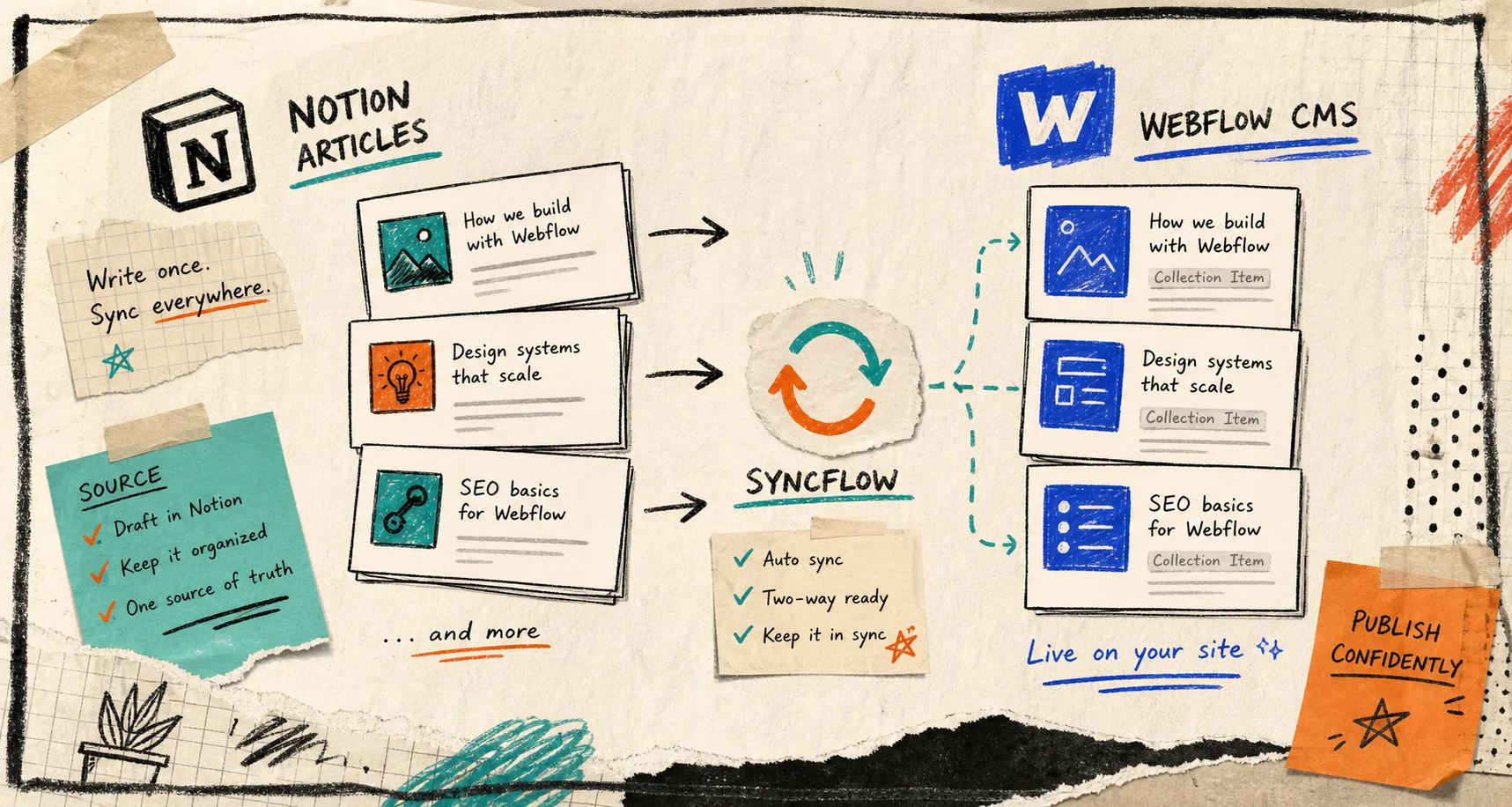
I keep running into the same problem: the post starts in Notion, but the site lives in Webflow. By the time I paste the content across, headings, images, links, and small formatting choices are already asking for a second pass. SyncFlow is the cleanest answer I have found for that gap. It syncs Notion articles directly into a Webflow CMS database, so the draft stays in Notion and the published page stays in Webflow.
That matters because I do not want a content pipeline that turns into a migration project. I want something closer to write once, map once, sync when ready. The product page at SyncFlow is basically that promise. If you want the moving parts, the page also links to a full tutorial and a trailer.
The part that usually breaks
The handoff is where most of the mess shows up. One person writes in Notion, another person cares about the Webflow CMS structure, and suddenly the team is doing tiny repairs by hand instead of publishing.
SyncFlow gives you a simpler shape for the work:
- Install it and connect Notion plus Webflow.
- Map a Notion database to a Webflow CMS collection.
- Run a sync, then decide whether the flow is ready for auto-sync.
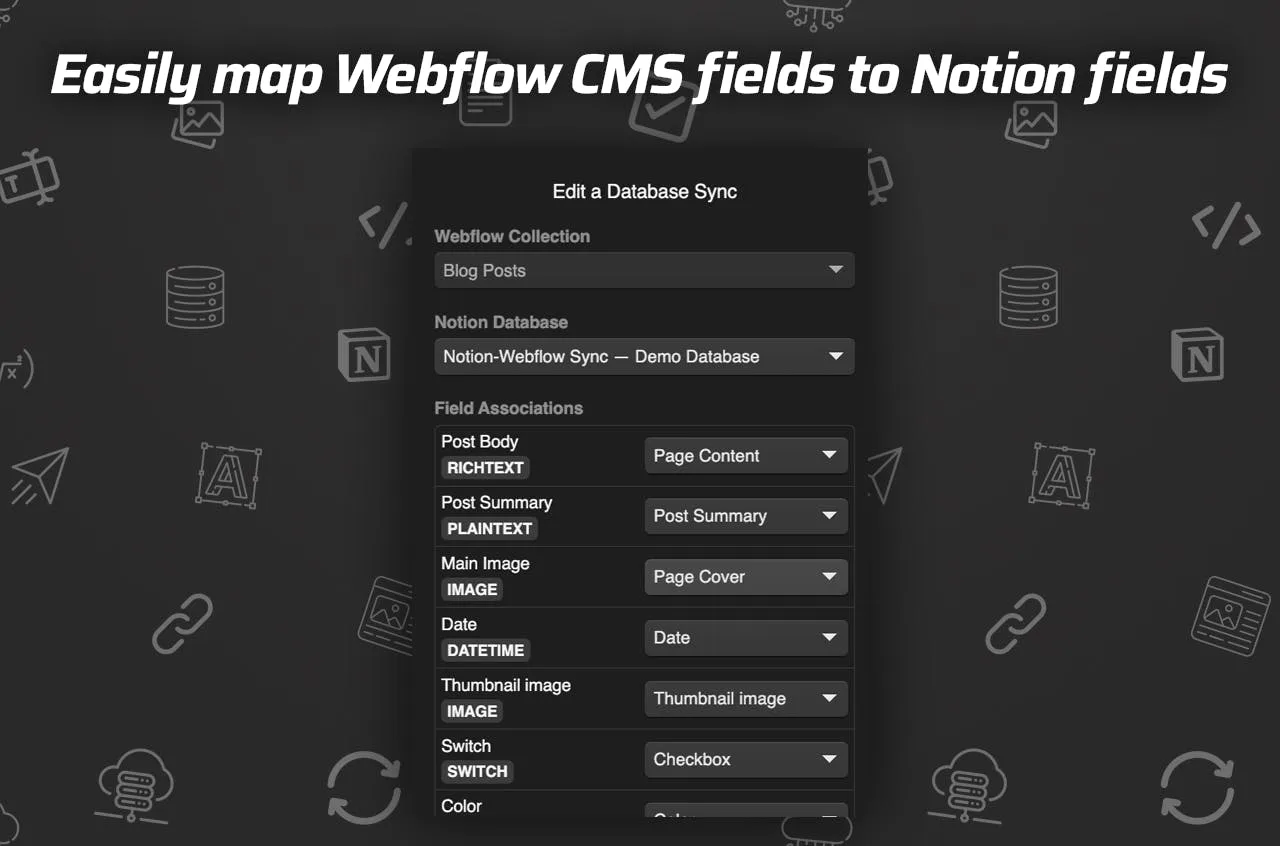
The screenshot I would show a teammate first is the field map, because that is where the system either stays clean or gets annoying.
What I map first
I start with the boring fields, because they are the ones that keep a content system usable:
- Title
- Summary
- Image
- Date
- URL
- Checkbox or status fields
If the CMS collection has those mapped cleanly, the rest is mostly editorial judgment instead of structural cleanup. After that, I care about the content that usually gets mangled by an export:
- Page links that should stay as real links between posts
- Code blocks that need readable highlighting
- TeX or math expressions if the article is technical
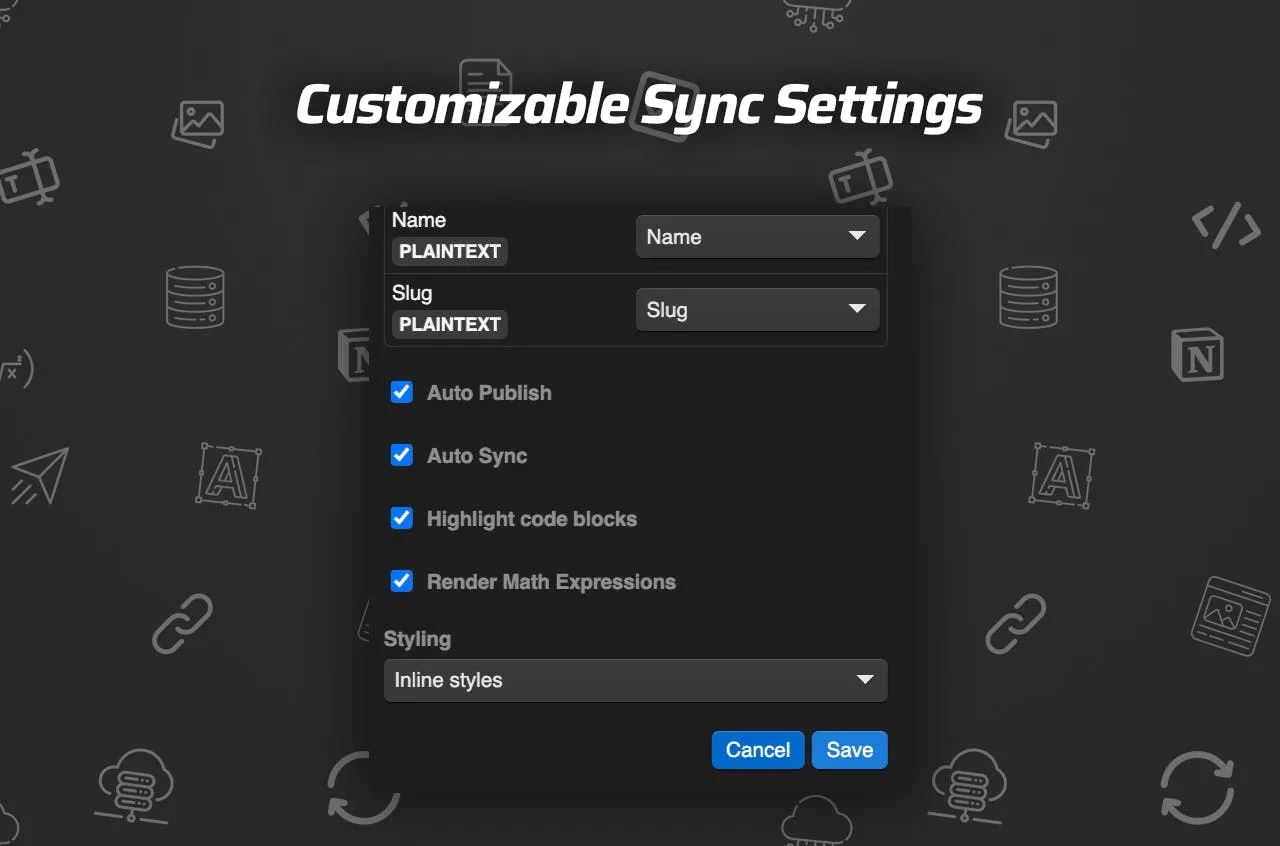
- Inline styling if I need it, or classes if I want cleaner Webflow control
That is the difference between a real sync and a brittle import. SyncFlow supports both inline styling and classes, so I can choose fidelity when I need it and control when I do not. It also auto-converts links between Notion pages into links between Webflow posts, which is the part that saves me from rebuilding the internal graph by hand.
The settings I keep on a short leash
I do not turn on every automation setting immediately. I start manually, prove that the field map is stable, and only then let the system take over the repetitive work.
The settings board is the mental model I like here: auto-sync is useful when the source database has settled down, manual sync is useful while the content model is still moving, and auto-publish only makes sense after the review step stops finding surprises.
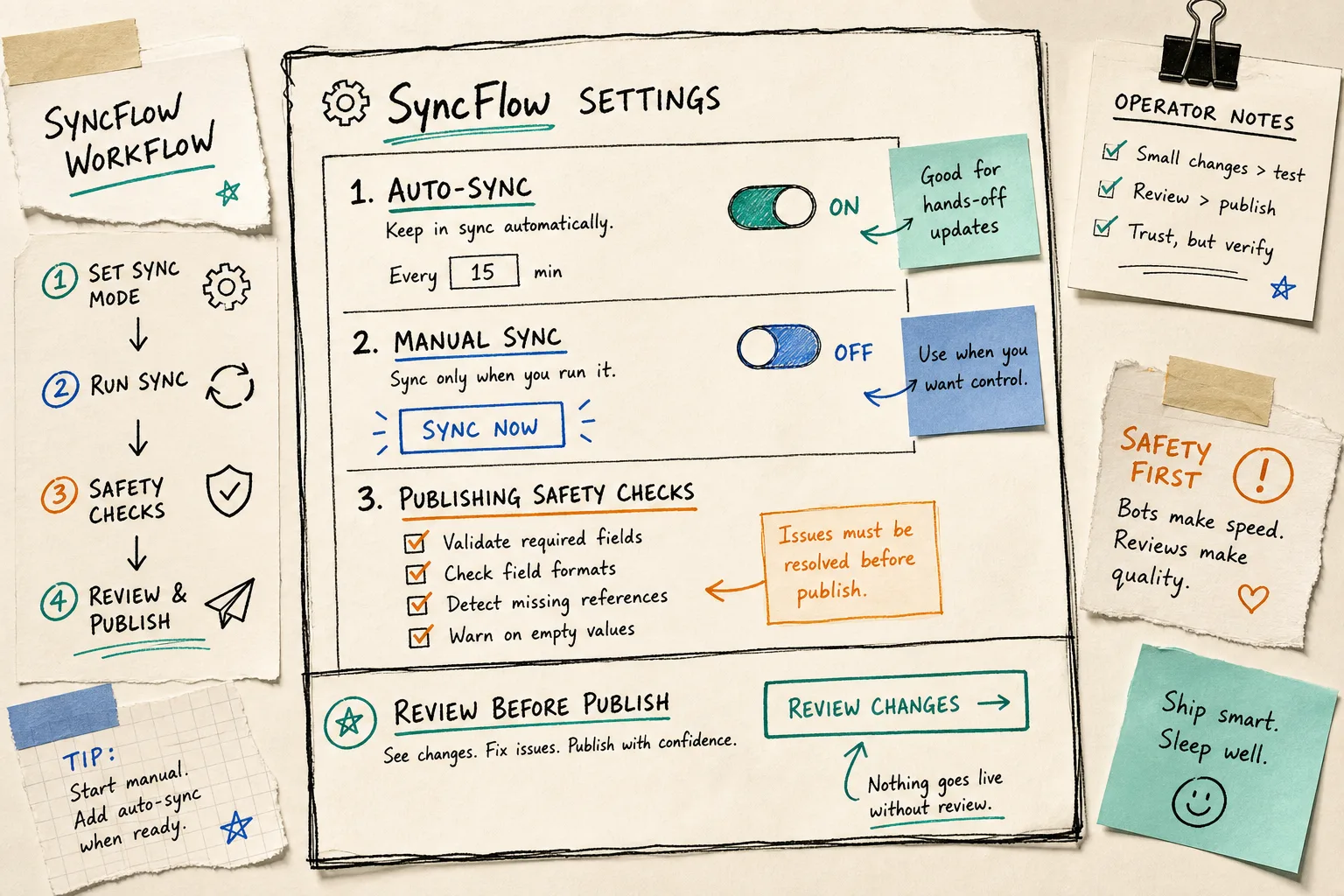
For existing databases, the full resync option is the safety rope. That matters more than it sounds. If you already have a Webflow collection live and you are trying to bring Notion into the loop without breaking older posts, you want a way to reconcile the whole set instead of pretending every record starts from zero.
This is also where a lot of my other workflow notes connect. The same review-first instinct shows up in How to Automate a Shopify Blog Without Generic AI Copy, How to Set Up a Shopify Blog Automation Workflow That Still Needs Review, How to Keep a Shopify Content Calendar Full Without Inventing Topics, and How to Audit a Webflow Site Before You Export It. Different tools, same rule: automation is only valuable when the review loop stays real.
The customize-settings screenshot is useful because it shows the same idea from another angle: you are not trying to eliminate judgment, you are trying to move judgment to the right place.
The review step I refuse to skip
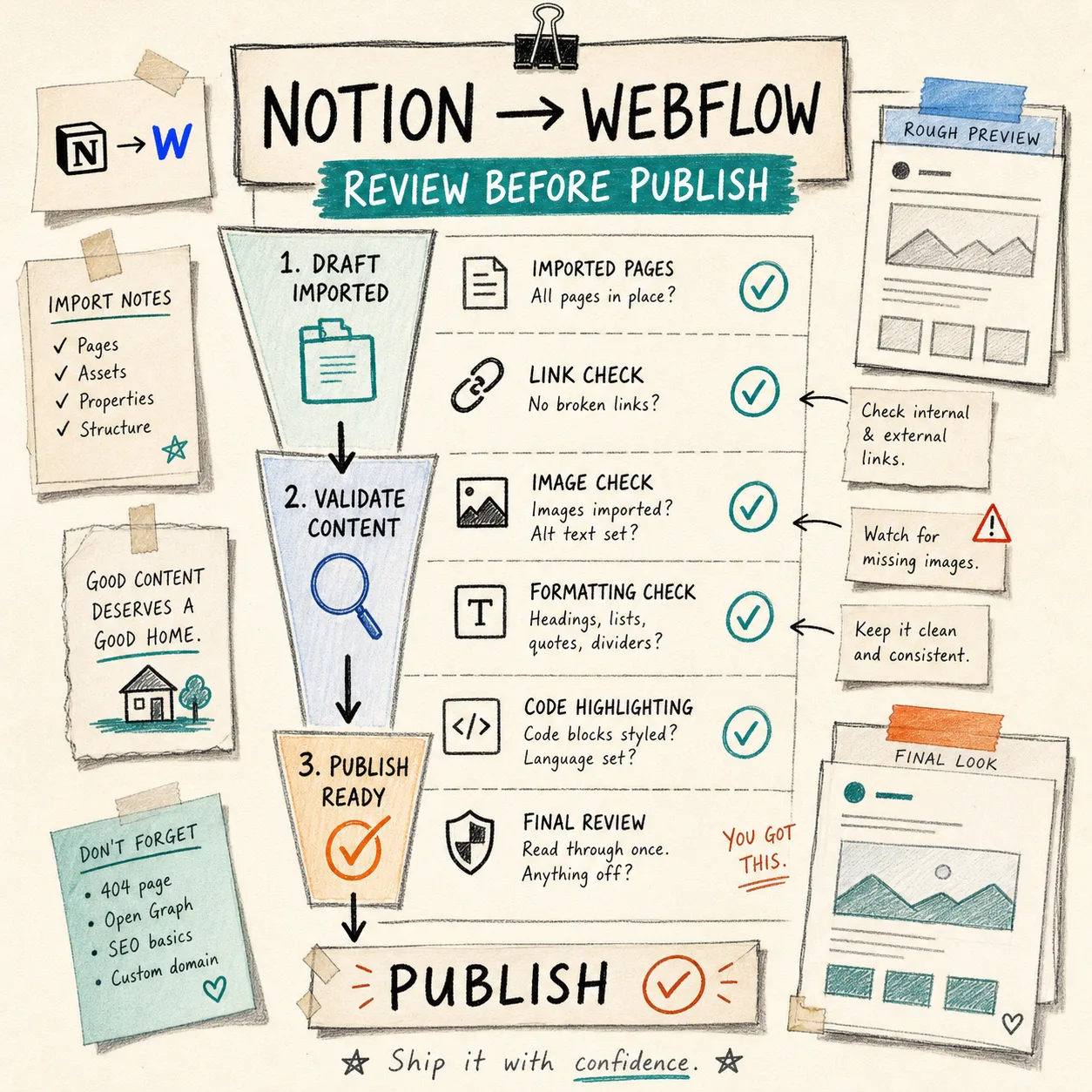
Even with sync in place, I still want one human pass before publish. That is not a weakness in the tool. It is the part that keeps the tool from becoming a silent source of bad pages.
My short review list looks like this:
- Did every page import?
- Are the links real and in the right place?
- Did images come through cleanly?
- Did headings, lists, quotes, and dividers survive?
- If the post is technical, do code blocks and math still read correctly?
- Is the final page something I would actually send to a reader?
The review board is basically the working picture of that checklist.
That is the useful shape here: Notion stays the writing surface, Webflow stays the publishing surface, and SyncFlow keeps the gap between them small enough that I do not start dreading the handoff. I can keep drafting where the draft already lives, map the fields once, and then let the system move the content without turning every post into a manual rebuild.
If you want to see the flow yourself, start with SyncFlow, then use the full tutorial if you want the full setup and the trailer if you just want the quick pass. The first useful win is simple: get one article from Notion into Webflow cleanly, then let the workflow earn more trust from there.