
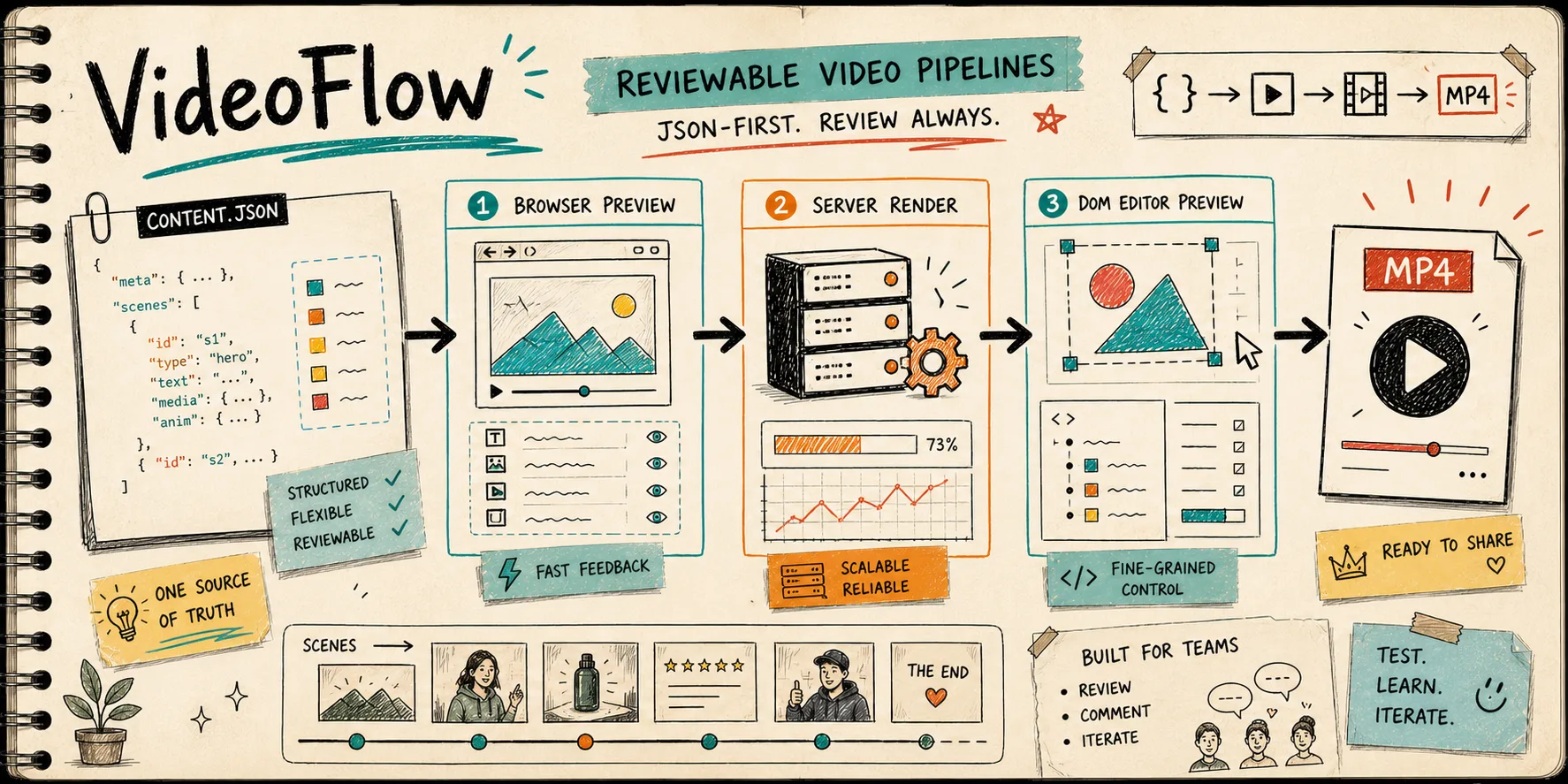
Most video pipelines are easy to render and hard to review. That is the part that usually burns me. By the time a scene sits inside a timeline, the original question has already vanished: what changed, who needs to sign off, and whether the export still matches the draft.
That is why I keep coming back to VideoFlow, the JSON-first toolkit at videoflow.dev. The shape is simple: describe the video as portable data, then render the same project in the browser, on a server, or inside a live DOM preview. If you want to poke around first, the Playground and docs are the quickest entry points.
Keep the source small enough to read
A reviewable pipeline starts with a contract that feels like data, not a mystery box. VideoFlow’s core package is built for that. The fluent TypeScript API compiles to VideoJSON, which means the source can be versioned, diffed, templated, and handed to another renderer without translation. That matters if you are comparing it with hosted video APIs or closed-core tooling: the core and renderers stay open source under Apache-2.0, so the pipeline stays inspectable.
CODE
That little loop is the part I want teams to keep. The scene definition stays readable; the rendering step stays separate. In practice, that means a file you can review in Git instead of a timeline only one person understands.
This is the same review-first shape I wrote about in How to Build a Reviewable JSON-to-Video Pipeline With VideoFlow and How to Keep One Video JSON Working Across Three Renderers. The next step is to make the renderer boundaries explicit instead of implicit.
Split preview, render, and edit
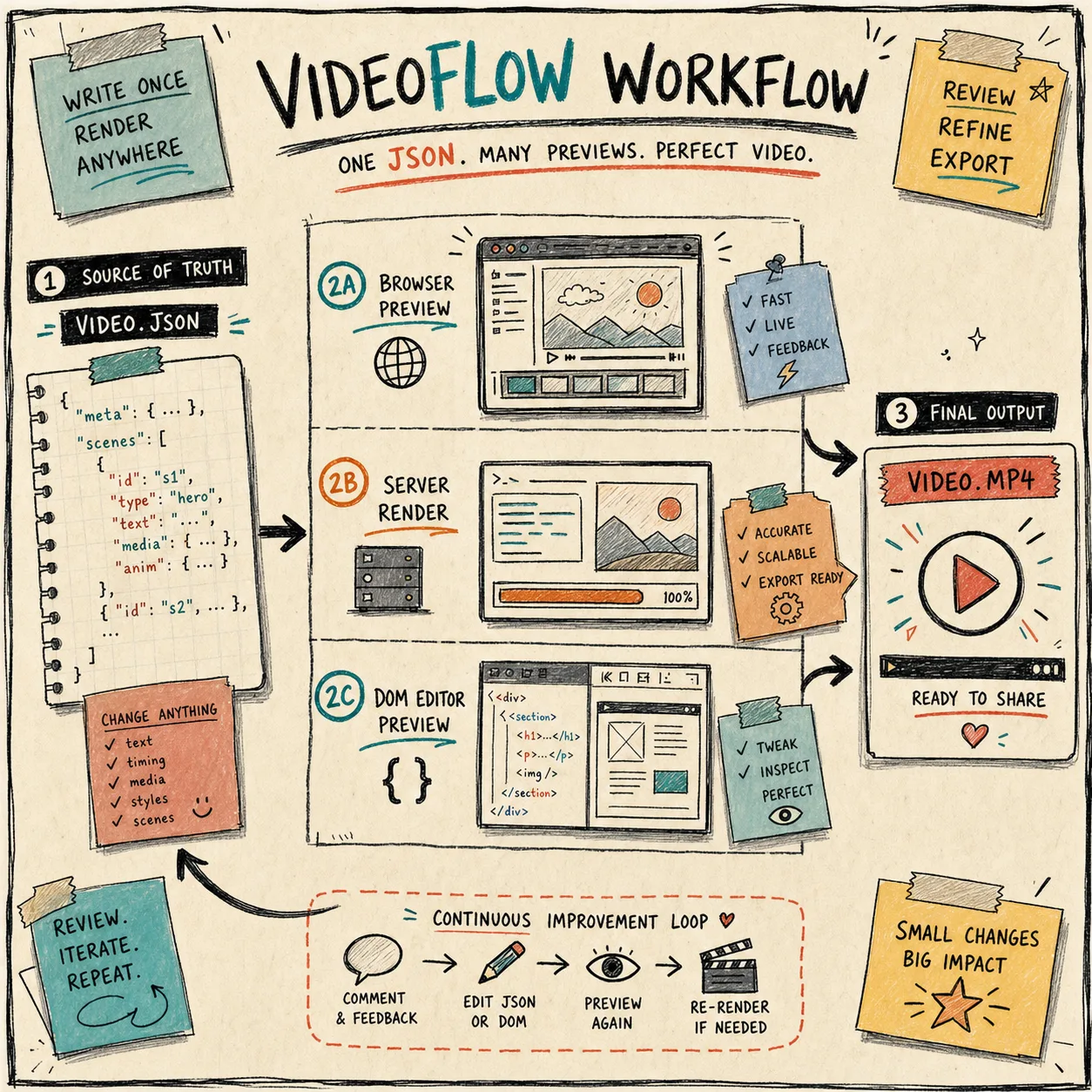
VideoFlow works best when preview, export, and editing each have a clear job. The same VideoJSON can drive browser export, server-side rendering, and a live DOM preview, which is the difference between “we made a video” and “we can keep shipping videos without rewriting the stack.”
- @videoflow/renderer-browser is the right fit when export happens inside the app.
- @videoflow/renderer-server fits queues, scheduled jobs, APIs, and batch renders.
- @videoflow/renderer-dom fits the frame-accurate preview you want inside a product.
I keep that split in mind because it gives reviewers a practical path: check the DOM preview first, confirm the browser path if export is local, and leave the server render for the production job. The renderers docs are the cleanest summary of that setup, and How to Build a Portable VideoJSON Workflow for Browser, Server, and Editor is a useful companion if you want the architecture angle.
Add a real review pass
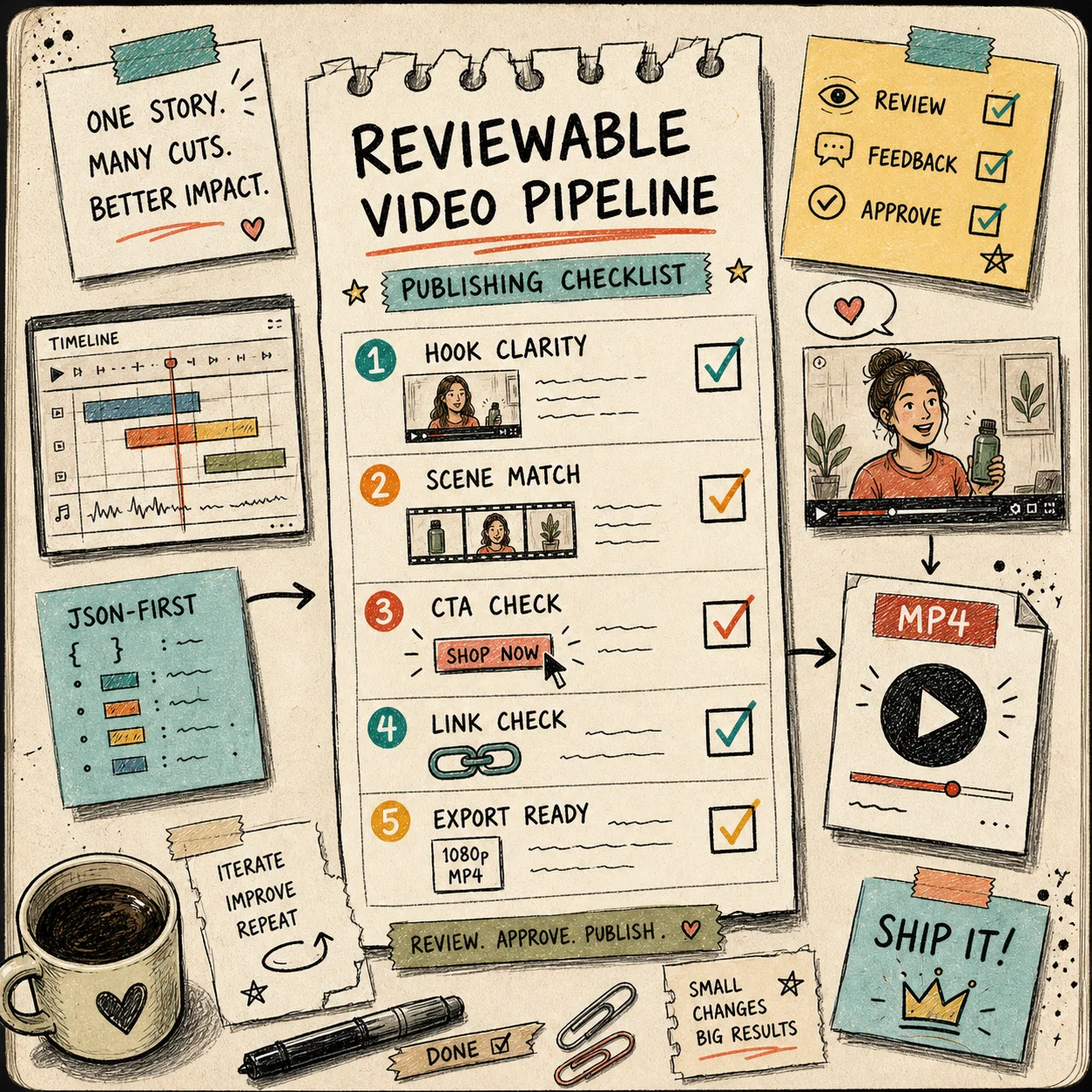
The review pass needs to happen before export, not after. I use a boring gate:
- Hook clarity
- Scene match
- CTA check
- Link check
- Export ready
If any of those fail, the MP4 does not ship yet. That sounds obvious, but it is the difference between a pipeline that produces outputs and a pipeline that produces usable drafts. I want the checklist to be visible enough that non-video people can use it without learning a timeline tool.
A lot of teams try to skip straight from draft to final render. I do the opposite. The review pass is the product. It is also where a link check or a tiny timing fix saves you from publishing a polished mistake.
This is also where the How I Build a Portable VideoJSON Workflow for Preview, Edit, and Export and How to Set Up a Portable VideoJSON Workflow in VideoFlow posts fit. They are the same idea with different emphasis: keep the source portable, then decide when it is safe to render.
Let AI draft the shape, not the judgment
If an AI agent is involved, I want it drafting structured VideoJSON or TypeScript builder code, not freehanding a timeline. That keeps the handoff bounded. The agent can propose scenes, captions, and timing, but a human still decides whether the story is right and whether the CTA belongs.
That is the part I like most about VideoFlow in an agentic workflow: it gives the model a structured contract instead of asking it to improvise across a visual editor. If your product needs a visual editing layer, the optional React video editor is the piece to look at. It gives you a multi-track timeline, keyframes, transitions, effects, and MP4 export without changing the source-of-truth model. The examples page is helpful if you want to see the shape faster.
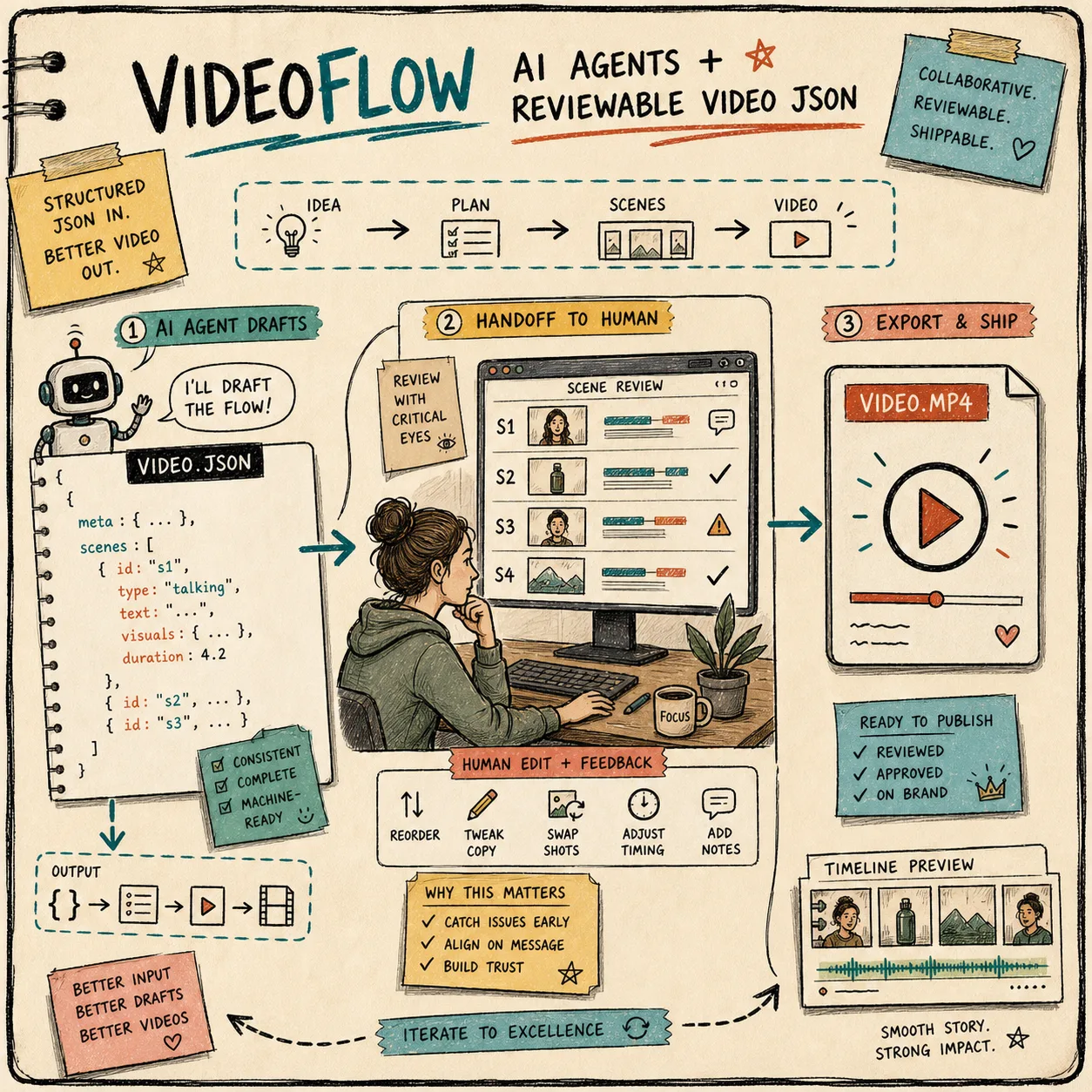
The same pattern shows up in How I Build a Three-Renderer Video Workflow With VideoFlow and How to Set Up a Portable VideoJSON Workflow in VideoFlow. The point is not to remove human review; it is to make the draft structured enough that a human can review it quickly.
The small starter checklist
- Author the video in @videoflow/core.
- Keep one JSON source of truth for the scene tree.
- Preview in the browser or DOM before you export.
- Add a human approval step before the final MP4.
- Let AI draft scenes, but keep review decisions with a person.
- Ship only after the link check and export check pass.
If you are building a video product or a template-driven marketing pipeline, start with the Playground, then decide whether your first milestone is browser preview, server render, or editor integration. The more reviewable the draft is, the less fragile the video system becomes.
If you want the source and API details, the GitHub repo and core docs are the best places to go next.