
I Keep a Launch-Video Change Log Before I Ask for Another Render
When a launch video needs another pass, I do not just type “make it punchier” and hope. I keep a tiny change log that ties every requested edit to the message, the proof, and the moment in the cut it affects. That is the simplest way I have found to keep an AI-made product video from becoming prettier but less true.
This is especially useful when a founder sends late feedback, a launch date is close, and the first render is already good enough to tempt everyone into random polishing. The change log is not a creative brief. It is a guardrail for revision.
VideoFlow Studio is a handy fit for this workflow because it can start from a website, produce an editable project, and accept follow-up direction from the terminal or browser. Its underlying VideoFlow engine is a separate open-source programmatic-video toolkit; here I am talking about Studio’s operator workflow, not how to build a video app in code.
The three columns I add before any revision
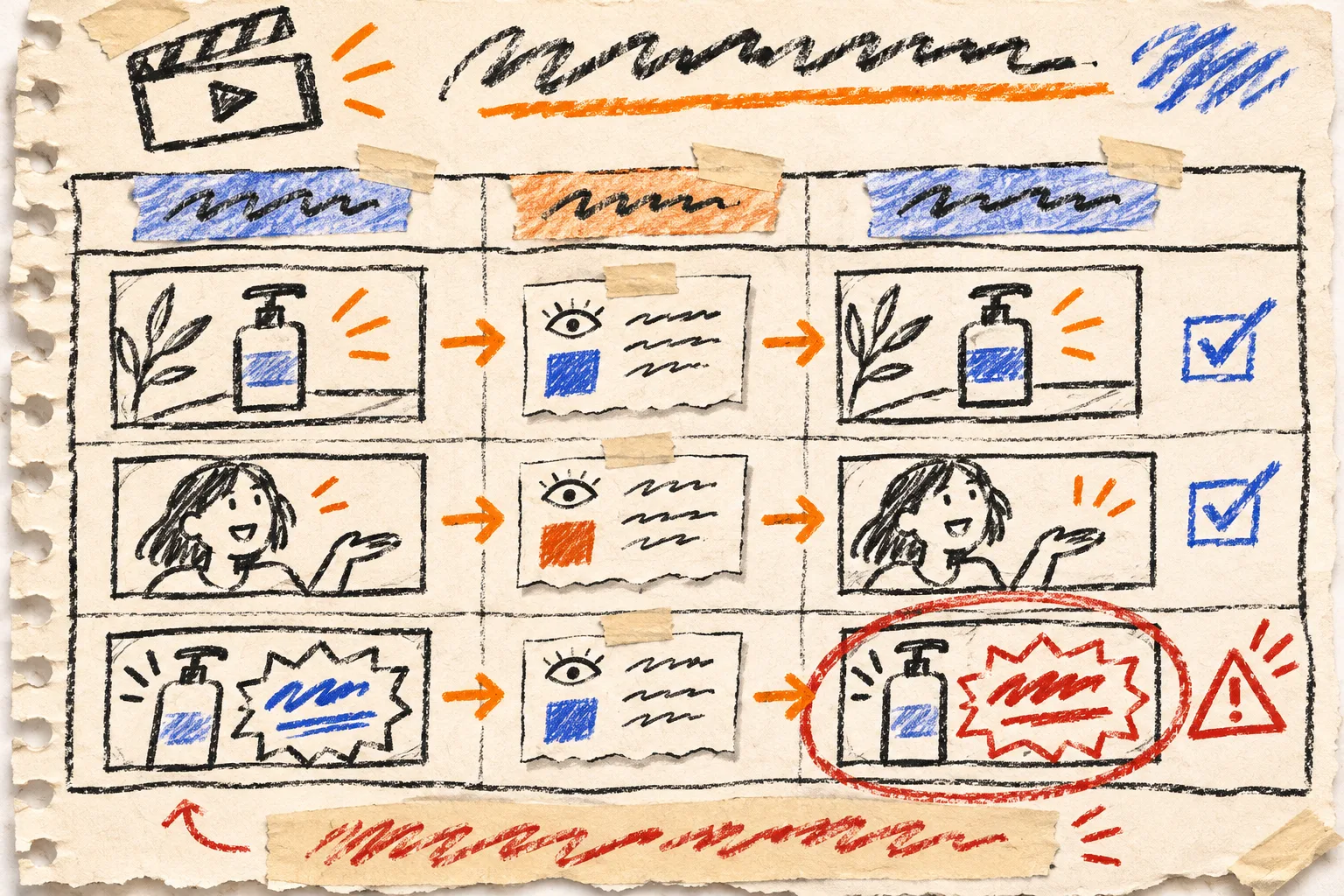
My log has one row per requested change and three columns:
| Change | Evidence it must preserve | What I will inspect after render |
|---|---|---|
| Hold the end card longer | The CTA and destination are still exact | Readability, timing, final-frame crop |
| Replace a feature shot | The shown screen is current and representative | Product name, UI state, claim implied by the frame |
| Tighten the opening | The audience and problem still arrive before the feature list | First five seconds with sound off |
The middle column does most of the work. It turns “make this scene better” into a bounded request. If I cannot say what the revision must preserve, I am probably asking for a new concept, not a revision. That is a legitimate decision—but it needs a fresh plan rather than a stack of patches.
I learned to make that distinction after building a launch-film decision sheet. The decision sheet chooses the core argument before the first render; the change log protects that argument after feedback begins.
Classify feedback before you send it
Every comment goes into one of four buckets. I write the bucket at the front of the request so a batch of notes does not quietly mix incompatible work.
- Message: the viewer should understand a different promise or audience. This can justify restructuring scenes.
- Proof: a feature, product screen, statistic, or visual example is inaccurate or no longer current. Fix it before styling it.
- Cut: the source is right, but a scene needs different duration, order, or emphasis.
- Finish: contrast, alignment, audio balance, or an end-card polish issue.
A “proof” note has more authority than a “finish” note. If someone asks to make a claim bigger but the claim is no longer defensible, I mark the row blocked instead of treating typography as a solution. A product trailer is still merchandising: it should make the right promise, not simply the loudest one. That is the same reason I treat a product video template like a merchandising rule, rather than a decorative wrapper.

One change request, one observable result
For a contained revision, my request has four parts:
Type: CUT
Where: opening scene, before the first product screen
Change: remove the second feature beat and hold the customer problem card longer
Keep: the audience, headline, brand colours, and final CTA unchanged
This format is deliberately unglamorous. It gives the person—or agent—doing the work a scene, an action, and boundaries. It also makes the next inspection obvious.
Studio’s current workflow is built around that kind of iteration: its website says both the CLI and hosted paths end in an editable project, and that a follow-up instruction can re-cut and re-render the same film. The site also says its review pass inspects encoded frames rather than only the source code. That does not remove the need for a human claim check. It simply gives you a better surface on which to make one.
For an editorial review process outside the video itself, my four-card check before posting an ecommerce update transfers nicely: name the reader, point to a provable detail, decide the angle, then check the final artifact.
My small render gate
Before I approve a revised render, I run four quick passes in this order:
- Message: Can I say who this is for and what it promises after the opening?
- Proof: Does every screenshot, feature phrase, price reference, and product depiction still match the source?
- Cut: Did the requested change happen without harming a neighboring transition or the CTA?
- Finish: Is the exported video legible, aligned, and intact at the intended crop?
I watch once with sound and once muted. Muted viewing is my fast check for whether the motion is carrying the message or merely decorating it. Then I compare only the log rows that changed. I do not reopen every old debate just because a new render exists.

When I stop revising and reopen the plan
A change log should make stopping easier. I reopen the original plan when the same row changes category twice—for example, a timing note becomes a claim rewrite, then becomes a new audience. At that point, I need to decide what the video is for again. Continuing to “tune” it creates a very polished record of indecision.
If the video is still early, start with the message–proof–cut handoff card and turn its accepted choices into the first rows of the log. If it is late, accept only changes that have a named owner, evidence to preserve, and a visible check.
The next time a launch video comes back with “one tiny tweak,” open a three-column note before you reply. Name the change, name the proof it cannot damage, and name the frame you will inspect. Then ask VideoFlow Studio for the revision—not another round of vibes.