
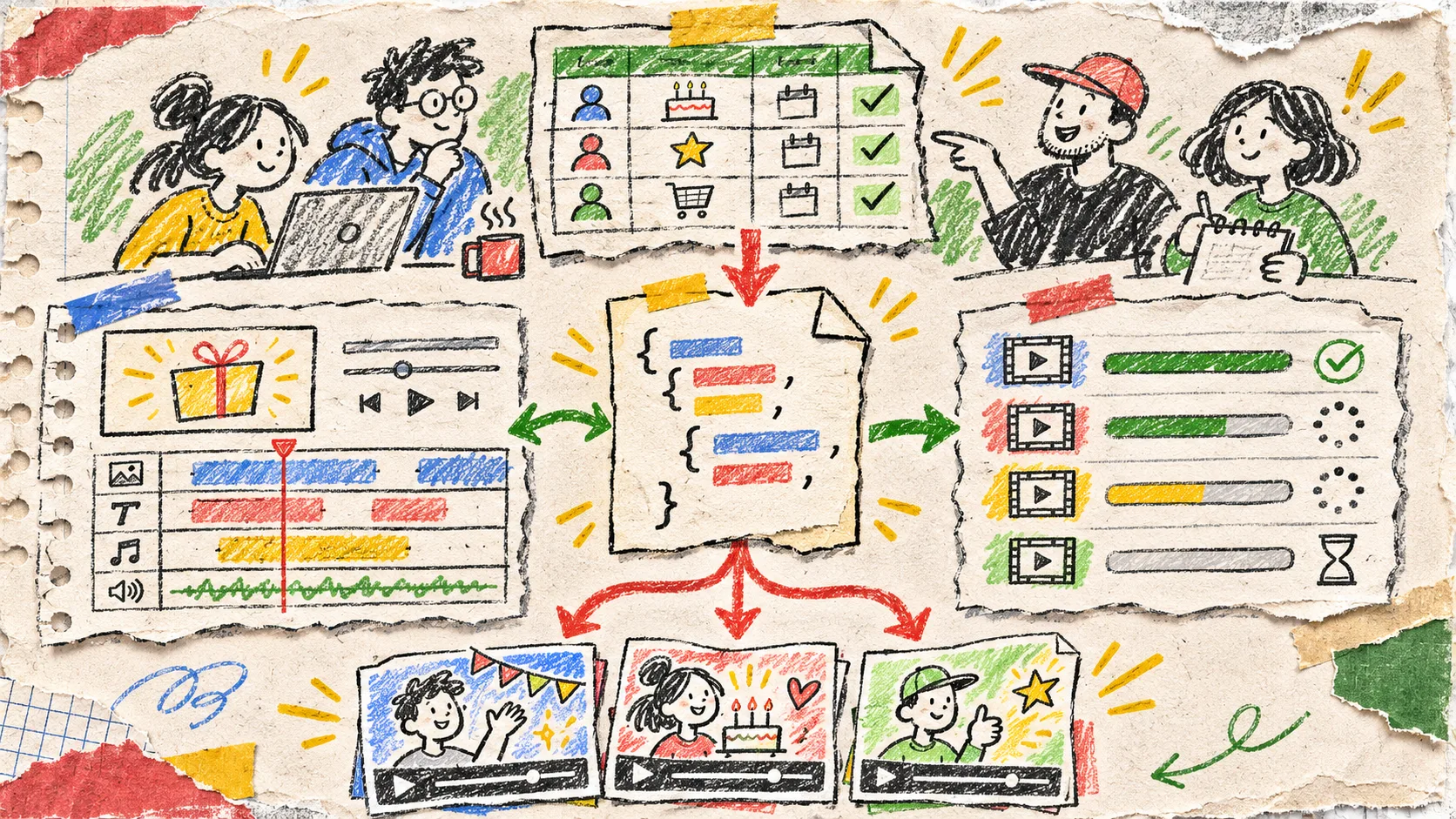
I used to treat an event-triggered video as a one-way job: a customer hit a milestone, the worker rendered an MP4, and the queue moved on. That works exactly until someone needs a different price, a corrected name, a shorter CTA, or a version that can be reviewed. The fix is to make the event create a versioned VideoJSON revision, then treat the MP4 as a disposable delivery artifact. VideoFlow is a particularly tidy fit because the same JSON can preview in the DOM, open in an editor, and render in the browser or on a server.

The event should create a revision, not a final video
An event is only an input. For a customer-recap workflow, it might include an account ID, plan, usage total, locale, and a reporting period. I make the event handler do four small, boring things:
- validate the event against a template-specific schema;
- compile a fresh VideoJSON document from approved data and media;
- save that document with a template version, source-event ID, and revision number;
- put the revision ID, rather than raw event data, on the render queue.
That division matters. A queued job can always be retried from an immutable revision, and a reviewer can identify what was actually approved. It also gives you a clean place to deduplicate events: customerId + period + templateVersion is usually a better idempotency key than an MP4 filename.
VideoFlow’s Core compiles a flow-style TypeScript definition into portable VideoJSON. Its six layer types—text, image, video, audio, captions, and shape—are enough to keep a template explicit without requiring a separate visual editor for every generated clip. I use the same constraint when preparing a reviewable variation queue: inputs are data, the revision is the record, and the MP4 is output.
Keep the source record small and inspectable
A useful revision record does not need to mirror your entire CRM payload. Mine has three layers:
| Layer | Store | Why it exists |
|---|---|---|
| Event snapshot | the normalized fields used for this clip | explains where visible claims came from |
| VideoJSON | the complete editable scene document | provides a stable preview, review, and re-render target |
| Render receipt | renderer, output URL, duration, status, and revision ID | connects delivery back to the exact source |
The key is that no rendering worker silently rebuilds a scene from current customer data. If the data has changed, create revision 2. That keeps a Wednesday render from changing underneath a Thursday approval. It follows the same discipline as keeping a product video template versionable without freezing the editor: templates can evolve, but an already-reviewed document needs a stable identity.
type VideoRevision = {
  id: string;
  eventId: string;
  templateVersion: string;
  revision: number;
  status: 'draft' | 'approved' | 'rendering' | 'delivered';
  videoJSON: unknown;
};

const videoJSON = await buildCustomerRecap(normalizedEvent);
const saved = await revisions.create({
  eventId: event.id,
  templateVersion: 'recap-v4',
  revision: 1,
  status: 'draft',
  videoJSON,
});
await queue.add('render-approved-revision', { revisionId: saved.id });
Give people a real edit surface
If a human needs to correct copy, trim an awkward beat, or swap an approved asset, they should edit a copy of the revision—not an MP4 and not the template. VideoFlow’s React Video Editor accepts VideoJSON and returns changes through callbacks, while your app keeps control over persistence and permissions. That makes an approval route fairly straightforward: load revision 1, save an edit as revision 2, then render only the approved revision.

I would lock the structural decisions that protect a template—brand frame, legal slate, required captions—and let the reviewer change the things they own: a customer name, an image choice, the timing of a sentence, or a local CTA. The editor’s multi-track timeline and live preview are useful here, but the product decision is more important than the UI: define allowed edits before you expose controls.
This is also why I review JSON before any queued work starts. My earlier VideoJSON queue check is still the practical gate: validate external URLs, required layers, duration bounds, captions, and claims that came from event data.
Choose the renderer at delivery time
One revision does not force one delivery architecture. VideoFlow’s renderers use the same VideoJSON for a live DOM preview, a browser-side MP4 Blob, or a headless Node render. That leaves the routing choice close to the job:
- Use the browser renderer for a small user-initiated export where keeping project data client-side is valuable. It supports progress and cancellation.
- Use the server renderer for scheduled recaps, retryable jobs, batch sends, or an API that returns a file or buffer.
- Use the DOM renderer for the preview and review state; it is the place to catch a bad line break before spending render time.
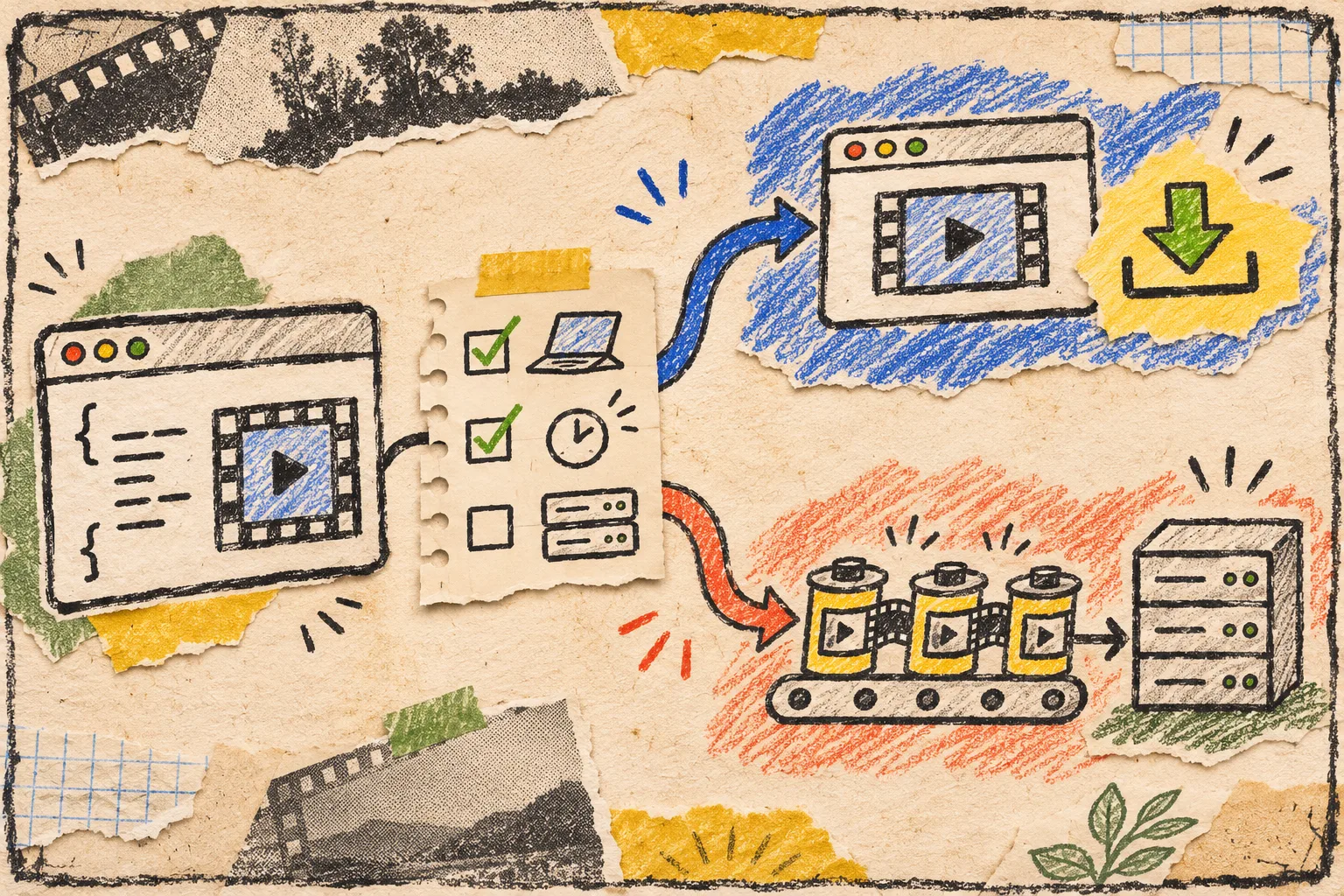
The point is not to pretend these outputs are interchangeable in every cost or privacy model. A high-volume queue needs rate limits, observability, retention rules, and a retry policy that distinguishes a failed encoder from a missing asset. But one portable revision lets those concerns stay around the renderer instead of leaking into every template. That is the same boundary I use when I build a catalog-to-video API around one portable JSON document.
My five-line release check
Before a revision becomes deliverable, I check:
- Does the event snapshot support every customer-specific claim on screen?
- Can a reviewer open this exact VideoJSON and understand the source template?
- Is the template version recorded and are protected layers still intact?
- Did the preview pass with the same media URLs and fonts the renderer will use?
- Does the render receipt point back to this revision ID?
If any answer is no, I leave the job in draft. A fast MP4 is not the useful outcome; a traceable video that can survive one inevitable change is.
If you are building this into a product, start with one event type and one template. Define the revision record first, then use VideoFlow to compile, preview, edit, and render the same VideoJSON. That small constraint is what keeps an automation from becoming a pile of unrecoverable files.