
I kept running into the same friction: I already had Claude Code open in the terminal, I liked the session, and I did not want every small local script to turn into a separate app boundary. After Anthropic split interactive Claude Code from the Agent SDK / claude -p billing path on June 15, 2026, the question changed from “what is the headless API?” to “how do I keep my local workflow scriptable without changing the session I already trust?”
That is where dash-p fits. It is a CLI and TypeScript library that drives the real interactive Claude Code TUI instead of pretending the terminal session does not exist. It does not replace Claude Code, bypass auth, or invent a loophole. It just makes the real session composable.
Anthropic’s own docs now separate the interactive terminal/IDE workflow from the Agent SDK path. The help center article for Pro and Max plans describes Claude Code as a terminal or IDE tool, while the pricing page still reads like normal model billing. I stopped treating dash-p as a pricing trick and started treating it as a local automation layer.
What I Wanted
I did not want a new AI platform. I wanted a few small things I could run beside real work:
- a repo summary before a cleanup or refactor,
- a structured response I could hand to another script,
- and a TypeScript wrapper that felt close to the way I already think about Claude Code.
The product page for dash-p says the quiet part out loud: keep the official Claude Code session, but make it scriptable. That is a useful niche.
The Smallest Useful Setup
The CLI is the fastest way to feel the shape of it:
npm install -g @ybouane/dash-p
dash-p "summarize this repo in 5 bullets and return JSON"
If I want to stay in code, I reach for the query() API:
import { query } from "@ybouane/dash-p";

for await (const msg of query({
  prompt: "In one sentence, what is a pseudo-terminal?",
  options: { model: "sonnet", includePartialMessages: true },
})) {
  if (msg.type === "result") console.log(msg.result);
}
That shape works because the automation layer stays thin. The heavy lifting still happens inside the real Claude Code session, so I keep the same login, the same local context, and the same permissions I would have used by hand.
If you want the more command-line-first version of that idea, I already wrote How to Automate Claude Code From a Shell Script. If you want the structured-output angle, How to Get Structured Output From Claude Code With dash-p is the closer companion piece.
What I Keep On A Short Leash
This is the part I think people should read twice.
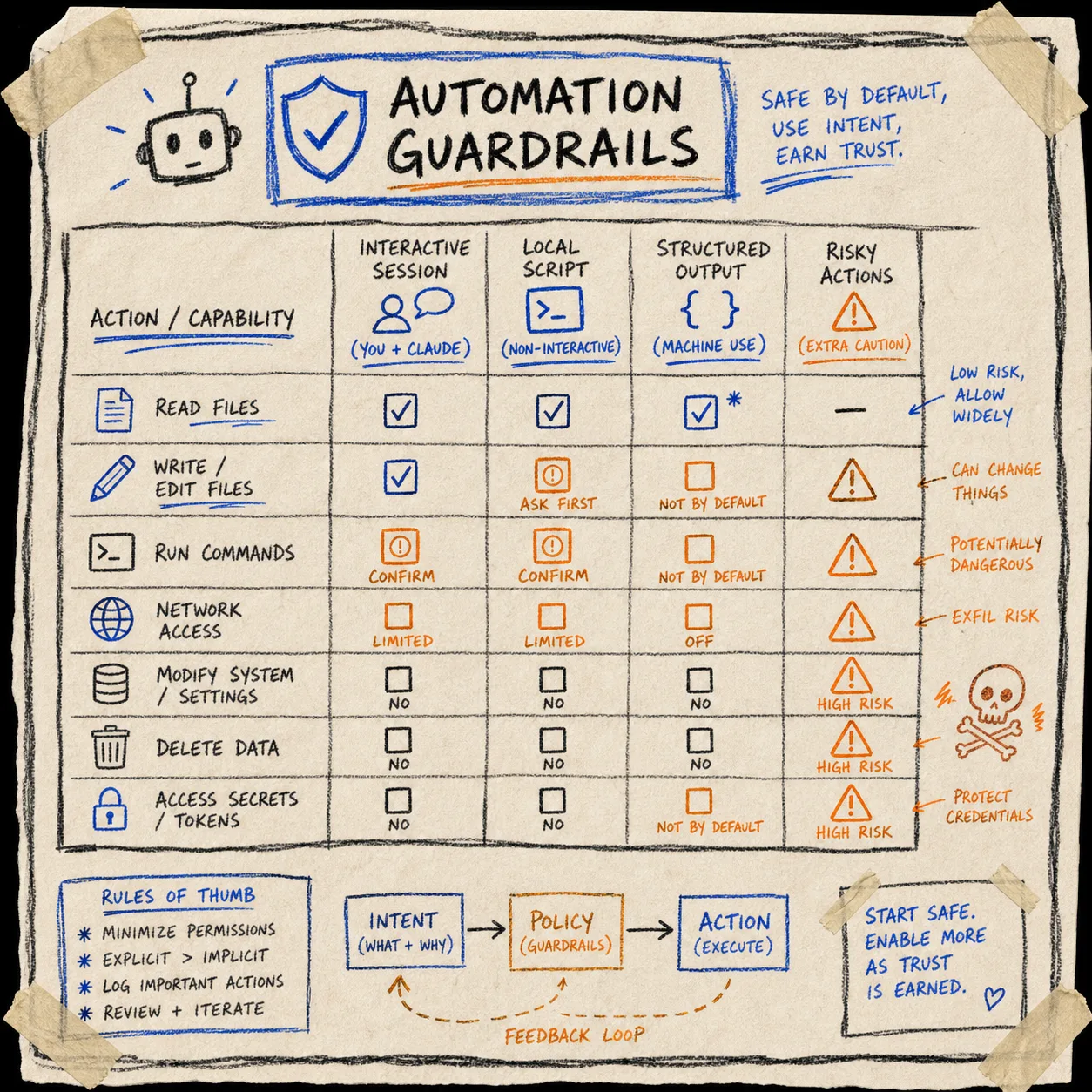
dash-p is useful because it uses the real interface, and that makes it fragile for the same reason. I am comfortable with that tradeoff for local workflows, but I would not blur the line between a local scripting tool and a production integration.
The list of constraints is not subtle:
- you still need the official Claude CLI installed and logged in,
- it depends on
node-pty, so some platforms may need local build tools, - it is tied to the rendered TUI, so UI changes can break scraping,
- and it is best suited to local scripts, research, and other workflows you can maintain.
That is also why I keep the guardrails separate from the prompt. If I want a stronger permission plan, I use the ideas in How I Built a Permission Plan for a Shopify AI Assistant and How I Keep Shopify Blog Automation Useful Without Publishing Blind. Those posts are about Shopify systems, but the operating rule is the same: automate the narrow thing, not the whole judgment call.
Where Dash-p Sits Among The Other Paths
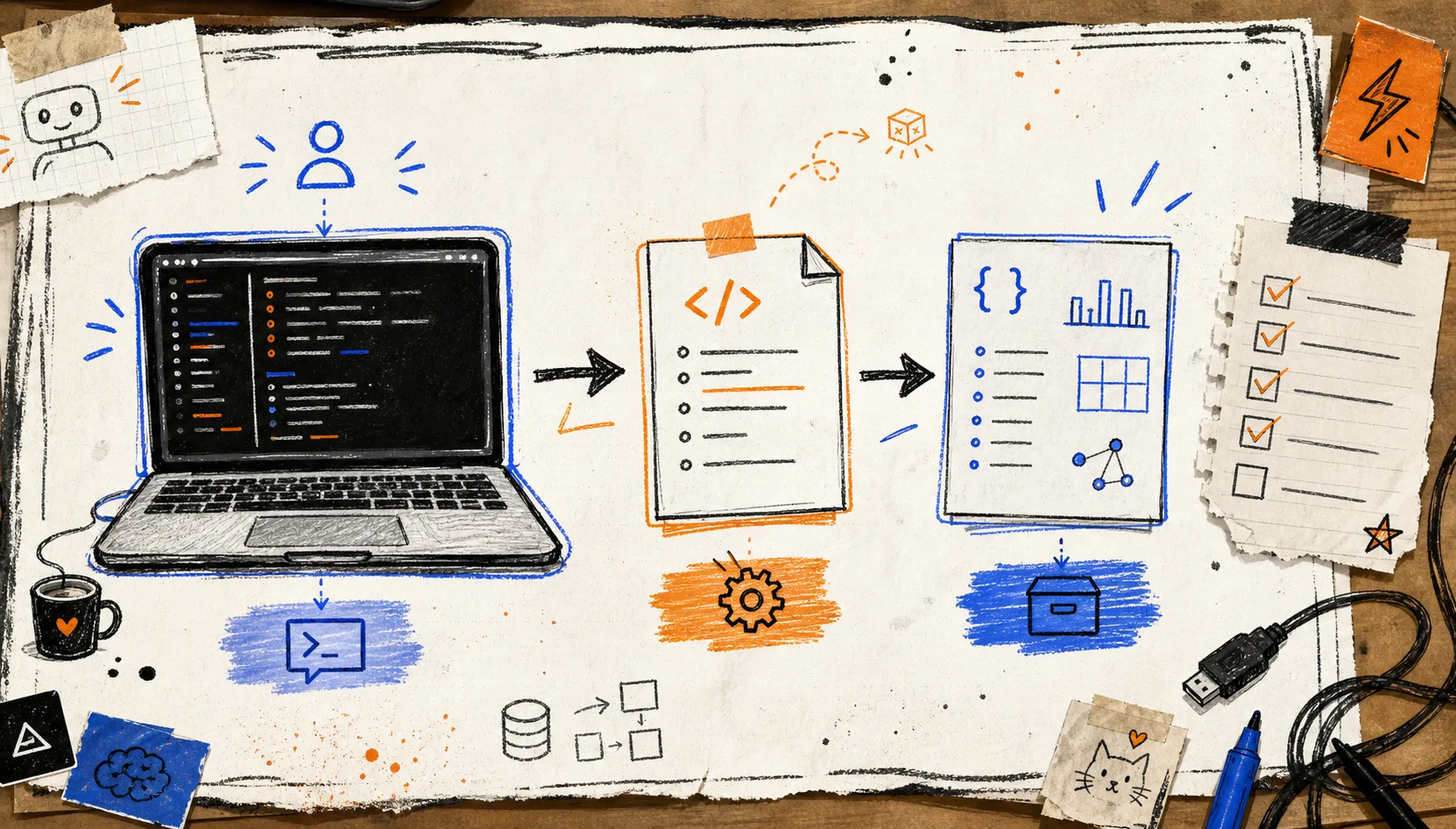
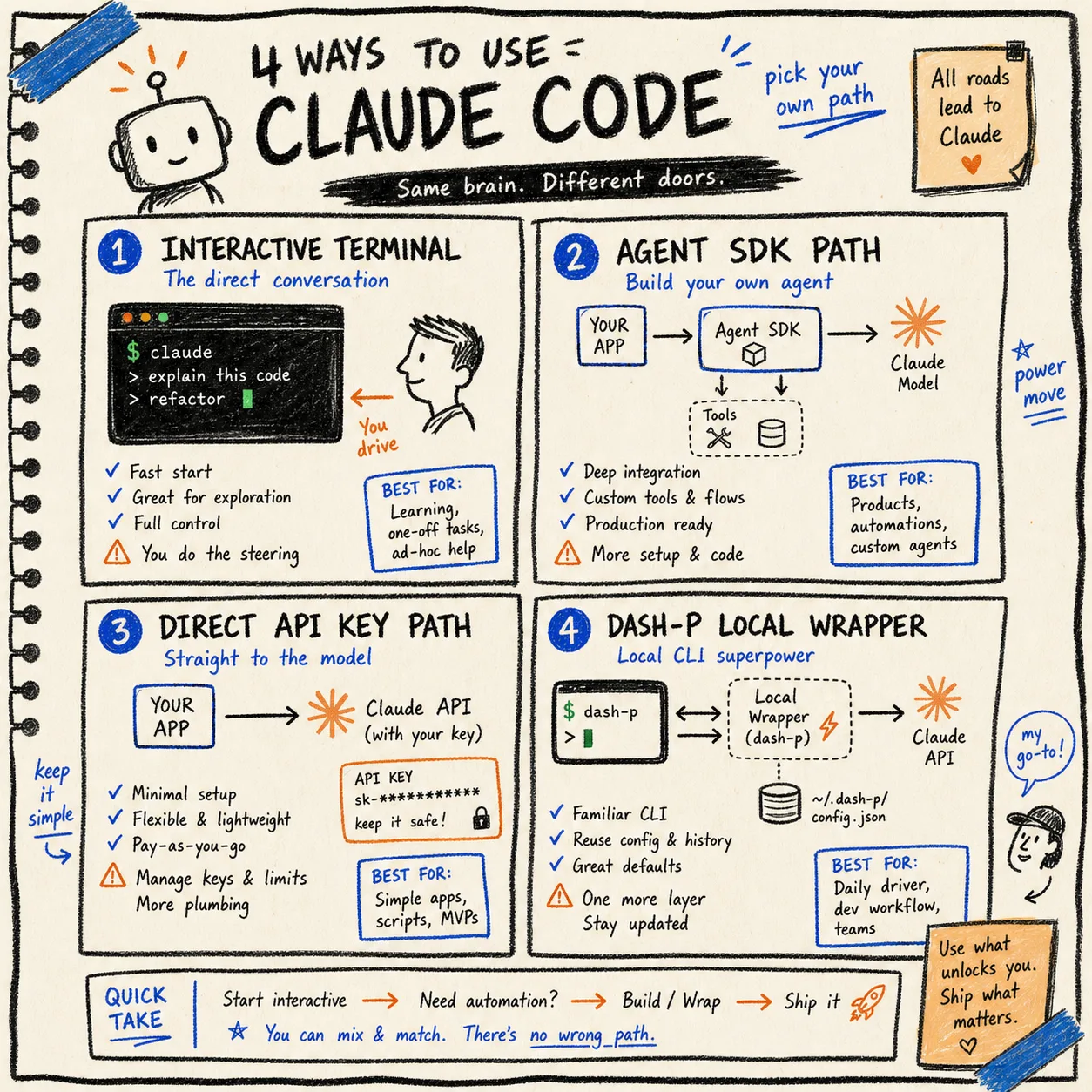
I think about the four paths this way:
- interactive Claude Code: best when I am personally driving the session,
- Agent SDK /
claude -p: best when I want app-level integration and accept the separate metered path, - direct API: best for production apps and explicit token billing,
- dash-p: best when I want local scripting around the same terminal session I already use.
That last option is the one that feels most honest to me. It does not pretend the terminal is not interactive, and it does not ask me to rebuild my workflow around a separate headless stack just to get one small automation working.
If you want the adjacent permissions angle, How I Decide What a Shopify AI Agent Can Touch is the higher-level decision tree, and How I Built a Permission Plan for a Shopify AI Assistant is the operational version.
The Short Version
Start with one local task and one repo. If dash-p saves you from rewriting the same Claude Code prompt over and over, keep it. If it feels brittle, keep it narrow and move on.
That is the useful middle ground here: not a replacement for Claude Code, not a production API wrapper, just a practical bridge between a real terminal session and the scripts you already want to write.
If that sounds like your workflow, grab the dash-p GitHub repo, point it at one real repo, and compare the output to the manual Claude Code session you would have run anyway.