
The fastest way to make a Shopify AI agent dangerous is to give it write access before it has earned any trust. I have had better results starting the other way around: read-only first, then draft output, then narrow edits only where the risk is low and the value is obvious.
That is the pattern I keep coming back to with tools like Clawly, the Shopify-specific agent I already use for scoped automation. It is much easier to trust a system that can summarize, flag, and recommend than one that can silently change the store on day one.
I wrote the higher-level version of this idea in How I Built a Permission Plan for a Shopify AI Assistant and How I Decide What a Shopify AI Agent Can Touch. This post is the operational version: how I keep the agent useful while it is still on a short leash.
Start In Read-Only Mode
Read-only mode is not a compromise. It is the quickest way to see whether the agent is actually paying attention to the store.
In practice, I want the agent to do a few boring things well:
- summarize daily sales or unusual activity,
- flag low inventory before it becomes a problem,
- collect cleanup candidates for product data,
- draft support replies without sending them,
- and surface issues that deserve a human review.
That is enough to save time without creating a cleanup job later.
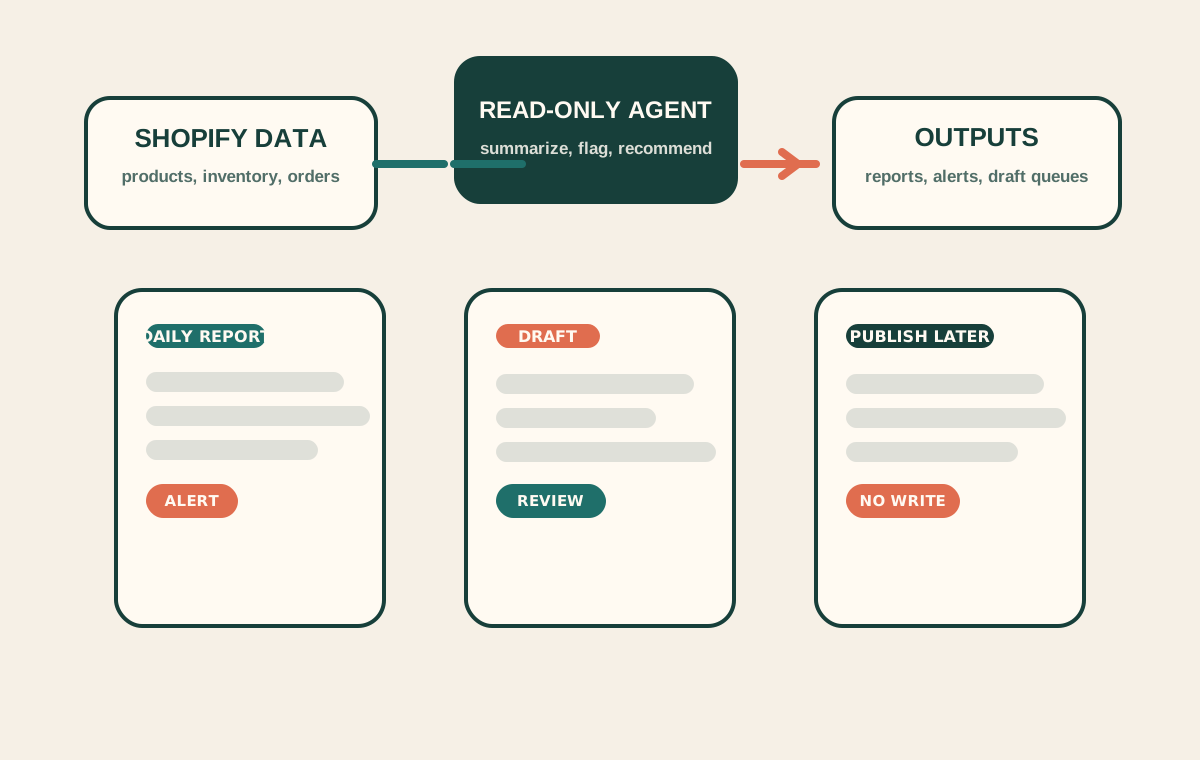
If the assistant cannot produce a useful report, it probably should not be touching anything else yet. The first win should be legible in one screen.
The Permission Ladder
I think about permissions as a ladder, not a switch.
| Stage | Allowed behavior | What I learn |
|---|---|---|
| Read-only | Inspect data and report back | Whether the agent understands the store |
| Draft-only | Write suggestions, not changes | Whether the output is useful enough to review |
| Narrow edit | Change a small, reversible field set | Whether the system is safe enough for controlled edits |
| Publish or broad write | Take final action automatically | Only after the previous layers are boring |
That ladder keeps me from overpromising on day one. It also makes review easier because I can explain exactly why a task moved up a rung.
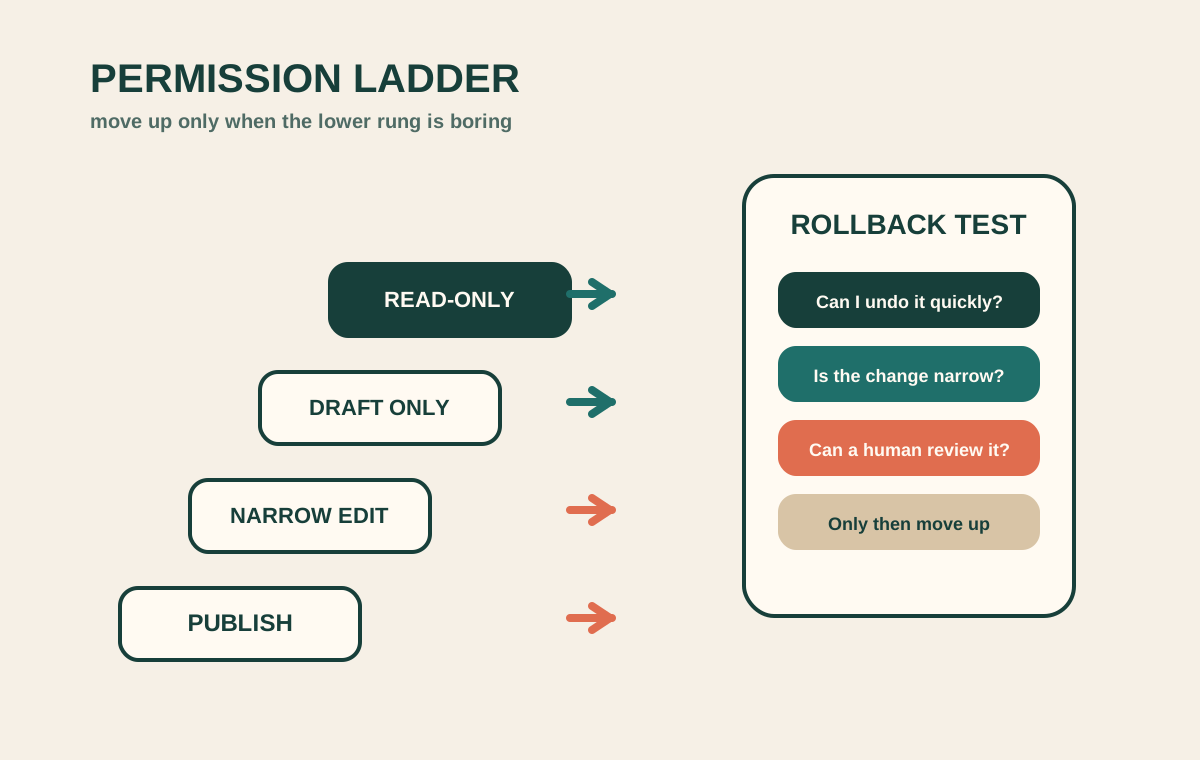
The most important rule is simple: if I cannot name the rollback path, the agent stays on the lower rung.
What I Let It Do First
The first useful outputs are usually the least glamorous ones.
For a Shopify store, I usually start with:
- a morning report that calls out unusual sales or product movement,
- a low-stock alert tied to the exact SKU,
- a cleanup list for titles, tags, descriptions, or images,
- a support draft that already includes the order context,
- and a suggested edit queue that I can approve in batches.
That list is not exciting, but it is practical. It gives the agent a clear job and gives me a clear way to verify whether it is helping.
I like this order because each step reduces manual checking without creating irreversible behavior. A report can be wrong, but it is easy to spot. A draft can be off, but it is easy to edit. An automatic publish is a different class of risk.
What Stays Manual
I keep a few things manual even after the assistant starts to feel reliable:
- customer-facing wording that could create a promise I did not intend,
- anything compliance-sensitive or brand-sensitive,
- price changes and catalog-wide updates,
- and anything that would be annoying to unwind if the model misread the context.
That is also why I like pairing this with How I Use Clawly to Automate Shopify Cleanup, Reports, and Alerts. Clawly is useful when the job is narrow and reviewable. If the task starts to sound like a store-wide rewrite, the guardrails should get tighter, not looser.
The Review Loop I Actually Trust
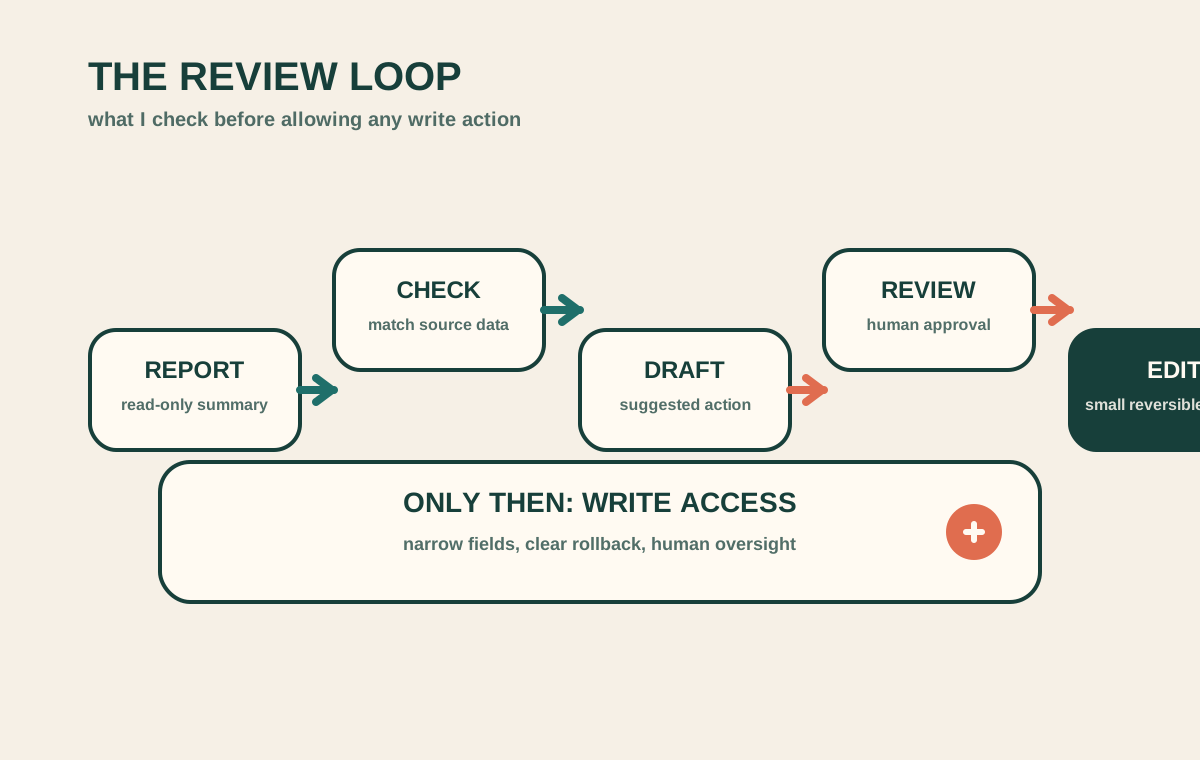
My review loop is short on purpose:
- Check the report or draft against the source data.
- Confirm the agent used the right product, collection, or SKU.
- Look for claims that sound stronger than the source material.
- Approve only the smallest safe change set.
- Keep anything ambiguous in draft mode.
That works better than trying to decide permission policy in the abstract. The real question is always whether the next action is reversible, reviewable, and worth the risk.
If the answer is no, the agent should stay read-only.
Why This Works
Read-only mode earns trust because it creates a clean feedback loop:
- the agent sees the store,
- I see what it thinks matters,
- and I can tell whether it is accurate before it is allowed to act.
That makes the next permission decision much easier. By the time I let the system draft replies or edit a small field set, I already know how it behaves under pressure.
That is the same reason How I Keep Shopify Blog Automation Useful Without Publishing Blind works as a companion read. The narrow workflow is what keeps the automation helpful.
The Short Version
Start with read-only reporting, then move to drafts, then allow tiny reversible edits only where the upside is clear.
That is the safest way I know to make a Shopify AI agent useful before it becomes risky. If it can show me the right report first, I am much more willing to let it do the next job later.